Introduction
Ever wondered how emails magically land on your phone or laptop? Meet POP3 – the unsung hero that quietly fetches your messages from the internet and delivers them to your device. Let’s break down why this “Post Office Protocol” matters, even in 2024!
What is POP3?
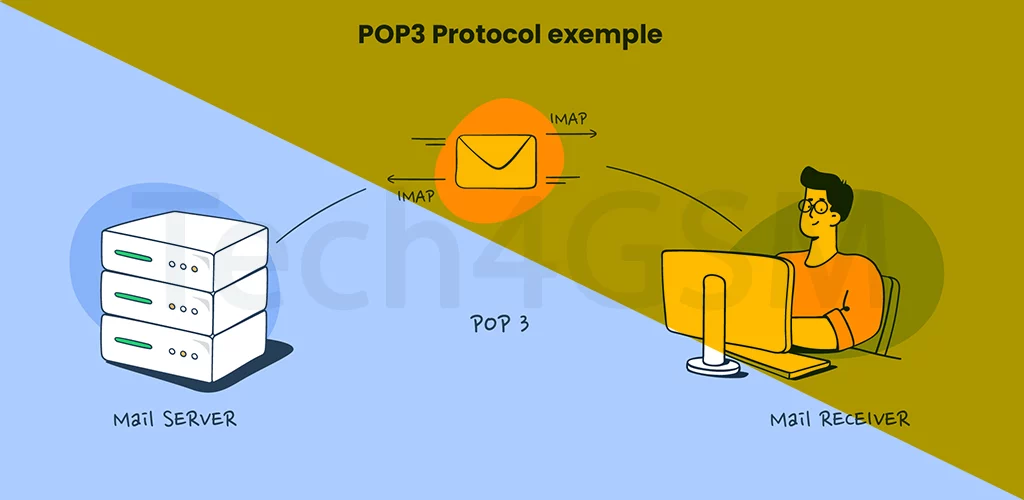
POP3 (Post Office Protocol 3) is like your email’s personal mail carrier. It’s a set of rules that helps your email app (like Outlook or Apple Mail) download messages from an email server (e.g., Gmail, Yahoo) to your device. Think of it as a digital postman who picks up your mail once and brings it home – no round trips!
How Does POP3 Work?
- Connect & Grab: Your email app connects to the server where your emails are stored.
- Download & Store: All emails are copied to your device (computer, phone, or tablet).
- Clean Up (Optional): By default, POP3 deletes emails from the server after delivery. But you can choose to keep copies!
POP3 vs. IMAP: What’s the Difference?
- POP3: Takes emails from the server and stores them locally. Ideal for offline access.
- IMAP: Syncs emails across devices and keeps them on the server. Perfect for multi-device users.
Why POP3 Rocks
- No Internet? No Problem! Access downloaded emails anytime, even offline.
- Saves Server Space: Removes emails from the server, freeing up storage.
- Simplicity: Works great for single-device users who want clutter-free inboxes.
The Downsides of POP3
- “Where’d My Emails Go?” If your device crashes, emails not backed up are lost.
- No Syncing: Read an email on your phone? It won’t show as “read” on your laptop.
- Limited Features: Lacks modern perks like real-time folder updates.
Why Use POP3 in 2024?
POP3 isn’t outdated – it’s niche-friendly! It’s perfect for:
- Folks with limited internet access.
- Users who want privacy (emails stay on their device).
- Small businesses needing simple, offline email archives.
Final Takeaway
POP3 is like a loyal mailman who hands you your letters and walks away. While IMAP and cloud-based services dominate today, POP3 remains a reliable, no-fuss way to manage emails.