Introduction
Ever wondered how to send emails without exposing everyone’s addresses? Enter BCC (Blind Carbon Copy)—your email privacy superhero! Let’s dive into how this feature works and why it’s essential for modern communication.
What is BCC?
- BCC stands for Blind Carbon Copy. It lets you send emails to multiple recipients without revealing their addresses to others.
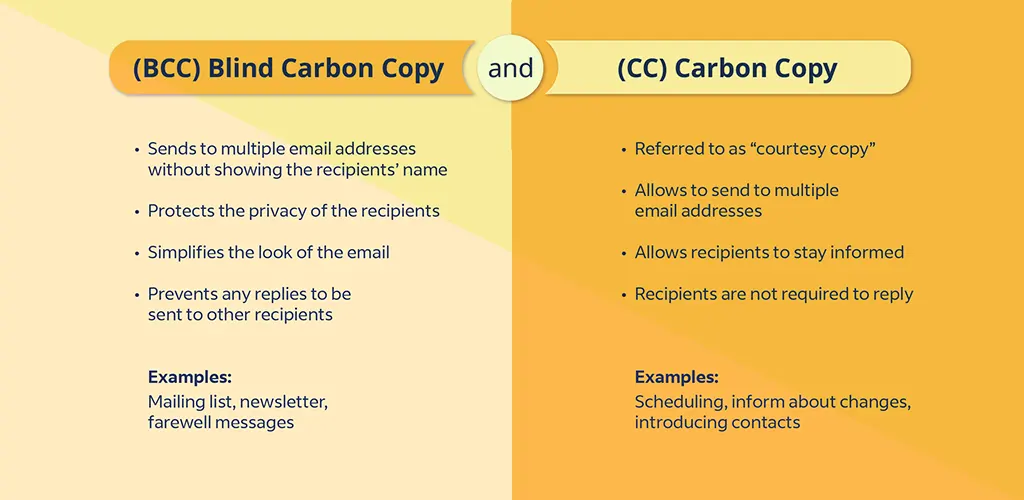
- Unlike CC (Carbon Copy), where everyone sees who’s included, BCC keeps recipients hidden.
- Perfect for mass emails (e.g., newsletters, announcements) or protecting privacy when recipients don’t know each other.
CC vs. BCC: Key Differences
| CC | BCC |
|---|---|
| Shows all recipients’ emails. | Hides recipients’ emails. |
| Used for transparency (e.g., keeping managers in the loop). | Ideal for privacy (e.g., client lists). |
| Risk of “reply-all” chaos. | Prevents inbox clutter and accidental replies. |
When to Use BCC?
- Protecting Privacy: Sending emails to groups (e.g., clients, subscribers) who shouldn’t see each other’s addresses.
- Avoiding Reply-All Drama: Share company updates without triggering endless “reply-all” chains.
- Mass Communication: Marketing blasts, event invites, or newsletters where discretion is key.
How to Use BCC in Popular Email Clients
Gmail:
- Click “Compose” → Tap “BCC” → Add addresses → Send!
Outlook: - New Email → “Options” → Enable BCC → Add addresses → Send.
Apple Mail: - New Message → “View” → Enable BCC → Enter emails → Hit Send.
Pro Tip: Always double-check BCC fields to avoid mistakes!
BCC Best Practices
- Use Sparingly: Overusing BCC can seem sneaky. Only hide recipients when necessary.
- Stay Transparent: If moving someone to BCC mid-thread, inform others to maintain trust.
- Avoid Sensitive Info: BCC isn’t secure—use encryption for confidential data.
- Clarity Matters: If someone needs to act, put them in “To” or “CC” instead.
BCC Myths Busted
- ❌ Myth 1: “BCC guarantees privacy.”
✅ Truth: BCC hides emails but doesn’t encrypt content. Forwarded emails can expose info. - ❌ Myth 2: “Recipients don’t know they’re BCC’d.”
✅ Truth: BCC’d recipients see the email but not others’ addresses. - ❌ Myth 3: “BCC is rude.”
✅ Truth: It’s professional when used correctly (e.g., protecting privacy).
FAQs
- Can I use BCC for every email?
Technically yes, but avoid overuse. It can confuse recipients or seem secretive. - Is BCC rude?
Not if used ethically—like shielding addresses in mass emails. - What if I accidentally “reply-all” to a BCC email?
Your reply goes only to the sender, sparing you inbox chaos! - Does BCC hide MY email?
No. For anonymity, use encrypted services.
Final Takeaway
BCC is a powerful tool for balancing privacy and professionalism in emails. Use it wisely to protect contacts, reduce clutter, and avoid awkward mishaps.
Master BCC, and your inbox (and recipients) will thank you! 🚀