Introduction
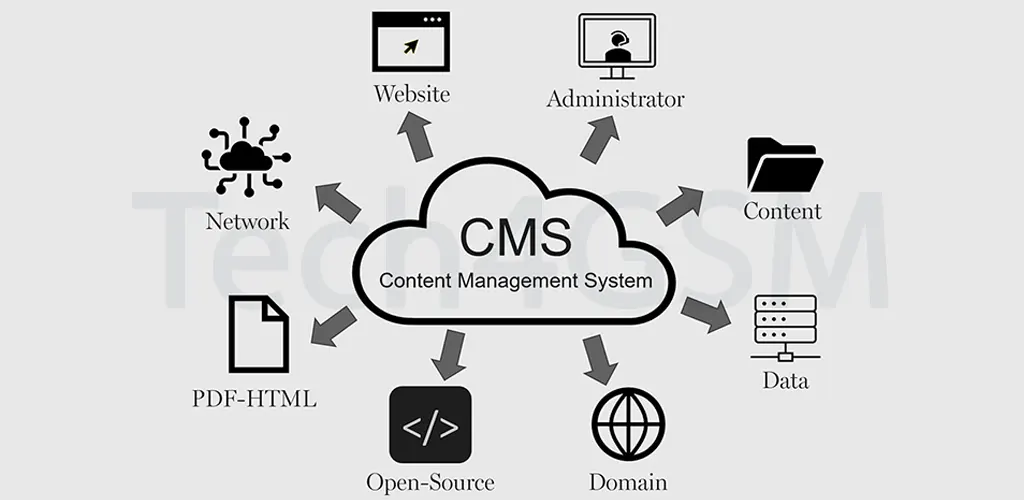
A Content Management System (CMS) is a powerful software tool that lets anyone create, edit, publish, and manage website content without coding skills. Think of it as a digital workspace where you control text, images, videos, and more through a simple, user-friendly interface.
Key Takeaway:
- No coding required: Build websites using drag-and-drop tools.
- Centralized control: Manage all content from one dashboard.
- Collaboration-friendly: Multiple users can work simultaneously.
CMS vs. DXP: What’s the Difference?
While a CMS focuses on content creation and management, a Digital Experience Platform (DXP) offers advanced personalization across channels like apps, email, and IoT devices.
Bold Differences:
- CMS: Ideal for websites and blogs.
- DXP: Best for omnichannel marketing (e.g., tailored ads on social media + websites).
Who Needs a CMS?
Everyone! From bloggers to Fortune 500 companies, a CMS simplifies online presence.
Top Users:
- Small businesses: Launch websites fast.
- E-commerce stores: Manage product listings effortlessly.
- Publishers: Schedule articles and track engagement.
7 Unbeatable Benefits of a CMS
- Democratizes Web Design
Non-tech teams can update content instantly. - Boosts SEO
Built-in tools optimize metadata, URLs, and keywords. - Enhances Security
Role-based access and automatic backups protect data. - Saves Time & Money
Eliminate developer dependency for minor edits. - Supports Multi-Channel Publishing
Share content seamlessly to social media or email. - Improves Collaboration
Track changes, assign tasks, and approve workflows. - Scalability
Grow from a 10-page site to 10,000 pages without hiccups.
Choosing the Right CMS in 2025
1. Identify Your Needs
- Blogs: WordPress or Ghost.
- E-commerce: Shopify or WooCommerce.
- Enterprise: Adobe Experience Manager.
2. Coupled vs. Headless CMS
- Coupled (Traditional): All-in-one solution (e.g., WordPress).
- Headless: Backend-only for multi-channel flexibility (e.g., Contentful).
3. Open-Source vs. Proprietary
- Open-Source: Free, customizable (e.g., Drupal).
- Proprietary: Premium support (e.g., Squarespace).
4. Budget & Scalability
Factor in hosting, plugins, and future growth.
Must-Have CMS Features in 2025
- Intuitive Editor
Drag-and-drop builders and WYSIWYG interfaces. - SEO Tools
Auto-generated sitemaps, alt-text suggestions. - Mobile Optimization
Responsive templates and AMP support. - Third-Party Integrations
Connect to CRM, email tools, and analytics. - AI-Powered Insights
Predictive SEO and content recommendations.
Best Practices for CMS Success
- Define Clear Goals
Align CMS features with business objectives. - Optimize for Speed
Compress images and enable caching. - Regular Updates
Patch security flaws and add new features. - Train Your Team
Ensure everyone masters the CMS dashboard. - Audit Content Quarterly
Remove outdated posts and refresh keywords.
Future Trends to Watch
- AI-Driven Content: Tools like ChatGPT auto-generate drafts.
- Voice Search Optimization: CMS plugins for Alexa/Google Assistant.
- Green Hosting: Eco-friendly servers reduce carbon footprints.
FAQs
Q: What’s the best CMS for beginners?
A: WordPress offers simplicity + 50,000+ plugins.
Q: Can a CMS handle high traffic?
A: Yes! Platforms like Drupal scale for millions of visits.
Q: How much does a CMS cost?
A: Open-source = free (hosting costs extra). Premium platforms start at $30/month.
Q: Is a CMS secure?
A: Yes, with regular updates and HTTPS.
Conclusion
A CMS is your gateway to a dynamic, user-friendly website. Whether you’re a startup or global brand, the right platform empowers creativity, efficiency, and growth.