Introduction
Elon Musk’s acquisition of X (formerly Twitter) in 2022 was met with significant skepticism and controversy. Critics questioned his vision for the platform, while users were concerned about the changes that would follow. The early days of Musk’s leadership were marked by job cuts and significant financial losses. Over time, however, X stabilized and streamlined its operations, regaining some sense of order. Despite this recovery, the platform is now facing a new challenge: a mass exodus of users.

The 2024 US presidential election played a significant role in this shift. Many users are reconsidering their relationship with X, motivated by a combination of dissatisfaction, privacy concerns, and a desire to explore alternative platforms. If you’re one of those looking to delete your X account, this guide will help you understand the steps to do so, protect your data, and navigate the process smoothly.
Why Users Are Leaving X
After acquiring Twitter, Elon Musk rebranded it as X and implemented several changes that polarized its user base. Following the 2024 US presidential election, where Musk openly supported Donald Trump, over 115,000 US users deactivated their accounts. This included prominent public figures and media outlets.
The reasons for leaving X include:
- Privacy Concerns: Users are increasingly aware of how their data is being used and shared.
- Mental Health: The platform’s toxic culture and polarizing content have led many to prioritize their well-being.
- Dissatisfaction with Policies: Changes in platform governance and perceived biases have alienated many users.
- Migration to Alternatives: Platforms like Bluesky and Threads offer fresh starts and different approaches.
These factors have pushed users to reevaluate their social media presence and consider leaving X.
Preparing to Delete Your X Account
Deleting your X account isn’t as simple as logging off. The platform enforces a 30-day deactivation period before permanently removing an account. To ensure a smooth transition, follow these steps:
Step 1: Deactivate Third-Party Services
Linked apps and services can inadvertently reactivate your account during the deactivation period. To avoid this, unlink all third-party services:
- Log In: Open X on your desktop browser or mobile app.
- Access Settings: Navigate to Settings and Privacy via the profile menu or the “More” option.
- Manage Apps: Under Security and Account Access, select Apps and Sessions and then Connected Apps.
- Unlink Services: Remove all third-party apps from the list.
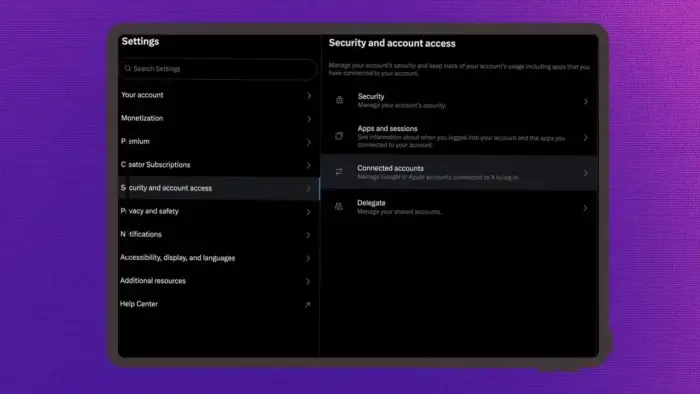
By unlinking these services, you can prevent accidental reactivation.
Step 2: Archive Your X Data
Before deleting your account, it’s wise to download an archive of your data. This includes tweets, likes, direct messages, and media files. Here’s how:
- Log In: Open X on a desktop or mobile browser.
- Navigate Settings: Go to Settings and Privacy under the profile menu.
- Request Archive: Select Your Account > Download an Archive of Your Data.
- Confirm Request: Enter your password and click Request Archive.
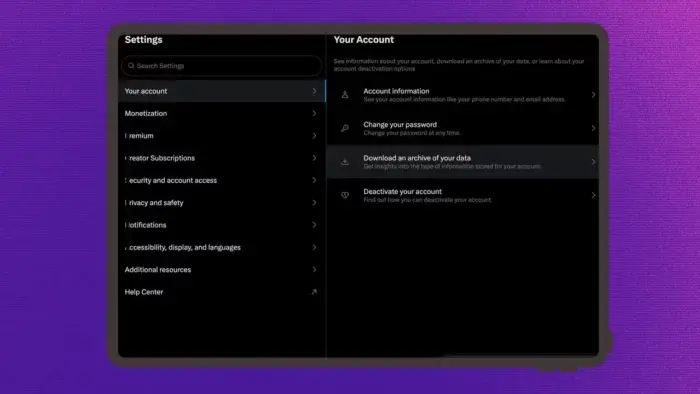
It may take up to 24 hours to receive the archive. Once ready, a notification and email will provide a download link. The downloaded ZIP file will include an HTML summary of your activity and a folder with your media. Back up these files in a secure location if needed.
Step 3: Fully Delete Your X Account
Deleting your account differs slightly between desktop and mobile. Here are the steps for both:
On the Web
- Log in to X.com.
- Go to Settings and Privacy and select Your Account.
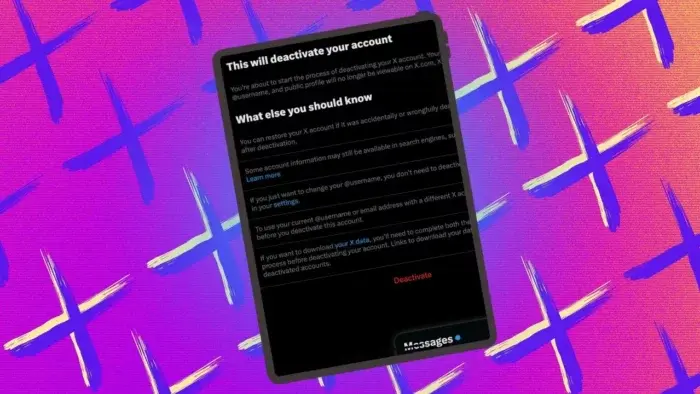
- Click Deactivate your account and review the 30-day deactivation notice.
- Confirm by entering your password and clicking Deactivate account one last time.
On the Mobile App
- Open the X app and tap your profile icon.
- Navigate to Settings and Privacy, then Your Account.
- Tap Deactivate your account and review the deactivation notice.
- Confirm by entering your password and tapping Deactivate account.
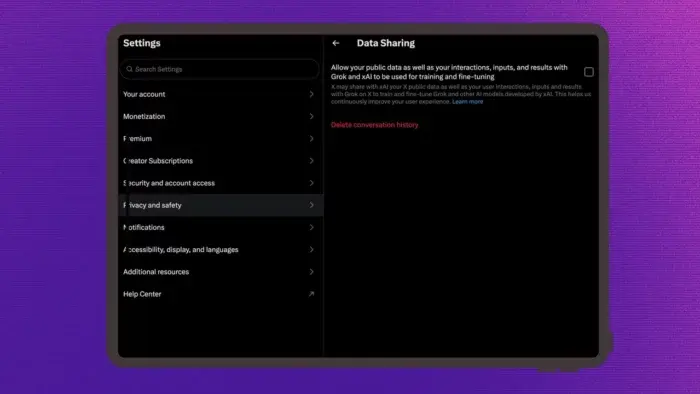
Once deactivated, avoid logging in or allowing third-party apps to access your account during the 30-day window. Doing so could inadvertently reactivate your account.
FAQ: Common Questions About Deleting Your X Account
Can You Return to X After Deleting Your Account?
After the 30-day deactivation period, your account is permanently deleted. If you wish to return, you’ll need to create a new account from scratch.
What Happens to Your Username?
Once your account is deleted, your username becomes available for others to claim. If you want to reuse the same handle, act quickly before someone else takes it.
Can You Protect Your Account Instead of Deleting It?
Yes. You can set your account to Protected in the Audience and Tagging section of Settings and Privacy. This restricts access to your tweets but does not remove your data from X’s servers.
Final Thoughts
Deleting your X account is a multi-step process that requires careful planning to protect and preserve your data. By deactivating third-party services, archiving your data, and understanding the platform’s policies, you can leave X behind while maintaining control over your digital footprint.
For many, the decision to leave X isn’t just about dissatisfaction with technical features or changes under Elon Musk’s leadership. It’s a reflection of deeper concerns about the platform’s culture, governance, and alignment with certain biases. The political polarization amplified during the 2024 US presidential election has driven some users to seek platforms that better represent their values.
Privacy concerns have also become a central issue. Users are growing more aware of how their data is used, particularly in training AI models like Grok AI. Transparency and control over personal data are now priorities for many departing users. As data ethics take center stage, platforms that fail to address these concerns risk losing even more of their user base.