What Exactly is Insta Thunder? Your Gateway to a Better Instagram
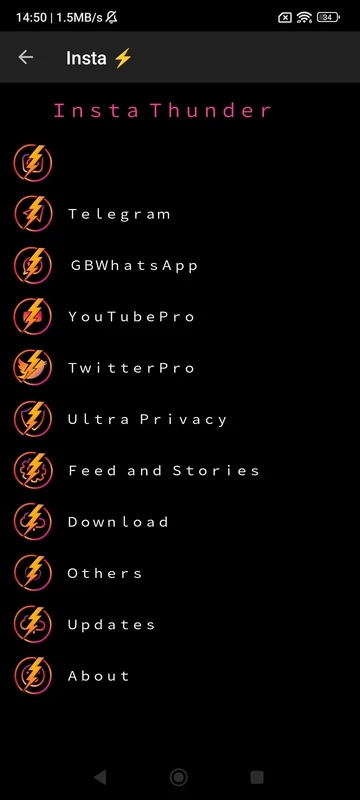
Let’s start with the basics. Insta Thunder is a modified version of the official Instagram app. Think of it as Instagram, but supercharged. Developed by independent programmers, it builds upon the core Instagram experience. Crucially, it adds a vast array of features that Instagram itself doesn’t offer. These features are designed to give you more control, enhance your privacy, and make using Instagram significantly more convenient and powerful.
Why do people choose Insta Thunder? The official Instagram app, while excellent, has limitations. You can’t easily download photos or videos shared by others. Privacy controls are often basic. Advertisements can interrupt your browsing. Insta Thunder directly addresses these points and much more. It essentially unlocks capabilities many users wish Instagram had natively.
Important Note: Since Insta Thunder is a modified third-party app, it is not available on the Google Play Store or Apple App Store. You need to download it as an APK file from trusted sources online (we’ll cover safe installation later). Also, using modified apps always carries some inherent risk, as they aren’t officially sanctioned by Instagram’s parent company, Meta. However, Insta Thunder has gained a large user base due to its reputation for delivering promised features reliably.
Core Purpose: Insta Thunder empowers you to:
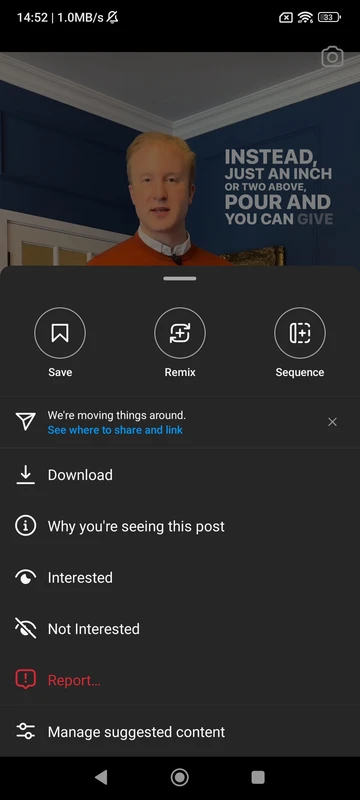
- Download Content: Save stories, feed posts, IGTV videos, and even Reels directly to your device.
- Boost Privacy: Hide your online status, typing indicators, story views, and more.
- Eliminate Ads: Browse your feed and stories without annoying advertisements.
- Enhance Security: Lock the entire app or even specific chats with a PIN.
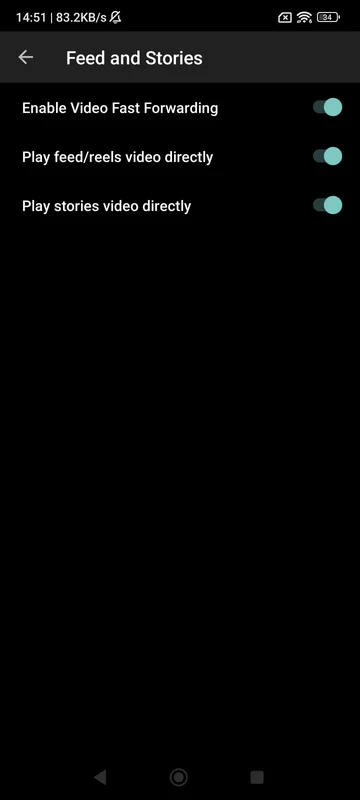
- Customize Experience: Tweak how the app behaves with numerous handy shortcuts and options.
Now, let’s dive deep into the incredible features packed into the Insta Thunder 2025 APK.
Privacy First: Taking Control of Your Instagram Presence
In today’s digital world, privacy isn’t just a preference; it’s essential. Insta Thunder 2025 understands this deeply and arms you with tools often missing from the official app. These features put you firmly in the driver’s seat regarding who sees what you’re doing and when.
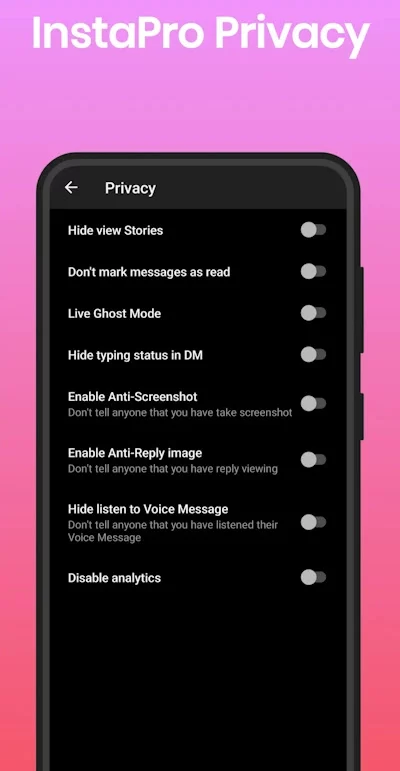
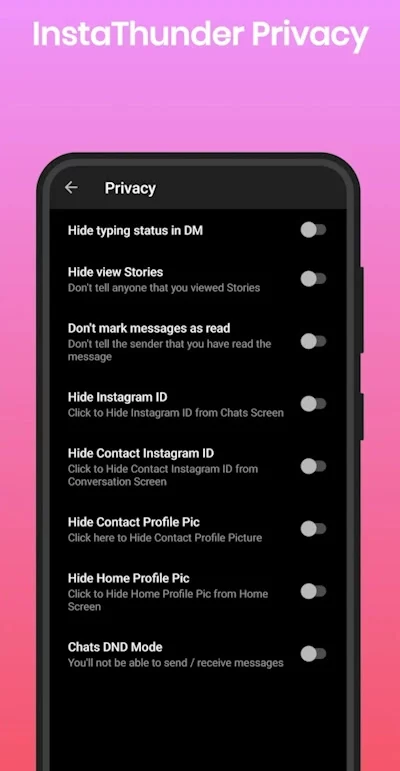
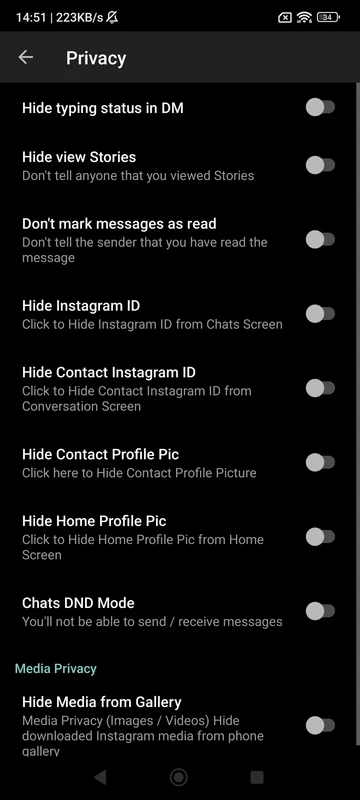
Do Not Mark Messages as Read (Ghost Mode for DMs):
What it does: This is a game-changer for direct messages. You can read incoming messages without the sender knowing you’ve seen them. No more “Seen” timestamp giving you away.
Why it matters: It gives you time to think before replying without pressure. You can check messages discreetly when busy. It reclaims your right to respond on your own terms.
How it works: Simply enable this option in Insta Thunder’s settings. Messages will remain marked as “Delivered” even after you open and read them.
Hide “View Stories” Status:
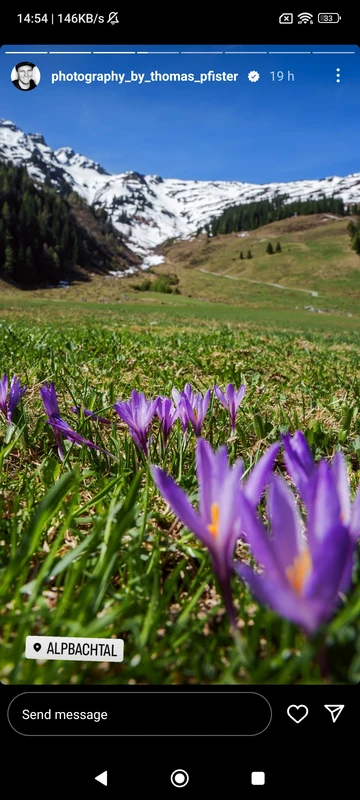
What it does: You can watch anyone’s stories completely anonymously. Your username won’t appear in the viewer list. It’s like being invisible.
Why it matters: Curious about an ex, a competitor, or someone you don’t want knowing you checked their story? This feature provides complete discretion. Browse stories freely without social awkwardness or unwanted attention.
How it works: Activate the “Hide View Stories” option. Insta Thunder prevents your view from being recorded on the story poster’s end.
Hide Typing Status in Direct Messages:
What it does: When you start typing a reply in a DM, the other person won’t see the “typing…” indicator.
Why it matters: Avoids pressure if you start typing but change your mind or need more time to compose your message. Prevents the other person from knowing you’re actively engaged until you actually send the message. It eliminates that awkward “I saw you typing…” moment.
How it works: Enable this setting. Your typing activity remains private until you hit send.
Hide Media from Gallery (Exclusive Feature):
What it does: Photos and videos you download using Insta Thunder won’t automatically appear in your device’s main gallery app. They are saved in a separate, secure location accessible only within the Insta Thunder app itself.
Why it matters: This is crucial for privacy. Downloaded memes, references, or sensitive content stay hidden from prying eyes if someone else browses your phone gallery. It keeps your downloaded Instagram content compartmentalized and discreet.
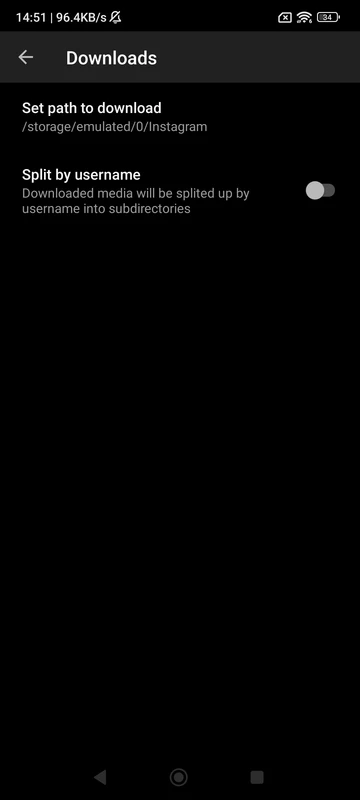
How it works: Insta Thunder manages its own download directory. Enable “Hide Media from Gallery” to activate this secure storage.
Overall Privacy Advantage: Insta Thunder 2025 transforms you from a visible user into a discreet observer and communicator. These features collectively reduce your digital footprint within the app, giving you peace of mind and control over your interactions. Privacy isn’t an afterthought here; it’s a core design principle.

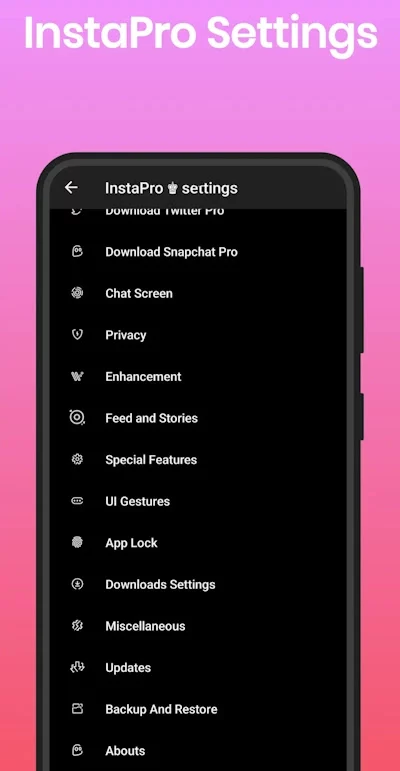
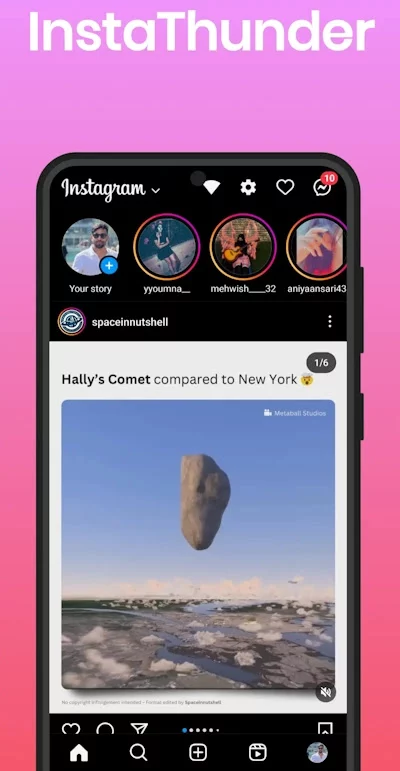

Download Anything, Anywhere: The Ultimate Instagram Media Saver
This is arguably the most sought-after feature in any Instagram mod, and Insta Thunder 2025 delivers it brilliantly. Gone are the days of screen recording or using clunky external websites. Downloading content is seamless, integrated, and incredibly powerful.
Download Stories (Both Public and Private if you follow them):
What it does: Save any story (photo or video) directly to your phone with a single tap. Insta Thunder adds a clear download button right on every story you view.
Why it matters: Save funny moments, important announcements, recipes, travel inspiration, or creative content for offline viewing. Build personal collections without relying on the ephemeral nature of stories. Capture moments before they disappear.
How it works: Simply view the story and tap the download icon (usually an arrow pointing down) that appears. The file saves instantly.
Download Feed Photos and Videos:
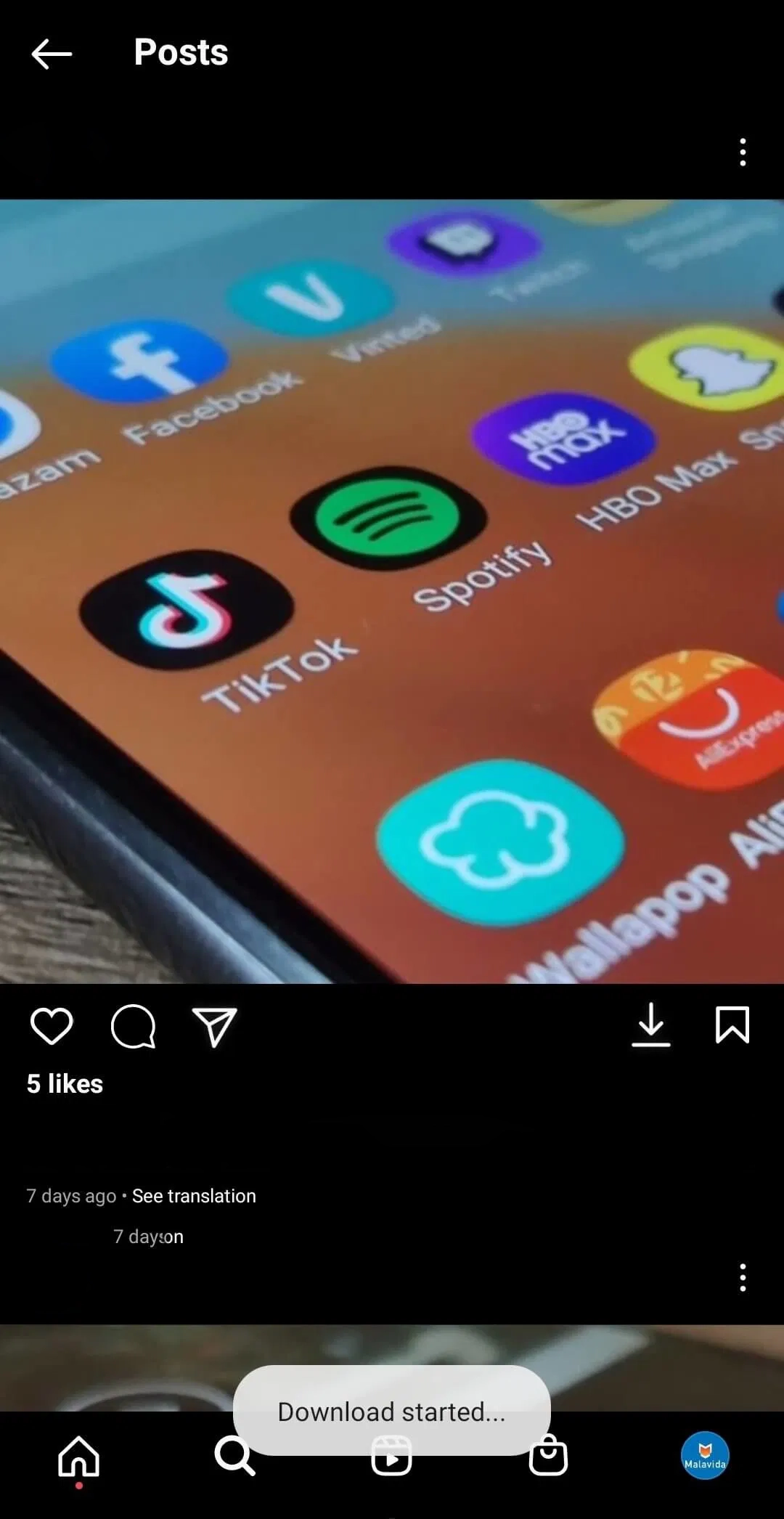
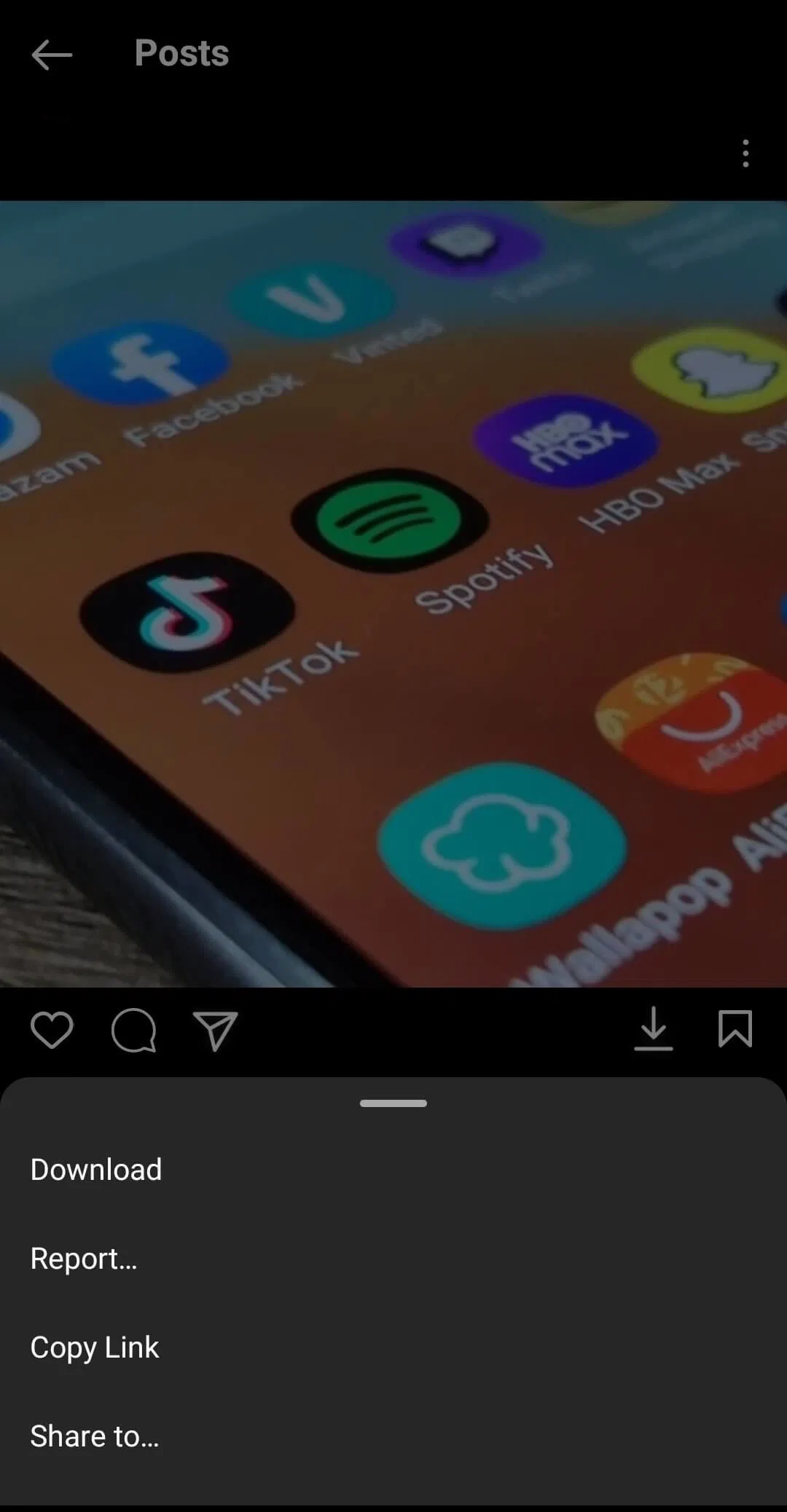
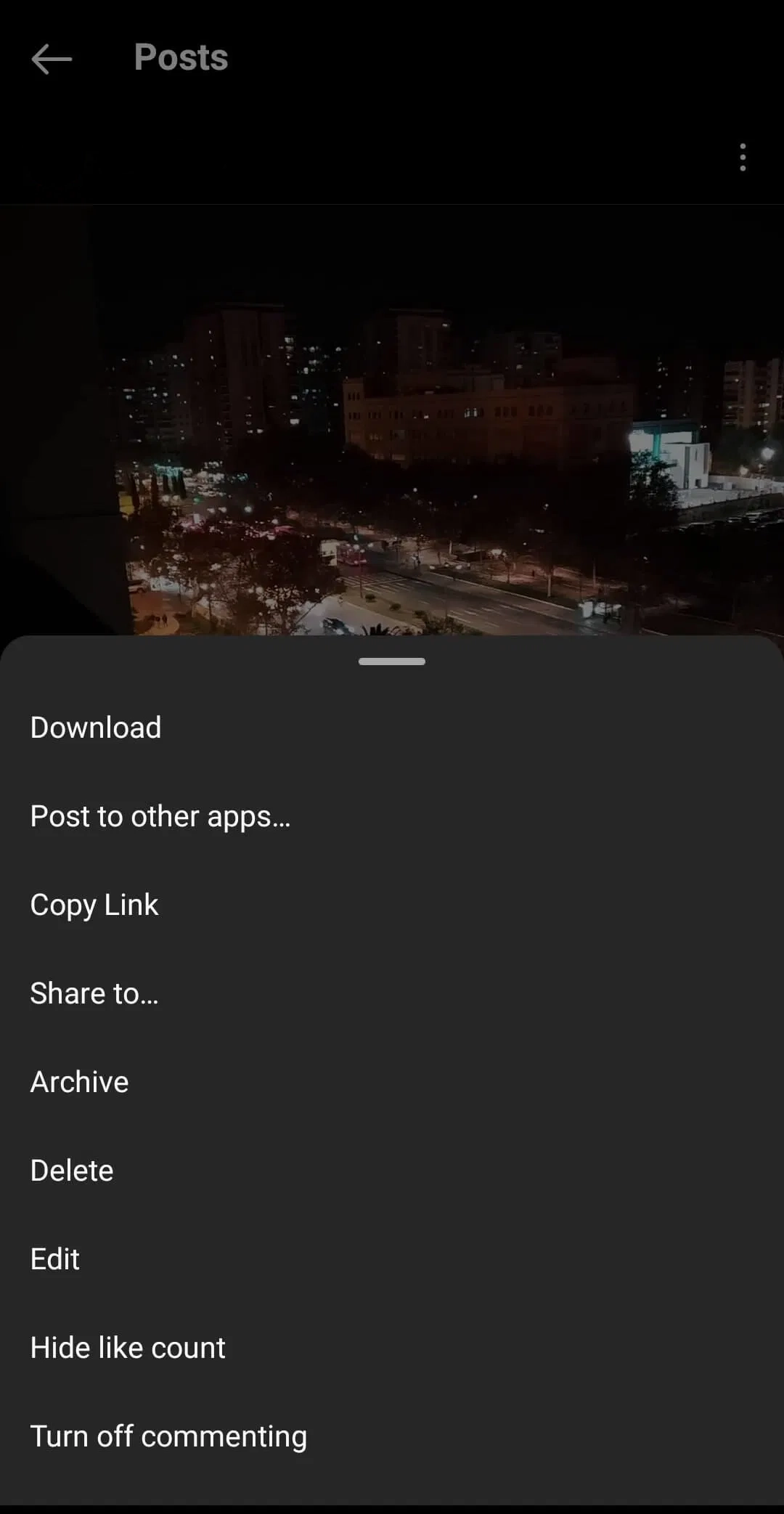
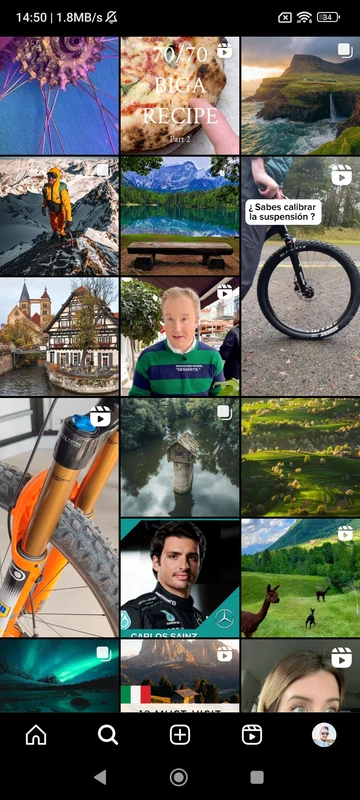
What it does: Save any image or video post from your main feed directly to your device. Insta Thunder adds a download button below each post, next to the like and comment icons.
Why it matters: Easily save inspirational posts, memes, tutorials, beautiful photography, or videos you want to watch later offline. No more taking screenshots and cropping. Get the full-quality media instantly.
How it works: See the download button below a post? Tap it! The photo or video saves directly to your specified folder.
Download IGTV Videos:
What it does: Save full IGTV videos to your device’s storage. This includes longer-form content from creators.
Why it matters: Watch long videos offline during commutes or travel. Save educational content, documentaries, or full episodes for later reference. Break free from needing a constant internet connection for long videos.
How it works: Open the IGTV video. Insta Thunder adds a download button, typically near the share icon. Tap it to save the video.
Download Own Story WITH Music:
What it does: When you post a story with music using Instagram’s music sticker, Insta Thunder lets you download YOUR OWN story including the background music track. The official app only lets you download the visual without the audio.
Why it matters: Save a copy of your creative story with the complete soundtrack intact. This is perfect for creators who want to archive their work or repurpose it elsewhere. Preserve your creations exactly as you shared them.
How it works: After posting your story with music, use Insta Thunder’s story viewer to view your own story. The download button will save it with the music embedded.
Advanced Downloading Options:
Triple Tap to Download: Enable this shortcut in settings. Triple-tapping directly on any image or video in the feed instantly downloads it. It’s lightning-fast.
Choose Download Folder: You can often specify exactly where on your phone downloads are saved (e.g., specific folder for Instagram downloads).
High-Quality Downloads: Insta Thunder prioritizes downloading the best available quality version of the media.
The Downloading Revolution: Insta Thunder 2025 removes all barriers to saving Instagram content. Whether it’s a fleeting story, a viral video, a stunning photo, or your own musical creation, it puts the power to archive and own that content firmly in your hands. This feature alone justifies the switch for many power users.
Fort Knox for Your Instagram: App Lock & Chat Lock
Security is paramount, especially for an app containing personal messages, photos, and browsing habits. Insta Thunder 2025 provides robust built-in locking mechanisms, eliminating the need for third-party locker apps.
App Lock (Pin Code Protection):
What it does: Locks the entire Insta Thunder app behind a PIN code (or sometimes pattern/password). Anyone trying to open the app must enter the correct code first.
Why it matters: Protects your privacy if someone else picks up your phone. Prevents unauthorized access to your DMs, browsing activity, saved downloads, and account. Essential for shared devices or if you simply want an extra layer of personal security.
How it works: Set up a secure PIN code in Insta Thunder’s “App Lock” or “Security” settings. Every time you launch the app, you’ll need to enter it. You can often configure a timeout (e.g., lock immediately on exit or after 1 minute).
Super Exclusive – Chat Lock (Lock Specific Conversations):
What it does: This is a next-level feature. You can apply a separate PIN lock to individual private message conversations. Even if someone accesses the main app, they cannot open these specific locked chats without the second PIN.
Why it matters: Provides maximum privacy for your most sensitive conversations. Shield intimate chats, confidential discussions, or specific contacts from prying eyes, even if your main app PIN is known (e.g., to a partner you share it with). It’s like having a secure vault within your secure vault.
How it works: Within the chat list or inside a specific conversation, look for the lock icon or option in the menu. Set a unique PIN (or use the main app PIN) for that specific chat. Accessing that chat will then require the additional PIN.
Security Peace of Mind: Insta Thunder 2025 understands that one-size-fits-all security isn’t enough. The combination of full app lock and granular chat lock gives you unprecedented control over who sees what within your Instagram world. It transforms your app from a potentially vulnerable space into a highly secure personal zone.
Beyond the Basics: Insta Thunder 2025’s Powerhouse Special Features
While downloading and privacy are huge draws, Insta Thunder 2025 packs a serious punch with numerous other enhancements that streamline your experience and add significant functionality. Let’s explore these game-changers:
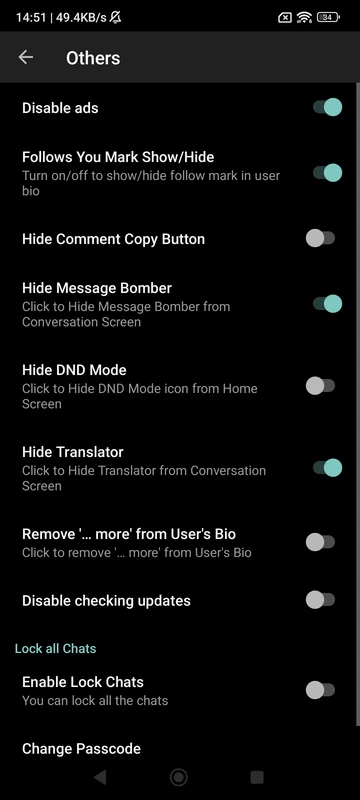
Ad-Free Nirvana:
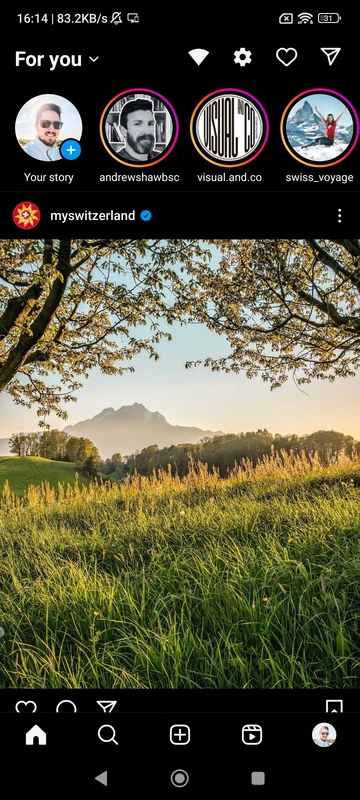
What it does: Completely removes all advertisements from your Instagram feed, stories, Reels, and Explore page. No more sponsored posts or video ads interrupting your flow.
Why it matters: Enjoy a cleaner, faster, and more focused browsing experience. Reclaim screen space and avoid distracting or unwanted marketing content. Scroll endlessly without commercial breaks.
How it works: This is enabled by default in Insta Thunder. The mod simply blocks the ad-serving mechanisms within the app.
Photos in Maximum Quality:
What it does: Allows you to upload and share photos in their original, full resolution. The official Instagram app often compresses images, reducing quality.
Why it matters: Share your photography, artwork, or important visuals without losing detail or clarity. Ensures your images look their absolute best when viewed by others. Preserve the integrity of your visuals.
How it works: When posting a photo, Insta Thunder typically offers an option like “Upload in HD” or “Maximum Quality” that you can enable.
Built-in Translation Engine (Google & Yandex):
What it does: Instantly translates post captions, comments, and bios directly within the app. Supports popular languages like English, Russian, Ukrainian, Turkish, and many more.
Why it matters: Break down language barriers. Engage with content and users from all over the world without needing to copy-paste into external translators. Understand comments on your posts in different languages. Make Instagram truly global.
How it works: Tap the translation button that appears below foreign language text (similar to the official app, but often more robust and configurable). Choose your preferred engine (Google or Yandex) in settings if an option exists.
In-App Browser:
What it does: Opens web links clicked within Instagram directly inside the Insta Thunder app. You don’t get kicked out to your default web browser (like Chrome or Safari).
Why it matters: Smoother, faster browsing. Maintain your Instagram context without switching apps. Easily return to your feed after checking a link. Seamless integration saves time and effort.
How it works: Simply tap any link (e.g., in a bio or a post). It opens within a viewer inside Insta Thunder. You can usually configure this behavior in settings.
Disable Shopping Items in Search:
What it does: Removes product advertisements and shopping suggestions from your main Instagram search results.
Why it matters: Cleaner search results focused purely on accounts, tags, and places. Avoids being bombarded with shopping content when you’re just trying to find someone or something specific. Search becomes functional, not commercial.
How it works: Find the relevant toggle in Insta Thunder’s settings (often under “Ads” or “Filters”). Disable shopping results.
Unfollowing Tracker (Follower Insights):
What it does: Shows you a list of users who have recently unfollowed your Instagram account. Some versions might also show new followers or who isn’t following you back.
Why it matters: Gain insights into your follower dynamics. Identify lost connections (intentional or accidental). Useful for personal accounts or managing a public profile/brand. Understand your audience engagement better.
How it works: Access the “Followers” section in your profile. Insta Thunder typically adds tabs like “Unfollowers” or provides a clear list within that area. Refresh to see recent changes.
Clear “Follows You” Tag:
What it does: Prominently displays a “Follows You” label/badge on the profiles of users who follow you back. This makes it instantly obvious when viewing someone’s profile.
Why it matters: Saves time checking follow status manually. Quickly identify mutual connections when browsing profiles. Provides clear visual feedback on your network. Eliminates profile-checking guesswork.
Copy Comments & User Bios:
What it does: Adds an option to easily copy the text of any comment or any user’s bio to your device’s clipboard.
Why it matters: Quickly save interesting quotes, information, contact details, or links shared in bios or comments. No more tedious manual typing. Simple, efficient information capture.
Handy Shortcuts & Mini Features (Quality of Life Upgrades):
Insta Thunder 2025 is full of thoughtful small touches that make a big difference in daily use:
- Enable/Disable Double-tap to Like: Prefer not to like posts accidentally? Turn off double-tap liking.
- Download Media on Triple Tap: Lightning-fast saving of feed posts (as mentioned in Downloading).
- Zoom Picture on Long Tap: Hold your finger down on any feed image to zoom in for a closer look.
- Disable Swipe to Open Camera/DM: Prevent accidentally opening the camera or DM screen when you meant to scroll. Makes scrolling less error-prone.
- Open Comment Links Directly: Tap links posted within comments to open them immediately, without needing to copy-paste.
- Listen to Music in Stories: Play the audio from music stickers in stories directly.
- Add Music Stickers to Stories (Region Dependent): Bypass regional restrictions to use the music sticker feature if it’s unavailable in your country via the official app.
- Check Follow Status Instantly: See if a user follows you directly on their profile (complements the “Follows You” tag).
The Cumulative Effect: These features aren’t just bells and whistles; they fundamentally enhance usability and control. Insta Thunder 2025 removes frustrations, adds powerful tools, and lets you tailor Instagram to work exactly how you want it to. It’s about efficiency, clarity, and empowerment.

Installing Insta Thunder 2025 APK Safely: A Step-by-Step Guide
Caution: Downloading APKs from the internet carries risks. Only use reputable sources. We strongly recommend Tech4GSM as a trusted source for verified, malware-free mod APKs.
Enable “Unknown Sources” (Android Only):
Go to your phone’s
Settings.Navigate to
SecurityorApps & Notifications>Special App Access(varies by device).Find
Install Unknown AppsorUnknown Sources.Select your browser (e.g., Chrome) and toggle permission to
Allow from this source.
Download the Insta Thunder 2025 APK:
Visit the official Tech4GSM website using your browser.
Search for “Insta Thunder 2025 APK” or navigate to their modded apps section.
Crucially, download the latest version (look for 2025 in the filename/description).
Ensure the file size and version number match what Tech4GSM lists.
Locate & Install the APK:
Open your
Downloadsfolder or your browser’s download list.Tap on the downloaded APK file (e.g.,
InstaThunder_Tech4GSM.apk).Your device will ask for confirmation. Tap
Install.Wait for the installation process to complete.
Log In and Configure:
Open the Insta Thunder app from your app drawer.
Log in using your existing Instagram username and password. Insta Thunder does not create a new account; it’s a client for your real account.
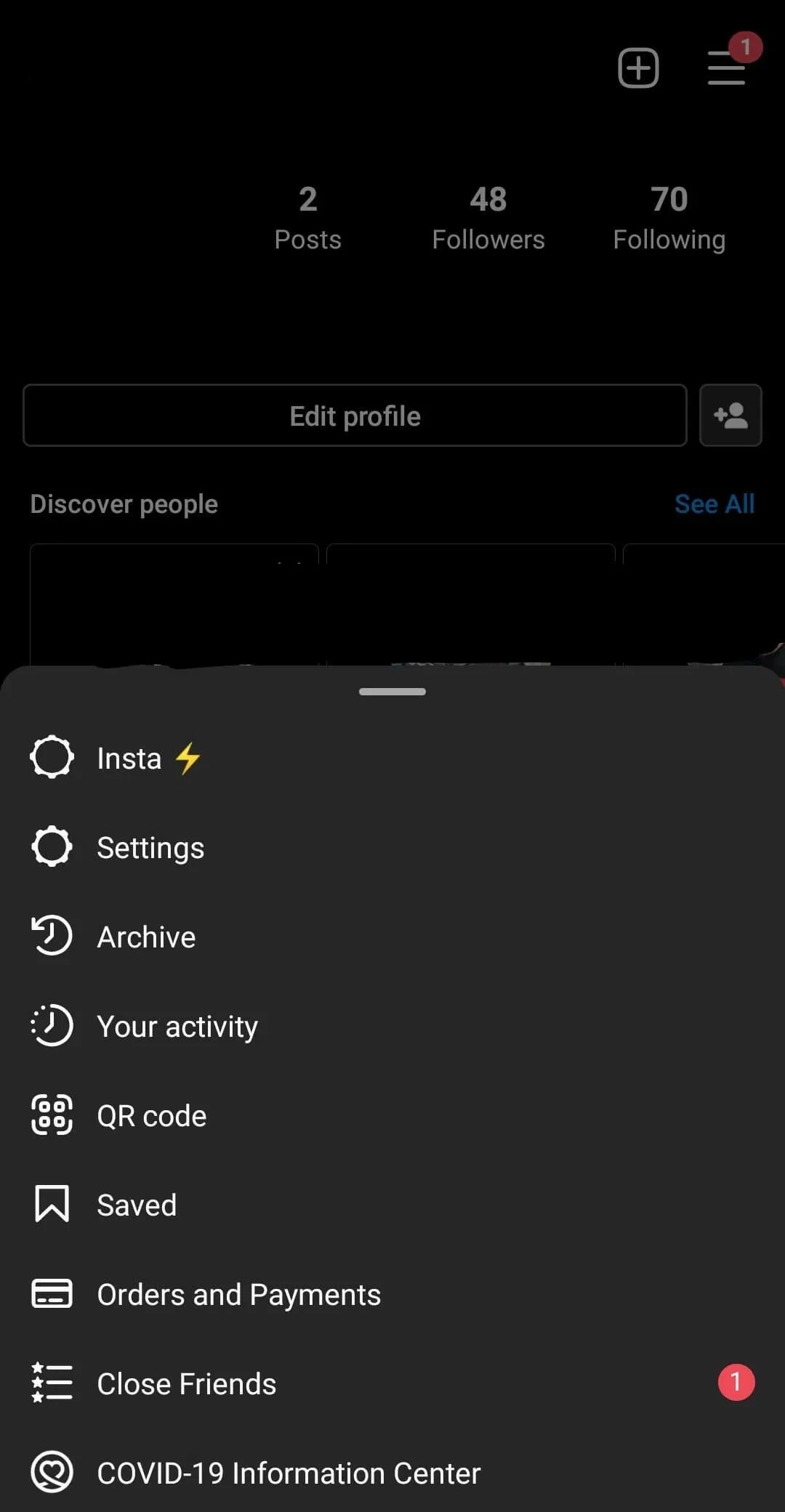
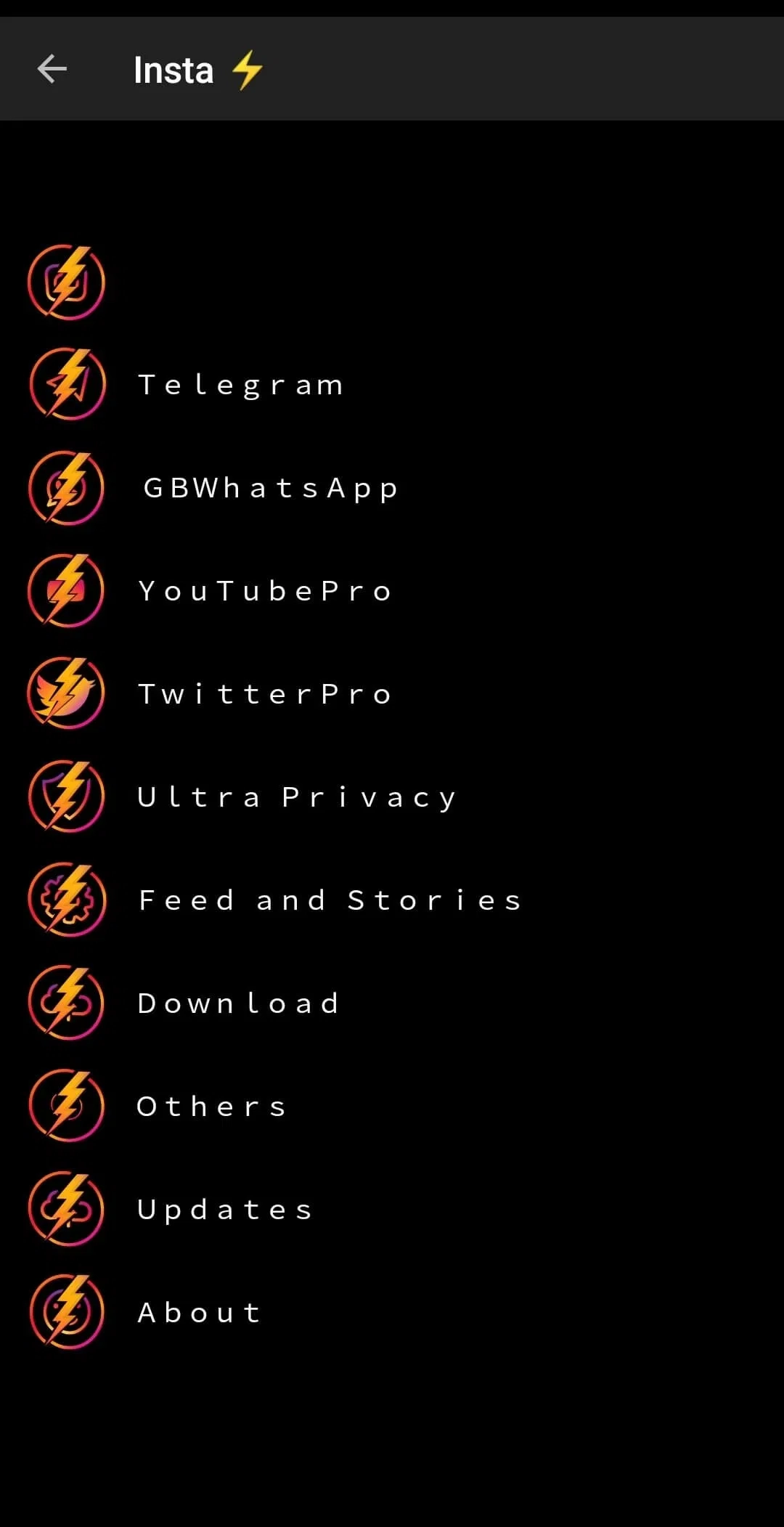
Immediately explore the settings menu (often accessible via the three-line menu or your profile). Here you can configure all the amazing features discussed: privacy toggles, download options, app lock setup, ad removal confirmation, etc. Take time to customize it to your liking!
Critical Security Reminders:
- Never download Insta Thunder APK from random websites, forums, or links in messages. Stick to well-known, reputable sources like Tech4GSM.
- Uninstall the Official Instagram App: Having both the official app and Insta Thunder installed simultaneously can sometimes cause conflicts or login issues. It’s generally recommended to uninstall the official Instagram app before or after installing Insta Thunder.
- Use at Your Own Risk: Understand that using modified apps violates Instagram’s Terms of Service. While bans are relatively rare for users not abusing features (like aggressive automation), the risk technically exists. Avoid actions that spam or harass others.
- Keep it Updated: Check Tech4GSM periodically for updates. New versions fix bugs, add features, and adapt to changes in Instagram’s official app.



Insta Thunder vs InstaPro vs. Official Instagram: Why Make the Switch?
Let’s summarize the compelling advantages Insta Thunder 2025 offers over the standard Instagram experience:
| Feature | Official Instagram | Insta Thunder | InstaPro |
|---|---|---|---|
| Download Stories & Media | ❌ Not supported | ✅ Built-in tool (1-tap save) | ✅ Available (similar to Insta Thunder) |
| Download IGTV Videos | ❌ Blocked | ✅ Direct in-app download | ✅ Supported |
| Ads-Free Experience | ❌ Shows ads/sponsorships | ✅ Zero ads or distractions | ✅ Ad-free (like Insta Thunder) |
| Translate Content | ⚠️ Limited language support | ✅ Full Google/Yandex translation (posts/comments/bio) | ✅ Full Google/Yandex translation (posts/comments/bio) |
| Message Bomber | ❌ Not available | ✅ Send 1000s of messages at once | ✅ Send 1000s of messages at once |
| App Lock | ❌ Requires third-party tools | ✅ Built-in privacy locker | ✅ Built-in privacy locker |
| Follower Tracker | ❌ Manual checking needed | ✅ Instantly see who follows you | ✅ Instantly see who follows you |
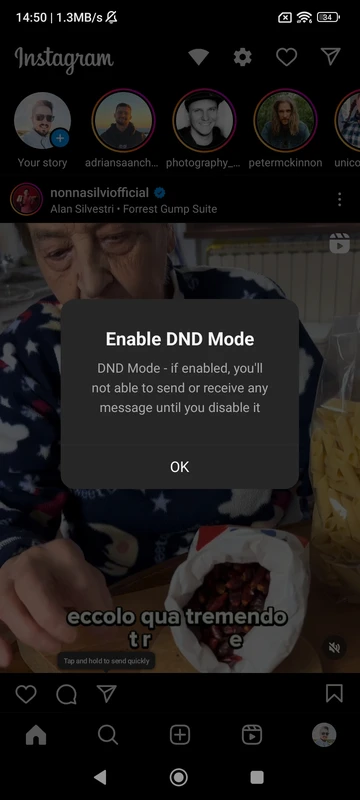
| Chat DND Mode | ⚠️ Basic mute options only | ✅ Fully silence all messages | ✅ Fully silence all messages |
Key Takeaways:
- Insta Thunder leads with unique tools like translation, message bombing, and built-in security.
- InstaPro matches core media-downloading features but lacks Insta Thunder’s extra utilities.
- Official Instagram prioritizes simplicity but restricts advanced functionality (e.g., downloads, ad-free use).
Final Thoughts: Embrace the Enhanced Experience
Insta Thunder 2025 APK isn’t just another Instagram mod; it represents a significant evolution in how users can interact with the platform. By prioritizing features users genuinely crave – robust downloading, iron-clad privacy, ad elimination, and granular control – it fills the gaps left wide open by the official application.
Is it worth trying? Absolutely. The sheer volume and utility of the features, combined with the ease of use (once installed), make a compelling case. The 2025 version builds on a solid foundation, refining existing tools and potentially adding new ones to stay ahead of Instagram’s own updates. Features like per-chat locking and hiding downloaded media showcase a deep understanding of user needs beyond the obvious.
Proceed with awareness: Source your APK wisely (Tech4GSM is recommended), understand the minor risks involved, uninstall the official app, and dive into the settings to tailor Insta Thunder to your perfect Instagram experience. For those seeking liberation from Instagram’s constraints, Insta Thunder 2025 is the key. Download it today and experience the difference powerful customization makes.