Introduction
Discover how TDI works, its components, and why developers should transition to modern alternatives by 2025.
What is TDI?
The Transport Driver Interface (TDI) is a low-level kernel-mode interface in Windows that allows communication with transport layer protocols like TCP/IP. It’s used by drivers to manage network connections, send/receive data, and handle events like disconnections. While TDI was vital for older Windows versions (2000, XP, 2003), it’s deprecated in newer systems like Windows Vista and beyond. Developers are urged to adopt modern interfaces like WSK (Windows Socket Kernel) and WFP (Windows Filtering Platform) by 2025.
Key Components of TDI
1. TDI Drivers
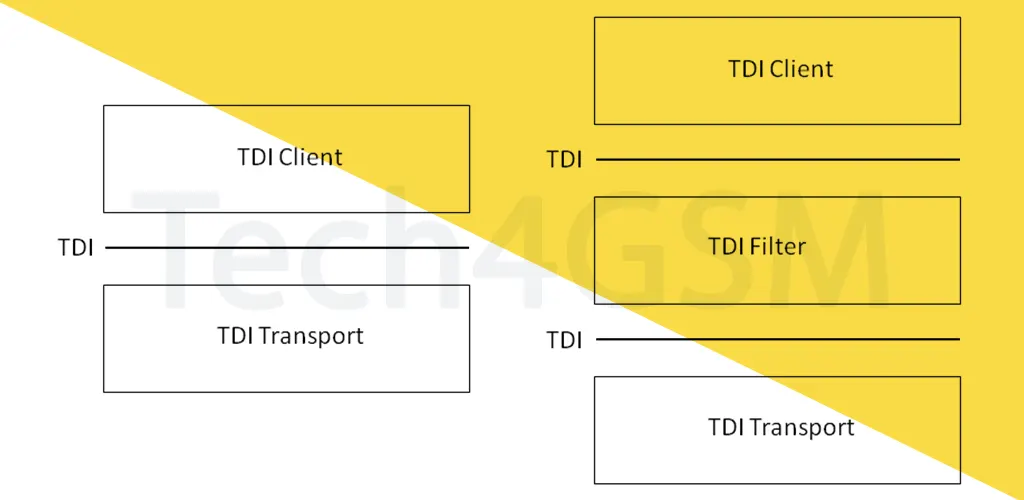
TDI drivers fall into three categories:
- TDI Clients: Use TDI APIs to interact with transport drivers. Examples:
- AFD.sys (handles Winsock API calls).
- HTTP.sys (manages HTTP traffic).
- TDI Transports: Implement network protocols (e.g., TCP/IP). Examples:
- TCPIP.sys (core TCP/IP protocol driver).
- NWLINK.sys (supports IPX/SPX protocols).
- TDI Filters: Monitor or modify traffic between clients and transports. Often used in firewalls.
2. TDI Objects
TDI uses file objects to represent network sockets:
- Address Object: Binds to a local port (e.g.,
DeviceTcpfor TCP). - Connection Object: Manages remote endpoints (e.g., connected sockets).
- Control Channel: Queries network settings (e.g., IP configuration).
3. TDI Operations
- Requests (IRPs): Clients send I/O requests (e.g.,
TDI_SENDto transmit data). - Events: Transports notify clients via callbacks (e.g., incoming data alerts).
How TDI Works
- Client-Side Sockets:
- Steps: Create address/connection objects → Associate them → Send connection requests.
- Example: A browser connecting to a website.
- Server-Side Sockets:
- Steps: Bind to a port → Listen for connections → Accept incoming requests.
- Example: A web server hosting a site.
Why Move Away from TDI?
- Deprecated Since Vista: TDI is replaced by WSK and WFP for better security and performance.
- Limited Support: Post-2025 Windows updates may drop TDI compatibility.
- Modern Alternatives:
- WSK: Offers socket-like functionality in kernel mode.
- WFP: Enables advanced traffic filtering and monitoring.
TDI vs. TDX in Modern Windows
In Windows Vista and later, TDX.sys acts as a bridge for legacy TDI drivers, routing traffic through the TLNPI interface. However, relying on TDX is temporary—developers must transition to WSK/WFP for long-term compatibility.
FAQ
1. Is TDI still usable in Windows 2025?
TDI remains supported for backward compatibility but is not recommended. Use WSK/WFP instead.
2. What replaces TDI Filters?
Use Windows Filtering Platform (WFP) for firewall and traffic inspection tasks.
3. Can I convert existing TDI code to WSK?
Yes, but it requires redesigning drivers to use WSK’s socket-based model.
4. Where can I learn about WSK/WFP?
Visit tech4gsm.com for guides on modern Windows networking.
Final Thoughts
TDI laid the foundation for Windows networking but is now outdated. By 2025, developers must embrace WSK and WFP to stay compatible and secure.