Introduction
Imagine this: You’re jogging with wireless earbuds, and your favorite upbeat song comes on. But wait—it’s not the right vibe. Instead of pulling out your phone, you simply tap a button on your earbuds to skip to the next track. That magic? It’s thanks to AVRCP! Let’s break down this Bluetooth feature and how it quietly powers your convenience.
What is AVRCP?
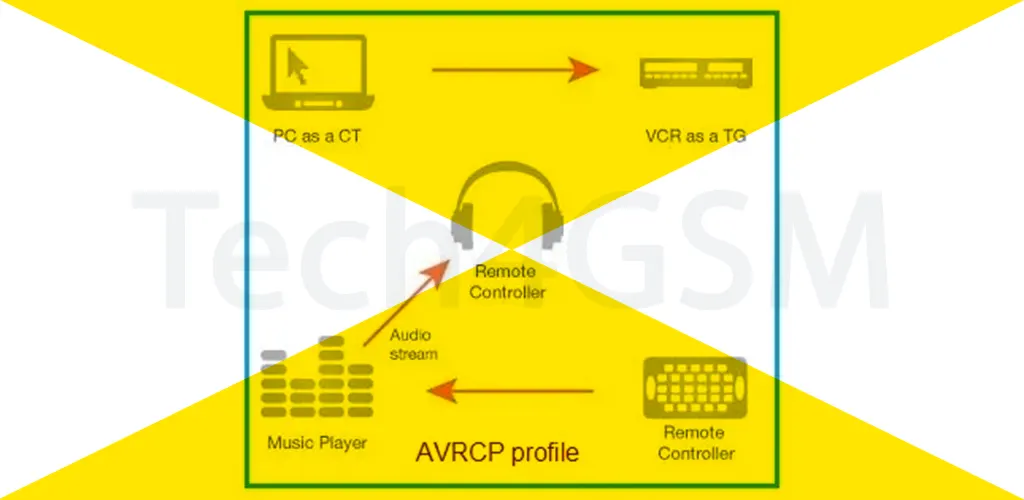
AVRCP (Audio/Video Remote Control Profile) is a Bluetooth feature that turns your devices into a wireless remote control for media playback. Whether you’re using headphones, a car stereo, or a smart speaker, AVRCP lets you:
- Play/Pause your music or videos.
- Skip to the next track or go back to the previous one.
- Stop playback instantly.
Think of it as the “invisible helper” that keeps you in charge of your media—without touching your phone!
How Does AVRCP Work? Teamwork with A2DP!
AVRCP rarely works alone. It’s usually paired with A2DP (Advanced Audio Distribution Profile), which handles high-quality audio streaming. Here’s the dynamic duo in action:
- A2DP streams the music from your phone to your wireless headphones.
- AVRCP lets your headphones send commands back to your phone, like “play” or “next track.”
Example:
When you press the “volume up” button on your earbuds, AVRCP sends that command to your phone, which then adjusts the volume.
Why AVRCP Matters: No More Phone Fishing!
Before AVRCP, controlling media meant constantly grabbing your phone—whether you were cooking, driving, or working out. Now, this profile adds seamless control to your life:
- Safer Driving: Change playlists on your car stereo without glancing at your phone.
- Workout Freedom: Skip tracks mid-run with a button tap on your headphones.
- Smart Home Ease: Control your TV’s audio system from the couch.
Where Will You Find AVRCP?
Almost every modern Bluetooth media device uses AVRCP, including:
- Wireless headphones/earbuds
- Car infotainment systems
- Smartwatches (to control phone playback)
- TVs and soundbars
Limitations? Keep This in Mind
AVRCP is brilliant but has small quirks:
- Limited Functions: It handles basic controls (play, pause, etc.) but can’t manage app-specific features like creating playlists.
- Device Compatibility: Older gadgets might not support the latest AVRCP versions, causing lag or unresponsive buttons.
Final Thoughts
AVRCP is one of those unsung heroes of Bluetooth tech—making everyday moments smoother and hands-free. Next time you skip an ad or pause a podcast with a button tap, remember: it’s AVRCP working behind the scenes!
Quick Takeaways:
- AVRCP = Bluetooth remote control for media playback.
- Teams up with A2DP (streaming) for a complete wireless experience.
- Lets you play, pause, skip tracks, and more from your device.
- Found in headphones, cars, smartwatches, and TVs.
Say goodbye to phone-fumbling and hello to effortless control with AVRCP! 🎧🚗✨