Introduction
FTP (File Transfer Protocol) is the classic method for shifting files between computers over the internet. Think of it as a digital bridge—built in 1971 (!)—that lets you upload or download documents, photos, or even entire websites. While newer tools like Google Drive get the spotlight today, FTP quietly powers the backbone of many online tasks.
How FTP Works: Your Computer’s Conversation with a Server
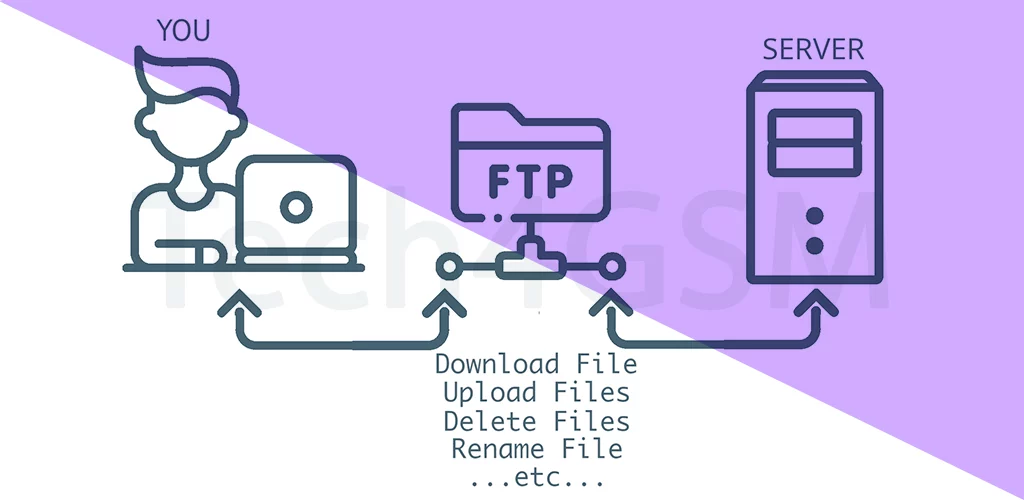
Imagine two robots passing boxes (files) to each other. Here’s the breakdown:
- Client & Server: Your device (client) “talks” to a remote computer (server) using FTP commands.
- Dual Channels: FTP uses two pathways—one for sending commands (like “download this”) and another for transferring the actual file.
- No Frills, No Fuss: It’s simple but effective—perfect for moving large batches of files at once.
FTP on Phones: Yes, It Exists… But Do You Need It? 📱
Technically, you can use FTP on smartphones with apps like FileZilla or AndFTP. But let’s be real—most people skip FTP for:
- Cloud Apps: Dropbox or iCloud are easier for selfies or docs.
- Speed: FTP apps often feel clunky compared to one-tap uploads.
- Security Risks: Classic FTP lacks encryption (more on that later).
Why FTP Isn’t Dead: Where It Still Shines in 2024
While not trendy, FTP is still a secret weapon for:
- Web Developers: Uploading website files to hosting servers.
- Bulk Transfers: Moving gigabytes of data between servers—fast.
- Automation: Scripts use FTP to auto-backup files nightly.
- Retro Tech: Some old-school offices still rely on it!
FTP Safety Alert: Why You Should Upgrade to FTPS or SFTP 🔒
Basic FTP has a flaw: no built-in encryption. That means hackers could snoop on your files mid-transfer! For safer swaps, use:
- FTPS: Adds SSL/TLS encryption (like HTTPS for websites).
- SFTP: Secures files via SSH—ideal for sensitive data.
FTP vs. Modern Tools: When to Choose Which?
- Pick FTP for: Server-to-server transfers, legacy systems, or large-scale uploads.
- Skip FTP for: Everyday phone use, quick photo shares, or sensitive documents.
FTP’s Legacy: The Grandpa of File Sharing
FTP might feel ancient next to sleek apps, but it’s the unsung hero that shaped how we move data online. Next time you update a website or back up a server, tip your hat to FTP—the protocol that started it all! 🚀📂