Introduction
Ever felt bored staring at the same old menus on your phone? Themes are here to rescue your screen from monotony! Think of them as outfits for your device—swapping dull buttons and fonts for a look that screams “you.” Let’s explore how themes turn your phone into a style statement!
What is a Theme (or Skin)?
- Your Phone’s Makeover Kit: A theme is a collection of matching colors, icons, fonts, and sounds that redesign your device’s interface.
- Beyond Wallpapers: Unlike a wallpaper (just a background), themes revamp everything—menus, buttons, and even notification sounds!
- Personal Touch: Love neon colors or minimalist vibes? There’s a theme for every personality.
Fun Fact: Early mobile themes were basic color swaps. Today, they can mimic retro video games or luxury brands! 🕹️💎
Theme Ingredients: What’s Inside?
A great theme blends these elements:
- Color Palette: Coordinated shades for buttons, menus, and text.
- Icons: Custom app icons (e.g., social media shaped like cupcakes).
- Fonts: Stylish text styles—sleek, playful, or futuristic.
- Animations: Smooth transitions when you swipe or tap.
- Sounds: Unique ringtones or notification chimes.
Themes vs. Wallpapers: Spot the Difference
| Themes | Wallpapers |
|---|---|
| Redesign entire UI | Change background only |
| Affect usability & look | Purely visual |
| Take longer to create | Quick to apply |
Pro Tip: Pair a theme with a matching wallpaper for a cohesive look!
Why Themes Matter: More Than Just “Pretty”
- Boost Mood: A calming nature theme can reduce stress; a bold one can energize you.
- Reflect Identity: Show off your hobbies (e.g., space, cats, anime) without saying a word.
- Improve Usability: High-contrast themes help users with visual impairments.
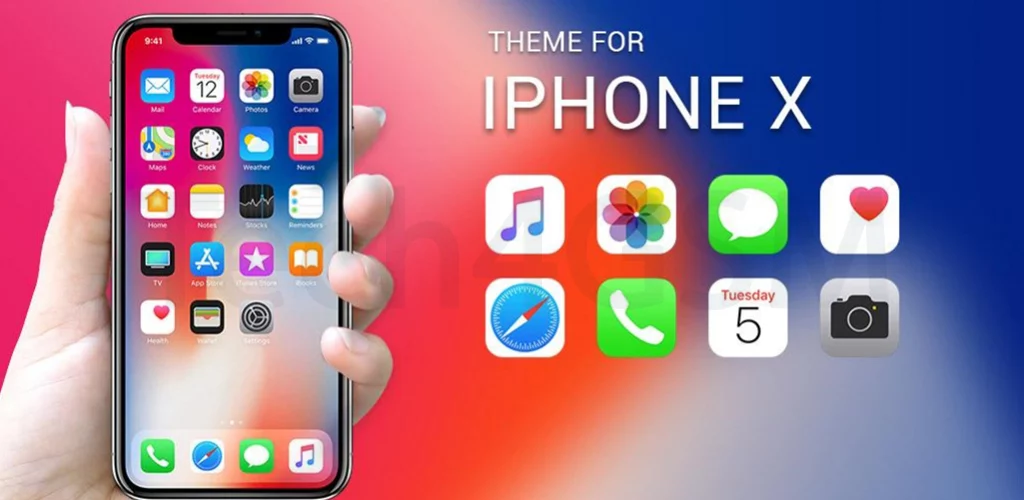
Did You Know? Some Android themes mimic iPhones (and vice versa)—perfect for OS-curious users!
How to Install a Theme in 3 Steps
- Pick a Theme: Browse your phone’s theme store.
- Download & Apply: Tap “Install”—your phone will guide you.
- Tweak Settings: Adjust icons or fonts if the theme allows customization.
Warning: Some themes drain battery or slow older phones. Stick to lightweight options!
Where to Find Awesome Themes
- Official Stores: Samsung Themes, Huawei Themes, or Apple’s App Store (for iOS).
- DIY Tools: Apps like Icon Pack Studio let you build your own theme!
Fun Fact: The First Mobile Theme
Nokia’s 3310 (2000) let users change “profiles” (like Silent or Meeting) with different colors and ringtones—a primitive form of themes!
Final Thoughts
Themes are the ultimate way to make your phone uniquely yours. Whether you’re a glitter lover, a dark mode devotee, or a retro fan, there’s a theme waiting to transform your screen. So go ahead—give your device a makeover and let your personality shine!
Your Turn!
Try a new theme today—it’s like a free phone upgrade! 🌟📱