Introduction
Imagine controlling your computer cursor by rolling a ball with your thumb—like a tiny globe under your fingertip. That’s the magic of a trackball! This retro-yet-timeless gadget offers a unique twist on navigation, saving your wrist and desk space. Let’s roll into how trackballs work, why they’re still loved, and who should give them a spin!
What is a Trackball?
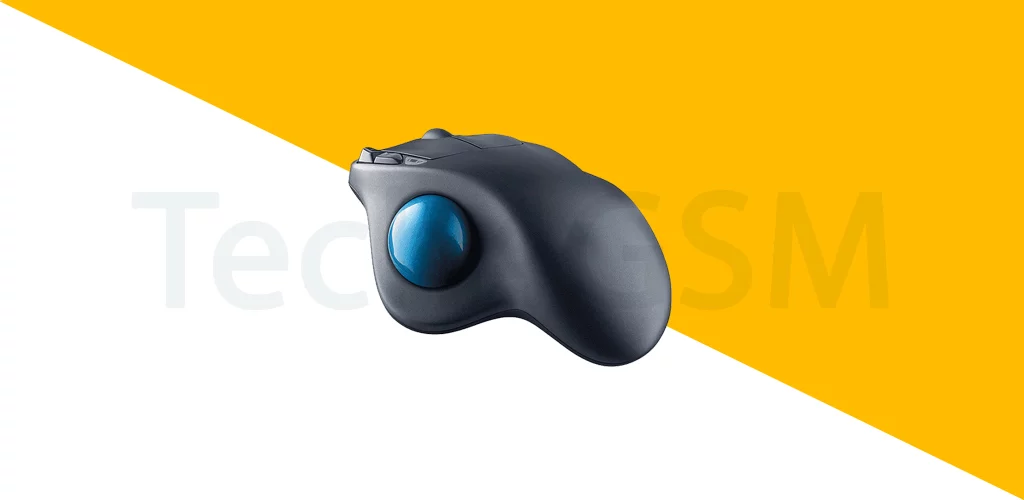
A trackball is a pointing device with a small, exposed ball on its surface. Instead of moving the entire device (like a mouse), you:
- Roll the ball with your fingers or thumb.
- Click buttons for selections.
- Scroll freely in any direction (up, down, left, right—even diagonally!).
Think of it as an upside-down mouse—your hand stays put while the ball does the work!
How a Trackball Works
- Ball Movement: Rolling the ball spins internal sensors.
- Cursor Control: Sensors translate ball rotation into cursor movement.
- Buttons & Scroll: Side buttons act like mouse clicks; some models have scroll rings.
No dragging, no wrist strain—just fingertip finesse!
Why Choose a Trackball?
- Ergonomic Relief: Reduces wrist and arm strain (perfect for RSI sufferers!).
- Precision Control: Ideal for detailed tasks like graphic design or CAD.
- Space-Saving: Stays in one place—no need for a mouse pad or sweeping space.
- Durability: Fewer moving parts = less wear and tear.
Trackball vs. Mouse: The Showdown
| Feature | Trackball | Mouse |
|---|---|---|
| Movement | Finger/thumb rolls ball | Whole hand moves device |
| Desk Space | Minimal | Requires room to glide |
| Precision | High (great for design) | Good (depends on sensitivity) |
| Learning Curve | Takes practice | Instantly familiar |
Verdict: Trackballs win for ergonomics and precision; mice are better for gaming speed.
Where Trackballs Shine
- Graphic Design & CAD: Pixel-perfect cursor control.
- Gaming: Some pros swear by trackballs for RPGs or strategy games.
- Limited Mobility: Helpful for users with arthritis or injuries.
- Retro Tech Fans: Nostalgic vibes from ’90s computer labs!
Pro Tip: Clean the ball regularly with alcohol wipes to keep it rolling smoothly!
Popular Trackball Models
- Kensington Expert Mouse: Classic design with a large ball.
- Logitech MX Ergo: Wireless, adjustable tilt for comfort.
- Elecom HUGE: Big-handed? This one’s for you.
Not sure which to pick? Compare specs on tech4gsm.com.
Trackball Limitations
- Learning Curve: Feels odd at first if you’re used to a mouse.
- Less Common: Fewer options than mice in stores.
- Dust Magnet: The ball can collect gunk over time.
Future of Trackballs
- Wireless Innovation: More Bluetooth models for clutter-free desks.
- Customizable Buttons: Programmable shortcuts for gamers/creators.
- Hybrid Designs: Trackballs built into keyboards or gaming pads.
Wrapping Up
Trackballs are the unsung heroes of ergonomic tech—quirky, precise, and kind to your wrists. Whether you’re a designer, gamer, or just hate desk clutter, give this retro gem a try. Roll the ball, save your joints, and navigate like a pro!