Introduction
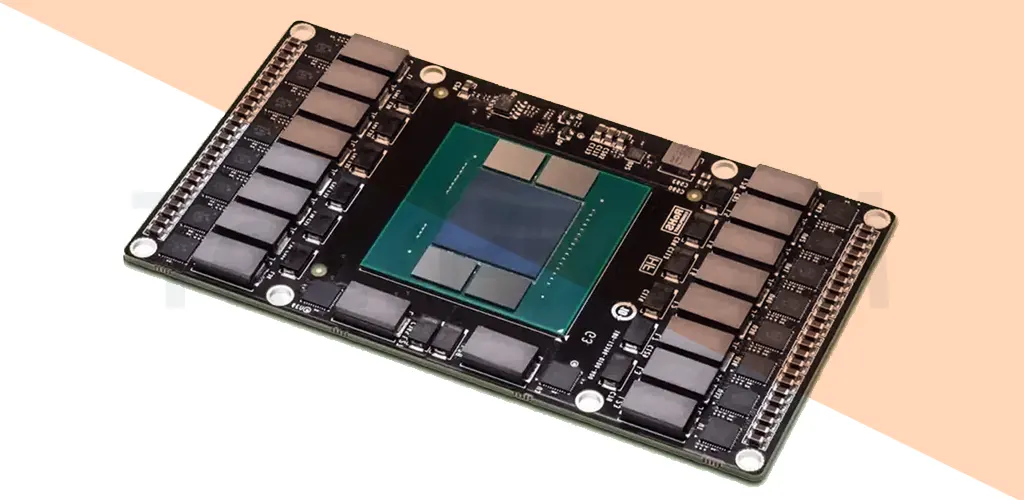
VRAM (Video Random Access Memory) is your graphics card’s dedicated memory. Think of it as a supercharged workspace where your GPU stores textures, frames, and image data for lightning-fast access. Unlike regular RAM, VRAM can read and write data simultaneously, making it perfect for smooth gaming, video editing, and 3D rendering.
A Quick History of VRAM
- 1980: Invented by IBM researchers F. Dill, D. Ling, and R. Matrick.
- 1985: Patented as a breakthrough in display technology.
- 1986: First commercial use in IBM’s RT PC system, revolutionizing graphics quality.
Key Features of VRAM
- Dual-Ported Design: Lets your GPU write new images while the display reads existing ones.
- High Speed & Bandwidth: Handles massive data flows for lag-free visuals.
- Volatile Memory: Loses data when powered off (like RAM).
- Specialized for GPUs: Optimized for tasks like rendering 4K games or editing 8K videos.
Types of VRAM
- SGRAM (Synchronous Graphics RAM): Affordable and syncs with the GPU clock.
- RDRAM (Rambus Dynamic RAM): Boosts video streaming with a proprietary bus design.
- WRAM (Window RAM): 25% faster than standard VRAM, ideal for ultra-high resolutions.
- MDRAM (Multibank Dynamic RAM): Splits memory into 32KB chunks for efficient processing.
Why VRAM Matters
- Gaming: More VRAM = smoother gameplay at higher resolutions (e.g., 1440p or 4K).
- Content Creation: Renders complex 3D models and video edits without stuttering.
- Future-Proofing: Games and apps by 2025 will demand 8GB+ VRAM for optimal performance.
Can You Upgrade VRAM?
- No: VRAM is soldered onto your GPU and can’t be upgraded like regular RAM.
- Workaround: If using an integrated GPU (e.g., Intel UHD), allocate more system RAM as VRAM via BIOS settings.
VRAM vs. RAM: What’s the Difference?
| Feature | RAM | VRAM |
|---|---|---|
| Purpose | Runs apps & OS | Renders graphics |
| Speed | DDR4: ~3,600 MHz | GDDR6: ~16,000 MHz |
| Upgradeable? | Yes | No (except iGPUs) |
| Developers | Freddie Williams, Tom Kilburn | IBM Research Team |
FAQs About VRAM
Q1. Is VRAM faster than RAM?
A: Yes! GDDR6 VRAM hits speeds up to 16,000 MHz, while DDR4 RAM maxes at ~3,600 MHz.
Q2. Is 4GB VRAM enough for gaming?
A: For 1080p gaming, yes. But for 1440p or 4K by 2025, aim for 8GB+ to avoid lag.
Q3. How much VRAM do I need?
A: For future-proofing, 8GB is the sweet spot. Hardcore gamers/editors should consider 12GB+.
Q4. Can I increase VRAM on a laptop?
A: Only if it uses an integrated GPU. Dedicated GPUs have fixed VRAM.
Q5. Does VRAM affect FPS?
A: Absolutely! Low VRAM causes stuttering, especially in texture-heavy games like Cyberpunk 2077.
VRAM in 2025: What’s Next?
By 2025, expect:
- GDDR7 VRAM: Faster speeds for 8K gaming and AI-driven graphics.
- Unified Memory Architectures: Combining VRAM and RAM for seamless performance.
- Eco-Friendly GPUs: Lower power use without sacrificing speed.
Upgrade Wisely!
Whether you’re a gamer, designer, or tech enthusiast, VRAM is your ticket to crisp visuals and smooth performance.