Introduction
When you hear about a phone’s “resolution” or a camera’s “megapixels,” what does it really mean? Let’s simplify this tech term and see how it affects your daily Netflix binges, photo snaps, and gaming marathons!

1. What Is Resolution?
- Pixels: The Building Blocks
Imagine your screen or a digital image as a grid of tiny dots called pixels. Resolution is the total number of these pixels (e.g., 1920 x 1080 = 2 million pixels). - Higher Resolution = Sharper Details
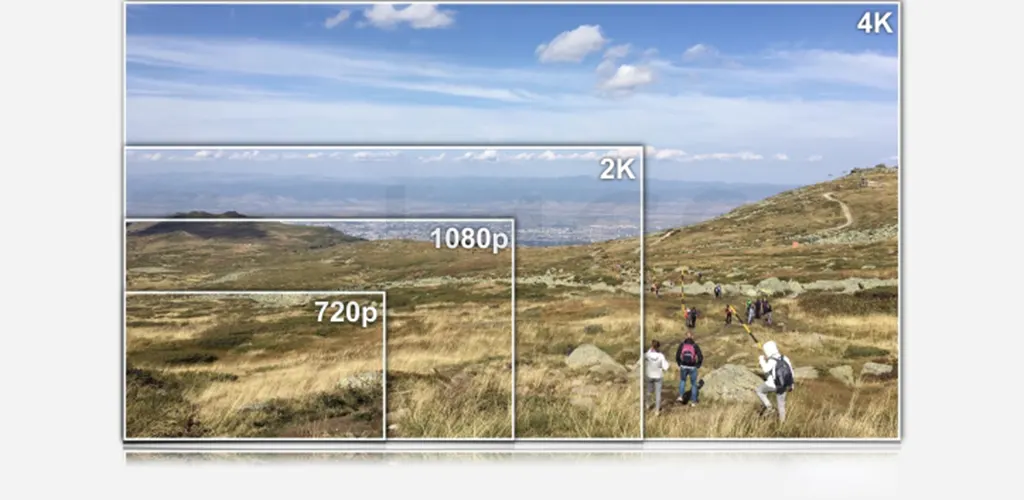
More pixels mean your screen or image can show finer details and smoother edges. Think of it like a puzzle—more pieces create a clearer picture!
2. Common Display Resolutions You’ll See
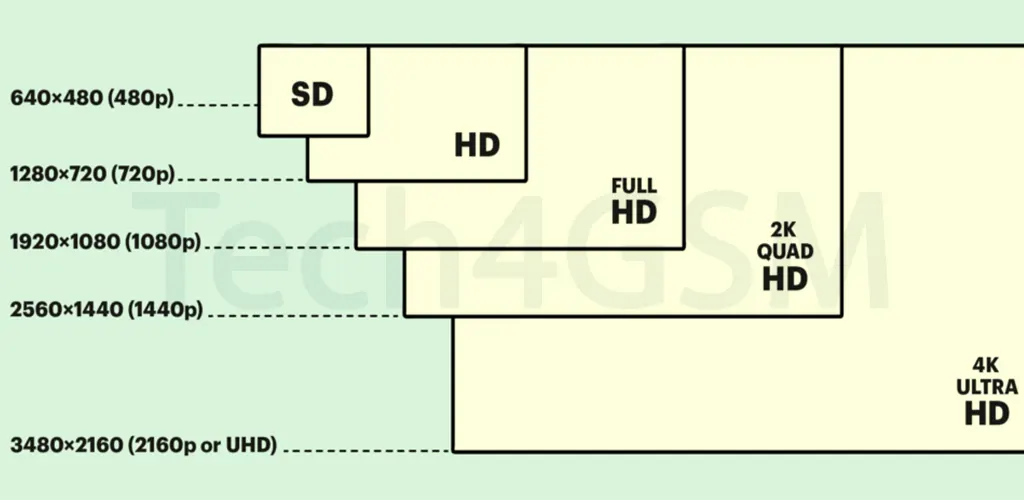
Here’s a cheat sheet for standard screen resolutions:
- HD (1280 x 720): Basic clarity for small screens or budget devices.
- Full HD (1920 x 1080): The sweet spot for laptops, TVs, and mid-range phones.
- 2K/QHD (2560 x 1440): Crisp visuals for premium smartphones and monitors.
- 4K/UHD (3840 x 2160): Ultra-sharp for high-end TVs, gaming, and professional editing.
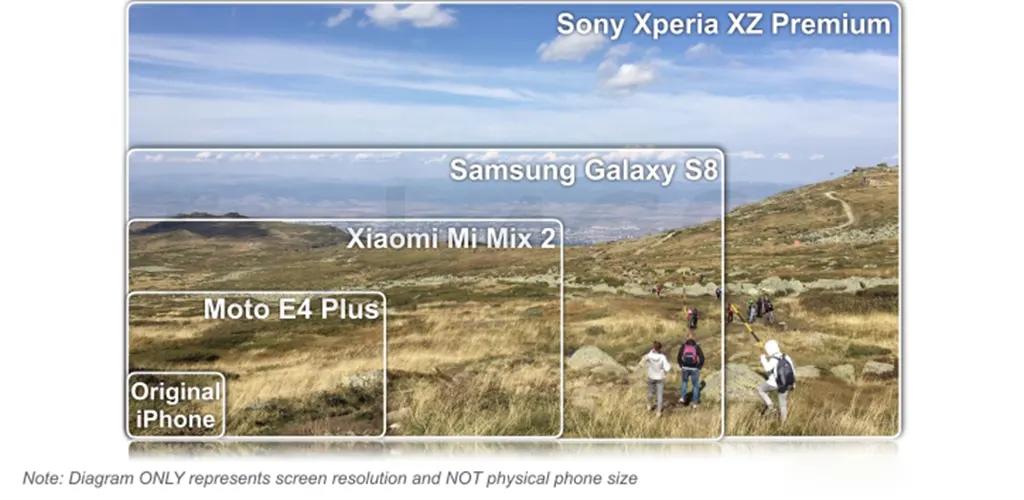
Fun Fact: The original iPhone (2007) had a 320 x 480 pixel screen—now even budget phones offer 10x more pixels!
3. Resolution ≠ Screen Size!
- Same Pixels, Different Sizes
Two screens with 1920 x 1080 resolution can be different sizes (e.g., a 6-inch phone vs. a 24-inch monitor). The smaller screen will look sharper because the pixels are packed tighter. - Pixel Density (PPI) Matters
Measured in pixels-per-inch (PPI), this tells you how dense the pixels are. A 6-inch phone with 400 PPI looks clearer than a 24-inch monitor with 90 PPI, even if both have the same resolution!
4. Why Should You Care About Resolution?
- Binge-Watching: A 4K TV brings movies to life with vivid details.
- Gaming: Higher resolutions mean you’ll spot enemies hiding in the shadows.
- Photography: More megapixels (camera resolution) let you crop photos without losing quality.
But Beware: Ultra-high resolutions drain battery faster on phones and need powerful hardware for smooth performance.
5. How to Choose the Right Resolution
- Phones: Aim for Full HD or QHD for sharpness without killing battery life.
- Laptops/Monitors: Full HD works for most users; 4K is great for designers.
- Cameras: More megapixels are great, but lens quality and sensor size matter too!
Final Takeaway
Resolution is about pixel count, not physical size. While higher numbers mean sharper images, balance it with pixel density (PPI) and your needs (like battery life or budget).