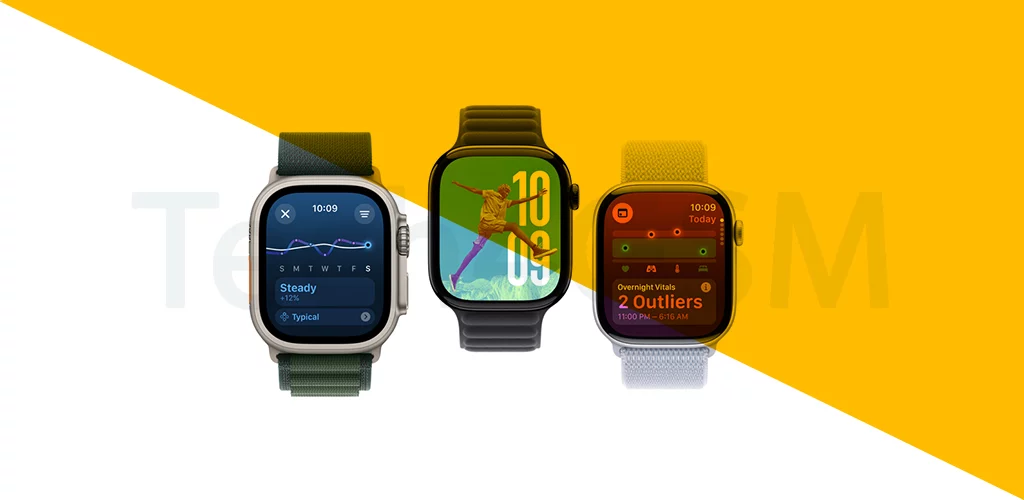
Introduction
Imagine a tiny computer on your wrist that tracks workouts, sends texts, and even pays for coffee. That’s watchOS—the brain behind the Apple Watch! Since 2015, Apple has fine-tuned this operating system, learning how we interact with wearables. Let’s dive into its journey, feature-packed updates, and why it’s a game-changer for smartwatch lovers.
What is watchOS?
watchOS is Apple’s operating system designed exclusively for the Apple Watch. It combines touch gestures with the Digital Crown (a rotating dial) to navigate apps without fingers blocking the screen. Think of it as iOS’s mini-me, optimized for your wrist!
The watchOS Evolution: A Version-by-Version Journey
watchOS 1 (April 2015)
- Debut Features:
Fun Fact: Early users joked about the “app zoom dance” to open apps!
watchOS 2 (September 2015)
- Upgrades:
- Nightstand Mode: Turns your watch into a bedside clock while charging.
- Wi-Fi Calling: Make calls without your iPhone nearby.
- Custom Watch Faces: Use personal photos or new designs like Photo Album.
- Faster Apps: Developers could build apps directly for the watch.
Pro Tip: Nightstand Mode is perfect for late-night Netflix bingers!
watchOS 3 (September 2016)
- Game-Changers:
- Dock: Press the side button for quick access to 10 favorite apps.
- Control Center: Swipe up for settings like Airplane Mode.
- Auto-Unlock Mac: Open your laptop by just wearing your watch!
- Theater Mode: Silence raises and alerts during movies.
Why It Mattered: The Dock made multitasking as easy as spinning the Digital Crown!
watchOS 4 (September 2017)
- Smart & Sweaty:
- Siri Watch Face: Dynamic updates (weather, calendar, news).
- Gym Equipment Sync: Pair with treadmills for real-time stats.
- Improved Music App: Easier playlist navigation.
- Vertical Dock: Scroll apps like a playlist.
Workout Hack: Linked gym gear made treadmill runs feel like video games!
watchOS 5 (September 2018)
- Fitness & Friends Focus:
- 7-Day Challenges: Compete with friends (get taunted if you’re losing!).
- Auto-Workout Detection: Forgot to hit “start”? The watch knows!
- Walkie-Talkie Mode: Push-to-talk with fellow Apple Watch users.
- Podcasts & Web Previews: Listen or peek at links without your iPhone.
Cool Feature: Yoga and hiking workouts finally got the love they deserved!
Why watchOS Keeps Getting Better
- User Feedback Rules: Apple tweaks the interface based on how we actually use the watch.
- Fitness First: From basic runs to yoga, it’s a pocket (wrist?) gym coach.
- Siri’s Playground: Hands-free reminders, translations, and smart home control.
watchOS Pro Tips
- Customize Your Dock: Add apps you use daily (Weather, Music, Workout).
- Use Theater Mode: Avoid glowing like a flashlight in dark rooms.
- Try Walkie-Talkie: It’s retro fun for quick chats.
The Future of watchOS
Rumors suggest:
- Blood Sugar Monitoring: For diabetics (no finger pricks!).
- Sleep Tracking: Finally, a bedtime buddy.
- More Third-Party Faces: Developers could design wilder watch faces.
Wrapping Up
From a clunky app grid to a fitness-obsessed, Siri-powered sidekick, watchOS has grown into a wrist-worn superhero. Each update reflects Apple’s quest to make tech invisible and intuitive. Whether you’re a Series 1 loyalist or a new Ultra user, watchOS keeps your world at a glance.