Introduction
Your Android home screen is like your digital command center. It’s where you start your day, check emails, manage tasks, and stay organized. But are you making the most of it? With the right apps, you can turn your home screen into a productivity powerhouse. Here are 7 must-have apps to supercharge your Android experience!
1. Microsoft Outlook: A Better Email App
While Gmail is popular, Outlook offers unique features that make it a standout:
- Focused Inbox: Filters out unimportant emails, so you only see what matters.
- Built-in Calendar: Check your schedule, sports, and TV listings in one place.
- OneDrive Integration: Easily attach files from your cloud storage.
- Copilot AI: For Microsoft 365 users, it helps draft emails and summarize messages.
Why it’s great: Clean interface, multi-account support (Gmail, Yahoo, iCloud), and powerful organization tools.
2. TickTick: More Than a To-Do List
TickTick is a task manager on steroids:
- Eisenhower Matrix: Organize tasks by urgency and importance.
- Habit Tracking: Build and track daily habits.
- Pomodoro Timer: Stay focused with timed work sessions.
- Custom Themes: Personalize the app to match your style.
Why it’s great: Combines task management, habit tracking, and productivity tools in one app.
3. 1Password: Keep Your Data Safe
1Password is a password manager you can trust:
- Strong Encryption: Keeps your passwords and sensitive data secure.
- Autofill: Log in to apps and websites with one tap.
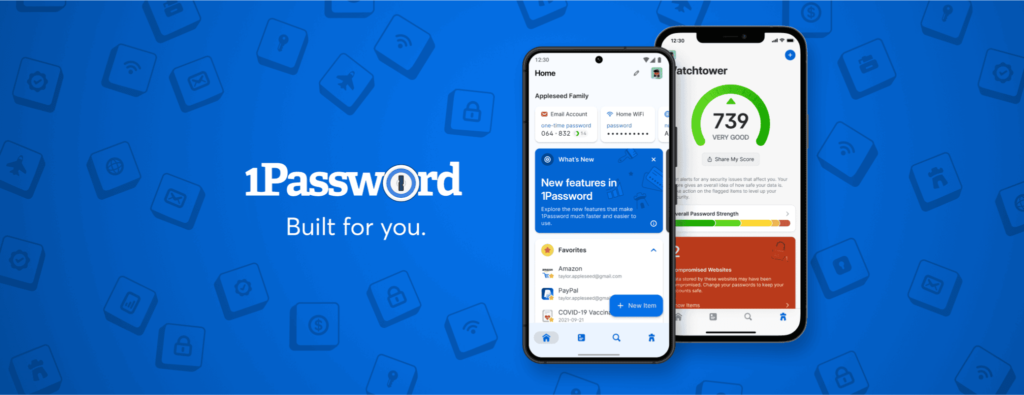
- Watchtower: Alerts you about weak passwords and data breaches.
- Family Plans: Share passwords securely with loved ones.
Why it’s great: Simplifies password management while keeping your data safe.
4. Journey: A Simple Journal App
Journey is the perfect app for journaling and reflection:
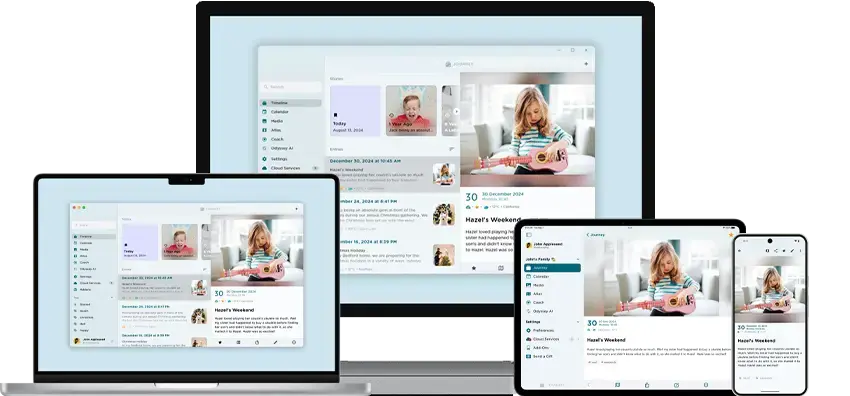
- Multimedia Entries: Add photos, videos, and audio to your journal.
- Mood Tracking: Log your emotions and track patterns over time.
- Password Protection: Keep your entries private and secure.
- Cross-Device Sync: Access your journal on any device.
Why it’s great: A clean, intuitive app for capturing memories and thoughts.
5. Notion: A Versatile Productivity Tool
Notion is an all-in-one workspace for:
- Note-Taking: Create detailed notes and to-do lists.
- Project Management: Organize tasks and collaborate with teams.
- Databases: Store and manage information in customizable tables.
- Integrations: Connect with Google Calendar, Slack, and more.
Why it’s great: Adapts to your workflow, whether you’re a student, professional, or creative.
6. Solid Explorer: A Powerful File Manager
Solid Explorer is the ultimate tool for file management:
- Dual-Pane View: Easily move files between folders.
- Cloud Storage Support: Access files from Google Drive, Dropbox, and more.
- Archive Support: Open ZIP, RAR, and 7ZIP files without extra apps.
- Custom Themes: Personalize the app’s look and feel.
Why it’s great: A feature-packed file manager for power users.
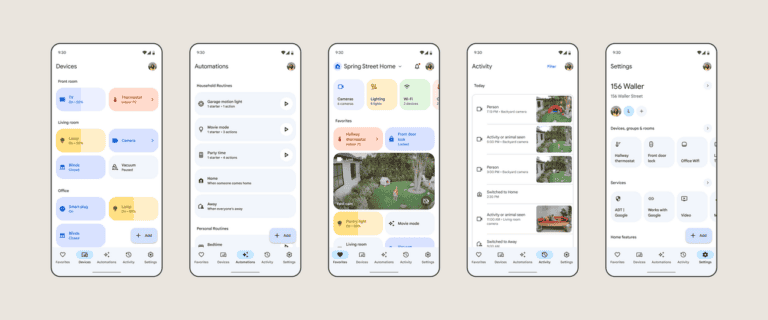
7. Google Home: Smart Home Control in One Place
Google Home is a must-have for smart home enthusiasts:
- Device Control: Manage lights, thermostats, and speakers with one app.
- Routines: Automate tasks like turning off lights at bedtime.
- Gemini AI Integration: Get smarter suggestions and controls.
- Multi-Brand Support: Works with Nest, Philips Hue, and more.
Why it’s great: Simplifies smart home management and adds convenience to your life.
Build Your Perfect Home Screen
With these apps, your Android home screen becomes a hub of productivity and efficiency. Whether you’re managing emails, tracking tasks, or controlling your smart home, these tools ensure you stay on top of your game.