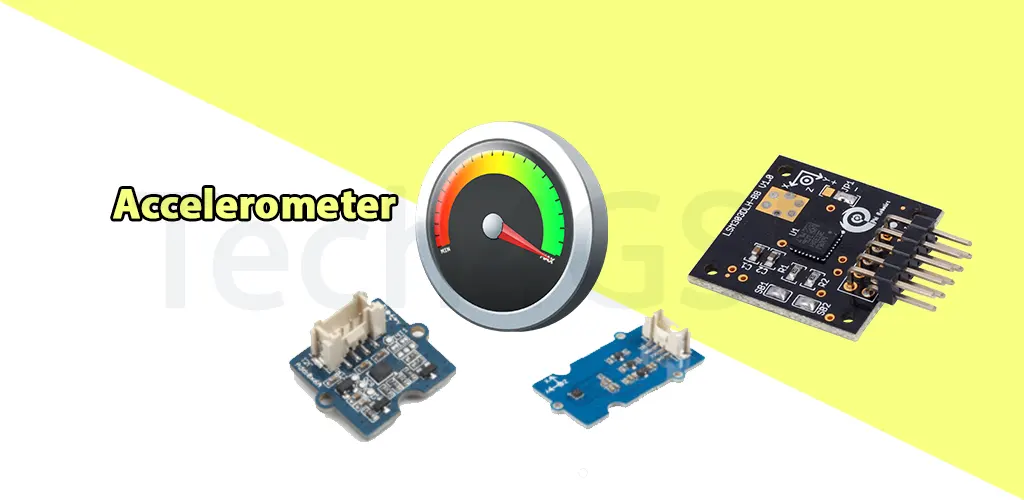
Introduction
Ever flipped your phone sideways to watch a video, and the screen magically rotated? Or silenced a call by flipping the device face-down? Thank the accelerometer—a tiny, invisible hero inside your phone that detects motion, tilt, and shakes! Let’s uncover how this gadget works and why it’s essential for your daily tech life.
What Is an Accelerometer?
Think of an accelerometer as your phone’s “motion sensor.” It’s a tiny chip that:
- Measures tilt (like when you rotate your phone).
- Detects movement (shaking, swinging, or lifting).
- Tracks direction (up, down, left, right).
It uses microscopic parts (like springs and weights) to sense even the smallest motions. Fancy, right?
Cool Ways Your Phone Uses the Accelerometer
This tiny sensor does BIG jobs without you noticing:
1. Auto-Screen Rotation (The Classic)
Tilt your phone sideways → screen flips to landscape mode. That’s the accelerometer telling your phone, “Hey, rotate the display!” No more manual button taps!
2. Gesture Controls for Music
- Shake to skip (Sony’s old “Shake Control” let you shuffle songs by shaking your phone!).
- Tilt to adjust volume (used in some apps).
- Samsung’s “Motion Play” lets you wave to pause music or mute calls.
3. Gaming Superpowers
Tilt your phone to steer cars in racing games (Asphalt, Real Racing) or control characters in games like Pokémon GO. Goodbye buttons, hello motion controls!
4. Smart Features You Use Daily
- Turn-to-mute: Flip your phone face-down to silence calls/alarms instantly.
- Raise-to-wake: Lift your phone → screen lights up automatically (no power button needed!).
- Step counters: Fitness apps use the accelerometer to track your steps.
Why Should You Care?
The accelerometer makes your phone smarter and more intuitive. Imagine:
- Playing games without tapping buttons.
- Skipping songs with a flick of your wrist.
- Your phone “knowing” when you’re driving and turning on Do Not Disturb.
It’s like having a pocket assistant that reads your moves!
Fun Fact: Accelerometers Aren’t Just for Phones!
They’re also used in:
- Drones (to stay balanced mid-air).
- Car airbags (detect crashes to deploy instantly).
- Wearables (track sleep movement in smartwatches).
Troubleshooting Tips
If your screen isn’t rotating or motion controls fail:
- Check if auto-rotate is enabled in settings.
- Restart your phone (fixes minor glitches).
Final Thoughts
Next time you tilt your phone to read a recipe or shake it to shuffle a playlist, remember the accelerometer—the unsung genius making it all happen. This tiny sensor blends tech magic with everyday convenience, proving that great things DO come in small packages!