Introduction
Did you know that every time you log into a system, a hidden security mechanism decides what you can—or can’t—do? This unsung hero is called Access Control Entry (ACE), and it’s the gatekeeper of your digital world. Whether you’re accessing files, apps, or network resources, ACE ensures only authorized users get in.
For IT pros, cybersecurity experts, and businesses, understanding ACE is like having a master key to security. This guide breaks down ACE in simple terms, covering its types, real-world uses, risks, and best practices to keep your systems safe. Let’s dive in!
What is Access Control Entry (ACE)?
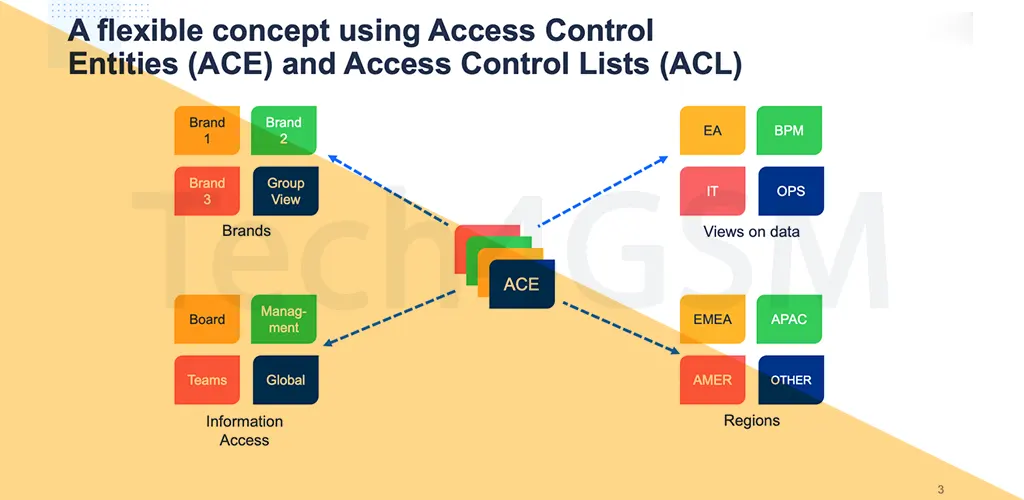
Imagine ACE as a tiny rulebook inside a larger security manual (called an Access Control List or ACL). Each ACE entry specifies:
- Who gets access (a user or group).
- What they can do (read, edit, delete).
- How these rules apply across systems.
When someone tries to access a file or network, the system checks the ACEs linked to it. If the user’s credentials match the ACE rules, access is granted. If not? The door slams shut.
Key Parts of an ACE:
- Security Identifier (SID): A unique ID for each user/group.
- Access Mask: Defines permissions (e.g., “read-only”).
- ACE Type: Allows or denies access.
- Inheritance Flags: Decides if sub-folders/files inherit the rule.
6 Types of ACEs You Should Know
- Access Allowed ACE: Grants permissions to specific users.
- Access Denied ACE: Blocks unwanted access.
- System Audit ACE: Tracks who tried to access what (for audits).
- System Alarm ACE: Triggers alerts during suspicious activity.
- Compound ACE: Links permissions to a server + impersonated user.
- Object-Specific ACE: Manages directory services (e.g., LDAP).
ACLs: The Bigger Picture
An Access Control List (ACL) is a collection of ACEs. There are two main types:
- DACL (Discretionary ACL): Controls user/group access.
- SACL (System ACL): Logs access attempts for auditing.
Example:
- In Windows, DACLs decide if a user can modify system files.
- Firewalls use ACLs to filter network traffic.
Where ACEs Work in Real Life
- File Systems: Restrict access to files in Windows (NTFS) or Linux (ext4).
- Network Security: Manage traffic via firewalls and routers.
- Active Directory: Control resource access in organizations.
- Cloud Platforms: Define permissions in AWS IAM or Azure.
Why ACE Matters in 2025
As cyber threats grow, ACE helps:
- Protect Data: Block unauthorized access to sensitive info.
- Meet Compliance: Align with GDPR, HIPAA, and ISO 27001.
- Prevent Breaches: Stop hackers from exploiting weak permissions.
Common ACE Risks to Avoid
- Privilege Escalation: Hackers gaining admin rights.
- Permission Bypass: Exploiting misconfigured ACEs.
- Race Conditions: Flaws due to timing issues in access checks.
Best Practices for ACE Security
- Least Privilege Principle: Give users only the access they NEED.
- Audit Regularly: Check ACEs/ACLs for gaps.
- Use Role-Based Access (RBAC): Assign permissions by job role.
- Encrypt Data: Add another layer of defense.
- Automate Reviews: Use tools to flag improper access.
- Avoid Over-Inheritance: Limit inherited permissions.
Final Thoughts
ACE is the backbone of digital security, silently guarding your systems around the clock. By mastering its types, risks, and best practices, you can build a fortress against cyber threats.
Ready to level up your security? Audit your ACEs and ACLs today—before hackers do!