Introduction
Ever snapped a photo, downloaded a song, or saved a game only to see the dreaded “storage full” message? Meet the Secure Digital (SD) card—the tiny, mighty hero that’s been rescuing gadgets since 1999! Let’s explore why this little rectangle is still a big deal.
What Exactly is an SD Card?
- Flash Memory Magic: SD cards use flash memory (no moving parts!) to store photos, videos, apps, and more. Think of them as durable digital notebooks for your devices.
- Budget-Friendly Storage: They’re a cheap, easy way to add space to cameras, phones, drones, or even retro gaming consoles.
- Universal Compatibility: From DSLRs to Raspberry Pi projects, SD cards work with thousands of devices.
Size Matters: SD vs. Its Tiny Cousins
SD cards come in a family of sizes, but the original is 24mm x 32mm x 2.1mm—about the size of a postage stamp. Here’s how they compare:
- Bigger than microSD: The classic SD is larger than its microSD sibling (often used in phones).
- Smaller than CompactFlash: Perfect for balancing portability and storage.
- Thicker than MMC: SD cards are almost identical to MultiMediaCards (MMC) but slightly thicker for extra durability.
Why SD Beat MMC (And Won the Storage War)
In the early 2000s, SD and MMC cards battled for dominance. Here’s why SD triumphed:
- Speed Boost: SD cards read/write data faster than MMC—great for burst photos or 4K videos.
- Hardware Lock Switch: That tiny slider on the side? It blocks accidental deletions—a lifesaver for wedding photographers or anyone with clumsy fingers!
- Trade-Off Alert: SD uses a bit more power than MMC, but modern gadgets handle this easily.
SD Cards Today: Still Relevant? Absolutely!
While phones are ditching SD slots, these cards aren’t going extinct:
- Cameras & Drones: Pros still rely on SD for high-res photos and videos.
- Retro Gaming: Modders use SD cards to revive old consoles (looking at you, Nintendo Wii!).
- DIY Projects: Perfect for adding storage to Raspberry Pi setups or 3D printers.
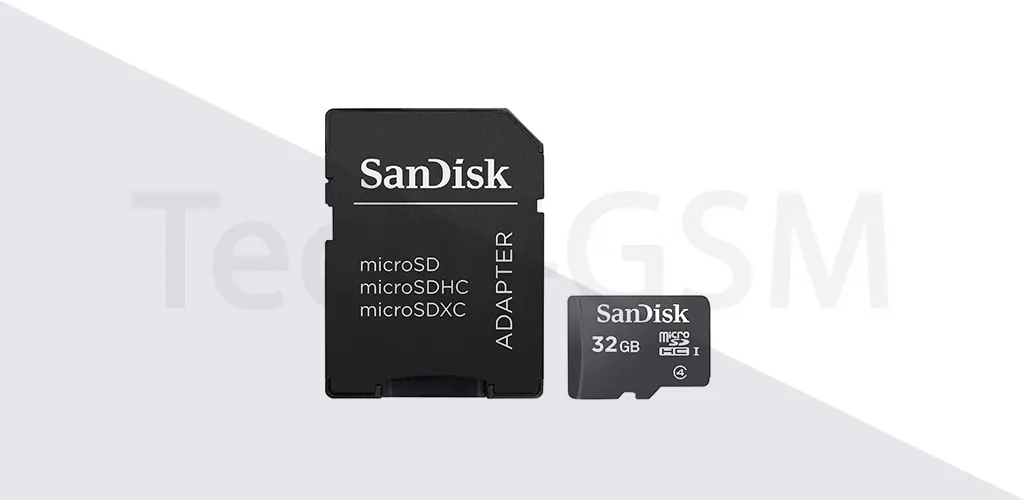
- Adaptable Design: Use a microSD-to-SD adapter to make tiny cards fit classic slots!
Fun Fact: The “Secure” in Secure Digital
SD cards weren’t just named for fun! They originally had built-in DRM (Digital Rights Management) to protect music and video copyrights. While DRM faded, the name stuck!
Need an SD Card? Here’s What to Look For
- Capacity: Ranges from 2GB (old school) to 1TB (yes, terabyte cards exist!).
- Speed Class: Class 10 or UHS-I for 4K videos; slower classes work for basic storage.
- Lock Switch: Always enable it before handing your card to a friend!
Final Thoughts
SD cards are the unsung heroes of the tech world—small, sturdy, and endlessly useful. Whether you’re backing up memories or hacking a gadget, this pocket-sized storage icon has your back. Next time you slot one in, give it a silent “thank you” for making digital life easier!