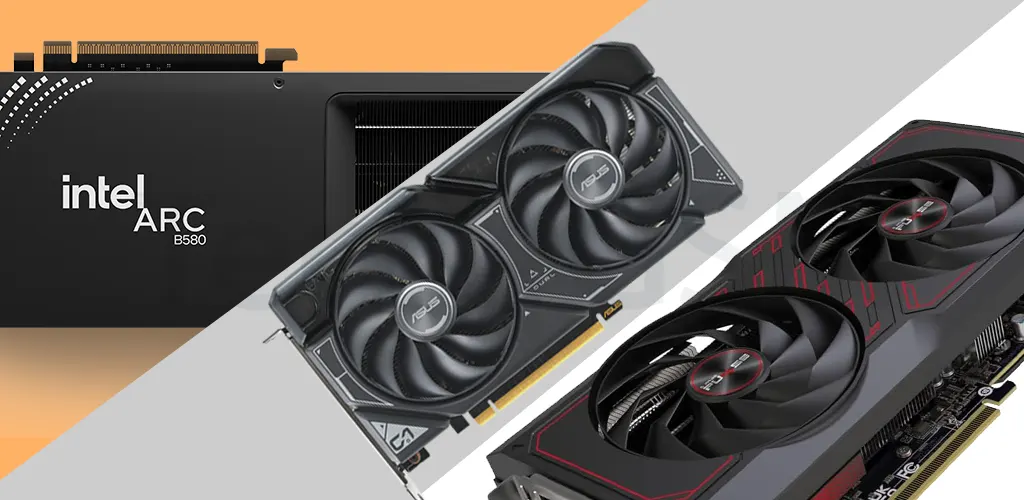
Introduction: Why Your GPU Matters
Welcome to Tech4GSM’s detailed guide on the best graphics cards for 2025! Whether you’re a gamer, a video editor, or just someone who wants a better-looking screen, picking the right graphics card is a big deal. This article will guide you step-by-step through everything you need to know. From what a graphics card does to the top models from AMD, Intel, and Nvidia, we’ve got you covered.
The graphics card market is growing fast. Experts say it could be worth billions of dollars by 2025 because more people want powerful cards for gaming and creative work. With exciting features like ray tracing and smart upscaling becoming common, there’s never been a better time to learn about graphics cards. So, let’s jump in and explore what makes these devices so important!
Hunting for a new GPU for gaming, content creation, or multi-display setups? You’re in the right place. Whether you’re a casual gamer, a professional designer, or someone building a future-proof PC, this guide breaks down everything you need to know about Nvidia GeForce, AMD Radeon, and Intel Arc graphics cards.
What Is a Graphics Card and Why Do You Need One?
First off, let’s talk about what a graphics card actually is. A graphics card, or GPU (Graphics Processing Unit), is a piece of hardware that handles all the heavy lifting for displaying pictures, videos, and animations on your screen. Your computer’s main processor, the CPU, can do some basic graphics stuff, but it’s not enough for big tasks like playing modern games or editing videos. That’s where a graphics card comes in—it’s like a superhero sidekick for your PC.
Do you really need one? Well, it depends on what you do. If you just browse the web or watch videos, the built-in graphics in most computers (called an IGP) might be fine. But if you’re into gaming, making videos, or designing 3D models, a graphics card is a must. It makes everything faster and looks way better.
Not every graphics card is the same, though. Your choice depends on your budget, what you want to use it for, and your current computer setup. Don’t worry—we’ll break it all down for you in this guide. The graphics card world changes fast, and we’re here with the latest info for 2025. Let’s move on to some key things to think about before you buy.
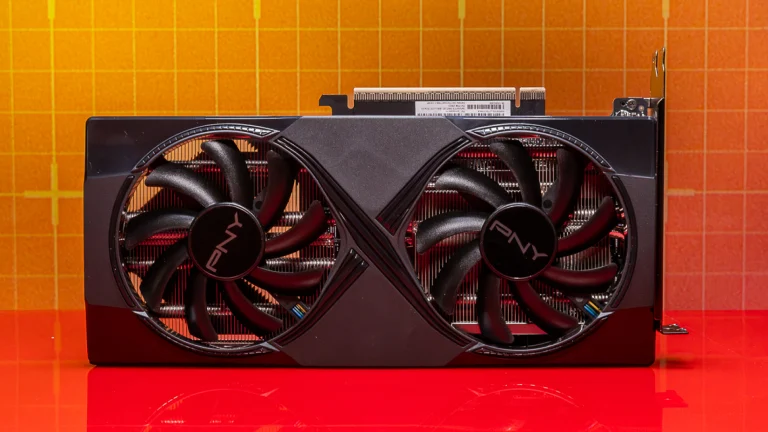
Hardware Limitations: Will It Fit Your PC?
Before you grab a shiny new graphics card, you need to make sure it’ll work with your computer. Even the best card is useless if it doesn’t fit or if your PC can’t power it. Here’s what to check.
Check the Size
Graphics cards come in all sizes, and some of the powerful ones are pretty big. To avoid surprises:
- Open your computer case and find the PCIe slot (that’s where the card goes).
- Measure the space from the slot to anything in the way, like the back of the case or other parts.
- Look at the card’s size in its description (usually in length, width, and height) and compare it to your space.
Also, watch out for things like hard drive holders or fans that might block the card.
Power Up
Graphics cards need a lot of power. Your power supply unit (PSU) has to keep up. Here’s how to check:
- Find your PSU’s wattage—it’s usually on a sticker on the side of the unit.
- Look up the card’s recommended power needs. Add about 100 watts extra to be safe for your whole system.
- Check if your PSU has the right connectors. Most cards need 6-pin or 8-pin cables, but some new Nvidia cards use a special 12VHPWR plug. If your PSU doesn’t match, you might need adapters or a new PSU.
Motherboard Match
Your computer’s motherboard needs a PCIe slot for the card. Most modern cards use a PCIe x16 slot. Check your motherboard’s manual or specs to be sure it has one.
Keep It Cool
Powerful cards get hot. Make sure your PC has good airflow. If it’s cramped or you want to push the card harder (called overclocking), add extra fans or even a water-cooling system.
Deeper Dive: Best Graphics Cards for 2025
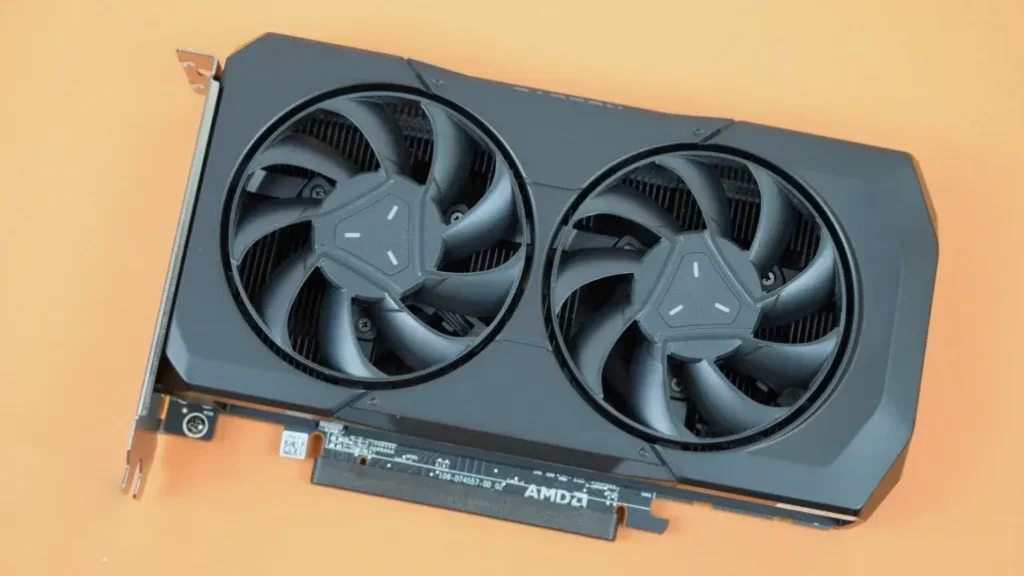
1. AMD Radeon RX 7600: The Budget-Friendly 1080p Champion
Why It Shines
The AMD Radeon RX 7600 is a wallet-friendly powerhouse for 1080p gaming. Built on AMD’s RDNA 3 architecture, it delivers smooth gameplay in modern titles like Cyberpunk 2077 and Elden Ring at max settings. With 8GB of GDDR6 VRAM, it handles textures and shadows effortlessly at this resolution. Plus, AMD’s FidelityFX Super Resolution (FSR) boosts frame rates in supported games without major visual compromises.
Performance Highlights
- 1080p Gaming: Consistently hits 60+ FPS in AAA titles like Horizon Forbidden West.
- Ray Tracing: Improved over previous-gen cards but best at medium settings.
- Power Efficiency: Sips just 165W, making it easy to pair with budget PSUs.
Who Should Buy It?
- Gamers prioritizing affordability (starts at $269).
- Those upgrading from older GPUs like the GTX 1060 or RX 580.
- Fans of AMD’s driver software (Adrenalin Edition) for customization.
Watch Out For
- Struggles at 1440p or with older DirectX 11 games (Skyrim, GTA V).
- Limited future-proofing due to 8GB VRAM.
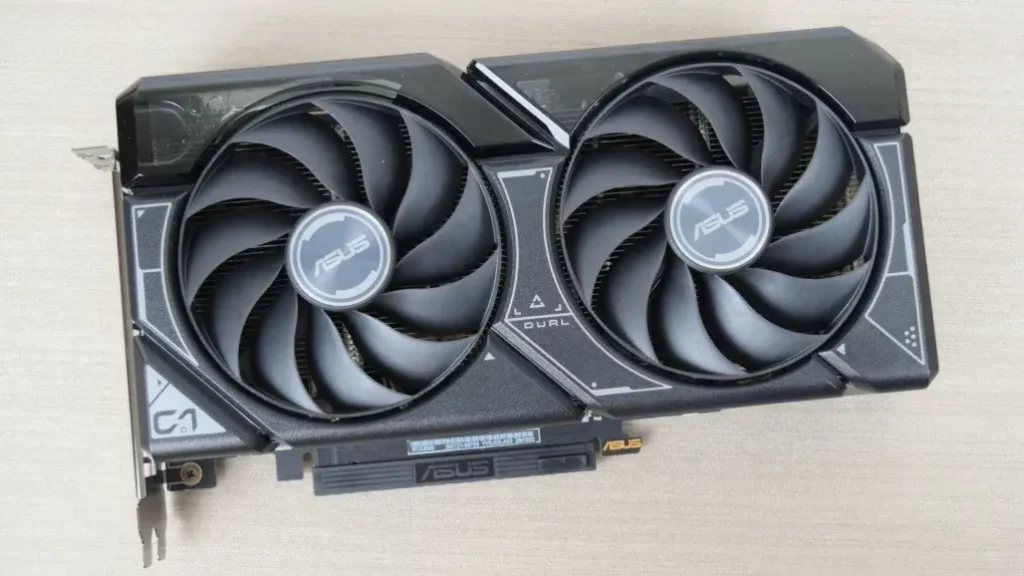
2. Nvidia GeForce RTX 4060: Ray Tracing on a Budget
Why It Shines
Nvidia’s RTX 4060 is a ray-tracing marvel for its price. With DLSS 3, it magically upscales lower-resolution frames to keep games like Alan Wake 2 buttery smooth. The 8GB GDDR6 VRAM is adequate for 1080p, and its 115W TDP makes it one of the most efficient cards here.
Performance Highlights
- DLSS 3: Boosts FPS by 40-50% in titles like Cyberpunk 2077.
- Ray Tracing: Handles medium RT settings at 60 FPS.
- Compact Design: Fits snugly in small PC cases.
Who Should Buy It?
- Gamers craving ray-traced visuals without breaking the bank.
- Streamers leveraging Nvidia’s Broadcast Suite for background noise removal.
- Users eyeing future-proofing with DLSS 4-ready hardware.
Watch Out For
- 8GB VRAM limits texture-heavy games like Red Dead Redemption 2.
- Priced slightly higher than AMD’s RX 7600 (starts at $299).
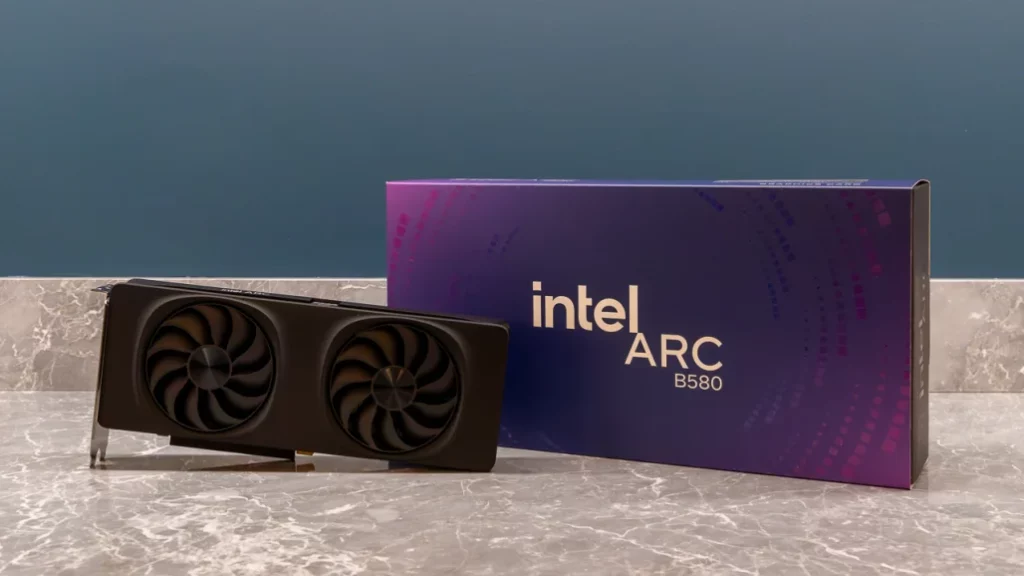
3. Intel Arc B580: The Dark Horse for High Refresh Rates
Why It Shines
Intel’s Arc B580 is the surprise star of 2025. With 12GB of GDDR6 and a 192-bit memory bus, it outpaces both AMD and Nvidia in raw specs for the price ($249 MSRP). It’s a beast in esports titles like Valorant and Fortnite, hitting 144+ FPS at 1080p.
Performance Highlights
- 12GB VRAM: Future-proof for upcoming games.
- XeSS Upscaling: Matches DLSS/FSR in supported games.
- Ray Tracing: Competes with Nvidia’s RTX 4060 in Control and Minecraft RTX.
Who Should Buy It?
- Budget gamers wanting high refresh rates (144Hz+ monitors).
- Content creators needing extra VRAM for video editing.
- Early adopters supporting Intel’s growing GPU ecosystem.
Watch Out For
- Higher Power Draw: 190W demands a robust PSU.
- Legacy Game Support: Struggles with older titles (Fallout 4, Dark Souls III).
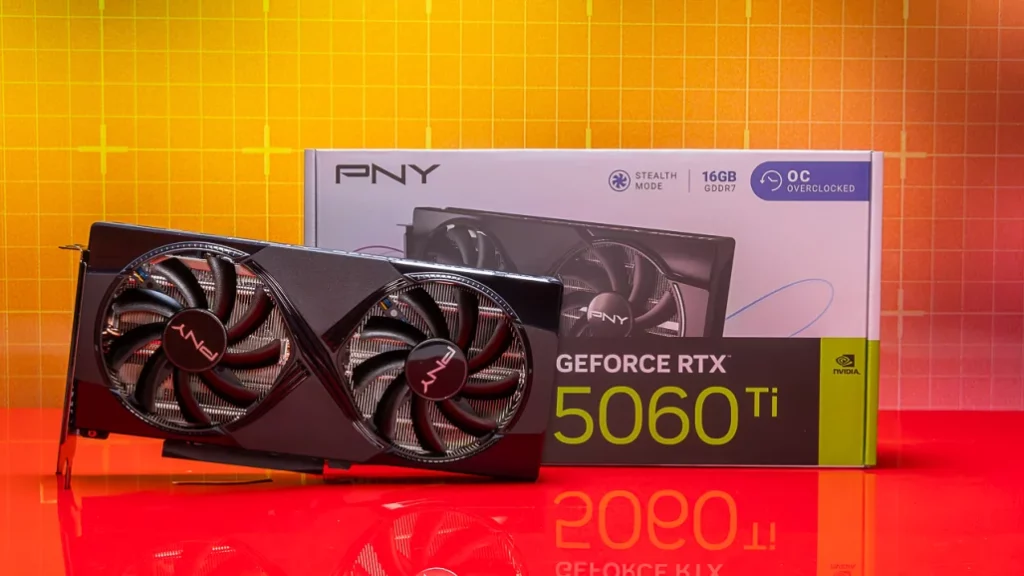
4. Nvidia GeForce RTX 5060 Ti (16GB): The 1440p Sweet Spot
Why It’s a Star
The RTX 5060 Ti is a 1440p beast with 16GB of GDDR7 VRAM—double its predecessor’s capacity. It handles modern titles like Starfield and GTA VI at ultra settings while staying cool and quiet. Nvidia’s DLSS 4 upscaling ensures buttery frame rates even in demanding games.
Performance Highlights
- 1440p Gaming: Hits 80-100 FPS in Cyberpunk 2077 (High Settings + DLSS).
- Ray Tracing: Manages medium RT presets without breaking a sweat.
- Efficiency: Sips 180W, needing just a single 8-pin power connector.
Who Should Buy It?
- Gamers wanting future-proofing with 16GB VRAM for upcoming titles.
- Creators editing 4K videos or 3D models on a budget.
- Users upgrading from older GPUs like the RTX 3060 Ti.
Watch Out For
- 128-bit memory bus limits bandwidth in texture-heavy games.
- $429 MSRP may creep higher with third-party models.
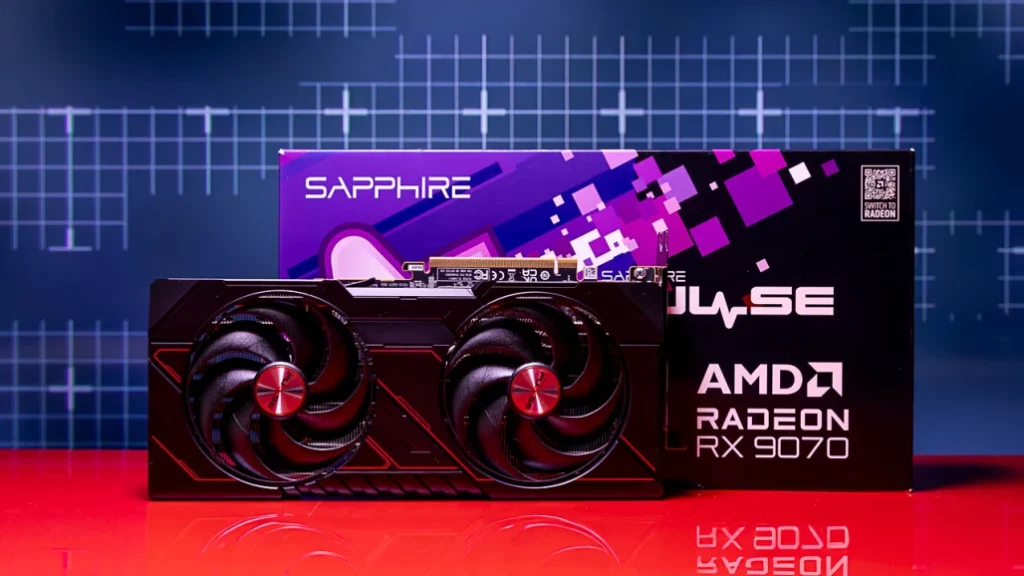
5. AMD Radeon RX 9070: The Overclocker’s Dream
Why It’s a Star
AMD’s RX 9070 packs a punch with 16GB GDDR6 and RDNA 4 architecture. It trades blows with Nvidia’s pricier RTX 5070 and stays cool under load—perfect for marathon gaming sessions. Plus, AMD’s FSR 4 rivals DLSS in supported titles.
Performance Highlights
- 1440p Performance: Delivers 90+ FPS in Horizon Forbidden West (Ultra).
- Thermals: Rarely exceeds 70°C thanks to Sapphire’s dual-fan design.
- Overclocking: Boost clocks can push past 2.7 GHz with manual tweaks.
Who Should Buy It?
- Enthusiasts craving value ($549) and tweaking potential.
- Multi-monitor gamers needing 2 HDMI ports for 4K/60Hz displays.
- AMD loyalists invested in FreeSync monitors.
Watch Out For
- 220W power draw demands a robust PSU.
- No GDDR7: Falls slightly behind in memory bandwidth vs. RTX 5060 Ti.
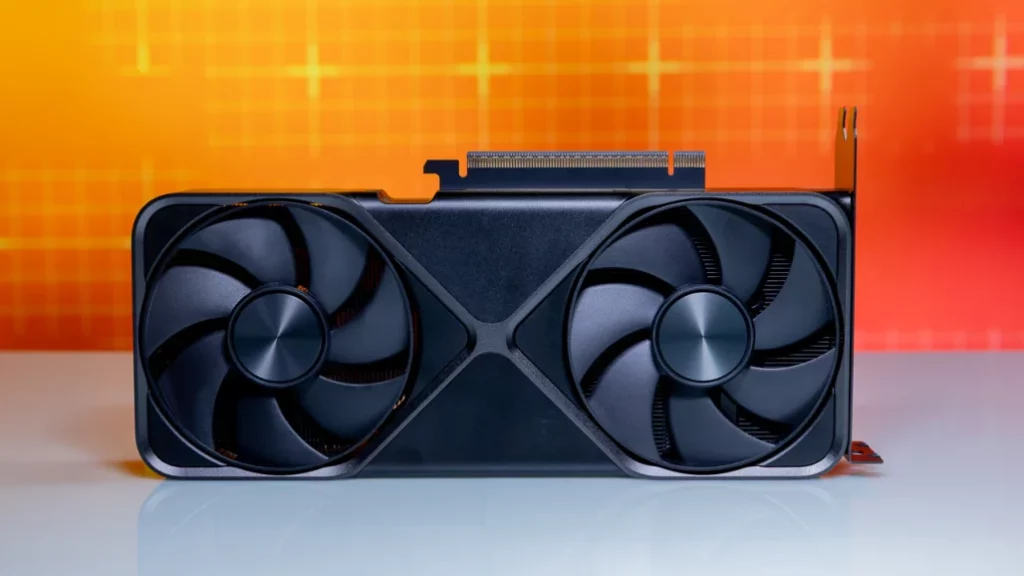
6. Nvidia GeForce RTX 5070: The AI Powerhouse
Why It’s a Star
The RTX 5070 shines in AI-driven tasks like Stable Diffusion, but it’s a mixed bag for gaming. With 12GB GDDR7, it’s competent at 1440p but struggles to justify its $699 price tag against AMD’s RX 9070.
Performance Highlights
- DLSS 4 + Frame Gen: Hits 100+ FPS in Alan Wake 2 (1440p + RT).
- Content Creation: Blazes through Blender renders and AI workflows.
- 12VHPWR Connector: Future-proof for next-gen PSUs.
Who Should Buy It?
- Creators needing AI acceleration for apps like DaVinci Resolve.
- Gamers who prioritize Nvidia’s ecosystem (Broadcast, Reflex).
- Upgraders from RTX 3070/3080 seeking ray-tracing boosts.
Watch Out For
- 250W TDP requires a high-quality 750W+ PSU.
- Pricey: AMD’s RX 9070 offers better gaming value.
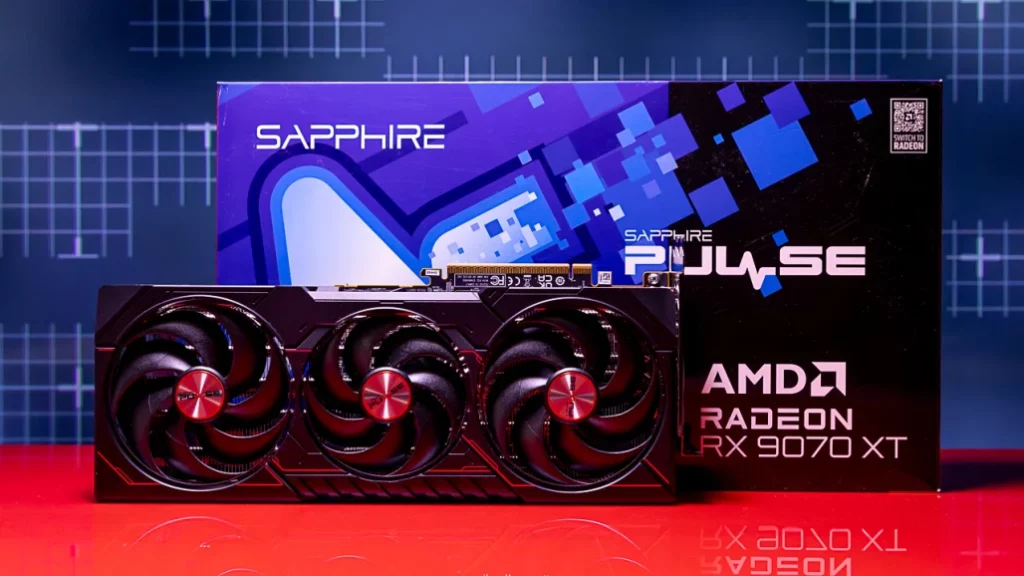
7. AMD Radeon RX 9070 XT: The 4K Value King
Why It’s a Star
The RX 9070 XT delivers 4K gaming at $599—half the cost of flagship rivals. With 16GB GDDR6 and AMD’s RDNA 4 architecture, it crushes titles like Cyberpunk 2077 at 60+ FPS (High Settings + FSR 4). Its triple-fan design keeps temps below 75°C, even during marathon sessions.
Performance Highlights
- Ray Tracing: Handles medium RT in Alan Wake 2 without tanking frame rates.
- Price-to-Performance: Matches the RTX 5070 Ti in rasterization for $200 less.
- Cooling: Whisper-quiet fans even at 90% load.
Who Should Buy It?
- Gamers wanting 4K on a budget ($599 MSRP).
- Upgraders from midrange GPUs (e.g., RTX 3070, RX 6700 XT).
- AMD fans seeking FreeSync Premium compatibility.
Watch Out For
- 16GB VRAM may struggle with future 8K texture packs.
- Non-ray-traced performance lags behind last-gen AMD cards.
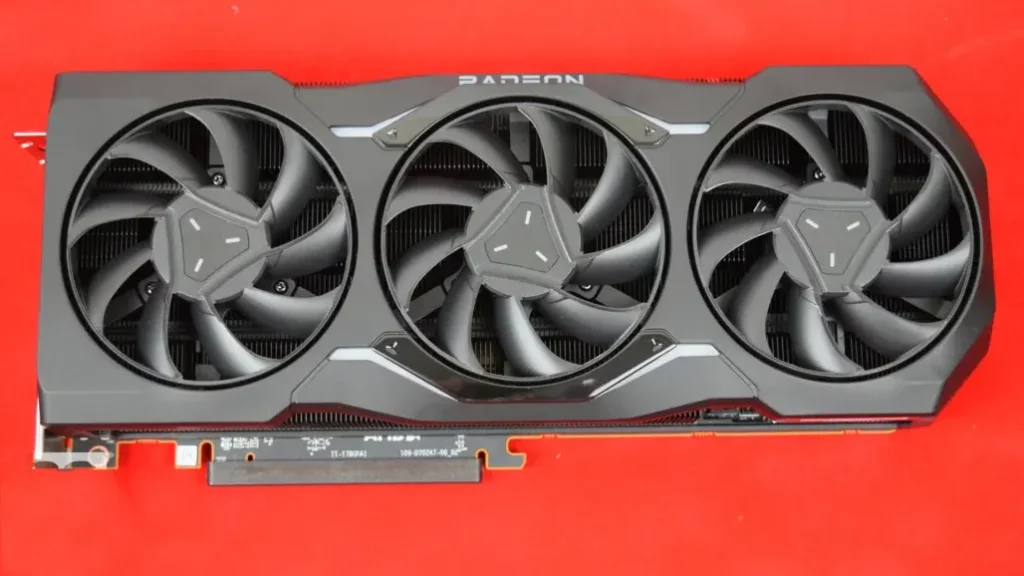
8. AMD Radeon RX 7900 XTX: The 4K Workhorse
Why It’s a Star
The RX 7900 XTX is a 24GB GDDR6X beast built for 4K purists. It trades blows with Nvidia’s RTX 5080 but costs $500+ less. Perfect for maxed-out Starfield or Horizon Forbidden West, it leverages AMD’s Infinity Cache for buttery-smooth frame pacing.
Performance Highlights
- 24GB VRAM: Handles 8K textures and effortlessly.
- 1440p/240Hz: Doubles as a high-refresh esports monster.
- Efficiency: 355W TDP is reasonable for its class.
Who Should Buy It?
- Enthusiasts craving future-proofing without Nvidia’s premium.
- Creators editing 8K video or 3D renders.
- Multi-monitor gamers needing 2 DisplayPort 2.1 outputs.
Watch Out For
- Ray Tracing: Still trails Nvidia’s RTX 40/50 series.
- Power Hungry: Requires a 850W PSU and dual 8-pin connectors.
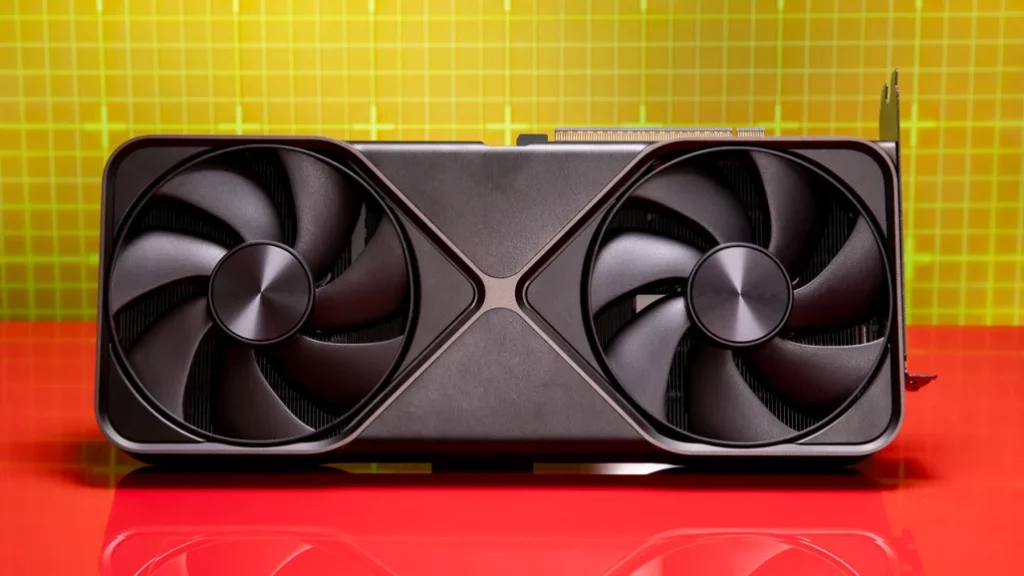
9. Nvidia GeForce RTX 5090: The 4K Titan
Why It’s a Star
The RTX 5090 is unrivaled for 4K/120Hz gaming. With 32GB GDDR7 and DLSS 4, it brute-forces Cyberpunk 2077 at 4K/Ultra + Path Tracing (90+ FPS). Its dual-slot design defies expectations, fitting into compact builds.
Performance Highlights
- AI Dominance: Blazes through Stable Diffusion and Blender.
- Ray Tracing: 2x faster than RTX 4090 in Control RT Overdrive.
- Efficiency: Runs cooler than the 4090 despite higher specs.
Who Should Buy It?
- No-compromise gamers with deep pockets ($1,999 MSRP).
- Pros using AI/ML tools or 8K video production.
- Early adopters of 8K monitors or VR headsets.
Watch Out For
- Cost: More expensive than some entire gaming PCs.
- Power Needs: Requires a 1,200W PSU and 12VHPWR cable.
Comparison Chart: Best Graphics Cards for 2025
| GPU Model | Price | VRAM | Memory Type | Memory Bus | TDP | Ray Tracing | Upscaling | Best For |
|---|---|---|---|---|---|---|---|---|
| AMD Radeon RX 7600 | $269 | 8GB | GDDR6 | 128-bit | 165W | Medium | FSR 4 | 1080p Budget Gaming |
| Nvidia RTX 4060 | $299 | 8GB | GDDR6 | 128-bit | 115W | High | DLSS 3 | 1080p Ray Tracing |
| Intel Arc B580 | $249 | 12GB | GDDR6 | 192-bit | 190W | Medium | XeSS 2 | 1080p High Refresh |
| Nvidia RTX 5060 Ti (16GB) | $429 | 16GB | GDDR7 | 128-bit | 180W | High | DLSS 4 | 1440p Balanced |
| AMD RX 9070 | $549 | 16GB | GDDR6 | 256-bit | 220W | Medium | FSR 4 | 1440p High Refresh |
| Nvidia RTX 5070 | $699 | 12GB | GDDR7 | 192-bit | 250W | High | DLSS 4 | 1440p AI/Creators |
| AMD RX 9070 XT | $599 | 16GB | GDDR6 | 256-bit | 304W | Medium | FSR 4 | 4K Budget |
| AMD RX 7900 XTX | $1,129 | 24GB | GDDR6X | 384-bit | 355W | Medium | FSR 4 | 4K Future-Proof |
| Nvidia RTX 5090 | $1,999 | 32GB | GDDR7 | 512-bit | 575W | Extreme | DLSS 4 | 8K/4K Ultra |
What Does a Graphics Card Do? (And Do You Need One?)
First off, let’s simplify the basics. A graphics card (or GPU) handles everything you see on your screen—from everyday tasks like browsing the web to rendering complex 3D games. Most budget PCs rely on Integrated Graphics Processors (IGPs) built into the CPU, which work fine for basic tasks. However, discrete GPUs (standalone cards) are essential for:
- Gaming: Smooth frame rates and high resolutions.
- Content Creation: Accelerating video editing, 3D modeling, and AI tasks.
- Multi-Display Setups: Driving multiple monitors efficiently.
If you play modern games or work with demanding software, a dedicated GPU is non-negotiable.
Hardware Limitations: Will It Fit Your PC?
Before buying, consider two critical factors:
- Physical Space: Measure your PC case! High-end GPUs like the Nvidia RTX 5090 can be massive.
- Power Supply: Check your PSU’s wattage and connectors. For example, the RTX 5080 needs an 850W PSU and a 12VHPWR cable.
Pro Tip: Prebuilt PCs often have weak power supplies. Upgrading to a high-wattage PSU might be necessary.
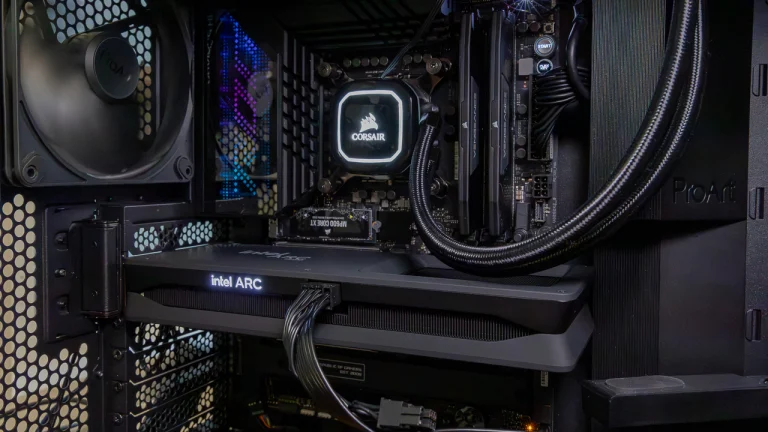
Meet the Contenders: AMD, Intel, and Nvidia
Intel Arc: The Underdog
Intel’s Arc B580 and B570 (starting at $219) offer surprising value for 1080p gaming. While earlier models like the A770 had driver issues, Intel’s Battlemage architecture delivers smoother performance. Ideal for budget builds, but still catching up to AMD and Nvidia.
AMD Radeon: Balancing Price and Power
AMD’s Radeon RX 9000 series shines with the RX 9070 XT, a 1440p powerhouse. Older models like the RX 7600 remain solid for 1080p gaming. AMD’s FSR upscaling boosts frame rates without sacrificing clarity.
Nvidia GeForce: The Performance King
Nvidia’s RTX 50 series dominates with features like DLSS 4 and ray tracing. The RTX 5090 is unmatched for 4K gaming, while the RTX 5060 offers budget-friendly ray tracing.
Board Partners vs. Reference Designs
GPUs are made by brands like ASUS, MSI, and Gigabyte (board partners), using chips from AMD, Intel, or Nvidia. Key differences:
- Reference Designs: Built to GPU makers’ specs (e.g., Nvidia’s Founders Edition).
- Custom Models: Feature better cooling, RGB lighting, or factory overclocking.
Example: The ASUS ROG Strix RTX 5080 runs cooler and quieter than Nvidia’s reference model.
The Big Three: AMD, Intel, and Nvidia
Three companies rule the graphics card world: AMD, Intel, and Nvidia. Each one has different cards for different people, from budget buyers to hardcore gamers. Let’s see what they offer in 2025.
AMD: Great Value with Radeon RX
AMD’s Radeon RX cards are a favorite for many. Their latest lineup, the Radeon RX 9000 series, is making waves:
Radeon RX 9070 XT: Built on the new RDNA 4 design, it’s fast and efficient. With lots of processing units and plenty of memory, it’s perfect for gaming at 1440p or even 4K.
AMD cards often cost less than others but still perform well, especially in certain games. They’re a smart pick if you want bang for your buck.
Intel: The New Kid with Arc
Intel is newer to standalone graphics cards. They’ve made built-in graphics for years, but now they’re stepping up with the Arc series:
Intel Arc B580: Using the “Battlemage” design, it’s got solid power for its price (around $249). It’s a good choice if you’re watching your wallet but still want decent performance.
Intel’s still catching up, but their cards are improving fast and worth a look for budget builds.
Nvidia: The Leader with GeForce RTX
Nvidia is the top dog right now. Their GeForce RTX cards are packed with power and fancy features:
GeForce RTX 5090: The fastest card out there, with tons of processing cores and huge memory. It’s made for 4K gaming and heavy tasks like video editing or AI work.
Nvidia shines with extras like ray tracing and DLSS, which we’ll talk about later. They’re pricier, but you get cutting-edge tech.
Each company has its strengths—AMD for value, Intel for budget, Nvidia for top performance. Think about what you need most as we dig deeper into how these cards are made.
Board Partners and Reference Designs: Who Makes Your Card?
AMD, Intel, and Nvidia design the GPU chips, but other companies, called board partners, often build the actual cards you buy. Names like Asus, MSI, and Gigabyte take the GPU and add their own touches.
What’s a Reference Design?
Sometimes, the big three make a basic version of a card called a reference design. These are standard cards sold at a set price with no extra frills. Board partners might sell these as-is or use them as a starting point.
Custom Cards
Most board partners tweak the reference design to make custom cards. These can have:
- Better cooling fans or systems.
- Faster speeds right out of the box (called overclocking).
- Fun extras like colorful lights.
Here are some big players:
- Asus: Their ROG series is top-notch with great cooling.
- MSI: The Gaming X line balances power and price.
- Gigabyte: Aorus cards come with cool lighting options.
- Sapphire: Awesome AMD cards, like the Nitro+ series.
- EVGA: Known for strong Nvidia cards in the FTW series.
Custom cards might cost more, but they can run cooler or faster. Check reviews to see which version fits your needs. Now, let’s get into what’s inside these cards.
Inside a Graphics Card: Cores, Speeds, and Memory
A graphics card’s power comes from its GPU chip. But what makes one better than another? Let’s look at the main parts.
Processing Cores
The GPU has tiny workers called cores that do the math for graphics. Each company names them differently:
- Nvidia: CUDA cores.
- AMD: Streaming Processors.
- Intel: Vector Engines.
More cores usually mean more power, but you can’t compare counts across brands because the designs differ. For example, an Nvidia card with 10,000 cores beats one with 8,000, but it’s not the whole story.
Clock Speeds
Cores work at a certain speed, measured in MHz or GHz. Faster speeds mean quicker work:
- Base speed: The slowest it runs safely.
- Boost speed: The fastest it can go when it’s cool and has power.
The real speed is usually somewhere in between, depending on heat and workload.
Memory (VRAM)
The card’s memory, or VRAM, holds data like game textures. More is better:
- 1080p: 4GB to 8GB works well.
- 1440p: Aim for 8GB to 12GB.
- 4K: 12GB or more keeps things smooth.
Newer cards use fast memory types like GDDR6 or GDDR7. When picking a card, look at cores, speed, and VRAM together—not just one number. Next up, let’s explore some cool features these cards offer.
Cool Features: Ray Tracing, Upscaling, and More
Graphics cards today do more than just show pictures. They’ve got advanced tricks to make games look amazing and run better. Here’s what to know.
Ray Tracing: Real Lights and Shadows
Ray tracing makes games look lifelike by copying how light bounces around. It’s tough on the card, but all three brands support it:
- AMD: Radeon RX 6000 series and up.
- Nvidia: Any RTX card.
- Intel: Arc cards.
Games like Cyberpunk 2077 or Minecraft with RTX show off ray tracing with awesome lighting and reflections.
Upscaling: More Speed, Less Work
These tools let the card draw games at a lower quality, then smartly bump it up:
- AMD FSR: Works on most cards and games like God of War.
- Intel XeSS: For Intel cards, seen in Shadow of the Tomb Raider.
- Nvidia DLSS: For RTX cards, in games like Fortnite. Newer versions even add extra frames with AI.
For example, a game at 4K might render at 1440p, then upscale—saving power while looking close to full 4K.
Smooth Screens: FreeSync and G-Sync
These stop choppy visuals by matching your monitor’s refresh to the card’s output:
- FreeSync: Works with most cards, very common.
- G-Sync: Nvidia-only, needs special monitors but works great too.
Both make fast games smoother. Pick a card with features you’ll use, based on your games and setup.
Your Monitor Matters: Resolution and Refresh
Your graphics card and monitor need to team up. The card powers what you see, so let’s match them right.
Resolution: How Sharp?
Resolution is the number of dots (pixels) on your screen:
- 1080p (1920×1080): Good with mid-range cards.
- 1440p (2560×1440): Needs more power.
- 4K (3840×2160): Top cards only.
Higher means sharper but harder work. Wide screens (like 21:9) need even more juice.
Refresh Rate: How Smooth?
Refresh rate is how often the screen updates, in Hz:
- 60Hz: Standard, fine for most.
- 144Hz or 240Hz: Super smooth, great for fast games, but your card must keep up.
For a 144Hz 1080p screen, your card needs to hit 144 frames per second. Match your card to your monitor—or plan ahead if you’ll upgrade later.
Connections: Plugging It In
Graphics cards connect to monitors with ports like:
- HDMI: Common, needs version 2.0 for 4K at 60Hz, or 2.1 for higher rates.
- DisplayPort: Great for high refresh, version 1.4 does 4K at 120Hz.
Older DVI is fading out. Make sure your card’s ports match your monitor’s, especially if you use multiple screens.
Budgeting: How Much to Spend?
Graphics cards range from $100 to over $1,000. Here’s what you get:
- $100-$200: Basic 1080p, like Radeon RX 6500 XT or GeForce GTX 1650.
- $200-$400: Strong 1080p or 1440p, like Radeon RX 7600 or RTX 4060.
- $400-$800: Great for 1440p or 4K, like Radeon RX 7800 XT or RTX 4070 Ti.
- $800+: Best for 4K, like RTX 5090 or Radeon RX 7900 XTX.
Spend what you can. A better card now lasts longer as games get tougher. Factor in extras like a new PSU if needed.
Picking Your Card: Final Tips
Here’s how to choose:
- Know your goal: Gaming, editing, or casual use?
- Match your screen: Resolution and refresh rate.
- Set a budget: Get the best in your range.
- Check fit: Size, power, and parts.
- Look at features: Ray tracing or upscaling if you want them.
There’s no perfect card for everyone—it’s about you. Research reviews and enjoy your upgrade. Happy gaming!