Introduction
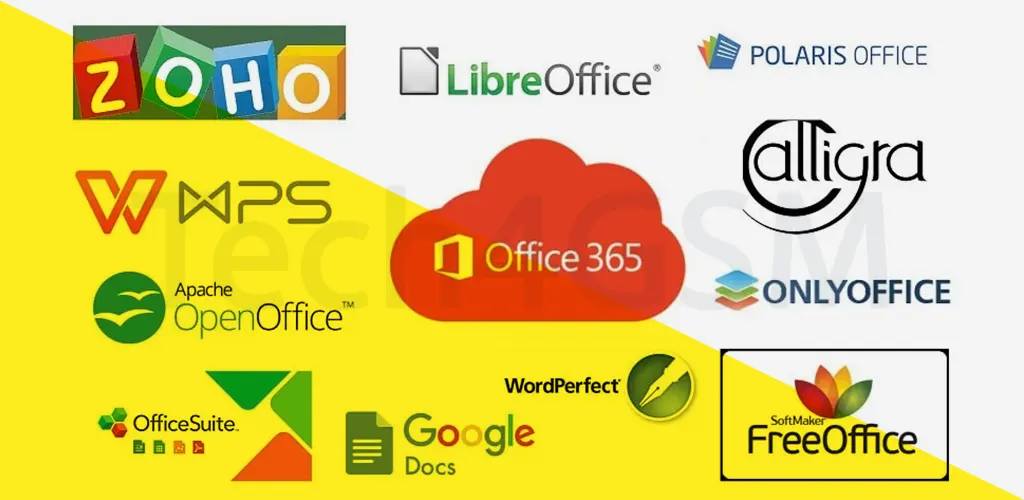
In 2025, the demand for flexible, cost-effective, and collaborative office tools has skyrocketed. While Microsoft Office remains a staple, its subscription costs and traditional approach have led users to explore innovative alternatives. Whether you’re a student, entrepreneur, or remote worker, this guide unveils 15 free Microsoft Office alternatives that cater to diverse needs—from AI-driven writing assistants to seamless cross-platform sync. Let’s dive into the future of productivity!
1. Google Docs: The Cloud Collaboration Powerhouse
Overview
Google Docs revolutionized document editing with its real-time collaboration and cloud-first approach. By 2025, it integrates AI tools like Smart Compose and Grammar Check+, making drafting effortless.
Key Features
- AI Enhancements: Voice-to-text in 50+ languages and tone suggestions for professional emails.
- Offline Mode: Edit without internet; changes sync once online.
- Template Gallery: Resume builders, project plans, and invoicing templates.
- Third-Party Add-Ons: Integrate Salesforce, DocuSign, or Asana directly into docs.
Why Choose Google Docs?
Ideal for teams needing real-time edits and cloud storage. Free 15GB Google Drive storage (shared across Gmail and Photos).
2. Microsoft Office Online: The Familiar Giant Goes Cloud
Overview
Microsoft’s browser-based suite offers core Office apps (Word, Excel, PowerPoint) for free. The 2025 update introduces AI-powered Design Ideas in PowerPoint and Excel Data Insights for predictive analysis.
Limitations & Perks
- Offline Access: Requires Office 365 subscription.
- OneDrive Integration: Save files directly to 5GB free cloud storage.
- Teams Collaboration: Co-edit documents while chatting in Microsoft Teams.
Perfect For: Users tied to Microsoft ecosystems but seeking lightweight access.
3. LibreOffice: The Open-Source Champion
Overview
LibreOffice, a fork of OpenOffice, thrives in 2025. Its community-driven model ensures no ads or hidden costs.
Standout Tools
- Writer: Advanced typography and EPUB export.
- Calc: Supports complex formulas and Python scripting.
- Impress: Slide transitions rivaling PowerPoint.
Customization: Install extensions like LanguageTool for grammar checks.
4. Google Drive: Beyond Storage to Full Office Suite
2025 Upgrades
- AI Search: Find files using natural language (“Q2 sales report”).
- Integrated Apps: Connect Zoom for meeting notes or Figma for designs.
- Security: Two-factor authentication and ransomware alerts.
Collaboration: Share files via link with view/edit permissions.
5. Open365: LibreOffice in the Cloud
Unique Selling Point
Sync desktop files to a 20GB free cloud and edit via browser.
2025 Features
- PWA Support: Install as a desktop app on ChromeOS/Windows.
- E2E Encryption: Secure sensitive documents.
Ideal For: Users wanting desktop-LibreOffice flexibility with cloud access.
6. WPS Office: Speed Meets Compatibility
Performance
Launches in 1.2 seconds on low-end PCs.
2025 Highlights
- PDF Suite: Edit, annotate, and convert PDFs.
- AI Assistant: WPS AI drafts content and suggests layouts.
Cross-Platform: Android, iOS, and Linux support.
7. Polaris Office: Enterprise-Grade Security
Global Reach
Used by governments and Fortune 500 companies.
Tools
- DocuSign Integration: E-sign contracts.
- Print Optimization: Auto-adjusts margins for perfect prints.
8. Apache OpenOffice: The Veteran’s Choice
2025 Status
Despite slower updates, its simplicity attracts legacy users.
Extensions: Add OCR or LaTeX editors.
9. SoftMaker FreeOffice: Premium Features, Zero Cost
Exclusive Perks
- PlanMaker: Financial modeling tools.
- Revu: Track changes in presentations.
10. Dropbox Paper: Minimalist Team Hub
2025 Innovations
- Task Automation: Convert meeting notes to Jira tickets.
- Embed Any Media: TikTok videos, Spotify playlists.
11. Zoho Workplace: All-in-One Suite
Zia AI Assistant
Predicts project deadlines and auto-generates reports.
Pricing: Free for up to 25 users.
12. LaTeX: For Academic Precision
Use Cases
- Research papers with complex equations.
- Bibliographies with BibTeX.
13. OfficeSuite: Mobile-First Mastery
2025 Upgrades
- E-Ink Support: Optimized for reMarkable tablets.
- PDF Form Creation: Build fillable forms.
14. Evolution: Linux’s Answer to Outlook
Features
- Calendar Sync: Integrates with Google Calendar.
- PGP Encryption: Secure email communications.
15. SSuite Office: Lightweight & Offline-First
No Bloatware
Runs on 512MB RAM; portable version available.
Tools
- WordGraph: Mind-mapping within documents.
Conclusion
These were the greatest substitutes for Microsoft Office that I could find for you. From the list above, I trust you have selected the appropriate one for yourself. All of the software listed above is in some way the finest substitute for Microsoft Office, but you may try them all to find the best one.
Additionally, keep in mind that some of them are free, while others have a cost. I’ve included links to each software’s official website so you can look it up directly. Please leave a remark below if you have any questions.