Introduction
Your cherished memories deserve more than a life trapped on screens. Whether you’re creating humble snapshots or gallery-worthy art, the right photo printer brings your images to life. But with endless options—from pocket-sized gadgets to professional-grade beasts—how do you pick the perfect one? Let’s simplify the process. Below, we break down the best photo printers of 2025, tailored to every need and budget, backed by rigorous testing from Tech4GSM.
What Defines a Photo Printer?
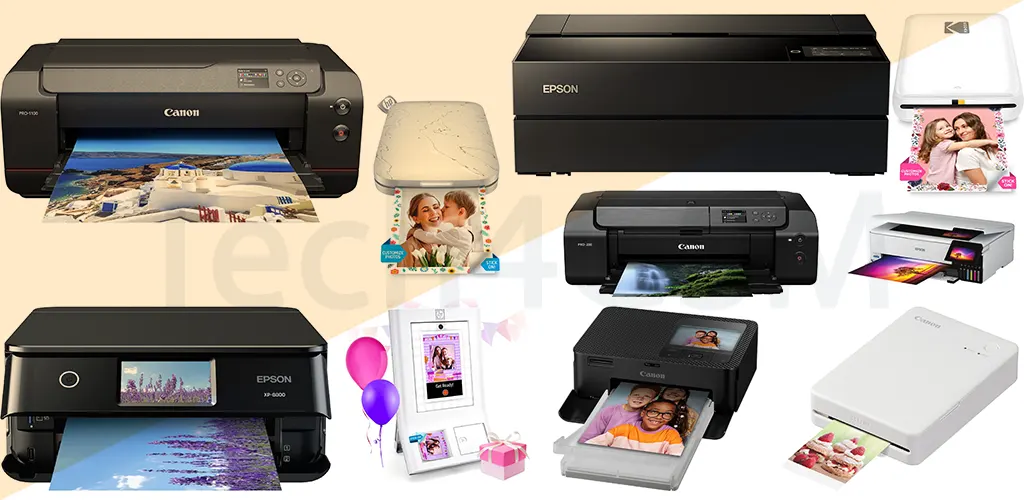
Photo printers fall into three categories:
- Near-Dedicated Photo Printers: Designed for high-quality, large-format prints (up to 13×19 inches or more). Ideal for serious photographers.
- Dedicated Snapshot Printers: Compact, portable, and perfect for 4×6-inch prints. Built for smartphone connectivity.
- Photo-Centric All-in-One Inkjets: Versatile printers that handle documents but excel at photos.
Our top pick? Canon’s imagePrograf PRO-1100 for pro-level results. But let’s explore all options.
Do You Really Need a Photo Printer?
Most standard inkjets or lasers can print photos, but they lack the finesse of dedicated models. Think of it like this: Using a photo printer for documents is like driving a sports car to fetch groceries—it works, but it’s overkill.
- Snapshot Printers: Prioritize portability and phone compatibility. Great for parties, vacations, or instant gifts.
- Near-Dedicated Models: Invest in these if you seek exhibition-quality prints or sell photography.
Cost Considerations: Don’t Ignore the Long Game
Photo printers can be sneaky with hidden costs. Here’s how to budget:
- Snapshot Printers: Calculate cost per print. Example: A 20 cartridge for 40 photos = 0.50 per print.
- Near-Dedicated Printers: Factor in ink, specialty paper, and maintenance. Subscriptions like HP Instant Ink offer flat monthly rates for heavy users.
- Zink/Dye-Sub Printers: Use pre-inked paper packs. Convenient but pricier over time.
Key Features to Compare
1. Print Technology
- Inkjet: Offers vibrant colors and sharp details. Ideal for large formats (e.g., Canon PRO-1100).
- Dye-Sublimation (Dye-Sub): Layered ink for smudge-proof prints. Common in snapshot models (e.g., Fujifilm Instax).
- Zink: Inkless, heat-activated paper. Fast and portable but lower quality (e.g., HP Sprocket).
2. Connectivity
- Wi-Fi/Bluetooth: Essential for smartphone printing.
- USB/SD Slots: Handy for direct camera transfers.
- Cloud Integration: Print from Google Photos or iCloud.
3. Portability
Battery-powered models (e.g., Canon Selphy CP1500) let you print anywhere. Check weight and charging time!
4. Paper Compatibility
- Glossy, matte, fine-art, or metallic paper? Ensure your printer supports it.
- Roll Paper: Saves space for large-format printers.
Avoid These Common Mistakes
- Ignoring Black-and-White Quality: Some printers add unwanted color tints to grayscale photos. Check reviews!
- Overlooking Speed: Even photo printers vary. Need 100 wedding prints? Prioritize speed (e.g., Epson SureColor P700).
- Forgetting Durability: Prints for albums need fade resistance. Look for “archival quality” labels.
Top Picks for 2025
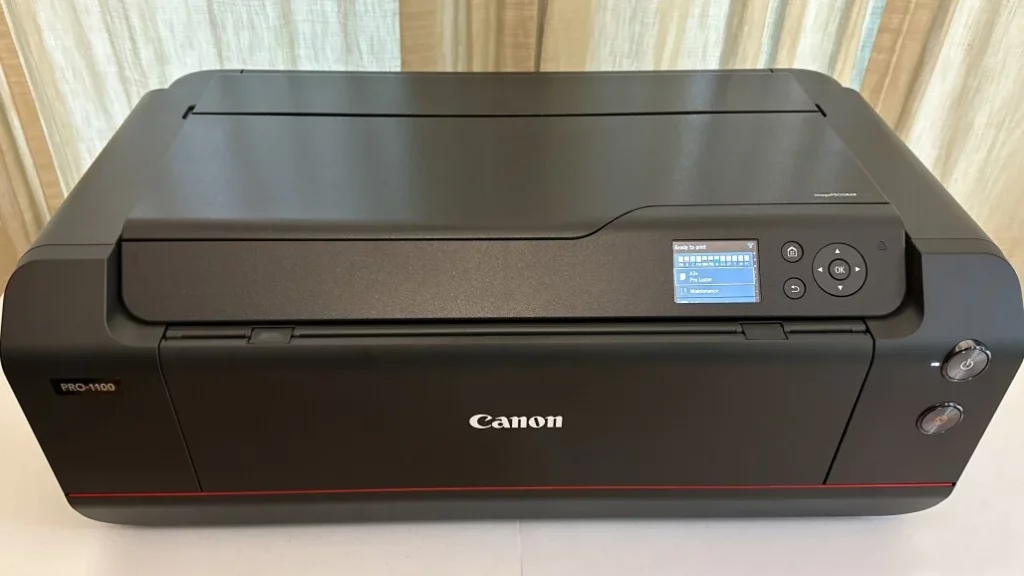
1. Canon imagePrograf PRO-1100: The Professional’s Dream Machine
The Canon imagePrograf PRO-1100 is a top-tier wide-format printer designed for photographers and artists who demand perfection. With cutting-edge ink technology and robust hardware, it transforms digital files into gallery-worthy masterpieces.
Key Features & Performance
Best For: Professional photographers, fine artists, and print studios.
Standout Strengths:
- 17×22-inch sheet support + 129-inch-long panoramic prints.
- 11 Lucia Pro II pigment inks for deeper blacks, 30% wider color gamut, and scratch-resistant prints.
- Anti-clogging nozzles: Automatically swaps clogged nozzles mid-print for flawless results.
- Air-feed system: Ensures precise ink placement, even on thick fine-art paper.
- Enhanced Wi-Fi/Ethernet: Reliable connectivity for busy studios.
Drawbacks:
- No roll-paper support (unlike Epson SureColor P900).
- Minor speed improvements over its predecessor.
Why Tech4GSM Recommends It
The PRO-1100 isn’t just an upgrade—it’s a revolution. Its Lucia Pro II inks deliver richer blacks and lifelike hues, while improved scratch resistance ensures prints withstand handling. For professionals printing exhibition pieces or client portfolios, this machine is a game-changer.
Pro Tip: Pair with Canon’s Satin Photographic Paper for metallic finishes that pop.
Who Should Buy It?
- Photographers needing archival-quality prints (rated for 100+ years).
- Artists creating large-scale installations or panoramas.
- Studios prioritizing color accuracy and durability.
Who Should Skip It: Those requiring roll-paper flexibility (opt for Epson P900 instead).
Specs at a Glance
| Category | Details |
|---|---|
| Print Technology | 12-tank inkjet (11 colors + optimizer) |
| Max Print Size | 17″ x 22″ sheets; 129″ long panoramas |
| Connectivity | Wi-Fi 6, Ethernet, USB-C, Wi-Fi Direct |
| Ink System | Lucia Pro II (optimized for fine art) |
| Media Compatibility | Fine-art, glossy, matte, canvas |
Verdict
The Canon PRO-1100 is the gold standard for professionals seeking unrivaled print quality and durability. While its lack of roll-paper support may steer some toward Epson, its precision and color fidelity make it a studio essential.
Explore More: Dive into Tech4GSM’s guide on maximizing print longevity with pigment inks. Your art deserves nothing less. 🎨🔥
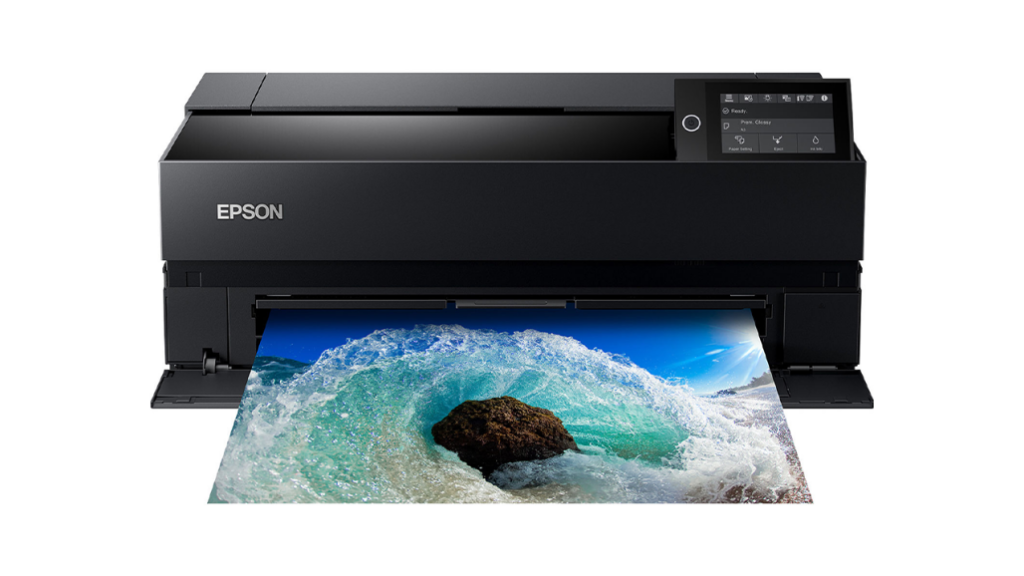
2. Epson SureColor P900: The Ultimate Roll-Paper Powerhouse for 2025
The Epson SureColor P900 reigns as the top choice for professionals needing large-format prints and roll-paper flexibility. Designed for studios and high-end photographers, it combines cutting-edge ink technology with unmatched versatility.
Key Features & Performance
Best For: Professional photographers, print studios, and artists requiring banners/panoramas.
Standout Strengths:
- 17-inch-wide roll paper support: Print banners up to 11 feet long or 17×22-inch sheets.
- UltraChrome PRO10 pigment inks: 10-color system for 99% Pantone color accuracy and vibrant, fade-resistant prints.
- Auto ink switching: Seamlessly transitions between photo black and matte black inks.
- Epson Print Layout plug-in: Simplifies Adobe workflows (replaces Photoshop’s Print dialog).
- Air-feed system: Ensures precise alignment on thick media like canvas or fine-art paper.
Drawbacks:
- Roll adapter sold separately (+$250).
- No automatic duplexing (single-sided printing only).
Why Tech4GSM Recommends It
The P900 isn’t just a printer—it’s a studio workhorse. Its UltraChrome PRO10 inks deliver richer blacks and smoother gradients than most competitors, while roll-paper support makes it ideal for photographers creating panoramas or event banners.
Pro Tip: Use Epson’s Premium Luster Paper for exhibitions to enhance depth and sheen.
Who Should Buy It?
- Photographers needing museum-quality prints up to 17×22 inches.
- Businesses producing banners, signage, or panoramic landscapes.
- Artists who value precise ICC profile customization.
Who Should Skip It: Casual users or those on a tight budget (opt for Epson EcoTank ET-8550).
Specs at a Glance
| Category | Details |
|---|---|
| Print Technology | 10-tank inkjet (UltraChrome PRO10) |
| Max Print Size | 17″ x 22″ sheets; 17″ x 11′ rolls |
| Connectivity | Wi-Fi, Ethernet, USB |
| Ink System | 10 pigment inks (including Matte Black) |
| Media Compatibility | Rolls, fine-art, canvas, glossy, matte |
Verdict
The Epson SureColor P900 is unmatched for professionals seeking roll-paper versatility and color precision. While the Canon PRO-1100 excels in scratch resistance, the P900’s banner-printing prowess makes it a studio essential.
Explore More: Check Tech4GSM’s guide on optimizing roll-paper workflows for events. Your creativity deserves no limits. 🖼️🚀
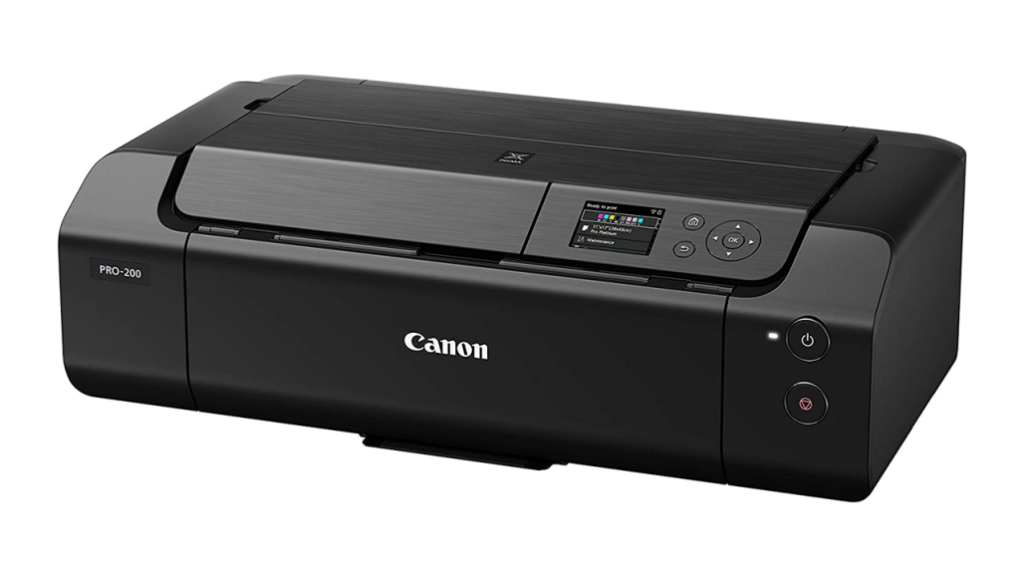
3. Canon Pixma Pro-200: Affordable Excellence for Semi-Pros
The Canon Pixma Pro-200 bridges the gap between entry-level and pro-grade printers, delivering exceptional quality without breaking the bank. Ideal for photographers and artists prioritizing grayscale precision and mid-sized prints.
Key Features & Performance
Best For: Hobbyists, wedding photographers, and artists focusing on black-and-white work.
Standout Strengths:
- 13×39-inch panoramas: Borderless prints for landscapes or event backdrops.
- 8 ChromaLife100+ inks: Vibrant blues/reds and best-in-class grayscale accuracy.
- Nozzle clog detection: Auto-cleaning ensures consistent output.
- Compact design: Fits small studios or home offices.
- Low running costs: 40% cheaper ink than competitors.
Drawbacks:
- No roll-paper support (max 13-inch width).
- Limited to 17×22-inch sheets (smaller than pro models).
Why Tech4GSM Recommends It
The Pro-200 punches above its price tag. Its grayscale performance avoids the color tints common in budget printers, making it perfect for monochrome art or archival prints. Plus, its intuitive control panel simplifies workflows for non-tech users.
Pro Tip: Use Canon’s Pro Platinum Matte Paper for gallery-grade B&W prints.
Who Should Buy It?
- Wedding Photographers: Rapid 11×14-inch prints (1.5 mins/color, 1 min/B&W).
- Art Students: Affordable large-format printing for portfolios.
- Home Studios: Compact size with pro-level results.
Who Should Skip It: Professionals needing roll-paper or 17×22-inch sheets (see Canon PRO-1100).
Specs at a Glance
| Category | Details |
|---|---|
| Print Technology | 8-tank inkjet (ChromaLife100+) |
| Max Print Size | 13″ x 39″ sheets |
| Connectivity | Wi-Fi, USB, Ethernet |
| Specialty | Grayscale optimization, borderless prints |
| Media Compatibility | Fine-art, glossy, matte, canvas |
Verdict
The Canon Pixma Pro-200 is a steal for semi-pros and enthusiasts. While it lacks roll-paper support, its grayscale mastery and low costs make it a standout in the 600−800 range.
Explore More: Visit Tech4GSM for tips on maximizing print longevity with ChromaLife inks. Your art deserves this upgrade. 📸💫
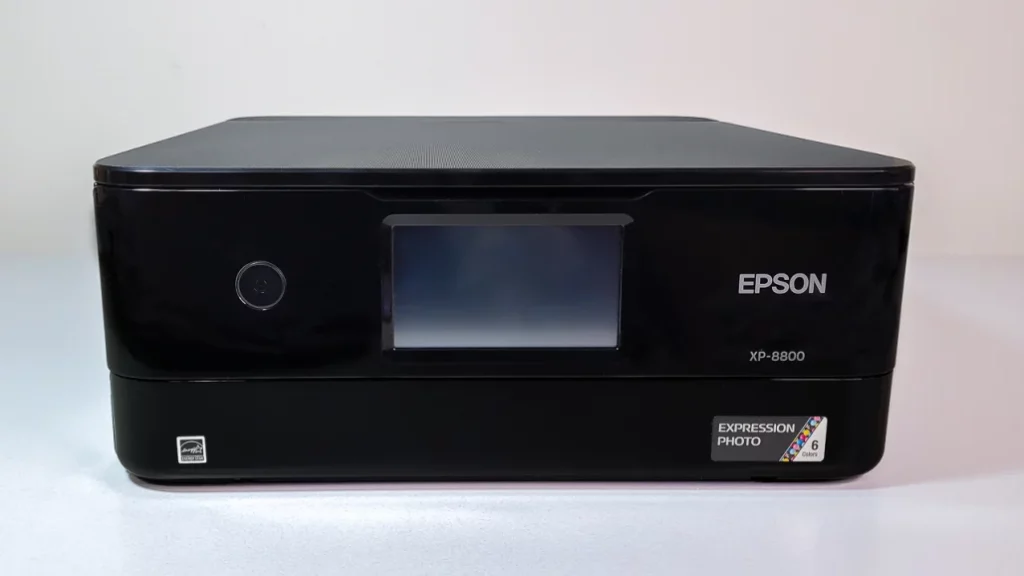
4. Epson Expression Photo XP-8800: The All-in-One Family Photo Champion
The Epson Expression Photo XP-8800 is a versatile all-in-one (AIO) printer perfect for families who want crisp photos and hassle-free document handling. With its dual paper trays and six-color ink system, it blends photo quality with everyday practicality.
Key Features & Performance
Best For: Families, home offices, and casual photographers.
Standout Strengths:
- 6-color Claria HD ink: Richer photos than standard 4-color inkjets.
- Dual paper trays: 100-sheet legal-size tray + 20-sheet photo paper tray (no swapping needed).
- Auto duplexing: Prints double-sided documents to save paper.
- Mobile/Wi-Fi Direct: Print from smartphones, tablets, or USB/SD cards.
- Flatbed scanner: 1200 dpi resolution for sharp photo/digitizing.
Drawbacks:
- No automatic document feeder (ADF): Can’t scan/copy multi-page docs.
- Limited scan size: Max 8.5×11.7 inches (no legal-size scans).
Why Tech4GSM Recommends It
The XP-8800 shines as a jack-of-all-trades. Its six-color ink system delivers vibrant 4×6-inch photos, while the dual trays let you switch between school reports and party snaps seamlessly. For families printing <100 pages/month, it’s a cost-effective pick.
Pro Tip: Use Epson’s Premium Glossy Paper for sharp, smudge-proof photos.
Who Should Buy It?
- Parents: Print school projects, photos, and recipes.
- Casual Photographers: Edit and print DSLR/smartphone pics at home.
- Small Offices: Scan contracts or copy documents.
Who Should Skip It: Heavy-duty users needing bulk scanning (opt for Epson EcoTank ET-8550).
Specs at a Glance
| Category | Details |
|---|---|
| Print Technology | 6-color inkjet (Claria HD) |
| Max Print Size | Legal (8.5″ x 14″) |
| Connectivity | Wi-Fi, USB, SD card, USB thumb drive |
| Specialty | Borderless 4×6″ photos, CD/DVD printing |
| Media Compatibility | Glossy, matte, envelopes, discs |
Verdict
The Epson XP-8800 is a stellar choice for households wanting a do-it-all printer. While photo copies lack pro-grade finesse, its ease of use and dual trays make it a family favorite.
Explore More: Visit Tech4GSM for guides on scanning old photos or optimizing ink costs. Print memories, not stress! 🖨️📸
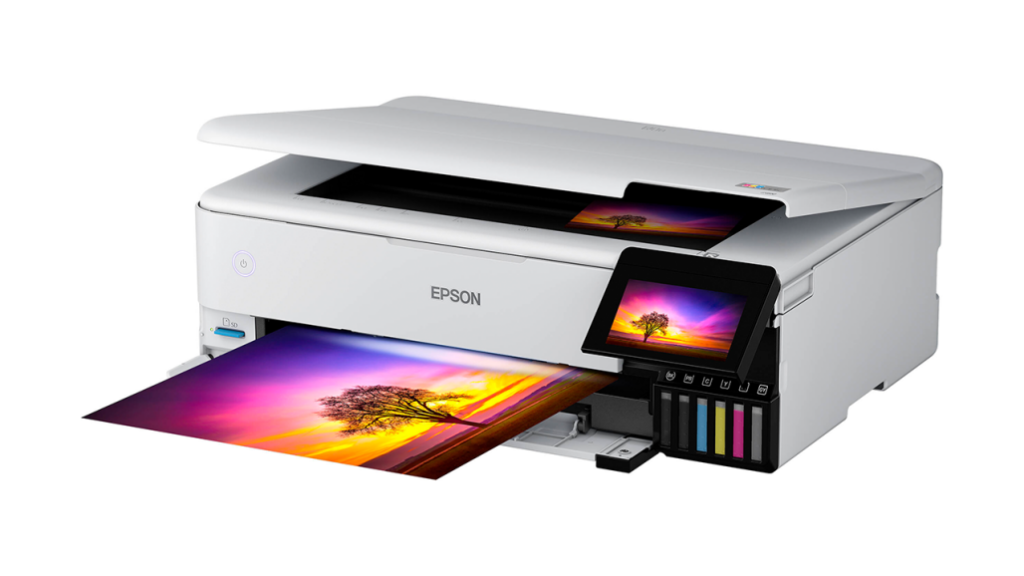
5. Epson EcoTank Photo ET-8550: Budget-Friendly Wide-Format Brilliance
The Epson EcoTank Photo ET-8550 redefines affordability in wide-format printing, offering pro-level 13×19-inch photo quality at home. With refillable ink tanks and versatile all-in-one features, it’s a powerhouse for creatives on a budget.
Key Features & Performance
Best For: Semi-pro photographers, artists, and small businesses.
Standout Strengths:
13×19-inch borderless prints: Gallery-quality photos, posters, and marketing materials.
6-color Claria ink: Adds photo black and gray for sharper details and richer grayscale.
EcoTank system: 2 years of free ink included—costs <1¢/B&W page and pennies for color.
All-in-one functionality: Scan, copy, and print with a 4.3-inch touchscreen.
Fast speeds: 12 ppm (color) and 16 ppm (B&W)—quick for wide-format.
Drawbacks:
No automatic document feeder (ADF): Can’t scan/copy multi-page docs.
Bulky design: Requires significant desk space.
Why Tech4GSM Recommends It
The ET-8550 slashes long-term costs without sacrificing quality. Its Claria ink delivers vibrant, fade-resistant prints, while the EcoTank system cuts ink expenses by 90% vs. cartridges. For artists printing portfolios or small businesses creating brochures, it’s a game-changer.
Pro Tip: Use Epson’s UltraChrome Pro paper for exhibition-grade metallic finishes.
Who Should Buy It?
Photographers: Print large-format wedding/event photos at home.
Artists: Create 13×19-inch canvases or art prints affordably.
Small Businesses: Design posters, flyers, or menus in-house.
Who Should Skip It: High-volume offices needing an ADF (see Epson WorkForce Pro WF-7840).
Specs at a Glance
| Category | Details |
|---|---|
| Print Technology | 6-color inkjet (Claria HD) |
| Max Print Size | 13″ x 19″ borderless |
| Connectivity | Wi-Fi, Ethernet, USB, Wi-Fi Direct |
| Specialty | Scanning, copying, CD/DVD printing |
| Media Compatibility | Fine-art, glossy, matte, canvas, discs |
Verdict
The Epson EcoTank ET-8550 is a budget hero for wide-format enthusiasts. While its upfront cost is steep, free ink for two years and stunning 13×19-inch prints make it a long-term steal.
Explore More: Visit Tech4GSM for tips on DIY photo editing and maximizing EcoTank efficiency. Print big, save bigger! 🖼️💰
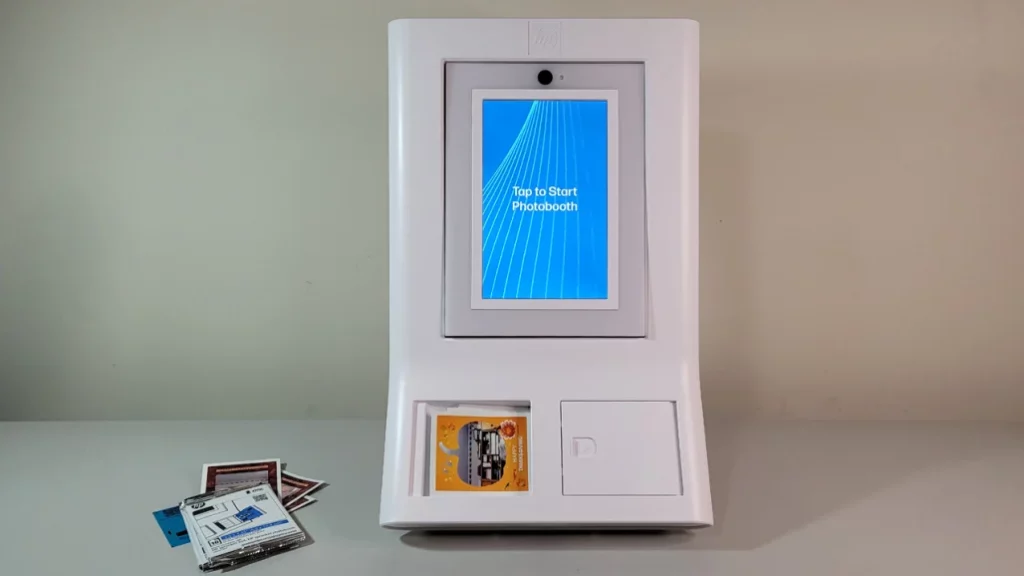
6. HP Sprocket Photobooth: Party-Ready Fun in Your Pocket
The HP Sprocket Photobooth transforms gatherings into unforgettable experiences by printing 3.5×4.25-inch sticky-back photos on the spot. Perfect for birthdays, weddings, or casual hangouts, this Zink-powered gadget combines portability with playful customization.
Key Features & Performance
Best For: Parties, weddings, family reunions, and event planners.
Standout Strengths:
- Zero Ink (Zink) technology: No cartridges—heat-activated paper creates smudge-proof prints.
- Built-in photo booth mode: Timer, filters, and customizable borders (e.g., “Happy Birthday!”).
- Sticky-back prints: Turn photos into fridge magnets, scrapbook additions, or phone decals.
- Wireless/Wi-Fi Direct: Guests can print via the HP Sprocket app (iOS/Android).
- On-screen guides: Simplifies setup for tech-newbies.
Drawbacks:
- High cost per print: ~90 cents/photo (paper included).
- Tiny prints: Not ideal for framing or detailed shots.
- 20-sheet max capacity: Frequent reloading at large events.
Why Tech4GSM Recommends It
The Sprocket Photobooth isn’t just a printer—it’s an experience. Unlike instant cameras, it lets guests retake shots, add doodles/filters, and share digital copies via the app. For hosts wanting interactive fun without renting a bulky booth, it’s a hit.
Pro Tip: Buy Zink paper in bulk (100 sheets for ~$45) to slash costs to 45 cents/print.
Who Should Buy It?
- Parents: Kids’ parties, school events.
- Event Planners: Weddings, corporate mixers.
- Travelers: Compact enough for road trips.
Who Should Skip It: Those wanting larger prints or professional quality (see Canon Selphy CP1500).
Specs at a Glance
| Category | Details |
|---|---|
| Print Technology | Zink (zero ink) |
| Print Size | 3.5″ x 4.25″ (sticky-back) |
| Connectivity | Wi-Fi, HP Sprocket app |
| Specialty | Filters, borders, AR animations |
| Battery | Rechargeable (prints ~20 photos/charge) |
Verdict
The HP Sprocket Photobooth is a party-starter, not a precision tool. While the per-print cost is steep, its charm lies in creating instant, shareable memories. For hosts prioritizing fun over frugality, it’s a crowd-pleaser.
Explore More: Check Tech4GSM’s guide on DIY photo booth backdrops. Let the good times roll—and print! 🎉📸
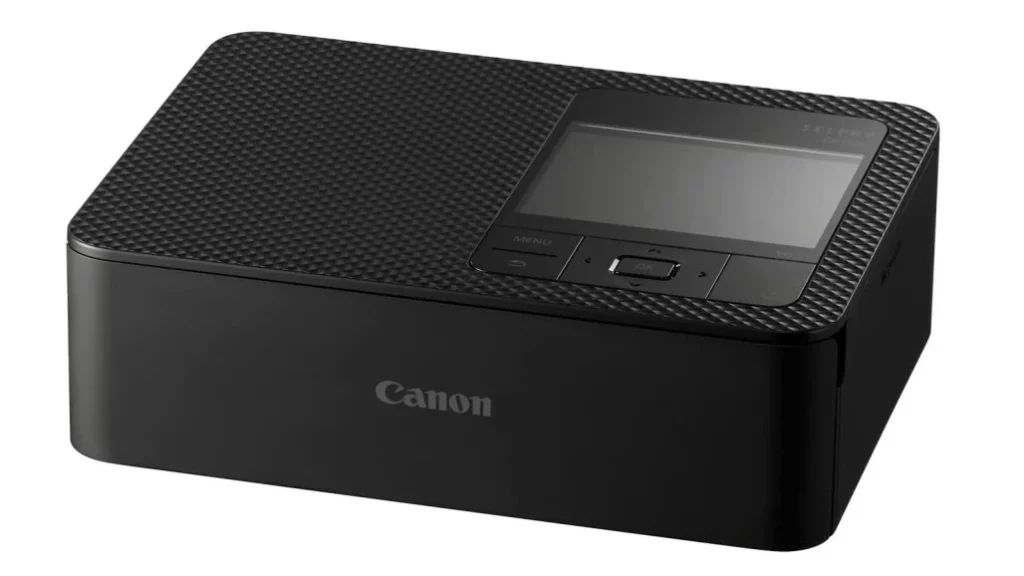
7. Canon Selphy CP1500: Affordable, Reliable Prints for Family Memories
The Canon Selphy CP1500 is a compact, user-friendly dye-sublimation (dye-sub) printer designed for families and hobbyists craving hassle-free, high-quality snapshots. With its low running costs and versatile paper options, it’s a standout for turning digital moments into tangible keepsakes.
Key Features & Performance
Best For: Parents, scrapbookers, and casual photographers.
Standout Strengths:
Dye-sub technology: Smudge-proof, water-resistant prints with vibrant colors.
Multi-size prints: 4×6-inch, 5×5-inch (square), 2×6-inch (sticker) with $10 adapter tray.
Low cost per print: Just 29 cents (paper + ink included).
Wireless/USB/SD printing: No app needed—print directly from devices.
Optional battery: Take it anywhere (sold separately).
Drawbacks:
Thin paper: Feels less premium than Fujifilm Instax.
No desktop software: Mobile-focused (iOS/Android apps only).
Why Tech4GSM Recommends It
The Selphy CP1500 is foolproof. Its “print packs” bundle paper and dye ribbons, eliminating ink guesswork. For families printing birthday party pics or vacation snaps, its simplicity and 41-second print speed are unbeatable.
Pro Tip: Use sticky-back paper for DIY photo albums or fridge art.
Who Should Buy It?
Parents: Print school portraits, holiday cards, or party favors.
Travelers: Lightweight and portable (fits in a backpack).
Scrapbookers: Adhesive prints add flair to journals.
Who Should Skip It: Pros needing large formats (see Canon PRO-1100).
Specs at a Glance
| Category | Details |
|---|---|
| Print Technology | Dye-sublimation (4-color) |
| Print Sizes | 4×6”, 5×5”, 2×6” (adapter required) |
| Connectivity | Wi-Fi, USB-C, SD card |
| Specialty | Stickers, borderless prints, ID photos |
| Battery | Optional (sold separately) |
Verdict
The Canon Selphy CP1500 is the smart choice for families wanting quality snapshots without fuss. While its paper feels thin, its affordability and ease of use make it a beloved household staple.
Explore More: Visit Tech4GSM for creative scrapbooking ideas using dye-sub prints. Relive moments, one click at a time! 🌟📷
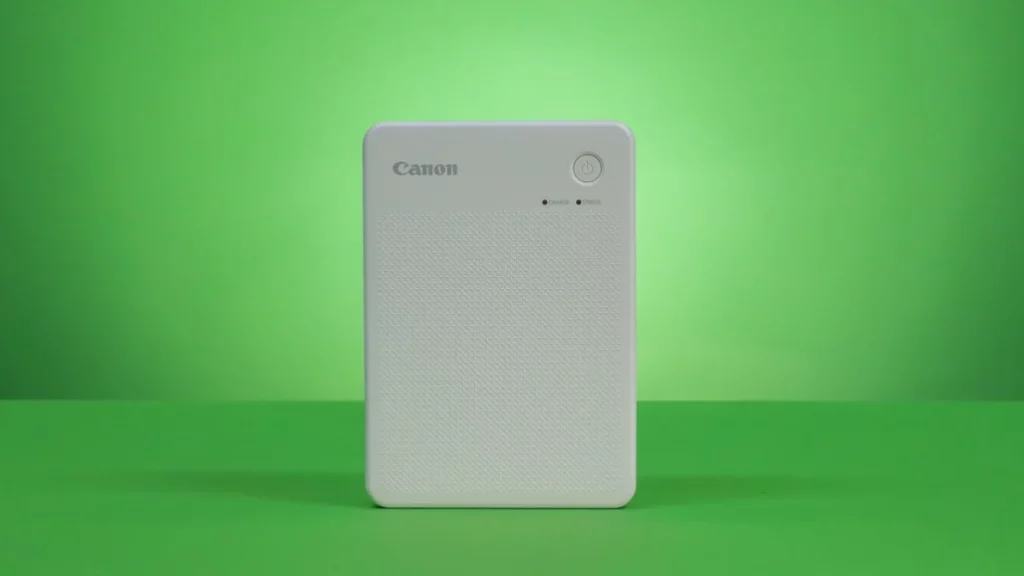
8. Canon Selphy QX20: Instagram-Worthy Prints Made Effortless
The Canon Selphy QX20 is a pocket-sized powerhouse for printing Instagram-style square photos and business-card-sized keepsakes. Combining dye-sublimation quality with social-media savvy features, it’s tailor-made for turning digital snapshots into tactile treasures.
Key Features & Performance
Best For: Social media enthusiasts, influencers, and small businesses.
Standout Strengths:
Dye-sub technology: Vibrant, smudge-proof prints rated for 100+ years of fade resistance.
Dual formats: Square (2.7×2.7-inch) and card-size (2.1×3.3-inch) prints.
Customizable borders: Rounded edges, partial borders, or three-sided borderless options.
Wireless app control: Edit, add filters, and print directly from your smartphone.
Quick prints: 40 seconds per photo—ideal for parties or pop-up shops.
Drawbacks:
No full borderless printing: White edges on some formats.
Tricky peel-off backing: Sticky prints require patience to separate.
Why Tech4GSM Recommends It
The QX20 stands out with unmatched versatility in the compact printer market. Unlike rivals limited to one format, it effortlessly switches between square and rectangular prints, making it perfect for Instagram grids or custom business cards. Its app’s editing tools (like brightness/contrast sliders) let you polish pics before printing.
Pro Tip: Use the Canon Mini Print App to create collages or add text overlays for personalized gifts.
Who Should Buy It?
Influencers: Print merch or fan meetup souvenirs.
Small Businesses: Craft branded loyalty cards or event takeaways.
Crafters: Design stickers, scrapbook accents, or mini photo albums.
Who Should Skip It: Those needing larger prints (try Canon Selphy CP1500).
Specs at a Glance
| Category | Details |
|---|---|
| Print Technology | Dye-sublimation (3-color) |
| Print Sizes | 2.7×2.7” (square), 2.1×3.3” (card) |
| Connectivity | Wi-Fi (iOS/Android) |
| Specialty | Sticky-back prints, rounded corners |
| Battery | Rechargeable (prints ~20 photos/charge) |
Verdict
The Canon Selphy QX20 is a must-have for social media mavens who crave physical copies of their digital life. While its peel-off backing can be finicky, its dual-format flexibility and studio-quality prints make it a standout.
Explore More: Visit Tech4GSM for DIY ideas like turning QX20 prints into keychains or gift tags. Share your world, one square at a time! 📱✨
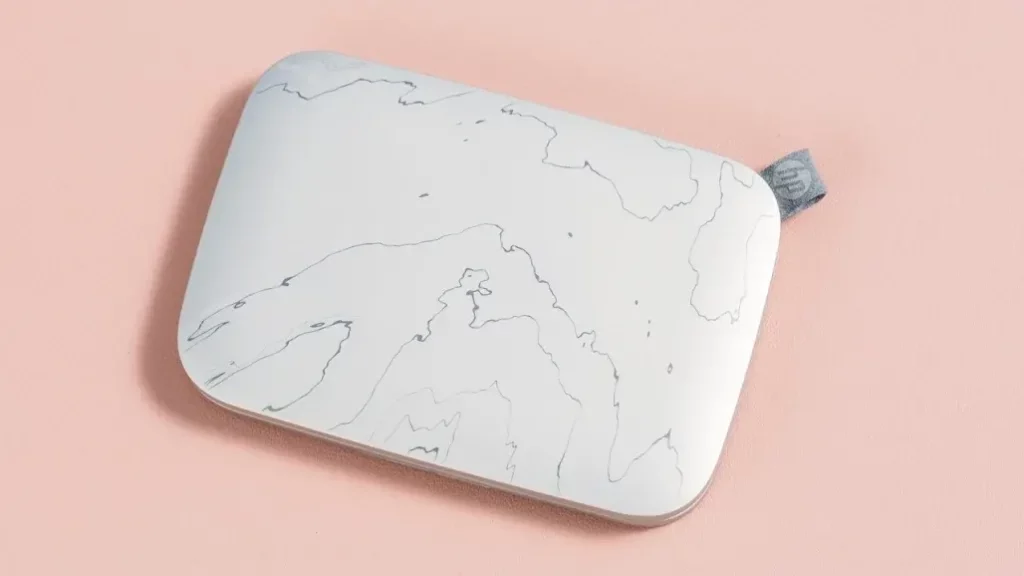
9. HP Sprocket Select: Pocket-Sized Fun for On-the-Go Printing
The HP Sprocket Select is a wallet-sized, inkless printer designed for spontaneous photo lovers. Using Zink (Zero Ink) technology, it turns smartphone snaps into 2.3×3.4-inch sticky-back prints in seconds. Perfect for parties, travel, or casual creativity, it’s all about convenience—but comes with trade-offs.
Key Features & Performance
Best For: Social sharers, travelers, and gift-givers.
Standout Strengths:
Zink technology: No ink cartridges—heat-activated paper creates smudge-proof, water-resistant prints.
Peel-and-stick backing: Turn photos into fridge magnets, journal accents, or phone decals.
Ultra-portable: Fits in a purse (0.7” thick, 6 oz weight).
Bluetooth app control: Edit pics with filters, AR effects, and collages via the HP Sprocket app.
Decent quality: Sharp for its size (better than older Zink models).
Drawbacks:
High running costs: 65¢ per print (sticky paper included).
Slow speeds: 76 seconds per photo—not ideal for large groups.
No PC/Wi-Fi support: Bluetooth-only, smartphone-exclusive.
Why Tech4GSM Recommends It
The Sprocket Select thrives on spontaneity. Unlike bulkier printers, it’s ready for backpack adventures or last-minute party favors. While print quality can’t match dye-sub or inkjet, its playful app features (like animated AR stickers) make it a hit with teens and casual users.
Pro Tip: Use the “AR Effects” to add digital animations to prints—scan them later via the app for a surprise!
Who Should Buy It?
Teens/Students: Dorm-room décor, event souvenirs.
Travelers: Document trips without lugging gear.
Crafters: DIY stickers, scrapbook embellishments.
Who Should Skip It: Pros needing archival quality or larger prints (see Canon Selphy CP1500).
Specs at a Glance
| Category | Details |
|---|---|
| Print Technology | Zink (zero ink) |
| Print Size | 2.3” x 3.4” (sticky-back) |
| Connectivity | Bluetooth (iOS/Android only) |
| Speed | 76 seconds per print |
| Battery | Rechargeable (prints ~15 photos/charge) |
Verdict
The HP Sprocket Select is a quirky sidekick, not a workhorse. Its charm lies in turning digital moments into playful, stickable keepsakes—ideal for small-scale fun. But with high per-print costs and no PC support, it’s best for those valuing convenience over economy.
Explore More: Check Tech4GSM’s guides on DIY photo crafts using Zink prints. Snap, stick, repeat! 🎒📸
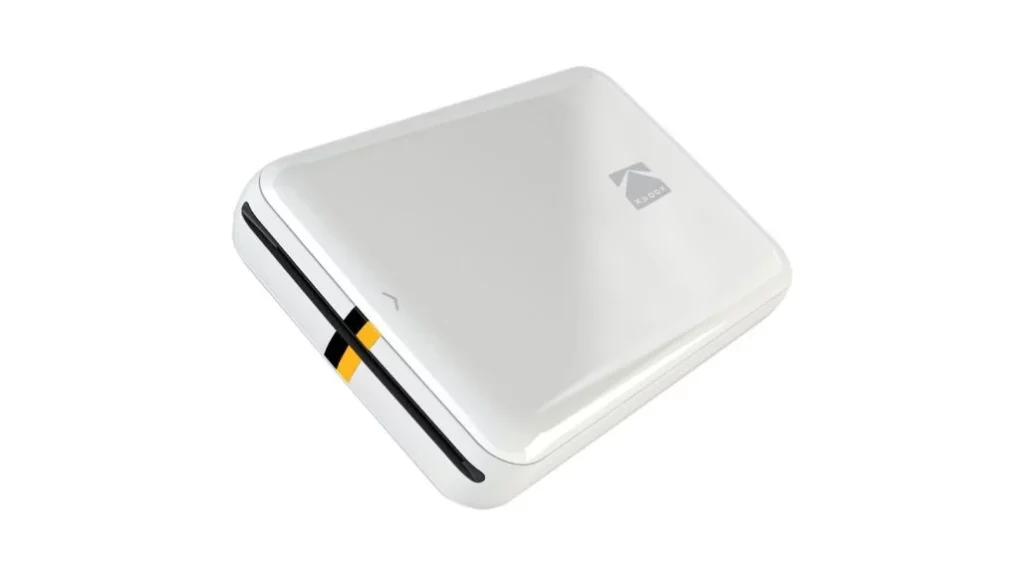
10. Kodak Step Instant Mobile Photo Printer: Budget-Friendly Fun for Instant Memories
The Kodak Step Instant Mobile Photo Printer is a pocket-sized, inkless wonder designed for budget-conscious users craving instant prints. Using Zink (Zero Ink) technology, it turns smartphone snaps into 2×3-inch sticky-back photos—perfect for parties, travel, or casual creativity—without breaking the bank.
Key Features & Performance
Best For: Teens, travelers, and first-time photo printer buyers.
Standout Strengths:
Zink technology: No ink needed—special paper creates smudge-proof, water-resistant prints.
Low cost: $69 for the printer + 50¢ per print (cheaper than HP Sprocket).
Vibrant color options: Choose from white, black, pink, or blue to match your style.
NFC/Bluetooth: Tap-to-print from Android devices or use the Kodak app (iOS/Android).
Compact & lightweight: Fits in a jacket pocket (weighs less than a soda can).
Drawbacks:
Tiny prints: Smaller than a credit card (2×3 inches).
No PC/desktop support: Smartphone-only printing.
Slow speeds: ~1 minute per photo.
Why Tech4GSM Recommends It
The Kodak Step Instant is the most affordable Zink printer on the market. While its prints aren’t gallery-quality, they’re vibrant enough for casual use. Its playful design and NFC tap-to-print feature make it a hit at gatherings or as a starter printer for teens.
Pro Tip: Use the Kodak Photo Printer App to add filters, stickers, or collages before printing.
Who Should Buy It?
Students: Dorm-room décor, event souvenirs.
Budget Shoppers: Dip toes into photo printing without splurging.
Gift-Givers: Pair with a 20-sheet paper pack for a $80 birthday present.
Who Should Skip It: Those needing larger prints or desktop connectivity (see Canon Selphy QX20).
Specs at a Glance
| Category | Details |
|---|---|
| Print Technology | Zink (zero ink) |
| Print Size | 2” x 3” (sticky-back) |
| Connectivity | Bluetooth, NFC (Android only) |
| Speed | 1 minute per print |
| Battery | Rechargeable (prints ~20 photos/charge) |
Verdict
The Kodak Step Instant is perfect for casual users wanting fun, fuss-free prints. While its tiny photos won’t replace professional prints, its affordability and portability make it a crowd-pleaser for tight budgets.
Explore More: Check Tech4GSM’s guides on creative uses for mini prints, like DIY bookmarks or gift tags. Snap, print, stick—repeat! 🎉📸
Comparison Chart: Best Photo Printers for 2025
| Model | Type | Print Tech | Max Size | Connectivity | Cost | Cost/Print | Best For |
|---|---|---|---|---|---|---|---|
| Canon PRO-1100 | Pro-Grade | Inkjet (12-color) | 17″x22″ | Wi-Fi, Ethernet, USB | $1,249 | High* | Galleries, exhibitions |
| Epson SureColor P900 | Pro-Grade | Inkjet (10-color) | 17″x11′ (roll) | Wi-Fi, USB | $1,147 | $$$ | Panoramas, banners |
| Canon Pixma Pro-200 | Semi-Pro | Inkjet (8-color) | 13″x39″ | Wi-Fi, USB | $599 | $$ | Weddings, B&W art |
| Epson XP-8800 | All-in-One | Inkjet (6-color) | Legal | Wi-Fi, USB | $249 | 17.8¢ (color) | Family photos, docs |
| Epson EcoTank ET-8550 | Wide-Format | Inkjet (6-color) | 13″x19″ | Wi-Fi, Ethernet | $688 | <1¢ (B&W) | Artists, small biz |
| HP Sprocket Photobooth | Portable | Zink (zero ink) | 3.5″x4.25″ | Wi-Fi | $599 | 90¢ | Parties, events |
| Canon Selphy CP1500 | Snapshot | Dye-Sub | 4″x6″ | Wi-Fi, USB | $139 | 29¢ | Families, scrapbooks |
| Canon Selphy QX20 | Portable | Dye-Sub | 2.7″x2.7″ | Wi-Fi | $148 | 75¢ | Instagram, crafts |
| HP Sprocket Select | Portable | Zink | 2.3″x3.4″ | Bluetooth | $99 | 65¢ | Teens, travelers |
| Kodak Step Instant | Portable | Zink | 2″x3″ | Bluetooth, NFC | $69 | 50¢ | Budget buyers |
Key Takeaways:
- Pro-Grade: Canon PRO-1100 & Epson P900 for exhibitions.
- Budget-Friendly: Kodak Step Instant (50¢/print) vs. HP Sprocket (65¢).
- Family/Home: Epson XP-8800 (all-in-one) or Canon Selphy CP1500 (dye-sub).
- Portable Fun: Canon Selphy QX20 (square) vs. HP Sprocket Photobooth (event-ready).
Pro Tips for Perfect Prints
- Calibrate Your Monitor: Ensure colors match what you print.
- Use Manufacturer Paper: Off-brands may bleed or fade.
- Update Drivers: Fix bugs and improve color accuracy.
Final Thoughts
A photo printer bridges the digital and physical worlds, turning fleeting moments into lifelong keepsakes. Whether you’re a parent printing soccer game snapshots or an artist crafting a portfolio, there’s a model here for you. Prioritize your needs (quality, size, portability), crunch the long-term costs, and dive into the joy of tangible memories.