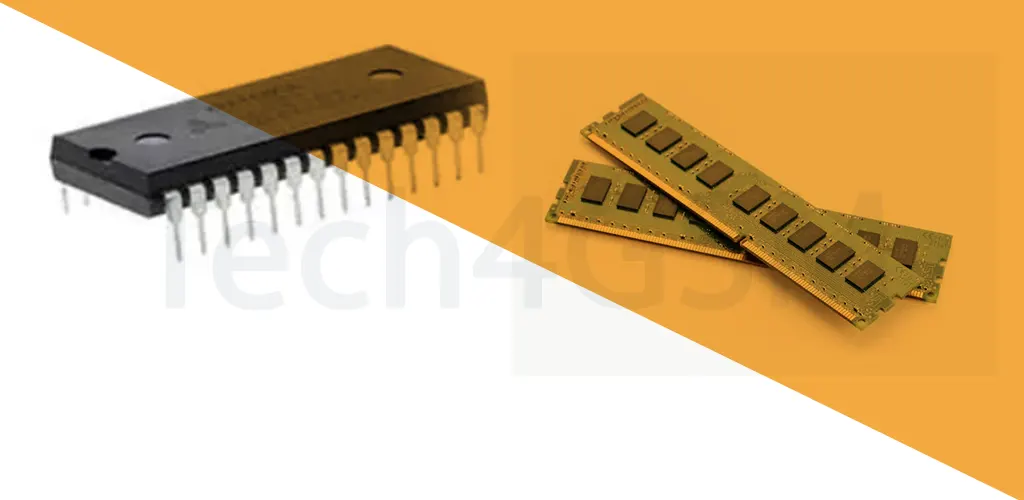
Introduction
When it comes to computer memory, SRAM and DRAM are like the sprinter and marathon runner of the tech world. Both are essential, but they serve very different purposes. Let’s break down their differences in plain language—no jargon!
What is RAM?
RAM (Random Access Memory) is your device’s short-term memory. It temporarily holds data your CPU needs to access quickly. Think of it like a workspace where your computer handles tasks like editing a document or loading a webpage. But when the power’s off, RAM forgets everything—it’s volatile memory.
Two Types of RAM:
- SRAM (Static RAM) → Speedy but expensive.
- DRAM (Dynamic RAM) → Slower but affordable.
What is SRAM?
SRAM (Static Random Access Memory) uses transistors to store data as voltage. It’s called “static” because it doesn’t need refreshing—once data is stored, it stays put until power is cut.
Key Features of SRAM:
- 🚀 Blazing Speed: Faster read/write times than DRAM.
- 🔋 Low Power Use: No refresh cycles save energy.
- 💰 Expensive: Complex design with 4-6 transistors per bit.
- 🧠 Used for Cache: Powers CPU/GPU cache (L1, L2, L3).
Pros:
- Ideal for high-speed tasks (e.g., gaming, video editing).
- Stable data storage without constant power refreshes.
Cons:
- Costs 10x more than DRAM.
- Limited storage capacity (not for bulk data).
What is DRAM?
DRAM (Dynamic Random Access Memory) stores data in capacitors as electric charges. It’s “dynamic” because it needs constant refreshing (every few milliseconds) to retain data.
Key Features of DRAM:
- 🐢 Slower Speed: Takes time to refresh data.
- 💸 Budget-Friendly: Simple design (1 transistor + 1 capacitor per bit).
- 🔌 High Power Use: Frequent refreshes drain more energy.
- 📦 High Capacity: Used in main memory (e.g., 8GB RAM in laptops).
Pros:
- Affordable for large memory needs (e.g., multitasking).
- Compact design (stores more data in less space).
Cons:
- Data loss risk if power drops.
- Not ideal for speed-critical tasks.
SRAM vs. DRAM: 10 Key Differences
| Factor | SRAM | DRAM |
|---|---|---|
| Data Storage | Uses transistors (voltage). | Uses capacitors (electric charge). |
| Speed | Faster (no refresh needed). | Slower (needs refreshing). |
| Cost | Expensive (complex design). | Cheaper (simple structure). |
| Power Use | Low (no refresh cycles). | High (constant refreshing). |
| Storage Density | Low (bulky per-bit design). | High (compact per-bit design). |
| Heat Generation | Generates less heat. | Generates more heat. |
| Latency | Lower latency. | Higher latency. |
| Use Case | Cache memory (CPU/GPU). | Main memory (RAM in devices). |
| Durability | More resistant to radiation. | Less resistant to radiation. |
| Lifespan | Long-term for critical tasks. | Requires periodic replacement. |
Why Do We Need Both SRAM and DRAM?
Imagine your computer is a chef:
- SRAM is the kitchen counter—holds ingredients (data) needed right now for quick access.
- DRAM is the pantry—stores bulk ingredients (data) but takes longer to retrieve.
Together, they balance speed and capacity, ensuring your device runs smoothly.
SRAM vs. DRAM in 2025
By 2025, expect:
- SRAM: Smaller, faster cells for AI chips and IoT devices.
- DRAM: Higher capacities (think 128GB RAM laptops) and better energy efficiency.
FAQs About SRAM and DRAM
Q1: Can SRAM replace DRAM?
A: No—SRAM is too costly for bulk storage. DRAM remains the go-to for affordable, high-capacity memory.
Q2: Why does DRAM need refreshing?
A: Capacitors leak charge over time. Refreshing (recharging them) prevents data loss.
Q3: Is SRAM used in smartphones?
A: Yes! Tiny SRAM caches boost processor speed in phones.
Q4: Which is better for gaming: SRAM or DRAM?
A: Both! SRAM (cache) speeds up CPU tasks, while DRAM (main RAM) handles game data.
Q5: How long do SRAM and DRAM last?
A: SRAM lasts years with stable power. DRAM degrades faster due to constant refreshing.
Conclusion
In the battle of SRAM vs. DRAM, there’s no winner—they’re teammates! SRAM’s speed powers cache memory, while DRAM’s affordability fuels main memory. Understanding their differences helps you choose the right tech for your needs.
Got questions? Drop them below—we’ll “refresh” your knowledge! 😉