
Introduction
WhatsApp Stories (or Status) have become a staple for sharing daily moments since their launch. With over 2 billion users globally in 2025, this feature lets you post photos, videos, and text that vanish after 24 hours. But what if you want to save someone’s Story for later? Unlike profile pictures, WhatsApp doesn’t offer a built-in download option—but don’t worry! We’ve cracked the code with 3 easy, root-free methods to download WhatsApp Stories on Android.
Why Download WhatsApp Stories in 2025?
- Preserve cherished memories (birthdays, trips, milestones).
- Save important updates (business offers, event details).
- Avoid losing viral or creative content after 24 hours.
While screenshots work for images, they fail for videos and notify the sender. Our methods let you save both media types discreetly. Let’s dive in!
Method 1: Access Saved WhatsApp Stories via File Explorer

How It Works:
When you view a WhatsApp Story, Android temporarily saves it in a hidden folder. Using a file explorer, you can retrieve these files before they disappear.
What You’ll Need:
- A file explorer app (e.g., Files by Google, Solid Explorer, or ES File Explorer).
- 5 minutes of time.
Step-by-Step Guide:
- View All Stories First
- Open WhatsApp > Status tab.
- Watch every Story you want to save. This forces WhatsApp to cache the files.
- Open Your File Explorer
- Install Files by Google (recommended for simplicity).
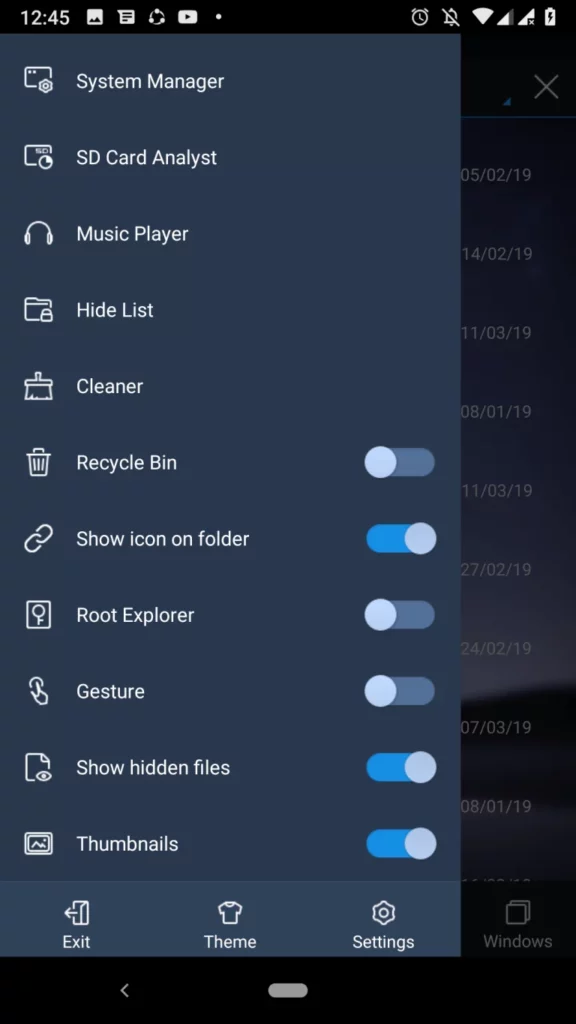
- Enable Hidden Files
- Tap the three-dot menu > Settings > Toggle Show Hidden Files.
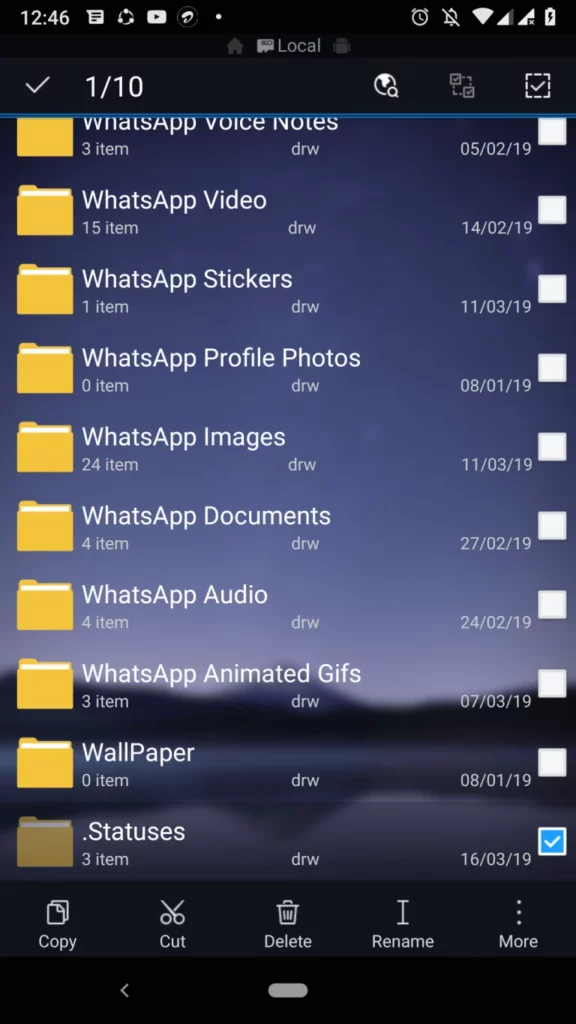
- Navigate to WhatsApp’s Hidden Folder
- Go to:
Internal Storage > Android > Media > com.whatsapp > WhatsApp > Media > .Statuses - Note: The “.Statuses” folder is hidden—hence the need to enable hidden files.
- Go to:
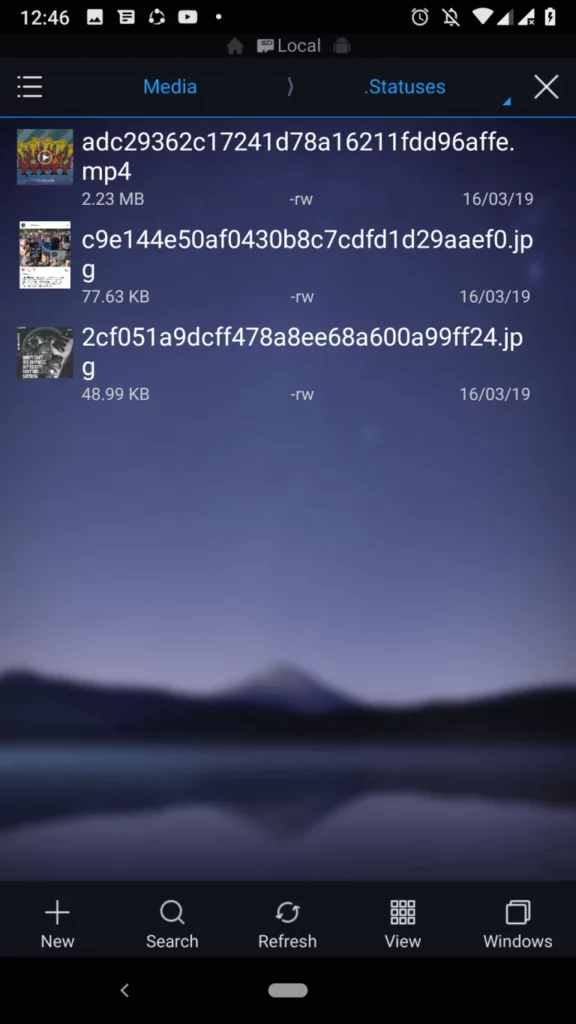
- Copy and Save
- Long-press files (e.g., “IMG-20250101-WA0001.jpg”) > Copy > Paste into a new folder (e.g., “Downloads” or “WhatsApp Stories”).
- View in Gallery
- Open your gallery app (Google Photos, Gallery Go) to access saved Stories!
Pros:
- Free and app-free.
- Works for images and videos.
Cons:
- Manual effort required.
- Must view Stories first.
Troubleshooting Tips:
- Can’t find the folder? Ensure WhatsApp’s storage permissions are enabled.
- Files not showing? Restart your phone and repeat Steps 1–4.
Method 2: Use Third-Party Apps to Download Stories Effortlessly

Top Picks for 2025:
- Status Saver for WhatsApp (10M+ downloads)
- Story Saver for WA & IG (No ads)
- WA Status Saver (Auto-detect feature)
Why Use These Apps?
- Auto-scan WhatsApp’s hidden folder.
- One-tap downloads.
- Organize saved Stories into albums.
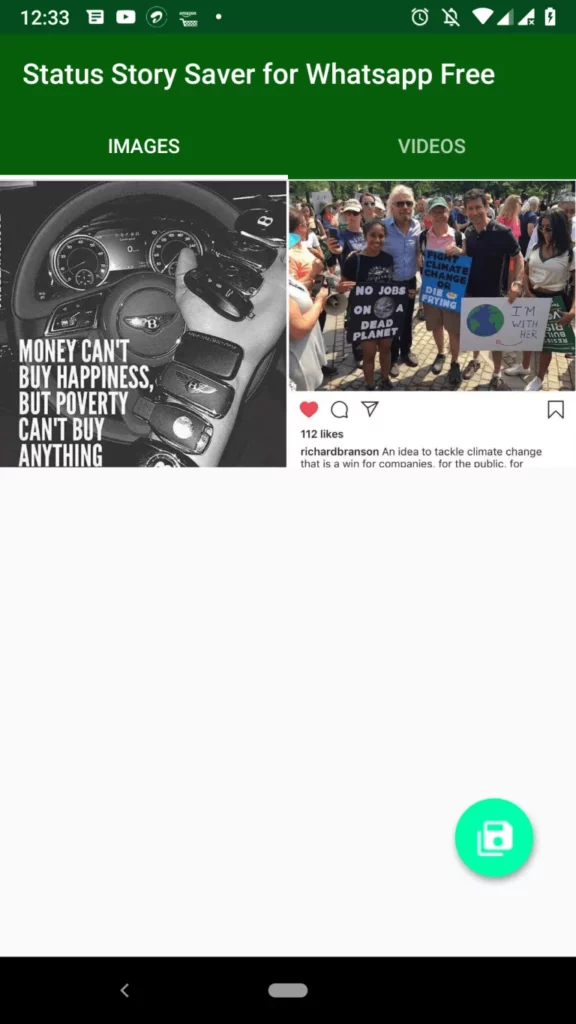
Step-by-Step Guide Using “Status Saver for WhatsApp”:
- Install the App
- Download Status Saver for WhatsApp.
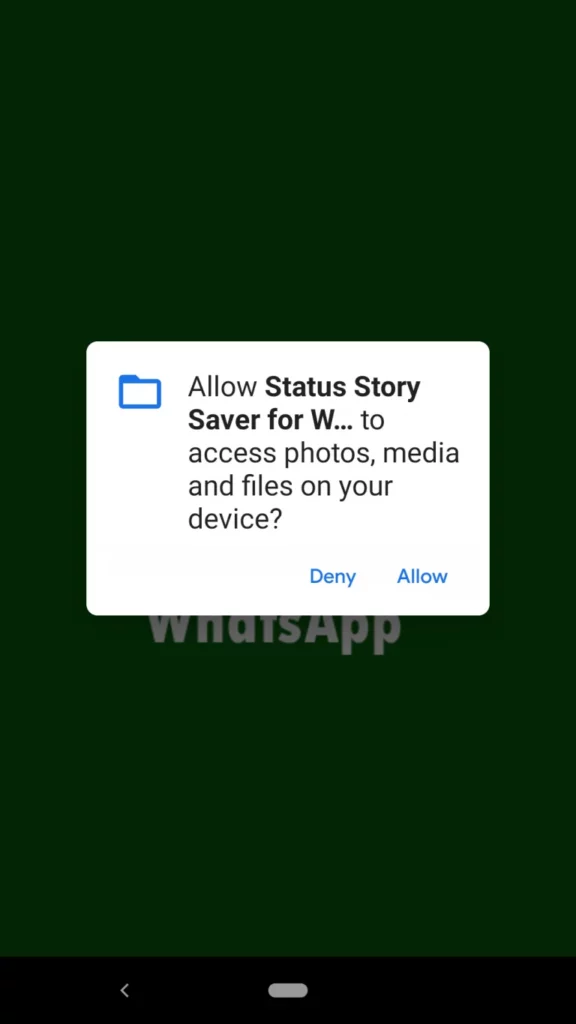
- Grant Permissions
- Allow access to Photos, Media, and Files.
- Open the App
- Tap Scan > Select WhatsApp from the list.

- Preview and Save
- Swipe through Stories > Tap Save (📥 icon).
- Find Saved Stories
- Check the app’s Downloads section or your phone’s Gallery.
Safety Tips for 2025:
- Avoid apps requesting unnecessary permissions (e.g., Contacts, Location).
- Read recent reviews to dodge outdated or spammy apps.
Pros:
- User-friendly.
- Batch-saving options.
Cons:
- Ads in free versions.
Method 3: Download Stories via WhatsApp Mods (Advanced)

What Are WhatsApp Mods?
Modified versions of WhatsApp with added perks like:
- Stealth mode (view Stories anonymously).
- Custom themes.
- Built-in Story downloader.
Popular 2025 Mods:
- GBWhatsApp (Most reliable)
- WhatsApp Aero (Sleek UI)
- Fouad WhatsApp (Frequent updates)
Caution:
- Using mods violates WhatsApp’s terms. Temporary bans are possible.
- Download APKs only from trusted sources like RatApk.com.
Step-by-Step Guide for GBWhatsApp:
- Back Up Chats
- Open original WhatsApp > Menu > Settings > Chats > Chat Backup.
- Install GBWhatsApp
- Download GBWhatsApp APK.
- Enable Install from Unknown Sources in phone settings.
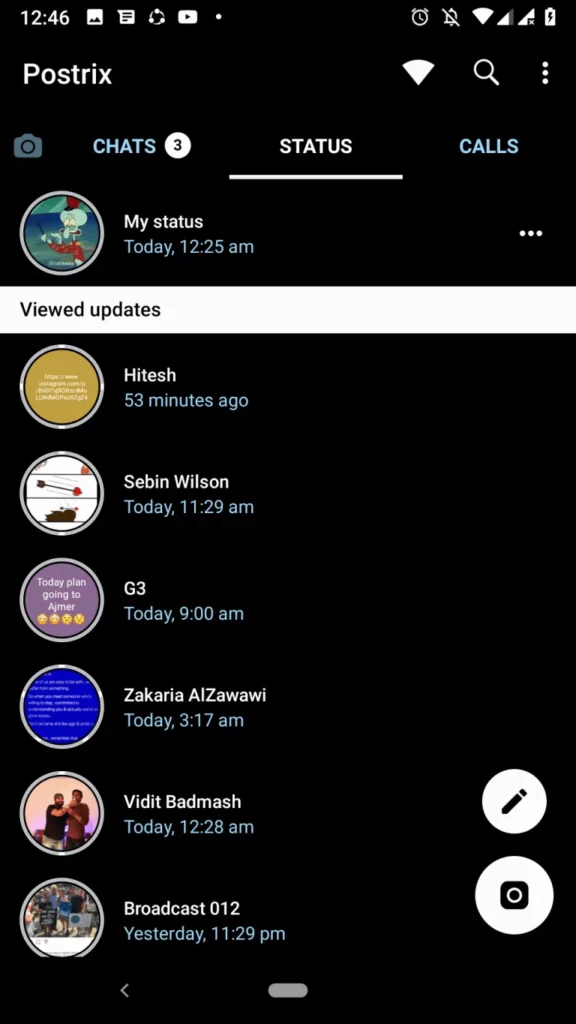
- Verify Your Number
- Open GBWhatsApp > Enter your number > Restore backup.
- Download Stories Directly
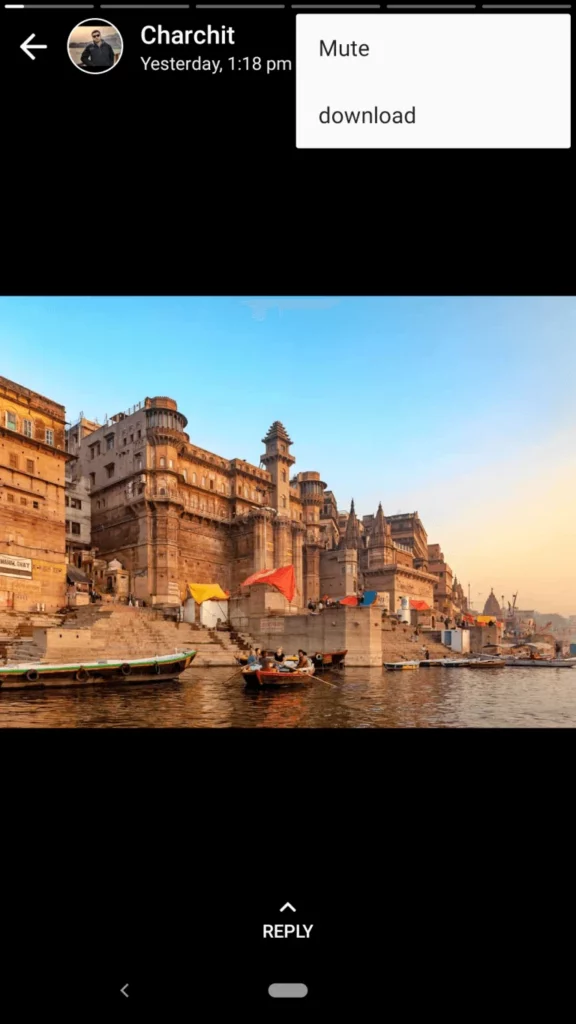
- Go to Status tab > Open a Story > Tap ⋮ > Download.
- Find Saved Media
- Navigate to GBWhatsApp > Media > GBStatuses in your file explorer.
Pros:
- No extra apps needed.
- Download with one tap.
Cons:
- Security risks (avoid sensitive chats here).
Ethical Considerations
- Always ask permission before saving someone’s Story.
- Respect privacy—avoid sharing downloaded content publicly.
FAQs (2025 Edition)
Q1: Will WhatsApp notify the sender?
No—if you use Methods 1 or 2. Mods (Method 3) may hide your “seen” status.
Q2: Are these methods legal?
Yes, but distributing saved Stories without consent may breach privacy laws.
Q3: Why can’t I see the .Statuses folder?
- Ensure you’ve viewed the Story.
- Update your file explorer or try a different app.
Q4: Do these work for iOS?
No—iOS restrictions prevent access to hidden folders.
Conclusion
Downloading WhatsApp Stories in 2025 is easier than ever! Whether you’re a casual user (Method 2), a DIY enthusiast (Method 1), or a mod lover (Method 3), there’s a way for everyone. Remember to use these tricks responsibly! I hope you now know how to obtain WhatsApp Stories without rooting your Android device. I advise you to try each of the three approaches and see one works best for you. Please remember to share this post on social media if you like it.
Liked This Guide?
- Share it with friends!
- Comment below with your favorite method.
- Bookmark for quick access later!