Introduction
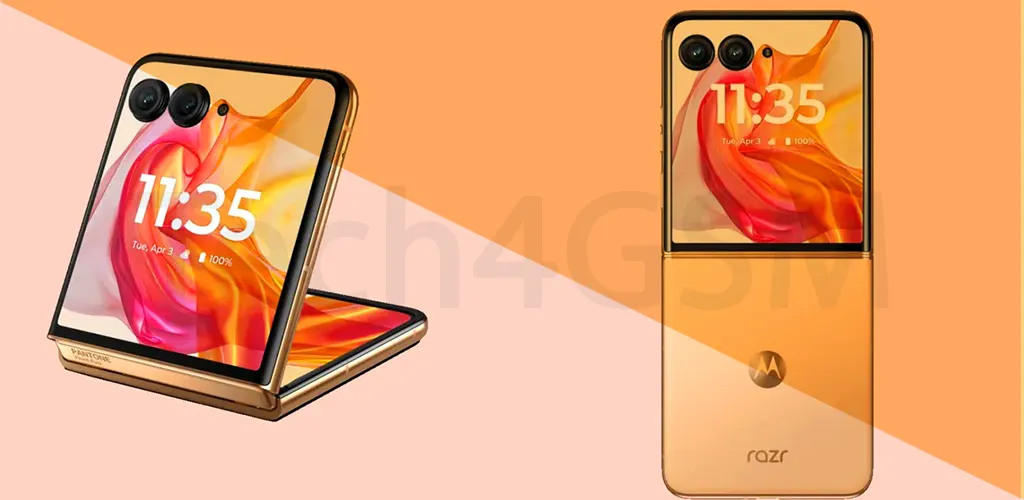
Remember flip phones? That satisfying snap when you closed them? Well, clamshell phones are back—and so is their clever trick: the external display. This tiny screen on the outside isn’t just for nostalgia—it’s a practical tool for modern life. Let’s explore why this small feature makes a big difference, and don’t forget to check tech4gsm.com for more tech tips!
What’s an External Display?
Imagine your phone’s main screen is like a big, flashy billboard. The external display? It’s more like a sticky note—small, simple, and straight to the point. Here’s the scoop:
- Hidden superpower: When you close your clamshell phone, this mini screen stays visible.
- Basic but smart: Lower resolution, sometimes even black-and-white. Why? It saves battery and keeps costs down!
- No flipping required: Check the time, see who’s calling, or spot missed alerts—all at a glance.
Why Do Phones Have Two Screens?
Let’s face it: constantly flipping your phone open to check notifications gets old. The external display solves this with 3 key perks:
- Instant info: Time, date, battery life—right there.
- Caller ID: See who’s ringing before answering (no more awkward “hello?!” to spam calls).
- Missed alerts: Glance at texts or emails without unlocking your phone.
The Camera Hack You’ll Love
Here’s a fun twist: Some clamshell phones let you use the external display as a selfie viewfinder!
- How it works: Open the camera app, close the phone, and frame your shot using the tiny outer screen.
- No more blind selfies: Nail that group photo or solo pose without guessing where the lens is pointing.
Why Isn’t the External Display Fancy?
You might wonder: Why not make it colorful and HD? Here’s the deal:
- Battery saver: A basic screen sips power, so your phone lasts longer.
- Cost-friendly: Keeps the phone affordable.
- It’s a tool, not a showpiece: You don’t need 4K to check the time!
Who Needs This Tiny Screen?
- Busy folks: Nurses, delivery drivers, or parents—quickly check alerts without stopping tasks.
- Retro lovers: Miss the flip-phone era? This blends old-school charm with modern smarts.
- Selfie pros: Nail that perfect angle without a front camera.
Not All External Displays Are Equal!
⚠️ Heads up: Some phones have color touchscreens, others use monochrome. Always check specs before buying. Pro tip: Look for models with touch-sensitive outer screens—they let you control music or dismiss alerts!
Final Thoughts
The external display is like a pocket-sized assistant—small but mighty. Whether you’re avoiding spam calls, snapping selfies, or just checking the time, it adds convenience without clutter.