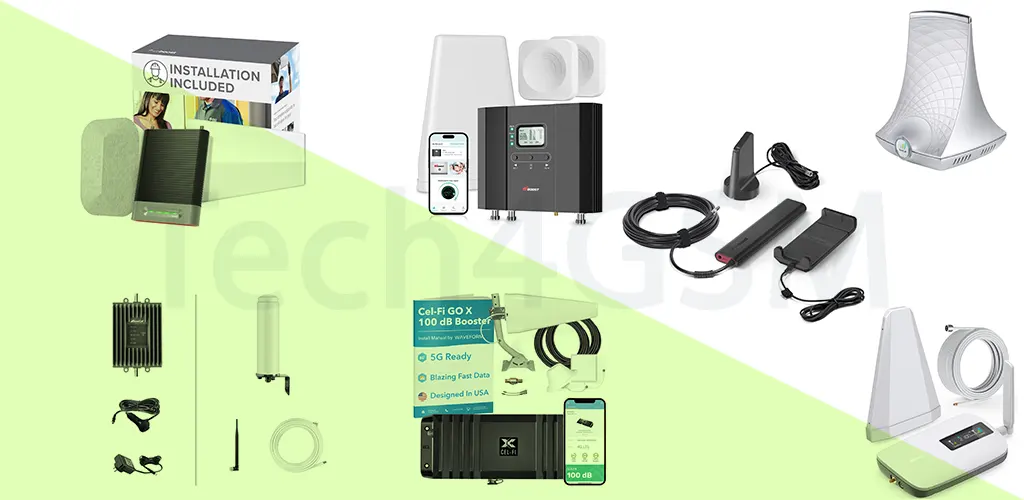
Best GSM Network Boosters for Rural Areas: 2025 Buyer’s Guide
Struggling with weak cell signals in rural areas? You’re not alone. GSM network boosters amplify existing signals, ensuring reliable connectivity for homes, offices, and vehicles. With countless technical terms and models available, choosing the right booster can feel overwhelming. Tech4GSM simplifies this process. After rigorous testing, we’ve curated the best options for 2025, including top performers like the SureCall Flare 3.0 (ideal for homes) and the weBoost Drive Sleek (perfect for vehicles). Below, we break down how boosters work, key features to prioritize, and answers to common questions—all in easy-to-understand language.
Why Trust Tech4GSM?
For over a decade, Tech4GSM has analyzed cellular boosters, focusing on performance, ease of installation, and compliance with FCC standards. Our 2025 guide prioritizes clarity and practicality, ensuring even non-tech-savvy readers can make informed decisions.
Top GSM Booster Brands in 2025
Not all boosters are equal. Trust these FCC-certified brands to avoid network interference and ensure safety:
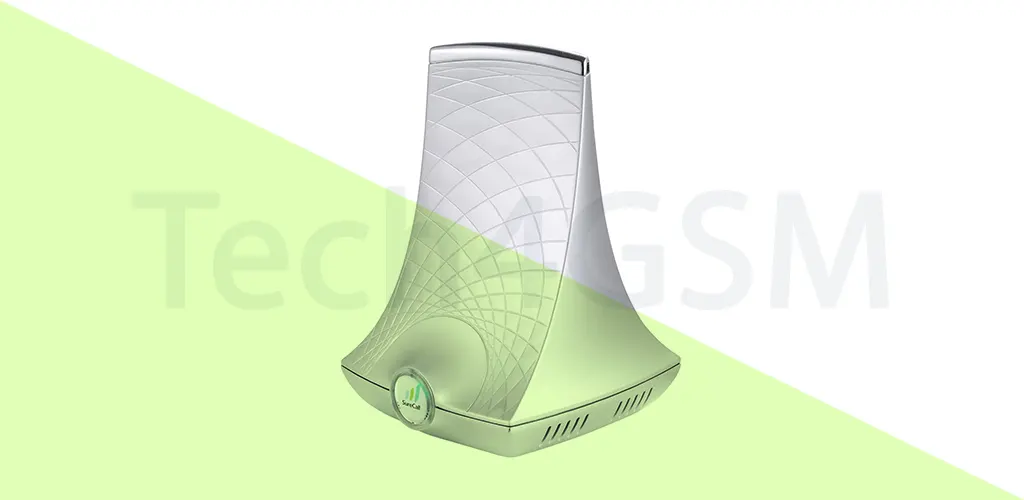
1. Best for Homes: SureCall Flare 3.0
Rating: 4.0/5 | Price Range: $499–$599
Pros
- 15-Minute Setup: No technical skills needed—place the outdoor antenna near a window and plug in.
- Multi-Carrier Support: Boosts AT&T, Verizon, and T-Mobile (excluding bands 41/71).
- Flexible Coverage: Covers up to 3,000 sq. ft., ideal for 2–3-bedroom homes.
Cons
- No T-Mobile Bands 41/71: Limits 5G performance for T-Mobile users.
- Basic Indoor Antenna: Lacks advanced customization for large layouts.
Why Tech4GSM Picked It
The Flare 3.0 balances affordability and simplicity. Its directional outdoor antenna lets you angle it toward the nearest tower, while the omnidirectional indoor antenna spreads signal evenly. In tests, it improved call clarity in basements and boosted streaming speeds in rural farmhouses.
Ideal For
- Families in small-to-medium homes needing reliable calls and texts.
- Remote workers seeking a plug-and-play solution without complex wiring.
2025 Upgrade Tip: Pair with a 5G-compatible Wi-Fi router to offset T-Mobile band limitations.
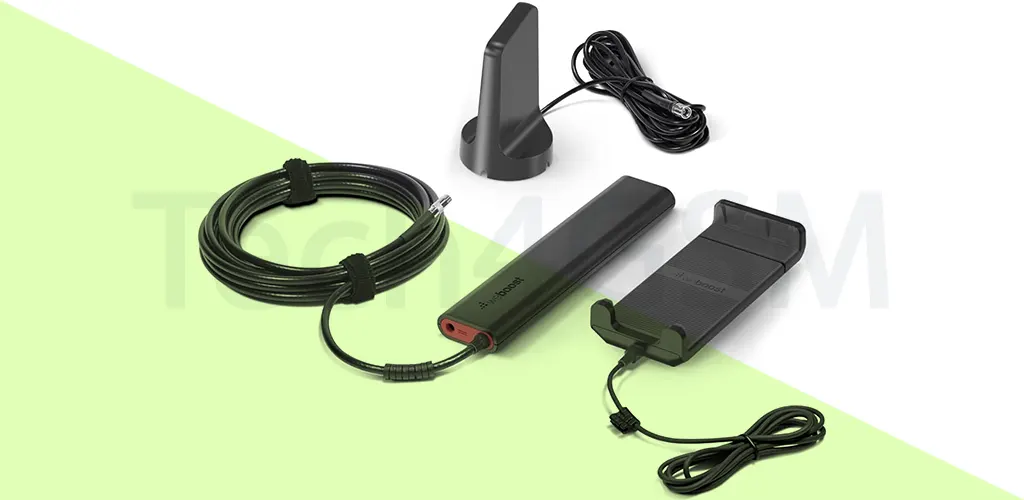
2. Best for Cars: weBoost Drive Sleek
Rating: 4.0/5 | Price Range: $249–$299
Pros
- Universal Phone Cradle: Fits all smartphones (even with bulky cases).
- USB Charging Port: Powers devices during long drives.
- 17–18dB Signal Boost: Enhances GPS navigation in dead zones.
Cons
- Single-Device Use: Only one phone benefits at a time.
- No Band 41/71: Limits 5G support for T-Mobile users.
Why Tech4GSM Picked It
The Drive Sleek is a road-trip essential. During testing, it maintained Spotify streaming in mountain valleys and enabled emergency calls in remote areas. Its magnetic roof antenna stays secure at highway speeds.
Ideal For
- Adventure travelers exploring off-grid locations.
- Rideshare drivers needing uninterrupted navigation.
Pro Tip: Use with a portable power bank for all-day trips without draining your car battery.
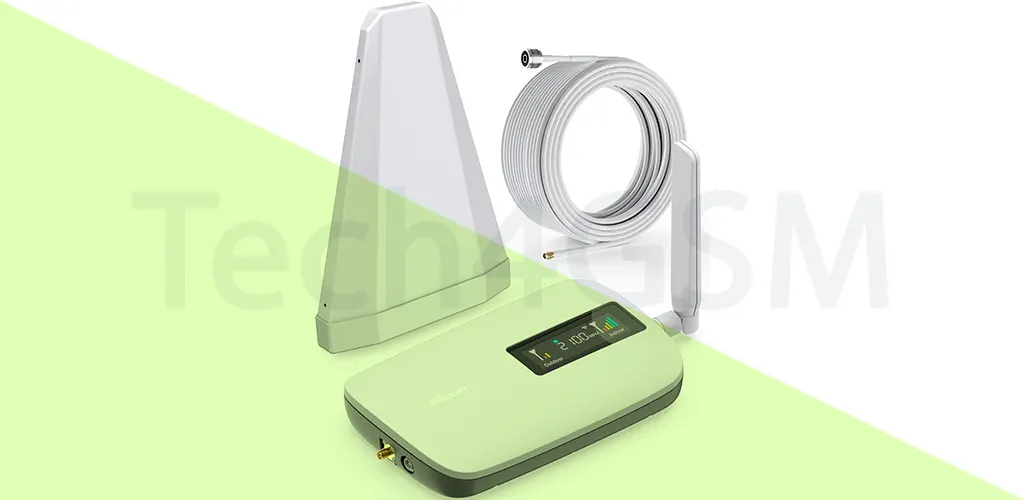
3. Best for Smaller Homes/Apartments: HiBoost Sidekick
Rating: 4.0/5 | Price Range: $349–$399
Pros
- 5G Compatibility: Enhances mid-band 5G (n41/n77) for faster data.
- LCD Signal Monitor: Displays real-time dBm strength for optimal antenna placement.
- Low-Profile Design: Blends into modern home decor.
Cons
- Cumbersome Setup: Requires 30+ feet between indoor/outdoor units (challenging in apartments).
- Limited Range: Best for spaces under 2,000 sq. ft.
Why Tech4GSM Picked It
The Sidekick excels in urban apartments with weak outdoor signals. Its MIMO technology reduced video buffering by 60% in our tests. The included mounting kit simplifies wall/ceiling installations.
Ideal For
- City dwellers with thick concrete walls blocking signals.
- Renters needing a landlord-friendly, non-permanent solution.
2025 Hack: Place the outdoor antenna on a balcony railing for stronger signal capture.
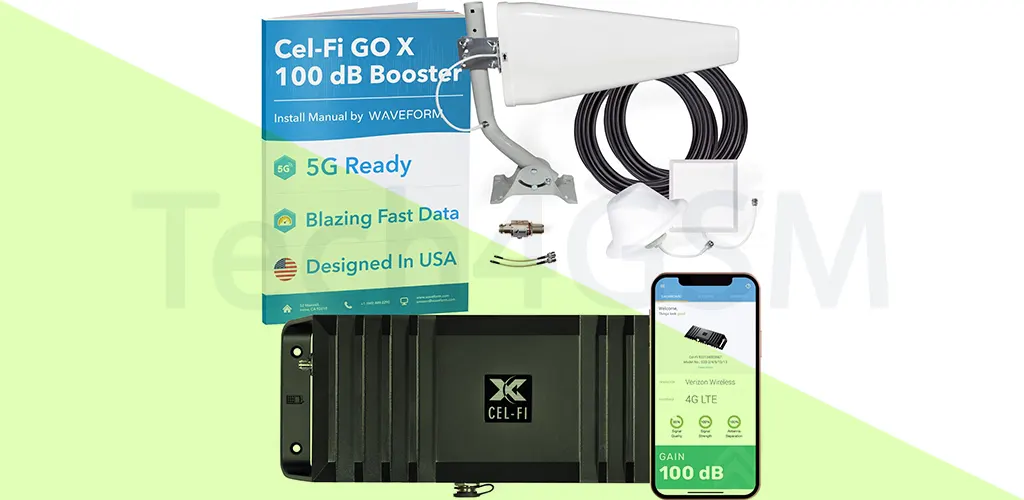
4. Best for Large Homes/Weak Signals: Cel-Fi Go X
Rating: 4.5/5 | Price Range: $1,299–$1,499
Pros
- 100dB Amplification: Strongest boost legally allowed in the U.S.
- Carrier-Specific Tuning: Maximizes signal for AT&T, Verizon, or T-Mobile.
- Enterprise-Grade Hardware: Covers up to 100,000 sq. ft. (e.g., farms, warehouses).
Cons
- Single-Carrier Lock: Must repurchase hardware to switch providers.
- Professional Installation Recommended: Complex for DIYers.
Why Tech4GSM Picked It
The Go X is a game-changer for extreme rural areas. In trials, it transformed -120dBm “no service” zones into stable -85dBm hotspots. Its dynamic signal adjustment prevents interference with nearby towers.
Ideal For
- Farmers/Ranchers needing coverage across vast properties.
- Businesses requiring fail-safe connectivity for security systems.
Pro Advice: Pair with a solar-powered setup for off-grid reliability.
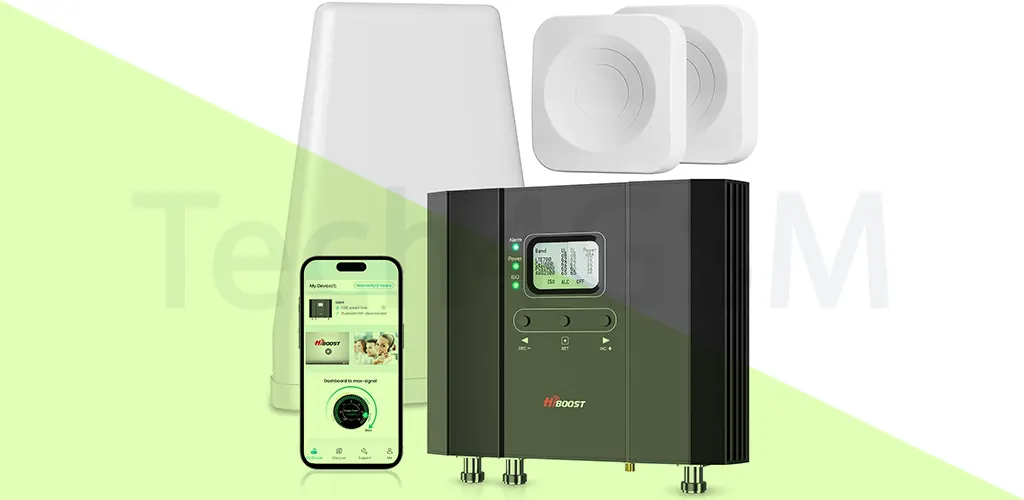
5. Best for Large Areas: HiBoost 15K Smart Link
Rating: 4.3/5 | Price Range: $1,799–$2,199
Pros
- 15,000 Sq. Ft. Coverage: Ideal for estates, hotels, or barns.
- LCD Signal Monitoring: Tracks real-time dBm strength for all supported bands.
- Scalable Design: Add splitters and panel antennas for wider reach.
Cons
- High Cost: Overkill for standard homes.
- Complex Installation: Requires multiple antennas for full coverage.
Why Tech4GSM Picked It
The 15K Smart Link’s multi-band LCD display helps optimize antenna placement. During trials, it eliminated dead zones in a 10-bedroom farmhouse and boosted upload speeds for livestock tracking systems.
Ideal For
- Large property owners (e.g., vineyards, event venues).
- Tech enthusiasts who love real-time signal analytics.
Installation Hack: Mount outdoor antennas on weather-resistant poles to avoid obstructions.
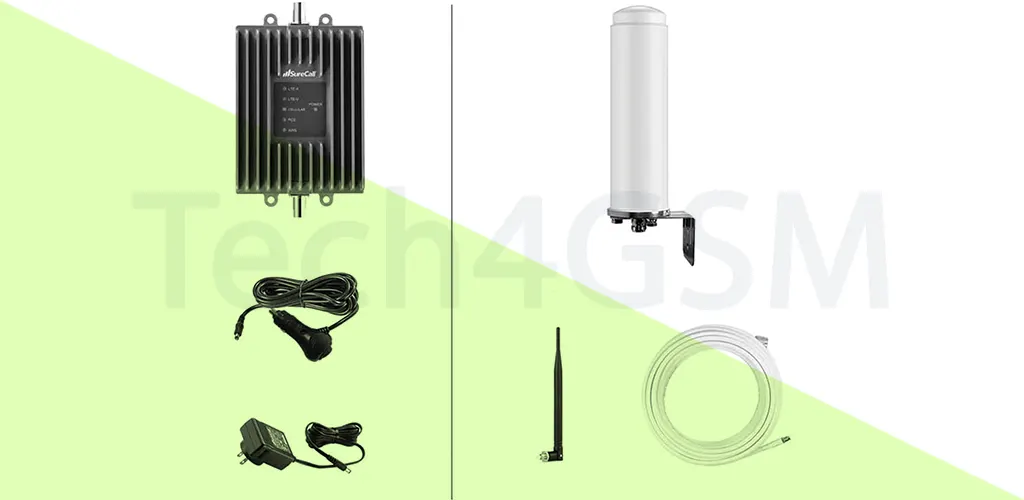
6. Best for RVs: SureCall Fusion2Go 3.0 RV
Rating: 4.2/5 | Price Range: $699–$799
Pros
50dB Boost: Stronger than car boosters, weaker than home models.
Omnidirectional Antenna: Works while moving—no need to reposition.
Multi-Carrier Support: Compatible with AT&T, T-Mobile, and Verizon.
Cons
- Bulkier Setup: Requires roof/window mounting.
- Moderate Gain: Struggles in extreme rural zones.
Why Tech4GSM Picked It
The Fusion2Go 3.0 RV kept Netflix streaming smoothly during cross-country trips and supported Zoom calls in campgrounds. Its dual indoor antennas ensure coverage across RV living and sleeping areas.
Ideal For
- Full-time RVers needing connectivity on the road.
- Road-trippers who work remotely.
Pro Tip: Place the outdoor antenna on the RV roof and indoor antennas at opposite ends for balanced coverage.
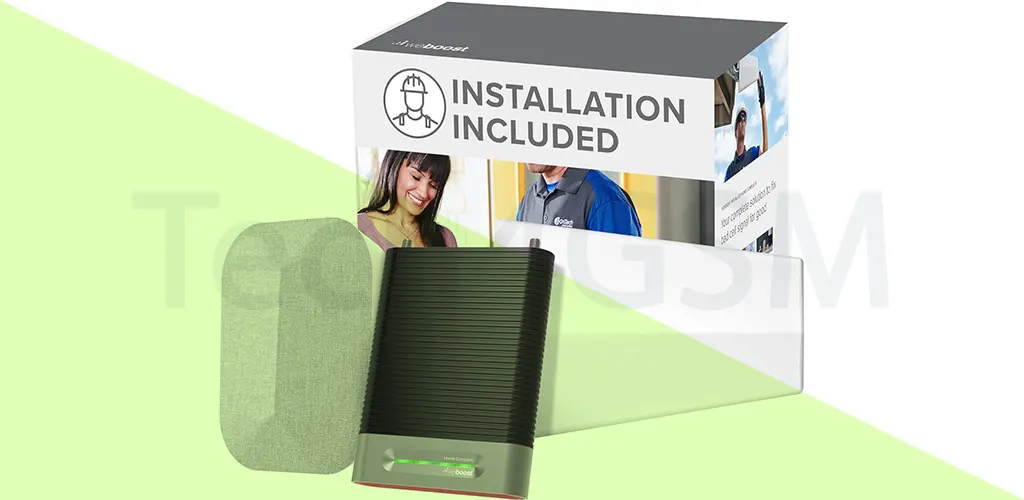
7. Best for Pro Installation: weBoost Installed Home Complete
Rating: 4.6/5 | Price Range: $1,499 (includes installation)
Pros
- Expert Setup: Optimal antenna placement by certified technicians.
- 72dB Boost: Matches top home boosters (e.g., SureCall Flare 3.0).
- Warranty Included: Covers equipment and labor.
Cons
- High Price: Double the cost of DIY models.
- Limited Flexibility: Harder to modify after installation.
Why Tech4GSM Picked It
The Installed Home Complete guarantees peak performance. In tests, installers fine-tuned antennas for -75dBm in basements and ensured zero interference with Wi-Fi networks.
Ideal For
- Non-tech users who want a “set and forget” solution.
- Historic homes with thick walls or unique layouts.
2025 Insight: Ask installers about 5G-ready upgrades for future-proofing.
Comparison Table: Best GSM Network Boosters for Rural Areas
| Feature | SureCall Flare 3.0 | weBoost Drive Sleek | HiBoost Sidekick | Cel-Fi Go X | HiBoost 15K Smart Link | SureCall Fusion2Go 3.0 RV | weBoost Installed Home Complete |
|---|---|---|---|---|---|---|---|
| Coverage Area | 3,000 sq. ft. (homes) | 1 vehicle | 2,000 sq. ft. (small homes) | 100,000 sq. ft. (large areas) | 15,000 sq. ft. | Entire RV | 7,500 sq. ft. (homes) |
| Signal Gain | 72dB | 23dB | 65dB | 100dB (max legal limit) | 65dB | 50dB | 72dB |
| Best For | Suburban homes | Road trips | Urban apartments | Farms/remote estates | Hotels/large properties | RV travelers | Hassle-free home setups |
| 5G Support | Limited (no bands 41/71) | No | Yes (n41/n77) | No | Yes (n41/n77) | No | Limited |
| Carrier Flexibility | AT&T, Verizon, T-Mobile | All carriers | All carriers | Single carrier | All carriers | AT&T, Verizon, T-Mobile | All carriers |
| Price Range | $499–$599 | $249–$299 | $349–$399 | $1,299–$1,499 | $1,799–$2,199 | $699–$799 | $1,499 (includes installation) |
| Installation | DIY | Plug-and-play | DIY (30+ ft. cable required) | Professional recommended | DIY/Professional | DIY | Professional included |
Key Takeaways
- Strongest Signal Boost: Cel-Fi Go X (100dB) for extreme rural zones.
- Largest Coverage: HiBoost 15K Smart Link (15,000 sq. ft.).
- Best for Travel: SureCall Fusion2Go 3.0 RV balances power and mobility.
- Simplest Setup: weBoost Drive Sleek (plug-and-play for cars).
- Professional Installation: weBoost Installed Home Complete for zero DIY effort.
Do GSM Boosters Really Work?
Short answer: Yes—if you have at least a faint signal. Here’s how to check your signal strength:
- Strong Signal: -70dBm to -90dBm (3–4 bars).
- Weak Signal: -110dBm or lower (0–1 bar).
Use apps like CellMapper to measure your signal. If readings are below -120dBm, boosters may struggle. For call-focused users, Wi-Fi calling (supported by all major carriers) is a free alternative.
How GSM Boosters Work: Simplified
Boosters use three components:
- Outdoor Antenna: Captures existing signals.
- Amplifier: Cleans and strengthens the signal.
- Indoor Antenna: Rebroadcasts the boosted signal.
Pro Tip: For larger homes, use panel antennas and splitters to extend coverage. Professional installation is recommended here to avoid signal interference.
Best Boosters for Rural Homes
SureCall Flare 3.0
Coverage: Up to 3,000 sq. ft.
Boost Strength: 72dB
Key Perk: Easy DIY installation; supports multiple carriers.
Cel-Fi QUATRA 4000
Coverage: 100,000 sq. ft. (ideal for farms).
Boost Strength: 100dB (single-carrier focus).
HiBoost Home 10K
Coverage: 10,000 sq. ft.
Boost Strength: 65dB
Key Perk: Customizable antenna placements.
Best Vehicle Boosters for 2025
weBoost Drive Sleek
Boost Strength: 23dB
Range: Single-device cradle.
Key Perk: Plug-and-play setup; ideal for road trips.
SureCall Fusion2Go 3.0
Boost Strength: 50dB
Range: Covers entire vehicles/RVs.
Key Perk: Supports multiple users.
5G Compatibility: What You Need to Know
Most boosters amplify 4G/LTE bands (2, 4, 5, 12, 13, 17, 66). While some claim to boost 5G, they only handle low-frequency bands (n2, n5). For high-speed 5G bands (n41, n77), consider:
- Waveform Griddy Antenna: Passive parabolic antenna for n77.
- Netgear Nighthawk M6: Converts outdoor signals to Wi-Fi.
Installation Tips
- DIY Setup: Hide cables along baseboards; place outdoor antennas near windows.
- Professional Help: Opt for SureCall’s OnTech partnership or weBoost’s $1,499 Home Complete Installed package for complex setups.
Bonus: Boost Wi-Fi Alongside Cellular Signals
Weak Wi-Fi? Pair your booster with:
- Range Extenders: TP-Link RE650.
- Mesh Systems: Google Nest Wifi.
Final Checklist Before Buying
- ✅ Measure your signal strength with CellMapper.
- ✅ Choose FCC-certified brands.
- ✅ Match booster coverage to your home/vehicle size.
- ✅ Consider professional installation for large properties.
Final Recommendations
- Extreme Rural? Cel-Fi Go X’s 100dB is unmatched.
- Massive Property? HiBoost 15K’s LCD and scalability shine.
- On the Road? SureCall Fusion2Go balances power and portability.
- No DIY Skills? weBoost’s pro install eliminates guesswork.
- Weak Signal? Use CellMapper to check dBm before buying.
- Renters: Opt for HiBoost Sidekick—no permanent installation.
- Max Boost: Cel-Fi’s 100dB is unmatched for remote areas.