Introduction
Imagine zooming into a photo on your phone until it turns into a grid of colorful squares. Those squares are pixels – the “atoms” of digital images! From selfies to Netflix shows, pixels make the magic happen. Let’s break down why these tiny dots matter more than you think!
Pixel Explained: Picture Element 101
The word “pixel” blends “pix” (short for picture) and “el” (short for element). It’s the smallest unit of a digital image – like a single tile in a mosaic.
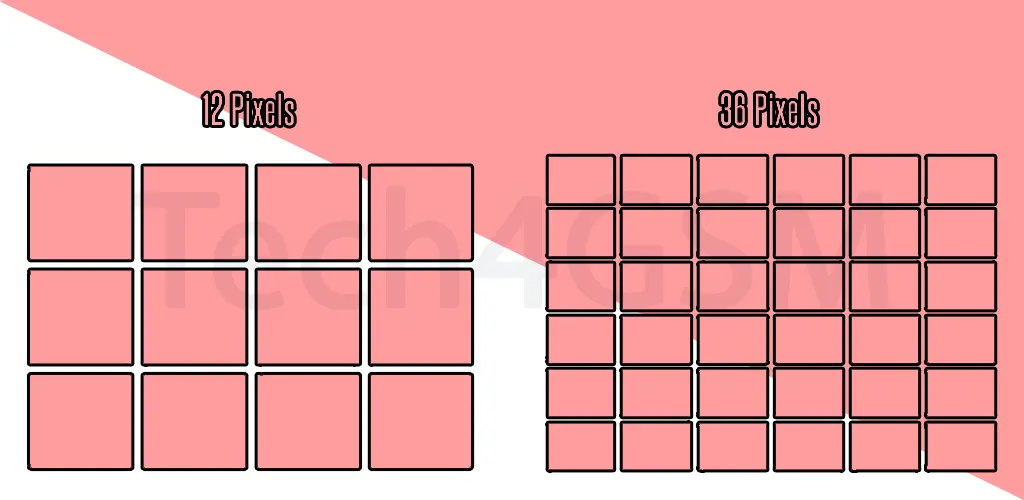
- More pixels = More detail: A 12MP photo has 12 million pixels – that’s 12 million dots creating your image!
- Resolution ruler: Pixels measure how sharp or blurry an image or screen is.
- Color chameleons: Each pixel can display a unique color, blending with others to form visuals.
Fun fact: The first digital image? A humble 176×176 pixel baby photo from 1957! 👶
How Do Pixels Work?
Pixels are the DNA of your screen. Here’s the behind-the-scenes magic:
- Grid formation: Pixels line up in rows and columns (e.g., 1920×1080 = 2 million pixels).
- Color mixing: Each pixel combines red, green, and blue (RGB) light to create any color.
- Fast refresh: Pixels change colors instantly to show motion (like in videos or games).
Pro tip: Ever seen a “dead pixel”? It’s a tiny dot stuck on one color – a mini heartbreak for screen lovers. 💔
Why Pixel Count Matters
Pixel density affects everything you see:
| Scenario | Pixel Power |
|---|---|
| Phone screens | Higher pixels (e.g., 4K) = Crisper text, smoother videos. |
| Digital cameras | More megapixels = Sharper photos (but bigger file sizes!). |
| Gaming monitors | High pixel density = Less “jagged” edges in graphics. |
Example: A 1080p screen has 2 million pixels, while 4K packs 8 million – hello, detail!
Pixels vs. Resolution: What’s the Link?
Resolution = Pixel dimensions. It’s written as Width x Height:
- HD (1280×720): 720p – basic, but works for small screens.
- Full HD (1920×1080): 1080p – standard for TVs and phones.
- 4K (3840×2160): Ultra-detailed for big screens and gaming.
Myth buster: More pixels don’t always mean better quality. A 64MP phone camera with a tiny sensor can’t beat a 24MP DSLR!
Pixels in Everyday Tech
- Smartphones: Retina displays (Apple) or AMOLED (Samsung) use tight pixel grids for vivid colors.
- Printing: 300 pixels per inch (PPI) is the sweet spot for sharp prints.
- Social media: Instagram compresses photos, reducing pixel quality – hence the occasional blur.
Did you know? The human eye can’t see pixels beyond 300 PPI at a normal viewing distance.
How to Check Your Screen’s Pixel Density
- Find resolution: Go to Settings > Display.
- Calculate PPI: Use an online PPI calculator with screen size and resolution.
- Compare: Smartphones average 400-500 PPI; laptops hover around 200-300.
The Future of Pixels
- Foldable screens: Pixels that bend without breaking (thanks, OLED!).
- 8K TVs: 33 million pixels – overkill? Maybe. But future-proof? Absolutely.
- Micro-LED: Tiny, self-lit pixels for brighter, more efficient displays.
Prediction: By 2030, “pixel-less” holographic displays might take over!
Final Thoughts
Pixels are the unsung heroes of our digital world – invisible until you zoom in, but essential for every image, video, and game. Next time you admire a sunset photo or binge a show, remember: It’s all thanks to millions of tiny, colorful dots working overtime!