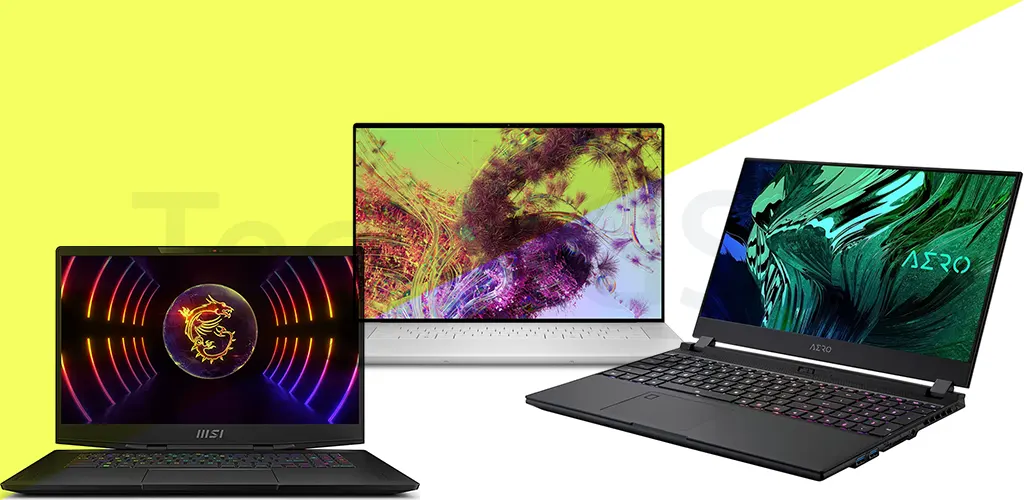
Introduction:
Gone are the days when Full HD 1080p screens were the gold standard. In 2025, 4K laptops are redefining productivity, creativity, and entertainment with razor-sharp visuals and immersive experiences. Whether you’re editing high-res videos, dominating AAA games, or multitasking across apps, a 4K display offers unmatched clarity. But with so many options, how do you pick the right one? At Tech4GSM, we’ve spent decades testing laptops, and today, we’re breaking down the top 4K laptops for 2025, along with expert advice to help you choose wisely.
Why 4K Laptops Are the Future
Forget pixelated spreadsheets or blurry Netflix marathons. A 4K screen (3,840 x 2,160 pixels) packs four times the pixels of Full HD, delivering lifelike detail and vibrant colors. While 8K remains a niche (and impractical) dream, 4K strikes the perfect balance for work and play. Here’s why it’s worth the upgrade:
- Productivity Boost: View more rows in Excel, edit timelines in Premiere Pro without zooming, or compare documents side by side.
- Creative Precision: Photographers and designers see finer details, accurate hues, and better gradients.
- Immersive Entertainment: Movies, shows, and games look stunning, especially on OLED panels.
- Future-Proofing: As apps and media embrace 4K, your laptop stays relevant longer.
But 4K isn’t flawless. Let’s explore the pros, cons, and our top picks!
Why 4K Dominates in 2025
4K resolution (3,840 x 2,160 pixels) offers four times the detail of Full HD, making everything from spreadsheets to Netflix binges sharper. Advances in OLED and Mini LED tech mean brighter screens, richer colors, and better battery life. Whether you’re editing videos, gaming, or multitasking, 4K is the sweet spot.
Deeper Dive: Top 8 Tested 4K Laptops for 2025
Our team tested over 100 laptops this year. These eight stood out for performance, display quality, and value:
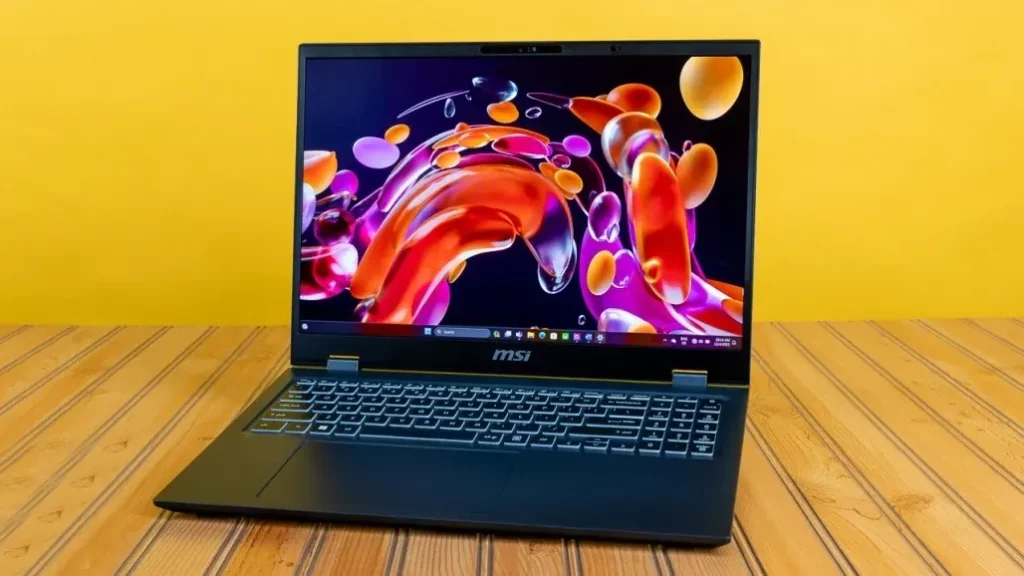
1. MSI Prestige 16 AI Evo: Best for Productivity & Portability
Why It Shines:
- 4K OLED Display: Stunning 16-inch screen with 100% DCI-P3 color.
- Lightweight Design: Just 3.31 lbs—lighter than most 14-inch laptops!
- Epic Battery: Nearly 19 hours on a single charge.
- Affordable: Starts at $1,449, a steal for a 4K OLED laptop.
Perfect For: Writers, analysts, and travelers needing a portable powerhouse.
Specs Snapshot:
- CPU: Intel Core Ultra 7 155H
- RAM: 32GB
- Storage: 1TB SSD
- GPU: Intel Arc Graphics (Integrated)
- Battery: 18h 55m
Drawbacks: Only one USB-A port; not for heavy gaming.
Tip: Use the SD card slot for quick photo transfers—ideal for photographers on the go.
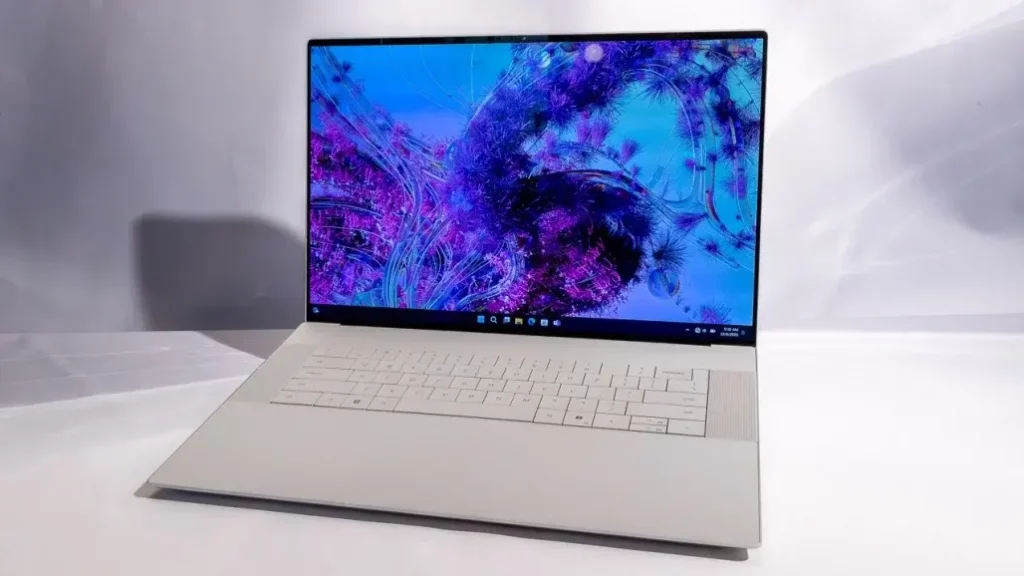
2. Dell XPS 16 (9640): Best for Video Editors
Why It Shines:
- 4K OLED Touchscreen: 90Hz refresh rate for smooth scrubbing.
- RTX 4070 GPU: Handles 8K video edits and light gaming.
- Sleek Design: Near-borderless display with a premium aluminum build.
Perfect For: Filmmakers and content creators needing color accuracy.
Specs Snapshot:
- CPU: Intel Core Ultra 7 155H
- RAM: 32GB
- Storage: 1TB SSD
- GPU: NVIDIA RTX 4070 (8GB)
- Battery: 18h 40m
Drawbacks: Pricey ($3,399 as tested); USB-C-only ports (adapter included).
Tip: The LED touch strip replaces function keys—customize it for shortcuts in Premiere Pro.
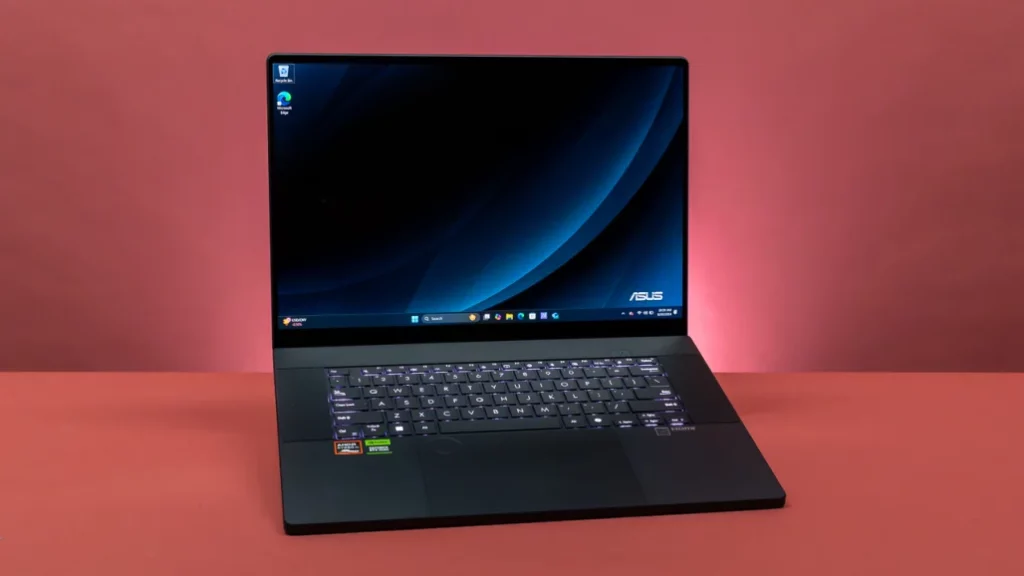
3. Asus ProArt P16 (H7606): Best for Content Creators
Why It Shines:
- AMD Ryzen AI 9 HX 370: Blazing speed for 3D rendering.
- OLED Display: Calman-verified for professional color grading.
- ASUS Dial: Customizable knob for app shortcuts (e.g., brush size in Photoshop).
Perfect For: Graphic designers and animators.
Specs Snapshot:
- CPU: AMD Ryzen AI 9 HX 370
- RAM: 32GB
- Storage: 2TB SSD
- GPU: NVIDIA RTX 4070 (8GB)
- Battery: 12h 59m
Drawbacks: Fans get loud under load; no high refresh rate.
Tip: Use the “Creator Mode” in Asus software to auto-optimize color settings.
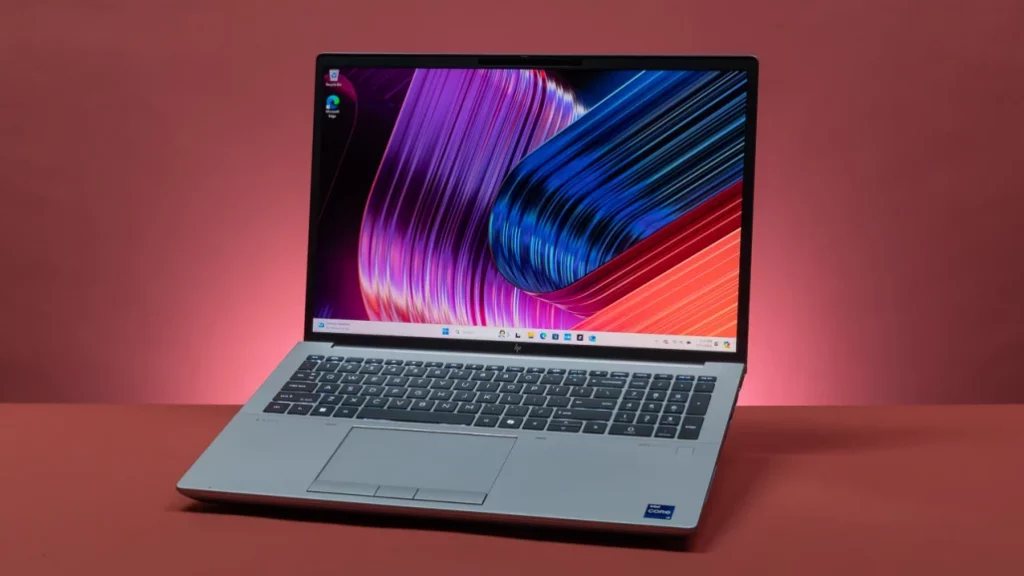
4. HP ZBook Fury 16 G11: Best for Raw Power
Why It Shines:
- Intel Core i9-14900HX: Desktop-class performance.
- 120Hz 4K IPS Screen: Smooth scrolling for CAD designs.
- Military-Grade Durability: Survives drops, spills, and dust.
Perfect For: Engineers and architects running AutoCAD or SolidWorks.
Specs Snapshot:
- CPU: Intel Core i9-14900HX
- RAM: 64GB
- Storage: 1TB SSD
- GPU: NVIDIA RTX 3500 Ada (12GB)
- Battery: 8h 22m
Drawbacks: Heavy (5.3 lbs); expensive ($3,564 as tested).
Tip: Leverage HP Wolf Security for tamper-proof hardware encryption—critical for sensitive projects.
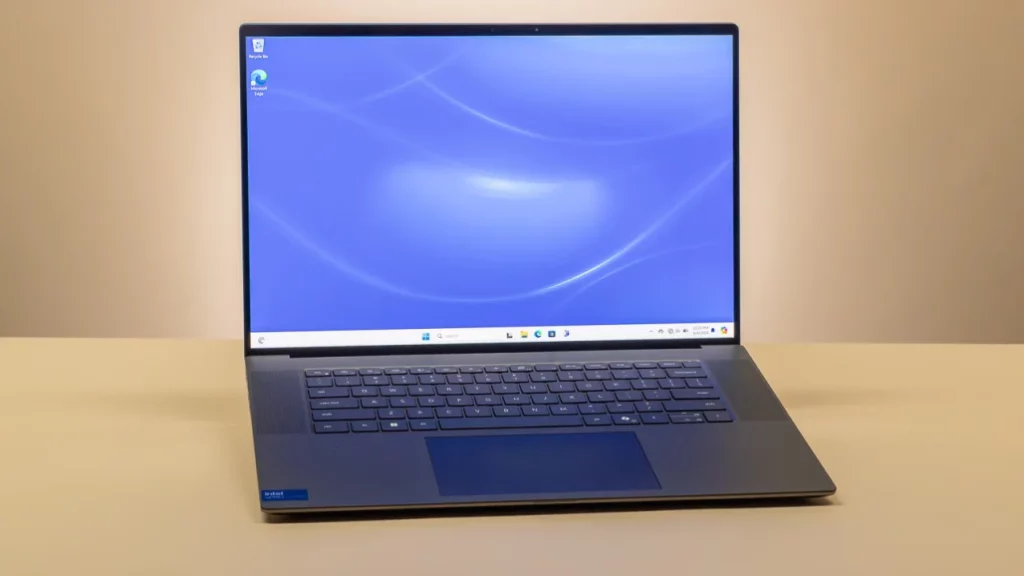
5. Dell Precision 5690: Best 4K Mobile Workstation
Why It Shines:
- 4K OLED Touchscreen: Razor-sharp 3,840 x 2,400 resolution with vivid colors.
- Desktop-Level Power: Intel Core Ultra 9 185H + NVIDIA RTX 5000 Ada (16GB VRAM).
- Portable for a Workstation: Surprisingly lightweight at 4.46 lbs.
- Battery Life: Over 17 hours—rare for a workstation.
Perfect For: Engineers and data scientists needing pro-grade performance on the go.
Specs Snapshot:
- CPU: Intel Core Ultra 9 185H
- RAM: 32GB
- Storage: 1TB SSD (512GB x2)
- GPU: NVIDIA RTX 5000 Ada
- Battery: 17h 11m
Drawbacks: No USB-A ports; eye-watering $6,500 price tag.
Tip: Use the dual SSDs in RAID 0 for faster data access in CAD workflows.
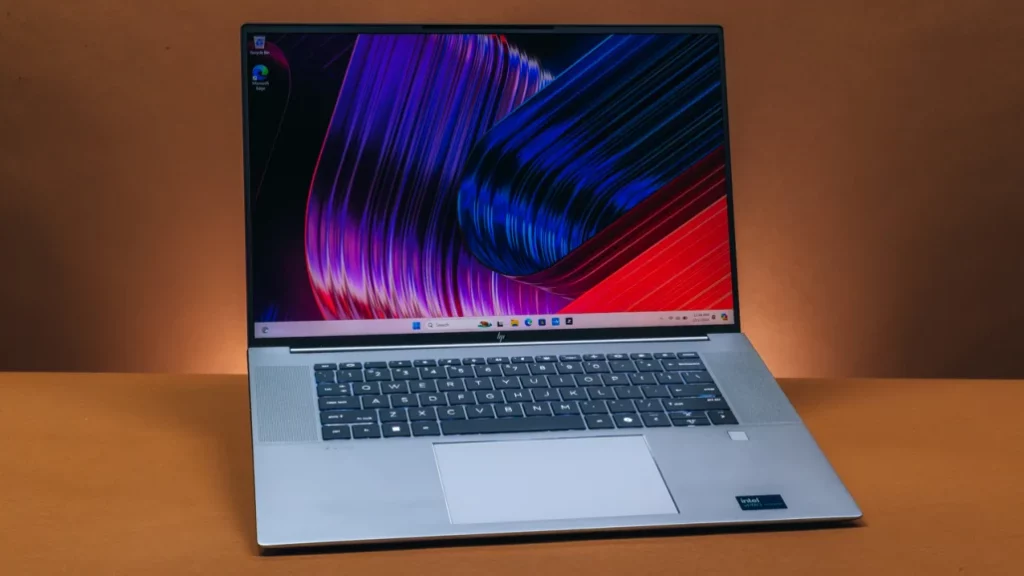
6. HP ZBook Studio 16 G11: Best Configurable Workstation
Why It Shines:
- DreamColor 4K IPS Display: 120Hz refresh rate for silky-smooth visuals.
- Sleek and Light: Only 3.81 lbs with a premium aluminum chassis.
- Customizable: Up to 64GB RAM and multiple GPU/CPU configurations.
Perfect For: Creators who prioritize screen quality over raw power.
Specs Snapshot:
- CPU: Intel Core Ultra 9 185H
- RAM: 64GB
- Storage: 1TB SSD
- GPU: NVIDIA RTX 3000 Ada (8GB)
- Battery: 6h 56m
Drawbacks: Mediocre performance for the price ($7,283 as tested); 720p webcam.
Tip: Opt for the RGB keyboard backlight—it’s surprisingly useful for late-night rendering sessions.
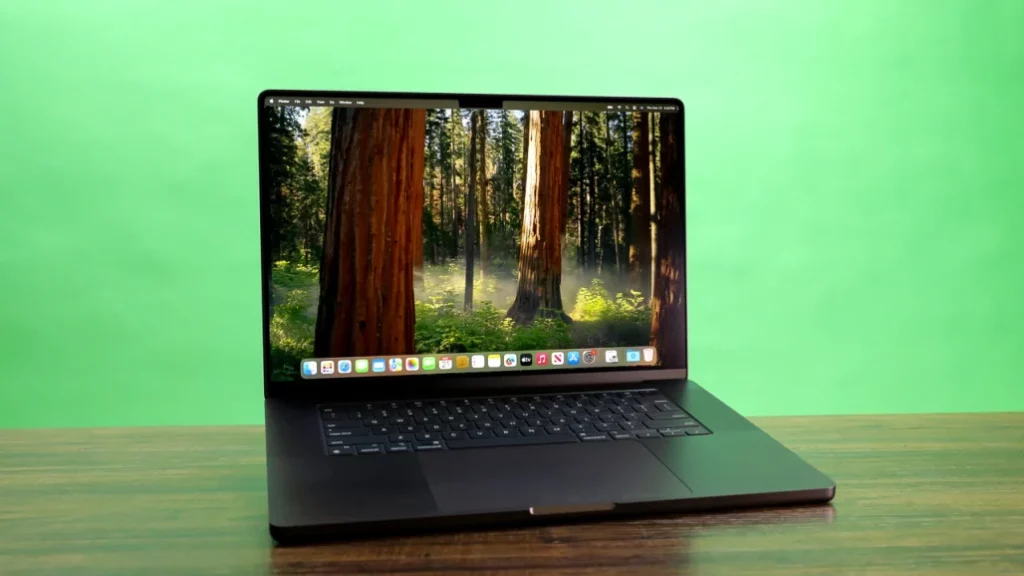
7. Apple MacBook Pro 16-Inch (M4 Pro): Best macOS 4K Experience
Why It Shines:
- Mini LED XDR Display: 3,456 x 2,234 resolution with 1,600 nits peak brightness.
- M4 Pro Chip: Dominates video editing and 3D rendering.
- Battery Life: Over 25 hours—unmatched in the industry.
- Thunderbolt 5: Future-proofed for high-speed peripherals.
Perfect For: macOS loyalists in creative fields (editors, animators, developers).
Specs Snapshot:
- CPU: Apple M4 Pro (14-core)
- RAM: 48GB
- Storage: 2TB SSD
- GPU: 20-core M4 Pro
- Battery: 25h 52m
Drawbacks: Nano-texture screen costs extra; minor upgrade over M3.
Tip: Enable ProMotion for buttery-smooth 120Hz scrolling in Final Cut Pro.
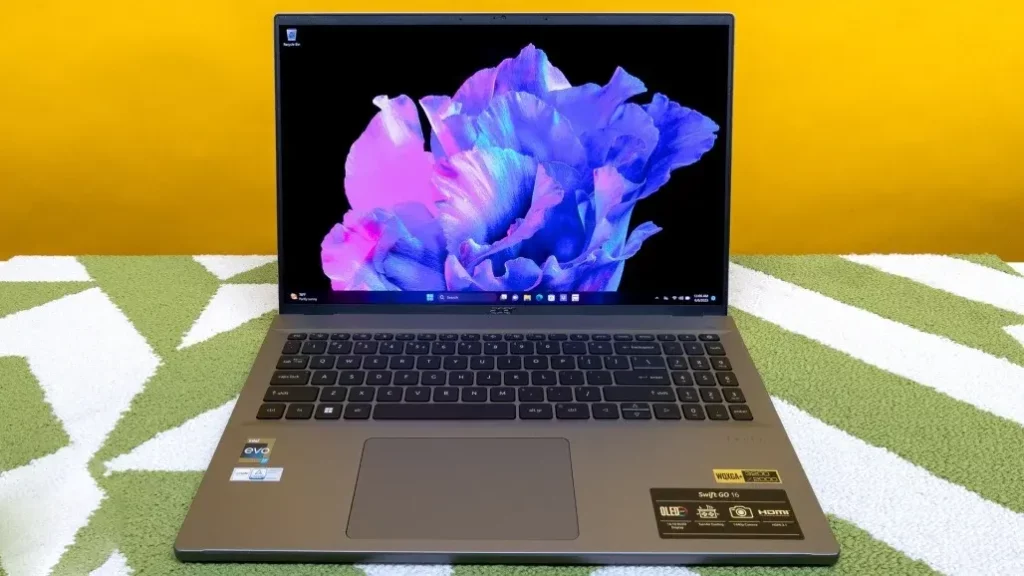
8. Acer Swift Go 16: Best Budget (Almost) 4K Laptop
Why It Shines:
- Near-4K OLED Display: 3,200 x 2,000 resolution at a steal ($709).
- Featherweight Design: Just 3.64 lbs with a metal chassis.
- Solid Performance: Intel Core i7-13700H handles daily tasks effortlessly.
Perfect For: Students or casual users craving OLED visuals without breaking the bank.
Specs Snapshot:
- CPU: Intel Core i7-13700H
- RAM: 16GB
- Storage: 1TB SSD
- GPU: Intel Iris Xe
- Battery: 9h 58m
Drawbacks: Mediocre keyboard; not for gaming/content creation.
Tip: Use HDR mode on Netflix to make the most of the OLED panel.
Comparison Chart: Best 4K Laptops for 2025
| Model | Display | Processor | GPU | RAM | Storage | Battery Life | Weight | Price (USD) |
|---|---|---|---|---|---|---|---|---|
| MSI Prestige 16 AI Evo | 16″ 4K OLED (60Hz) | Intel Core Ultra 7 155H | Intel Arc Graphics | 32GB | 1TB SSD | 18h 55m | 3.31 lbs | $1,449+ |
| Dell XPS 16 | 16.3″ 4K OLED Touch (90Hz) | Intel Core Ultra 7 155H | RTX 4070 (8GB) | 32GB | 1TB SSD | 18h 40m | 4.7 lbs | $3,399+ |
| Asus ProArt P16 (H7606) | 16″ 4K OLED (60Hz) | AMD Ryzen AI 9 HX 370 | RTX 4070 (8GB) | 32GB | 2TB SSD | 12h 59m | 4.08 lbs | $1,899+ |
| HP ZBook Fury 16 G11 | 16″ 4K IPS (120Hz) | Intel Core i9-14900HX | RTX 3500 Ada (12GB) | 64GB | 1TB SSD | 8h 22m | 5.3 lbs | $1,558+ |
| Dell Precision 5690 | 16″ 4K OLED Touch (60Hz) | Intel Core Ultra 9 185H | RTX 5000 Ada (16GB) | 32GB | 1TB SSD (2x512GB) | 17h 11m | 4.46 lbs | $6,500+ |
| HP ZBook Studio 16 G11 | 16″ 4K IPS DreamColor (120Hz) | Intel Core Ultra 9 185H | RTX 3000 Ada (8GB) | 64GB | 1TB SSD | 6h 56m | 3.81 lbs | $7,283+ |
| Apple MacBook Pro 16″ (M4 Pro) | 16.2″ Mini LED XDR (120Hz) | Apple M4 Pro (14-core) | M4 Pro (20-core GPU) | 48GB | 2TB SSD | 25h 52m | 4.7 lbs | $2,199+ |
| Acer Swift Go 16 | 16″ 3.2K OLED (120Hz) | Intel Core i7-13700H | Intel Iris Xe | 16GB | 1TB SSD | 9h 58m | 3.64 lbs | $709+ |
4K Laptop Buying Guide: What to Know in 2025
1. Screen Tech Matters:
- OLED: Best for movies/designs (true blacks).
- Mini LED: Brighter than OLED; great for HDR.
- IPS: Budget-friendly; good for outdoor use.
2. GPU Needs:
- Integrated (e.g., Intel Arc): Fine for office tasks.
- Mid-Tier (RTX 4070): Handles 4K video editing.
- High-End (RTX 4090): For 4K gaming at 60+ FPS.
3. Battery Life: OLEDs are more efficient. Aim for 8+ hours.
4. Ports: Look for HDMI 2.1, Thunderbolt 4, and SD card readers.
5. Future-Proofing: Opt for Wi-Fi 7 and upgradable RAM/storage.
4K vs. UHD: Debunking the Myth
While purists argue “4K” (4,096 x 2,160) is a cinema standard, laptop brands use it interchangeably with UHD (3,840 x 2,160). Don’t sweat the jargon—focus on pixel density and color accuracy!
Future Trends to Watch
- AI Upscaling: NVIDIA DLSS 4.0 boosts gaming FPS without quality loss.
- Foldable 4K Screens: Lenovo’s ThinkPad X1 Fold leads the charge.
- MicroLED Displays: Expected in 2026—brighter than OLED, no burn-in.
4K Laptop Screens Explained: IPS, OLED, or Mini LED?
Choosing a panel type is crucial. Here’s the lowdown:
IPS (In-Plane Switching)
- Pros: Bright (400+ nits), wide viewing angles, affordable.
- Cons: Backlight bleed ruins blacks.
- Best For: Office work, outdoor use.
OLED (Organic Light-Emitting Diode)
- Pros: Perfect blacks, infinite contrast, vibrant colors.
- Cons: Lower brightness (350-400 nits), risk of burn-in.
- Best For: Movies, design work.
Mini LED
- Pros: Brighter than OLED (1,000+ nits), deep blacks.
- Cons: Expensive, thicker screens.
- Best For: HDR content, professional grading.
4K Gaming on Laptops: Worth It in 2025?
Yes, but with caveats. To game at 4K/60fps, you’ll need at least an RTX 4080 or AMD RX 7900M. Even then, expect to tweak settings in demanding titles like Cyberpunk 2077. Pros: Jaw-dropping visuals. Cons: Short battery life, loud fans, and $$$.
4K Laptop Buying Guide: Key Considerations
- GPU Power: Integrated graphics (Intel Iris Xe, AMD Radeon 780M) handle 4K for Netflix, but creators/gamers need RTX 40-series or RDNA 3.
- Screen Size: 15-16 inches ideal. 14-inch 4K screens make text too tiny.
- Battery Life: OLEDs sip less power than IPS. Look for 8+ hours.
- Ports: HDMI 2.1, Thunderbolt 4, and SD card readers are lifesavers.
- Color Accuracy: 100% sRGB or DCI-P3 for pros.
The Downsides of 4K Laptops
- Cost: Expect a 300−500 premium over 1080p models.
- Performance Hit: Editing 8K footage? You’ll need a desktop.
- Scaling Issues: Older apps might show tiny icons (fixable via Windows/macOS scaling).
Future Trends: What’s Next for 4K Laptops?
- AI Upscaling: Nvidia DLSS and AMD FSR make 4K gaming smoother.
- Foldable 4K Screens: ASUS and Lenovo are experimenting.
- MicroLED Panels: Brighter, more efficient than OLED (coming 2026).
Final Verdict
In 2025, 4K laptops are no longer a luxury—they’re a smart investment for anyone serious about work or play. For most users, the MSI Prestige 16 AI Evo offers the best balance of power and portability. Hardcore creators should eye the Asus ProArt P16, while gamers on a budget can’t go wrong with the Acer Swift Go 16.
The Dell Precision 5690 redefines mobile workstations, while the Apple MacBook Pro remains the king of battery life. Budget users should grab the Acer Swift Go 16 before it sells out. For 2025, 4K isn’t just a luxury—it’s a necessity.