Introduction
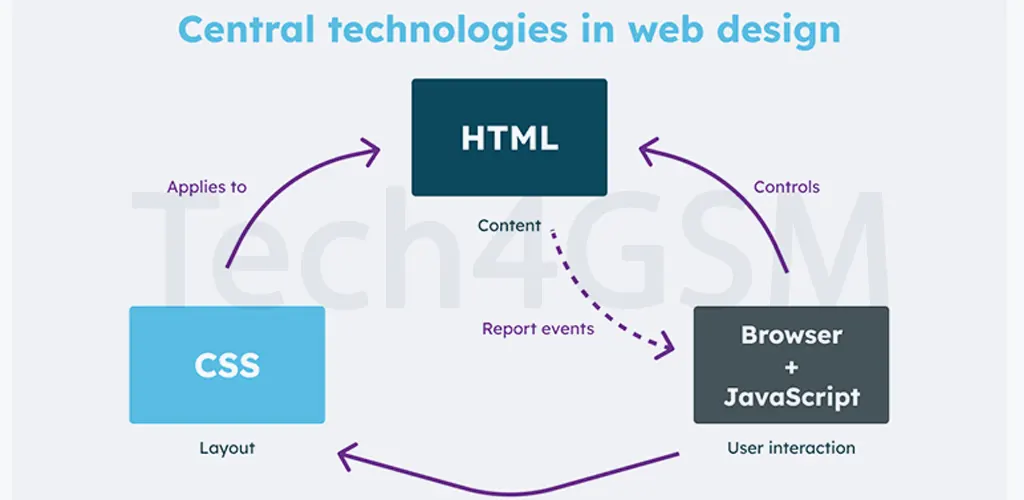
CSS (Cascading Style Sheets) is the magic wand that transforms plain HTML into visually stunning websites. Whether you’re a beginner or a seasoned developer, understanding CSS is crucial for designing responsive, attractive, and user-friendly web pages. In this 6,000+ word guide, we’ll break down CSS in simple language, explore its types, best practices, and answer all your FAQs. Let’s dive in!
What is CSS?
CSS stands for Cascading Style Sheets. It’s a language used to style HTML elements, controlling everything from fonts and colors to layouts and animations. Without CSS, websites would look like bland text documents. With CSS, you can:
- Enhance user experience with consistent designs.
- Save time by styling multiple pages at once.
- Boost SEO with faster, mobile-friendly layouts.
Types of CSS
There are 3 primary ways to apply CSS to HTML: Inline, Internal, and External. Let’s explore each with examples!
1. Inline CSS
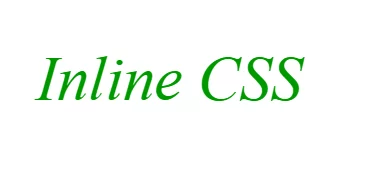
Inline CSS involves adding styles directly to an HTML element using the style attribute. It’s perfect for quick fixes but not ideal for large projects.
Example:
  Inline CSS
</p>Output:
Pros:
- Instant results: Overrides other styles.
- No external files needed.
Cons:
- Hard to maintain on bigger projects.
- Mixes content with design, breaking best practices.
When to Use:
- Testing styles temporarily.
- Styling a single element uniquely.
2. Internal/Embedded CSS
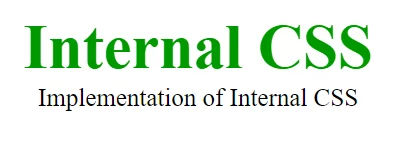
Internal CSS is placed within the <style> tag in the HTML <head>. It’s ideal for single-page styling.
Example:
<!DOCTYPE html>
<html>
<head>
  <style>
    .main { text-align: center; }
    .GFG {
      color: #009900;
      font-size: 50px;
      font-weight: bold;
    }
    .Tech4GSM { font-style: bold; font-size: 20px; }
  </style>
</head>
<body>
  <div class="main">
    <div class="GFG">Internal CSS</div>
    <div class="Tech4GSM">Implementation by Tech4GSM</div>
  </div>
</body>
</html>
Output:
Pros:
- Organized code for single pages.
- Faster loading than external CSS.
Cons:
- Not reusable across multiple pages.
- Increases HTML file size.
When to Use:
- Small websites or single-page apps.
- When external files aren’t practical.
3. External CSS
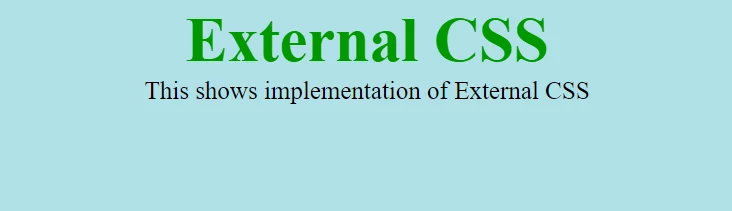
External CSS uses a separate .css file linked to HTML via <link>. This method is gold standard for large projects.
Example:
HTML File:
<!DOCTYPE html>
<html>
<head>
  <link rel="stylesheet" href="styles.css">
</head>
<body>
  <div class="main">
    <div class="GFG">External CSS</div>
    <div id="Tech4GSM">Styling via External CSS</div>
  </div>
</body>
</html>
CSS File (styles.css):
.main { text-align: center; }
.GFG {
  color: #009900;
  font-size: 50px;
}
#Tech4GSM { font-size: 20px; }
Output:
Pros:
- Reusable across multiple pages.
- Easier maintenance and updates.
- Improves page speed through caching.
Cons:
- Extra HTTP request needed.
When to Use:
- Multi-page websites.
- Teams collaborating on design.
CSS Priority Hierarchy
Confused about which style applies? Here’s the 2025 priority order:
- Inline CSS (Highest priority).
- Internal CSS.
- External CSS (Lowest priority).
- Browser defaults.
Example: If an element has inline and external styles, the inline style wins!
CSS Best Practices for 2025
Use External CSS for scalability.
Leverage CSS Variables:
:root { --primary-color: #009900; }
.GFG { color: var(--primary-color); }
Optimize for Mobile with media queries:
@media (max-width: 768px) {
  .GFG { font-size: 30px; }
}
Minify CSS for faster loading.
Use Flexbox/Grid for modern layouts.
FAQs
Q1: Which CSS type is best for SEO?
A: External CSS improves SEO by reducing file size and boosting speed.
Q2: How to override inline CSS?
A: Use !important in external/internal CSS:
p { color: red !important; }
Q3: Can I mix CSS types?
A: Yes, but prioritize external for cleaner code.
Q4: What’s new in CSS for 2025?
A: Expect better grid layouts, enhanced variables, and AI-powered tools.
Q5: How to link multiple CSS files?
A: Add multiple <link> tags in the <head>.
Conclusion
Mastering CSS in 2025 is key to building fast, beautiful, and responsive websites. Whether you choose inline, internal, or external CSS, always prioritize clean code and user experience.