Introduction
In the world of tiny tech, storage matters—but not all memory cards are created equal. Meet the microSDHC (High Capacity) card, the clever upgrade to the classic microSD that gives your devices room to breathe. Let’s break down why this little marvel is a game-changer for your smartphone, camera, or tablet!
What’s a microSDHC Card?
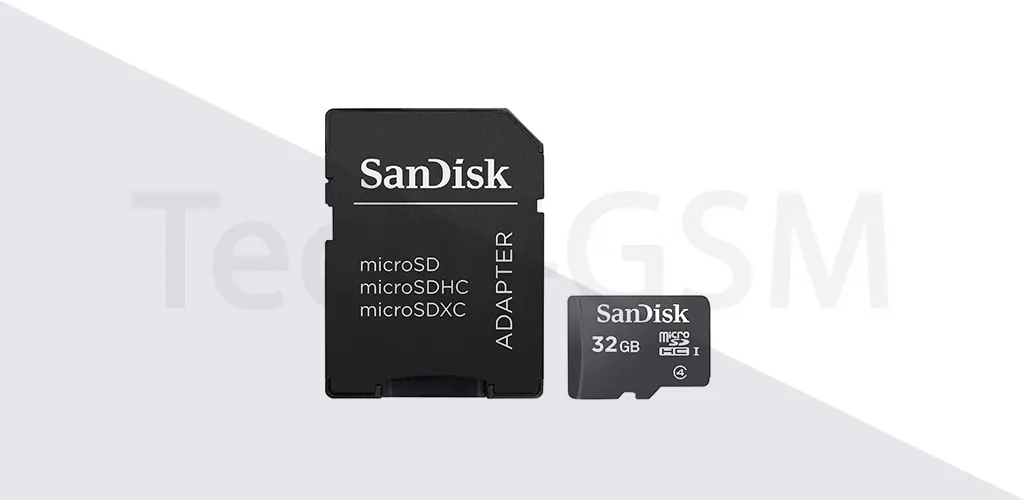
The microSDHC is the smarter sibling of the standard microSD card. While they look identical (same fingernail-sized design!), the “HC” stands for High Capacity, meaning it can store 4GB to 32GB of data. That’s a massive jump from the original microSD’s limit of 2GB. Imagine fitting thousands of photos, hours of HD videos, or your entire music library on something smaller than a coin!
Why microSDHC Stands Out
- Bigger Storage, Same Size:
- Regular microSD cards max out at 2GB—enough for basic use. But microSDHC cards start at 4GB and go up to 32GB, making them perfect for apps, games, and media lovers.
- Example: A 16GB microSDHC can hold roughly 4,000 photos or 8 hours of Full HD video!
- Backward Compatibility:
- Got an older device that supports microSD? No problem! microSDHC cards work in microSDHC-labeled slots. Just check your device’s specs to avoid compatibility hiccups.
- Faster Performance:
- Many microSDHC cards come with Class Speed Ratings (Class 2 to Class 10). For smooth video recording or app usage, aim for Class 10—it guarantees a minimum speed of 10MB/s.
microSD vs. microSDHC: What’s the Difference?
- Capacity:
- microSD: Up to 2GB (great for texts, light apps).
- microSDHC: 4GB–32GB (ideal for heavy users).
- File System:
- microSDHC uses FAT32, which supports larger volumes but has a 4GB file size limit. Need bigger single files (like 8K videos)? You’ll need a microSDXC card (64GB+).
Who Should Use a microSDHC Card?
- Smartphone Users: Expand storage for apps, selfies, and social media.
- Budget Camera Owners: Store hundreds of photos without swapping cards.
- Gamers: Save game progress and downloadable content on Nintendo Switch or handheld consoles.
Pro Tip: Always format your microSDHC card in the device you plan to use it in. This avoids errors and maximizes performance.
How to Choose the Right microSDHC Card
- Check Device Compatibility: Not all gadgets support HC cards. Look for the microSDHC logo on your device or manual.
- Pick a Trusted Brand: SanDisk, Samsung, and Kingston offer reliable, durable options.
- Match Speed to Needs:
- Class 4: Basic tasks (music, documents).
- Class 10: HD video recording, gaming.
microSDHC Myths Busted!
- ❌ “HC cards are slower”: Nope! Speed depends on the class rating, not capacity.
- ❌ “They’re obsolete”: Still widely used in drones, budget phones, and MP3 players.
Final Verdict
The microSDHC card is your go-to upgrade if you’re stuck with a 2GB limit. It’s affordable, easy to use, and perfect for everyday tech needs. Whether you’re a parent saving family memories or a student storing e-books, this tiny titan won’t let you down.