Introduction
Imagine reading a book where the words are blurry versus one where every letter is razor-sharp. Pixel density is why your phone, tablet, or TV looks crystal clear – and it’s measured in PPI (Pixels Per Inch). Let’s decode this tech term so you can shop smarter for your next gadget!
What is Pixel Density (PPI)?
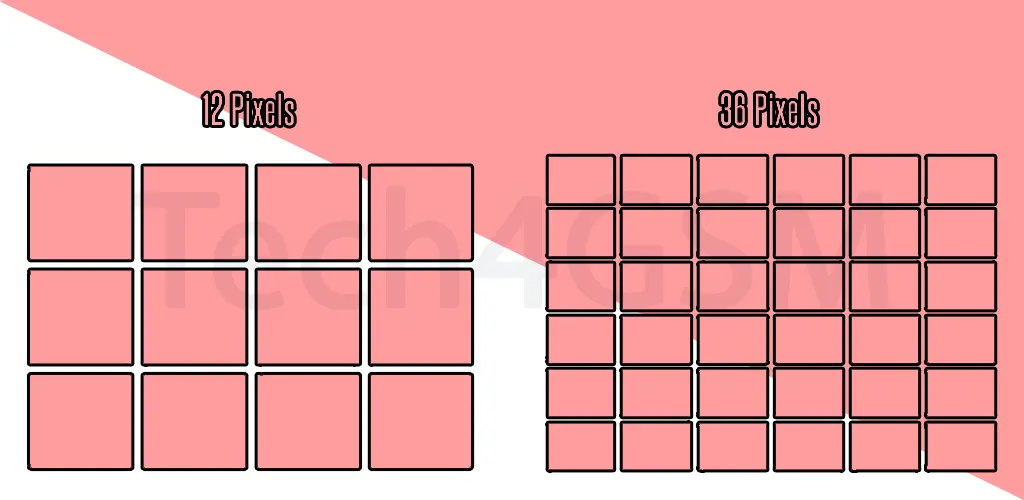
Pixel density is the number of pixels packed into one inch of your screen. Think of it like threads in fabric:
- High PPI = Tightly woven threads = Sharper image.
- Low PPI = Loose threads = Grainy or pixelated visuals.
Example: A 6-inch phone with 1080p resolution has higher PPI than a 32-inch 1080p TV. Why? The same pixels are crammed into a smaller space!
How is PPI Calculated? (No Math Phobia Needed!)
You only need two numbers:
- Screen resolution (e.g., 1920×1080 pixels).
- Screen size (diagonal length in inches).
Formula:
- Find the diagonal pixel count using the Pythagorean theorem (yes, that triangle thing!).
- For 1920×1080: √(1920² + 1080²) ≈ 2203 pixels.
- Divide by screen size: 2203 pixels ÷ 32 inches ≈ 69 PPI (for a TV).
Pro tip: Use free online PPI calculators – let robots do the work!
Why Should You Care About PPI?
| PPI Range | What It Means |
|---|---|
| < 200 PPI | Text/icons look fuzzy (old laptops, budget TVs). |
| 200-300 PPI | Decent sharpness (most monitors, tablets). |
| 300+ PPI | “Retina” clarity (smartphones, premium laptops). |
Human eye limit: Beyond 300 PPI, most people can’t spot individual pixels at a normal viewing distance.
PPI vs. Your Eyes: The Sweet Spot
- Phones: Held 10-12 inches away → Need 400+ PPI for crispness (e.g., iPhone 15: 460 PPI).
- Monitors: Viewed 20+ inches away → 200-300 PPI is fine.
- TVs: Watched from 6+ feet → Even 60 PPI looks good (hello, big screens!).
Fun fact: Apple’s “Retina” displays aren’t magic – they just exceed 300 PPI so pixels blend seamlessly!
PPI Myths Busted
- “Higher PPI = Always Better”
Nope! A 500 PPI phone won’t look sharper than 400 PPI if your eyes can’t tell the difference. - “4K TVs Have the Highest PPI”
Not true! A 4K 32-inch monitor (137 PPI) has lower PPI than a 1080p 6-inch phone (367 PPI). - “PPI Doesn’t Matter for Gaming”
It does! High PPI + fast refresh rates = Smoother, detailed gameplay.
PPI in Everyday Tech
- Smartphones: Samsung Galaxy S24 (425 PPI), Google Pixel 8 (428 PPI).
- Laptops: MacBook Pro 16” (254 PPI), budget laptops (~150 PPI).
- Cameras: 24MP photos have more pixels, but screen PPI decides how sharp they look.
When Higher PPI Isn’t Worth It
- Battery drain: More pixels → More power needed.
- Cost: Ultra-high PPI screens spike gadget prices.
- File sizes: 4K photos/videos eat storage space.
Life hack: For most users, 300-400 PPI is the sweet spot between quality and practicality.
The Future of PPI
- Foldables: Samsung’s Galaxy Z Fold 6 (373 PPI) balances bendy screens with clarity.
- AR/VR: Headsets need 1000+ PPI to trick your eyes into seeing “real” 3D.
- Microdisplays: Tiny screens (e.g., smartwatches) pushing 500+ PPI for readability.
Final Thoughts
Pixel density (PPI) is the invisible hero behind every sharp text, vibrant photo, and immersive game. Whether you’re buying a phone, monitor, or TV, remember: Higher PPI = Tighter pixels = Better clarity – but only up to what your eyes can see!