Introduction
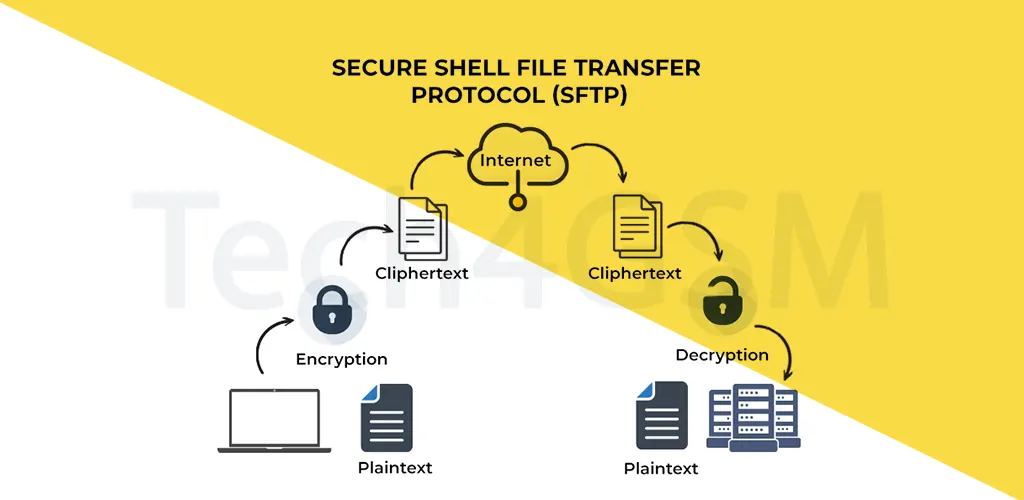
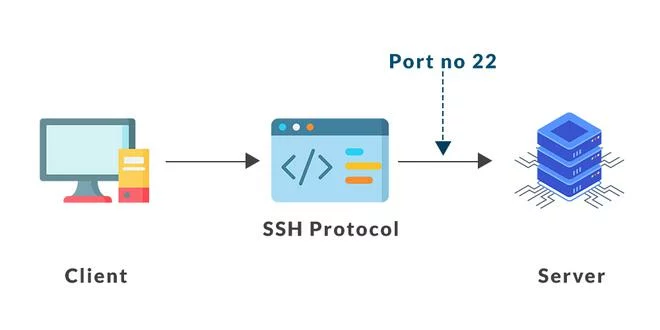
In today’s digital world, transferring files securely is crucial. SFTP (Secure File Transfer Protocol) is the upgraded, safer version of traditional FTP, designed to protect your data during transfers. Often confused with SSH (Secure Shell), SFTP operates on port 22 and uses a client-server model to ensure files move safely between devices or organizations. Let’s explore how SFTP works, its pros and cons, and how to set it up in 2025!
Key Features of SFTP
- Data Encryption: Converts files into unreadable code during transfer.
- Command Execution: Lets you manage files and directories remotely.
- Compressed Transfers: Reduces file size for faster sharing.
- Dual Authentication: Protects access with usernames/passwords or public keys.
- Faster Uploads/Downloads: Handles large files efficiently.
How Does SFTP Work?
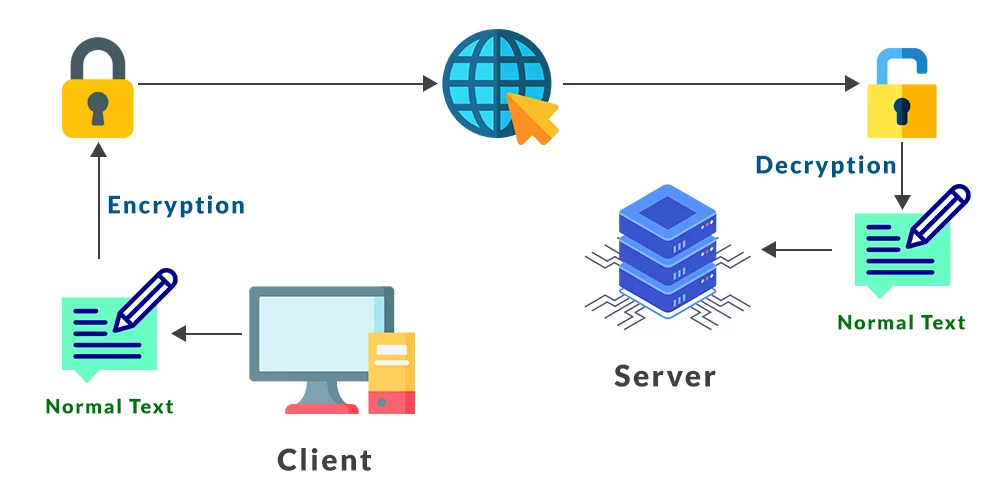
SFTP uses SSH Message Authentication Code (MAC) to lock data packets. Here’s a simple breakdown:
- A secure connection is established between your device and the server.
- All data (including login details and files) is encrypted.
- Even if hackers intercept the data, they see only gibberish.
Example: Like WhatsApp’s end-to-end encryption, SFTP ensures only the sender and receiver understand the data.
Advantages of SFTP
- Blazing Speed
- Move huge files (like 4K videos) in one go without slowdowns.
- Reduced Risks
- Encrypted transfers + server authentication = No unauthorized access.
- Easy Access
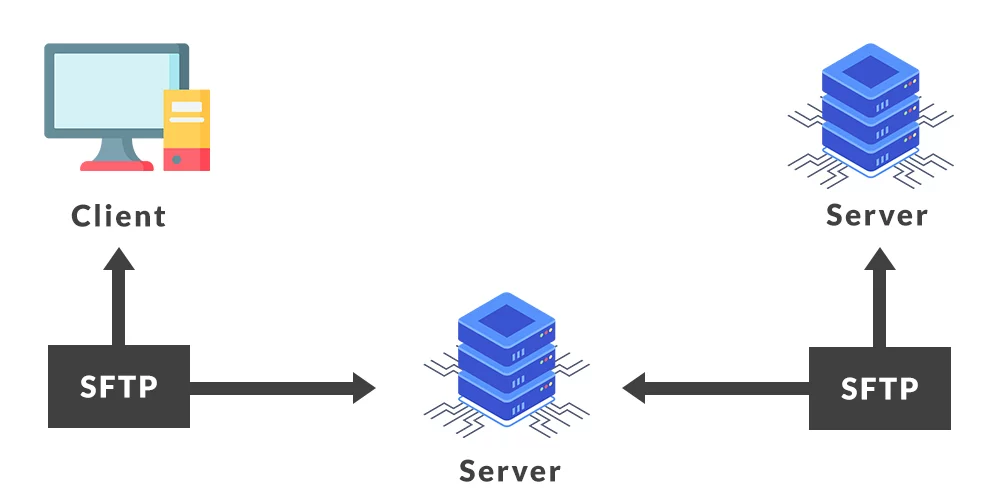
- Share files between users or servers effortlessly.
Disadvantages of SFTP
- Complex Setup
- Too many security layers can confuse beginners.
- Not 100% Hack-Proof
- Cybercriminals can exploit weak passwords or outdated systems.
How to Set Up SFTP in 2025
For Windows
- Install OpenSSH (if not preinstalled).
- Open Windows Defender Firewall > Advanced Settings > Inbound Rules > New Rule.
- Use clients like WinSCP or FileZilla.
For MacOS
- SSH is preinstalled. Enable SFTP via System Preferences > Security > Firewall Options.
- Download Cyberduck or FileZilla.
For Linux
- Install SSH: Run
sudo apt install ssh. - Allow port 22: Use
sudo ufw allow ssh. - Use FileZilla or other open-source tools.
How to Secure Your SFTP Server
- Strong Passwords: Mix uppercase, symbols, and numbers (e.g., Tech2025#@$Cn).
- Monitor Accounts: Check for suspicious activity regularly.
- Update Algorithms: Use AES-256 or similar encryption.
- Whitelist/Blacklist IPs: Control who accesses your server.
FAQs About SFTP
Q1: Is SFTP the same as FTPS?
No! SFTP uses SSH, while FTPS adds SSL/TLS to FTP. SFTP is simpler and more secure.
Q2: Why does SFTP use port 22?
Port 22 is the default for SSH connections, ensuring encrypted data flow.
Q3: Can I recover files if my SFTP is hacked?
Only if you have backups. Always enable file security tools.
Q4: Are there free SFTP clients?
Yes! FileZilla and WinSCP are popular free options.
Q5: Is SFTP outdated in 2025?
Not at all! With regular updates, SFTP remains a top choice for secure transfers.
Final Thoughts
SFTP is a must-have for businesses and individuals prioritizing data safety. By following the tips above and using trusted clients from tech4gsm.com, you can ensure fast, secure file transfers in 2025. Stay safe, stay encrypted! 🔒