Introduction
Ever adjusted your phone’s volume mid-call, snapped a screenshot, or powered off your device without even looking? You’ve got the side keys to thank! These tiny buttons on your phone’s edges are the Swiss Army knives of smartphone design—simple yet incredibly versatile. Let’s explore why these unassuming keys deserve a standing ovation.
What Are Side Keys?
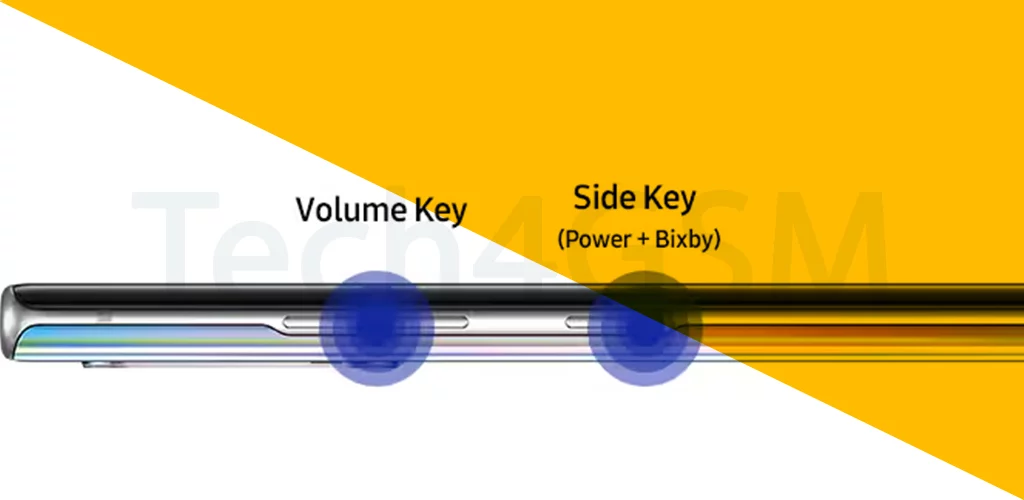
- One-Handed Control: These buttons sit on the phone’s sides (left or right) for easy access while holding the device. No fumbling required!
- Core Functions: Most phones have at least two: a power button (to lock/wake the screen) and volume keys (to adjust sound or silence calls).
- Ergonomic Design: Placed where your thumb or fingers naturally rest, they’re built for comfort and quick action.
The Evolution of Side Keys: From Basics to Brains
- Early Mobile Phones: Side keys were simple—just for power and volume. Think Nokia’s indestructible brick phones.
- Smartphone Era: They became multifunctional! For example:
- Samsung’s Bixby Button: Dedicated to summoning the voice assistant (later made customizable).
- iPhone’s Silent Switch: A physical toggle to mute your phone instantly.
- Google Pixel’s Squeeze Feature: Press the sides to activate Google Assistant.
- Touchscreens Didn’t Kill Them: Despite big screens, side keys survived because physical buttons just feel right.
Hidden Talents of Side Keys
Beyond power and volume, these buttons can:
- Snap Screenshots: Press power + volume down (on most phones).
- Launch Apps: Remap keys to open your camera, flashlight, or Spotify.
- Emergency SOS: Hold the power button to trigger alerts (a lifesaver feature!).
- Accessibility: Use side keys to control magnification or voice commands.
Why Side Keys Still Matter in a Touchscreen World
- Tactile Feedback: Physical buttons give you confirmation you’ve pressed them—no guessing!
- Reliability: They work even if your screen freezes or gets wet.
- Brand Identity: Apple’s mute switch or Sony’s dedicated camera button make devices instantly recognizable.
Fun Fact: The Power Button’s Secret Symbol
Ever noticed the ⏻ symbol on your power button? It’s the universal icon for standby mode, dating back to 1973!
The Future of Side Keys
As phones get sleeker, side keys are evolving too:
- Haptic Buttons: Motorola and Xiaomi are testing touch-sensitive edges that mimic physical buttons.
- Health Sensors: Future keys might measure heart rate or blood pressure.
- Modular Designs: Imagine swapping buttons for gaming triggers or a scroll wheel!
Choosing a Phone? Don’t Ignore the Side Keys!
Ask yourself:
- Placement: Are they easy to reach with your hand size?
- Customization: Can you remap them for shortcuts?
- Durability: Do they feel sturdy or wobbly?
Final Thoughts
Side keys are like the quiet MVPs of your phone—always there, always helpful. Whether you’re silencing a call, capturing a meme-worthy moment, or unlocking hidden features, these buttons blend simplicity with smart design. Next time you press one, remember: it’s not just a button, it’s a tiny gateway to convenience!