Introduction
In 2025, operating systems (OS) remain the backbone of modern computing. While many know OS categories like mobile (Android, iOS) or desktop (Windows, Linux), this article explores a different angle: classifying OS based on functionalities. Let’s dive into eight key types, their pros, cons, and real-world uses.
1. Batch Operating System
A batch OS processes jobs in groups without direct user interaction. An operator groups similar tasks (like payroll calculations) into batches for efficient execution.
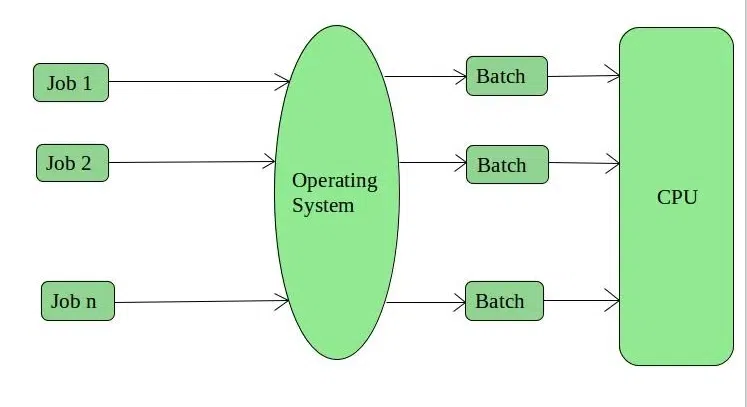
Batch Operating System
Advantages:
- Shared access: Multiple users can utilize the system.
- Minimal idle time: Optimized for continuous large-scale tasks.
- Repetitive task management: Ideal for recurring jobs like bank statements.
Disadvantages:
- CPU inefficiency: Idle during I/O operations.
- Job failures delay queues: One failed job stalls the entire batch.
- Slow response times: Processes run sequentially.
Examples: Payroll systems, utility billing.
2. Multi-Programming Operating System
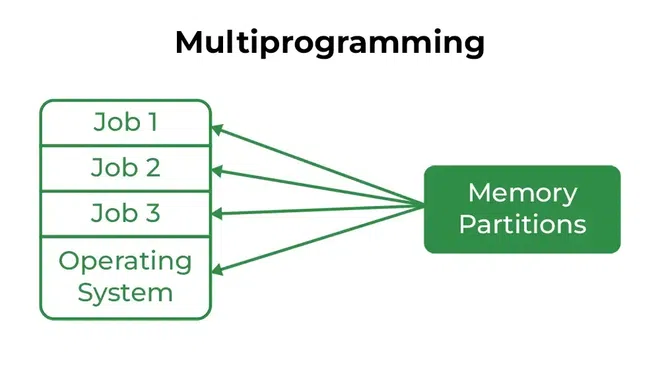
This OS keeps multiple programs in memory, allowing the CPU to switch tasks when one is idle (e.g., waiting for I/O).
Multi-Programming OS
Advantages:
- Better CPU utilization: Reduces idle time.
- Faster response: Smooth task switching improves efficiency.
3. Time-Sharing/Multi-Tasking OS
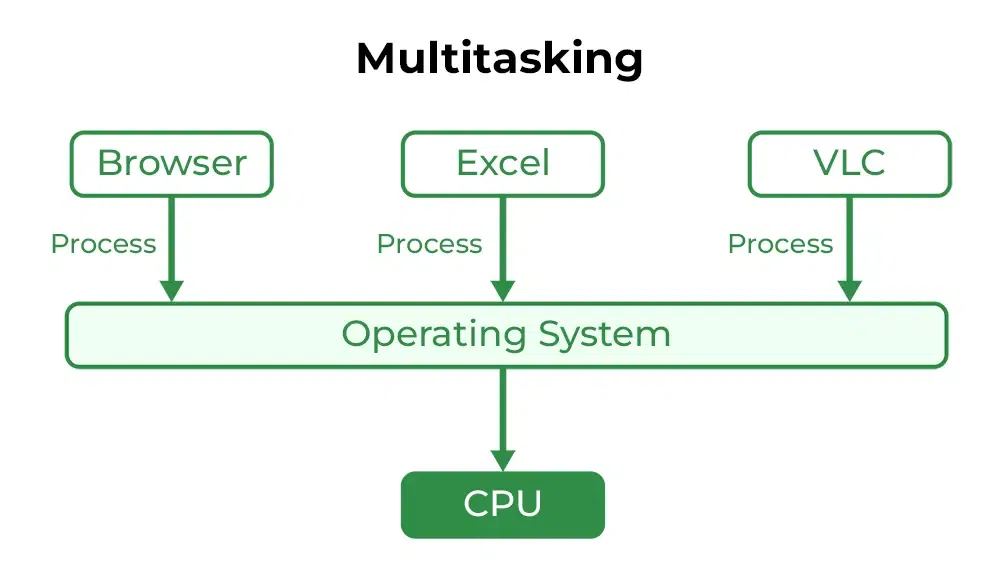
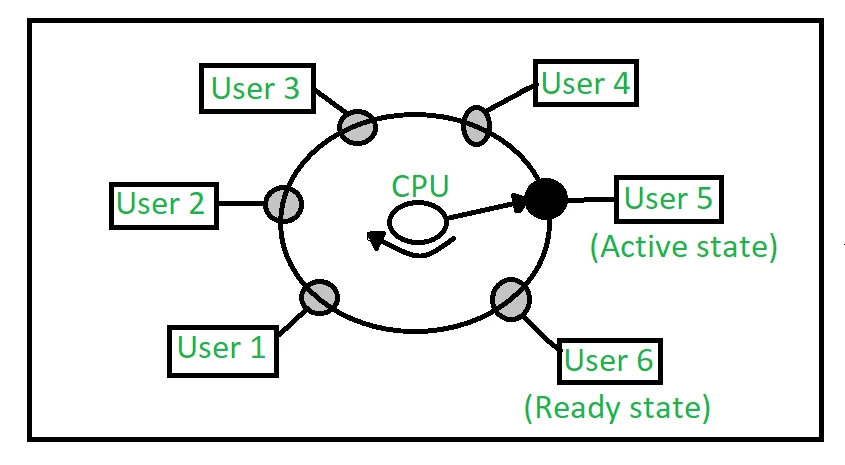
A time-sharing OS lets multiple users share CPU time in small intervals (quantum). Each task runs briefly before switching.
Time-Sharing OS
Advantages:
- Equal task priority: Fair resource distribution.
- Resource sharing: Cost-effective hardware use.
- Real-time interaction: Enhances user experience.
Disadvantages:
- Security risks: Multi-user access demands strict controls.
- Complexity: High overhead from constant task switching.
Examples: IBM VM/CMS, Windows Terminal Services.
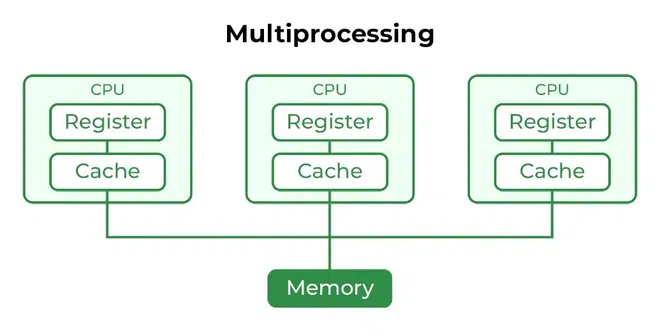
4. Multi-Processing Operating System
Uses multiple CPUs to execute tasks simultaneously, boosting speed and reliability.
Multi-Processing OS
Advantages:
- Higher throughput: Parallel processing.
- Redundancy: One CPU failure doesn’t halt the system.
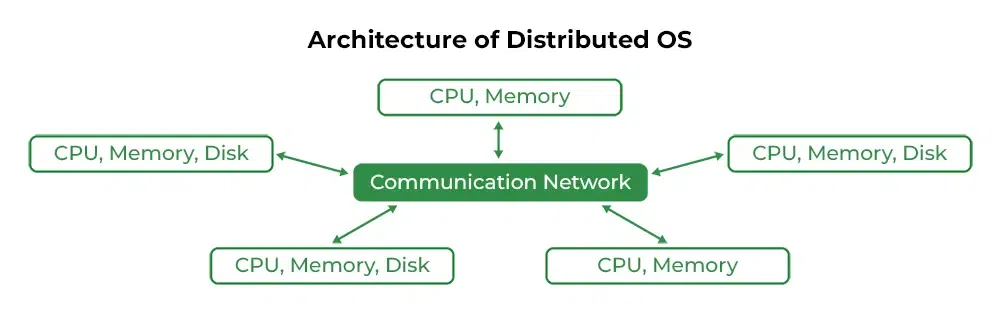
5. Distributed Operating System
Manages networked computers as a single system. Resources (files, apps) are shared across devices.
Distributed OS
Advantages:
- Scalability: Easy to add new devices.
- Faster processing: Load distributed across nodes.
- Remote access: Users retrieve data from connected systems.
Disadvantages:
- Network dependency: Main network failure disrupts all.
- High costs: Complex setup and maintenance.
Examples: LOCUS, cloud-based systems.
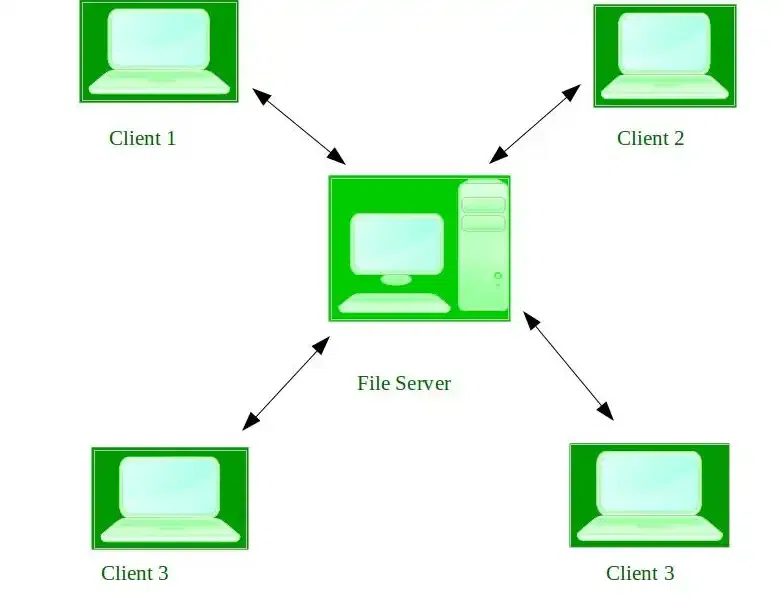
6. Network Operating System
Runs on servers to manage shared resources (files, printers) in tightly coupled networks.
Network OS
Advantages:
- Centralized security: Managed via servers.
- Remote access: Users connect from various locations.
Disadvantages:
- Expensive servers: High upfront costs.
- Dependence on central server: Single point of failure.
Examples: Windows Server, Linux.
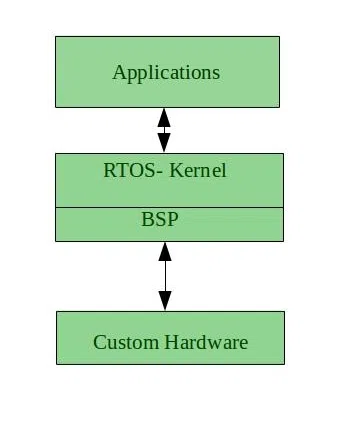
7. Real-Time Operating System (RTOS)
Designed for time-critical tasks (e.g., air traffic control). Responds instantly to inputs.
Real-Time OS
Types:
- Hard RTOS: Zero delays (e.g., missile systems).
- Soft RTOS: Tolerates minor delays (e.g., streaming apps).
Advantages:
- Maximized efficiency: Optimal resource use.
- Error-free: Critical for life-saving systems.
Disadvantages:
- Limited multitasking: Focuses on priority tasks.
- Complex development: Requires specialized coding.
Examples: Medical imaging systems, robotics.
8. Mobile Operating System
Tailored for smartphones/tablets. Balances performance with battery life and touch interfaces.
Examples: Android, iOS.
Conclusion
Choosing the right OS depends on specific needs—batch processing for large data, RTOS for critical tasks, or distributed systems for scalability. By understanding functionalities, users and developers can optimize efficiency and performance in 2025’s tech landscape.
FAQ
Q1: What’s a batch OS used for?
A: Automating large, repetitive tasks (e.g., payroll) without user input.
Q2: How does a time-sharing OS work?
A: Splits CPU time into intervals, letting multiple users/tasks run simultaneously.
Q3: Are distributed OS secure?
A: They face security risks but use encryption and authentication for safety.
Q4: Can RTOS handle multiple apps?
A: Focuses on critical tasks first; limited multitasking to avoid delays.
Q5: Why use a network OS?
A: Centralizes resource management, ideal for businesses needing shared access.