Introduction
In a world dominated by streaming platforms like Netflix and cloud storage, DVDs (Digital Versatile Discs) might seem like relics of the past. Yet, these shiny discs remain vital in 2025 for niche markets, archival purposes, and tech enthusiasts. Whether you’re preserving family memories, distributing software, or enjoying vintage movie collections, DVDs offer unmatched durability and simplicity. At tech4gsm.com, we specialize in DVD repairs and data recovery, ensuring these timeless tools stay functional. Let’s explore the fascinating journey of DVDs, their technology, and their unexpected resilience in the digital era.
What is a DVD?
DVD stands for Digital Versatile Disc, though it’s often called a Digital Video Disc when used for movies. It’s a digital optical disc storage format that revolutionized how we store data and consume media.
Key Features of DVDs
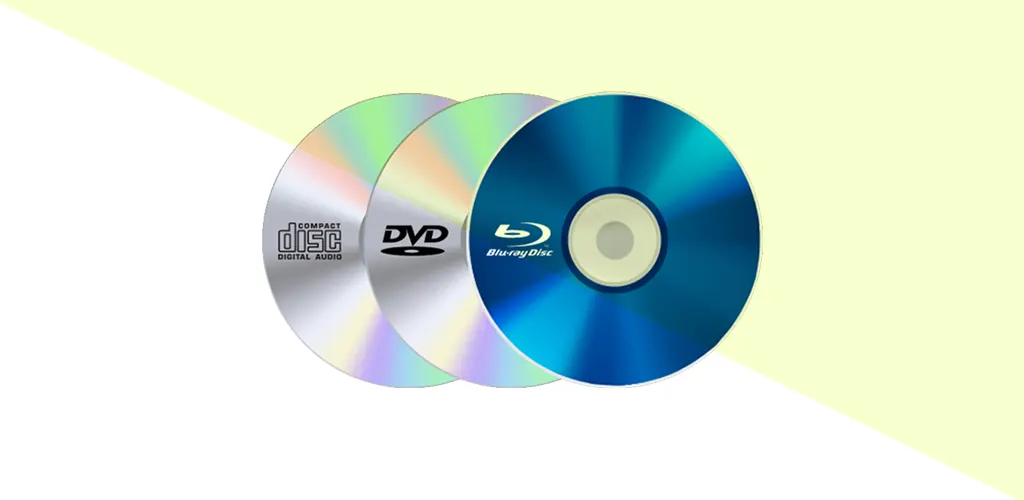
- Same Size as CDs, More Capacity: DVDs match CDs in physical dimensions (12 cm diameter) but store 6–17 times more data thanks to advanced laser technology.
- Layered Data Storage: DVDs use microscopic pits and lands (tiny grooves) etched into layers, read by a laser. Dual-layer discs can store up to 17.08 GB.
- Versatility: DVDs hold movies, software, operating systems, backups, and even interactive content.
Fun Fact: A single-layer DVD can store over 2 hours of high-quality video, while a dual-layer disc extends playback to 4 hours!
History of DVDs: From VHS Killer to Nostalgic Icon
The Early Days (1970s–1990s)
- 1972: The audio CD emerges, paving the way for optical media.
- 1993: Tech giants Sony/Philips and Toshiba/Panasonic compete with Multimedia Compact Disc (MMCD) and Super Density (SD) formats.
- 1995: The DVD Forum unifies standards, combining both technologies to avoid a format war.
DVDs Take Over (1996–2000s)
- March 25, 1996: Twister becomes the first movie released on DVD.
- 1997: DVDs outsell VHS tapes, offering superior quality, durability, and bonus features.
- 2000s: DVD players become household staples, with sales peaking in 2005.
DVDs in 2025
Despite streaming dominance, DVDs thrive in:
- Archival Storage: Governments and libraries use DVDs for long-term data preservation.
- Niche Markets: Film collectors, retro gamers, and regions with poor internet access.
- Software Distribution: Some industries prefer DVDs for installing large programs securely.
Types of DVDs: More Than Just Movies
DVDs are categorized by functionality and physical design:
By Functionality
- DVD-ROM (Read-Only Memory): Pre-recorded discs (movies, software).
- DVD-R/DVD+R (Recordable): Write-once discs for home videos or data backups.
- DVD-RW/DVD+RW (Rewritable): Reusable up to 1,000 times. Ideal for temporary backups.
- DVD-RAM (Random Access Memory): Used in surveillance systems; allows rapid rewriting.
By Physical Design
- Single-Sided vs. Double-Sided: Double-sided discs flip for extra storage.
- Single-Layer vs. Dual-Layer: Dual-layer discs (e.g., DVD-9) boost capacity without changing size.
Pro Tip: Check compatibility! Older players might not support DVD+R or dual-layer discs.
How Much Data Can a DVD Store?
| DVD Type | Storage Capacity | Usage Example |
|---|---|---|
| Single-Sided, Single-Layer | 4.7 GB | 2-hour HD movie |
| Single-Sided, Dual-Layer | 8.5–8.7 GB | Extended director’s cuts |
| Double-Sided, Single-Layer | 9.4 GB | Software suites (e.g., Adobe Creative Cloud) |
| Double-Sided, Dual-Layer | 17.08 GB | Rare; used for archival backups |
Why Dual-Layer DVDs Are Rare: Manufacturing complexity and higher costs led most consumers to prefer single-layer discs.
Characteristics of DVDs: Why They Still Matter
- Portability: Lightweight and slim, DVDs are easy to mail or store.
- Durability: Resistant to scratches (when handled properly) and magnetic fields.
- Interactivity: DVD menus, subtitles, and bonus features enhance user experience.
- Cost-Effective: Cheap to produce, making them ideal for indie filmmakers.
Did You Know? DVDs have a lifespan of 30–100 years if stored away from heat and sunlight!
Advantages of DVDs
- Large Storage: Hold entire software programs or film trilogies.
- No Internet Required: Perfect for offline use or rural areas.
- Virus-Free: Unlike USBs, DVDs can’t be infected after burning.
- Backward Compatibility: Modern Blu-ray players still support DVDs.
Disadvantages of DVDs
- HD Compatibility Issues: Standard DVDs don’t support 4K resolution.
- Regional Locks: Some discs only play in specific countries.
- Environmental Impact: Plastic waste from discarded discs.
- Declining Hardware: Fewer laptops include DVD drives in 2025.
FAQs: Your DVD Questions Answered
Q1: What was the first DVD released?
A: Twister (1996) was the first feature film on DVD, sparking a home entertainment revolution.
Q2: Can DVDs be recycled?
A: Yes! Specialized centers recycle polycarbonate plastic.
Q3: Do DVDs work in CD drives?
A: No—DVDs require a compatible laser. However, most DVD players can read CDs.
Q4: Are DVDs still being made in 2025?
A: Yes! Major studios release limited-edition DVDs for collectors, and manufacturers produce blank discs for data storage.
Conclusion: The Unlikely Survival of DVDs
While streaming and cloud storage dominate, DVDs carve out a unique space in 2025. They’re a testament to analog durability in a digital world—ideal for archivists, collectors, and anyone needing reliable offline storage. Whether you’re burning a mixtape or preserving critical data, DVDs remain a versatile, affordable solution.