Introduction
Imagine saving a photo on your phone, unplugging it, and poof—the picture’s still there! That magic is thanks to flash memory, the unsung hero of modern tech. Let’s explore how this tiny powerhouse works, why it’s everywhere, and how it keeps your data safe even when the power’s off!
Flash Memory 101: The Basics
Flash memory is a non-volatile storage tech, meaning it doesn’t need electricity to hold your data. Think of it like a digital notebook: write something down, close the book (or turn off the device), and your notes stay put! Unlike your computer’s RAM (which forgets everything when powered off), flash memory keeps your files safe 24/7.
How Does Flash Memory Work?
Flash memory stores data in cells, like tiny digital boxes. Here’s the cool part:
- Electrical Erasing: You can delete and rewrite data using electric charges—no physical parts moving!
- Floating Gate Transistors: These trap electrons (representing 0s and 1s) to hold data even without power.
But there’s a catch: each cell wears out after ~10,000–100,000 rewrites. Still, for everyday use, it’s incredibly reliable!
Why is Flash Memory So Popular?
- Affordable Storage: Cheap to produce—perfect for budget USBs and memory cards.
- Portable & Durable: No moving parts = survives drops, shakes, and extreme temps.
- Low Power Use: Sips energy, making it ideal for phones, tablets, and IoT devices.
- Fast Access: Faster than hard drives for quick data transfers.
From your smartphone to your Nintendo Switch, flash memory is the silent workhorse behind portable tech.
Where Do We Use Flash Memory?
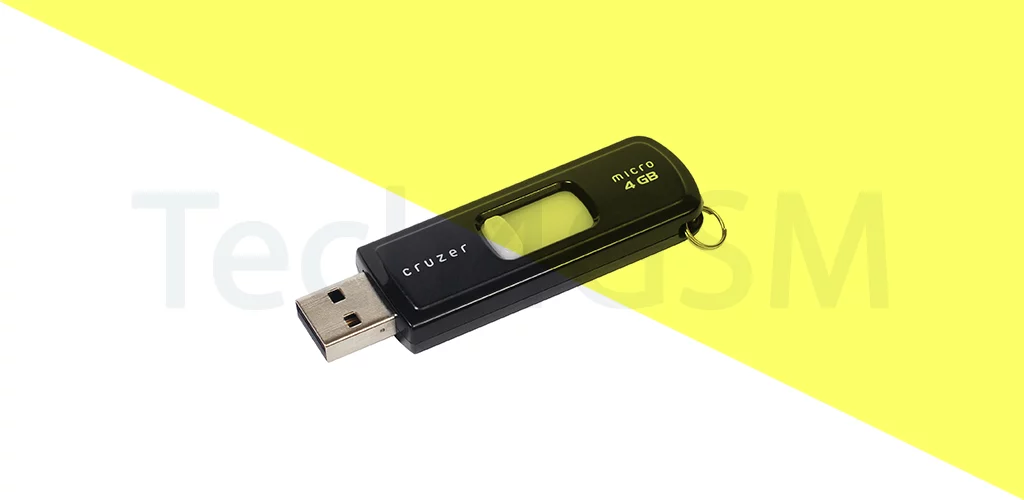
- USB Flash Drives: The pocket-sized savior for file transfers.
- SD/MicroSD Cards: Expand phone storage or save camera photos.
- SSDs (Solid-State Drives): Replacing slow, clunky hard drives in laptops.
- Smartphones/Tablets: Stores apps, photos, and OS data.
- Smartwatches & Gaming Consoles: Compact storage for on-the-go use.
NAND vs. NOR Flash: What’s the Difference?
| NAND Flash | NOR Flash |
|---|---|
| Cheaper, higher capacity | Faster read speeds |
| Used in USBs, SSDs, phones | Used in firmware (e.g., BIOS) |
| Bulk storage focus | Code execution focus |
NAND is the superstar for everyday storage, while NOR handles critical tasks like booting up devices.
4 Limitations of Flash Memory
- Limited Write Cycles: Cells wear out over time (but modern tech mitigates this).
- Slower Write Speeds: Writing data is slower than reading.
- Cost for High Capacity: Large SSDs get pricey vs. hard drives.
- Data Fragmentation: Performance dips if storage isn’t managed well.
Why Flash Memory is the Future
Despite its flaws, flash memory is evolving rapidly:
- 3D NAND: Stacks memory cells vertically for higher capacity.
- QLC SSDs: Store more data per cell (4 bits!) for cheaper, larger drives.
- AI Optimization: Extends lifespan by managing write cycles smartly.
As tech demands grow smaller, faster, and tougher, flash memory keeps up—and often leads the way.
The Bottom Line
Flash memory is the quiet genius behind your gadgets’ ability to remember. It’s affordable, rugged, and versatile—perfect for our on-the-go digital lives. While not flawless, innovations ensure it’ll stay relevant for decades.