Introduction
Multitouch is the tech sorcery that lets you zoom, swipe, and rotate with two fingers on your phone—like a digital wizard! From pinch-to-zoom maps to gaming with multiple taps, this feature transformed how we interact with screens. Let’s unravel how multitouch works, why your old phone couldn’t do it, and how it became a must-have.
What is Multitouch? Two Fingers Are Better Than One
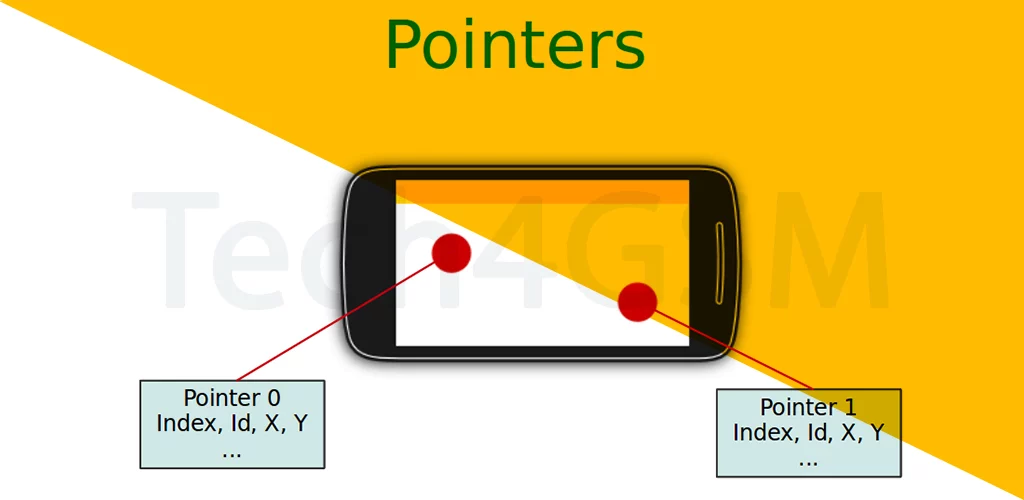
Multitouch lets a touchscreen detect multiple fingers at once. Unlike old single-touch screens (think ATM buttons), it understands gestures like:
- Pinch-to-Zoom: Spread fingers to zoom in, pinch to zoom out (hello, Google Maps!).
- Rotate: Twist two fingers to spin images or maps.
- Multi-Finger Gaming: Play PUBG Mobile with on-screen joysticks + buttons.
How Multitouch Works: The Tech Behind the Magic
- Capacitive Screens: Use your finger’s electrical charge (works with skin, not gloves!).
- Resistive Screens: Budget phones use pressure—can’t handle multitouch (tap only!).
- Ghost Touch Prevention: Stops random taps if you’re holding the phone awkwardly.
Fun Fact: The first iPhone (2007) made multitouch mainstream—no more stylus needed!
Why Apple’s iPhone Changed the Game
Before 2007, phones relied on buttons or single-touch styluses. Then came the iPhone with:
- Pinch-to-Zoom: Made browsing the web feel natural.
- Two-Finger Scroll: Glide through long web pages smoothly.
- Rotate Gestures: Fix photo angles without menus.
Suddenly, every phone wanted to copy Apple’s “finger language.”
Multitouch vs. Single-Touch: Why Upgrade?
- Single-Touch:
- Good for: Tapping icons, basic menus.
- Fails at: Zooming, gaming, drawing.
- Multitouch:
- Good for: Apps, games, art—anything dynamic.
- Fails at: Working with gloves (unless you buy special ones!).
Why Your Old Phone Couldn’t Multitouch
Blame the screen type:
- Resistive Touchscreens: Found in budget phones (like Nokia’s early touch models).
- How it works: Pressure-based—press harder to register taps.
- Limits: One touch point only. No gestures!
- Capacitive Touchscreens: Standard in smartphones today.
- How it works: Responds to finger’s natural electricity.
- Perks: Supports 10+ touch points (perfect for gaming).
4 Multitouch Tricks You Use Daily
- Zoom Photos: Spread fingers to see details in selfies.
- Type Faster: Use two thumbs on the keyboard.
- Mobile Gaming: Control characters with virtual joysticks + action buttons.
- Split-Screen Apps: Open YouTube and WhatsApp side by side (Android FTW!).
Multitouch’s Quirks and Limits
- Glove Trouble: Capacitive screens ignore gloves (unless they’re touchscreen-friendly).
- Water Woes: Wet fingers cause “phantom taps.”
- Screen Size Matters: Smaller screens make multitouch gestures cramped.
3 Fun Facts About Multitouch
- Pioneer Tech: IBM’s 1992 Simon phone had basic multitouch—but it was huge and clunky!
- Piano Apps: Play virtual pianos with 10 fingers—multitouch makes it possible.
- Future Tech: Foldable phones use multitouch across bendable screens (magic!).
Final Thoughts
Multitouch turned our phones into intuitive extensions of our hands. Whether you’re gaming, editing, or just scrolling, this tech makes it all feel effortless.