Introduction
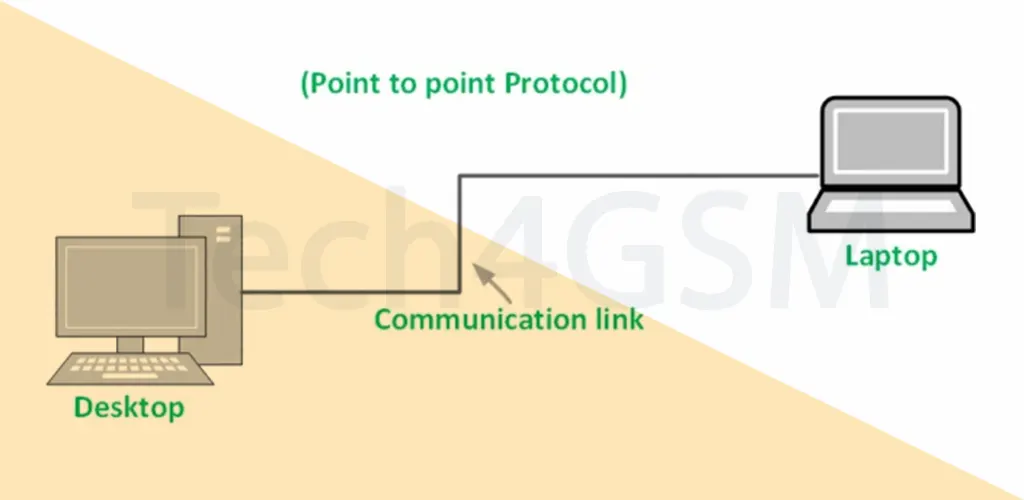
The Point-to-Point Protocol (PPP) is like a digital handshake between two devices. It’s the go-to protocol for establishing direct connections, such as linking your home computer to an ISP’s server using a modem. Think of PPP as a reliable postal service that packages and delivers data safely over communication lines. As of 2025, it remains vital for dial-up internet and more. Let’s break down how PPP frames work in easy terms!
What is PPP Frame Format?
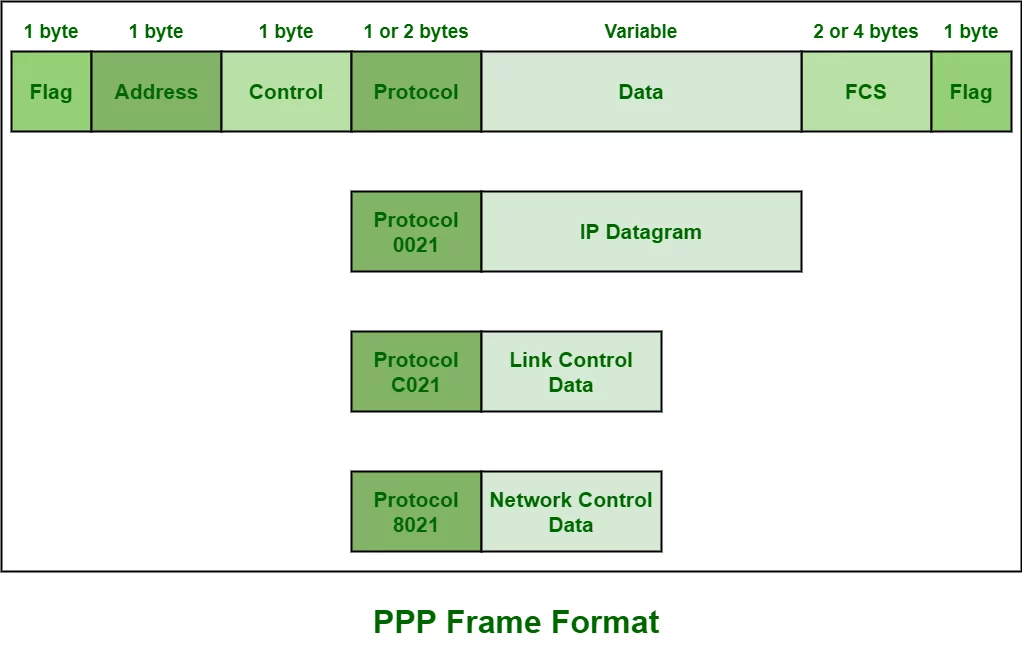
PPP frames act as digital envelopes that carry data between two points. These frames ensure smooth communication by organizing data into specific sections. PPP borrows its structure from HDLC (High-Level Data Link Control) but adds a special Protocol field to support multiple network-layer protocols.
Key Sections of a PPP Frame
- Flag Field
- Purpose: Marks the start and end of a frame.
- Size: 1 byte (binary:
01111110). - Fun Fact: Like bookends, these flags keep the data tidy!
- Address Field
- Purpose: Uses a broadcast address (all 1s:
11111111) since PPP connects two devices directly. - Size: 1 byte.
- Why? In a point-to-point link, individual addresses aren’t needed—it’s like a private conversation.
- Purpose: Uses a broadcast address (all 1s:
- Control Field
- Purpose: Manages connection-less data flow (no sequencing or error recovery).
- Size: 1 byte (binary:
00000011).
- Protocol Field
- Purpose: Specifies the type of data inside (e.g., IPv4, IPv6).
- Size: 1 or 2 bytes.
- Example: A value of
0021means the data field contains an IPv4 packet.
- Data Field
- Purpose: Holds the actual payload (e.g., web page requests, emails).
- Size: Varies (up to 1500 bytes by default).
- FCS (Frame Check Sequence) Field
- Purpose: Checks for errors using a checksum.
- Size: 16 or 32 bits.
- How? It calculates a “digital fingerprint” to ensure data integrity.
Why is PPP Still Important in 2025?
- Dynamic IP Negotiation: Assigns IP addresses automatically during connection.
- Multi-Protocol Support: Transports diverse protocols (IPv4, IPv6) over a single link.
- Error Detection: FCS field catches corrupted data.
- Link Control Protocol (LCP): Establishes and configures the link (e.g., authentication).
FAQs: PPP Frame Format
Q1: What’s the main use of PPP?
PPP connects two devices directly, like a computer to an ISP’s server, ensuring secure data transfer.
Q2: How is PPP different from HDLC?
PPP adds a Protocol field to identify data types, while HDLC doesn’t. PPP also supports multiple network protocols.
Q3: Why is the Address field all 1s?
Since PPP is point-to-point, there’s no need for unique addresses—it’s a direct line!
Q4: How does PPP handle errors?
The FCS field uses checksums to detect corrupted data, ensuring only valid frames are accepted.
Q5: What role does LCP play?
LCP sets up, tests, and terminates the link. It also handles authentication (e.g., PAP, CHAP).
Final Thoughts
PPP’s simplicity and flexibility keep it relevant even in 2025, especially in scenarios requiring reliable point-to-point communication. Whether you’re troubleshooting a modem or exploring networking basics, understanding PPP frames is a valuable skill! 🌐