Introduction
Imagine your phone freezes mid-text, ignoring all taps and swipes. Panic sets in—do you lose unsaved work? Enter the soft reset, your device’s “time-out” button that clears its cluttered mind without erasing precious data. Let’s break down this simple trick to revive a frozen phone and when to use it!
What is a Soft Reset?
A soft reset is like giving your phone a mini-nap to refresh its system. It:
- Reboots the device to clear temporary glitches.
- Closes all running apps (but keeps your photos, messages, and files safe!).
- Solves minor issues like freezing, lagging, or unresponsive apps.
Not to be confused with a hard reset, which wipes all data—soft resets are gentle and non-destructive!
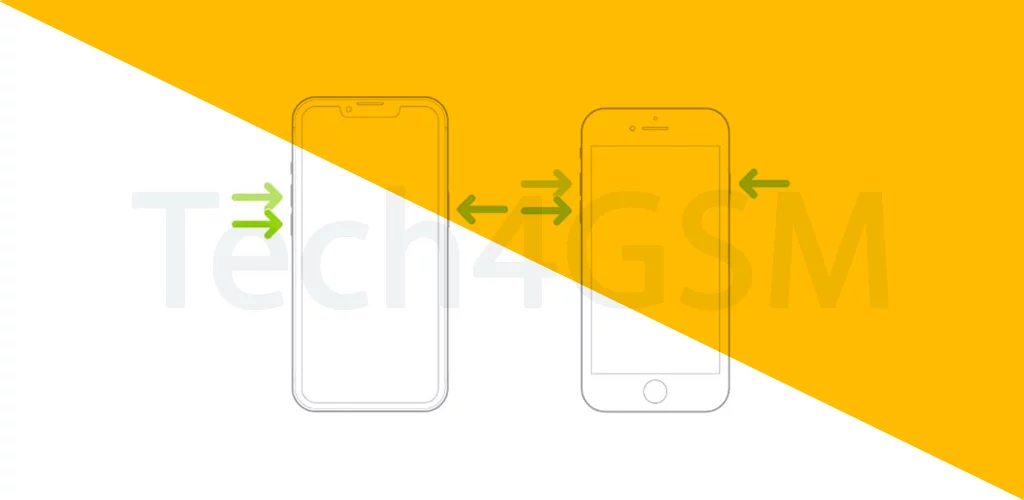
How to Soft Reset Your Phone
For Most Smartphones:
- Hold the Power Button for 10–20 seconds until the screen goes black.
- Release and wait for the device to restart.
For Windows Mobile (Old School!):
- Find the Reset Pinhole: A tiny hole on the phone’s edge.
- Use a Stylus or Paperclip: Gently press inside until the phone reboots.
When to Use a Soft Reset
- Apps Crashing: Instagram keeps freezing? Soft reset!
- Slow Performance: Phone feels sluggish.
- Unresponsive Screen: Taps/swipes don’t work.
- Wi-Fi/Bluetooth Issues: Connectivity acting up.
Soft Reset vs. Hard Reset
| Feature | Soft Reset | Hard Reset |
|---|---|---|
| Data Loss | No | Erases everything |
| Speed | Quick (1–2 minutes) | Slow (requires setup) |
| Use Case | Minor glitches | Major software issues |
Rule of Thumb: Always try a soft reset first!
Why Soft Resets Work
Your phone’s memory (RAM) is like a messy desk. Over time, apps leave clutter:
- Too Many Tabs: Apps running in the background.
- Memory Leaks: Glitched apps hogging resources.
- Temp Files: Junk piling up.
A soft reset clears the desk, letting your phone start fresh!
Soft Reset Pro Tips
- Regular Maintenance: Soft reset weekly to prevent slowdowns.
- Avoid Overheating: Let the phone cool down first.
- Backup First: Just in case (though data stays safe!).
The Future of Soft Resets
- AI Self-Healing: Phones that auto-soft reset when glitches strike.
- Voice Commands: “Hey Google, soft reset my phone!”
- App-Specific Resets: Reboot only the problematic app.
Wrapping Up
A soft reset is your first aid kit for smartphone hiccups—quick, safe, and effective. Whether your phone’s frozen or just cranky, this trick can save the day without losing a single selfie. Next time your device acts up, give it a soft reset and breathe easy!