Introduction
In the early days of computing, breaking free from memory limitations was a big challenge. Enter XMS (Extended Memory Specification), a game-changer for DOS-based systems. As we look ahead to 2025, understanding XMS offers a glimpse into how computers evolved. Let’s explore what XMS is, how it worked, and why it still matters today.
What is XMS?
XMS (Extended Memory Specification) is a set of rules created in the 1980s to help DOS programs access memory beyond the 1MB limit of early PCs (like Intel 286 processors). Think of it as a “bridge” that let software store data in extended memory (RAM above 1MB) while keeping the main program running in conventional memory. However, programs couldn’t run in extended memory—they could only store data there.
Key Features of XMS
- Break the 1MB Barrier: Enabled DOS apps to use RAM beyond the 640KB-1MB “wall.”
- Memory Management: Provided tools to reserve, release, and transfer data between conventional and extended memory.
- High Memory Area (HMA): A special 64KB space just above 1MB for storing critical data.
- No Execution in Extended Memory: Programs ran in conventional memory but used extended memory for storage.
- Required a Driver: Needed HIMEM.SYS (a driver) to manage memory access.
Advantages of XMS
- Multitasking Support: Let DOS apps handle larger datasets (e.g., spreadsheets or graphics).
- Better Resource Use: Freed up conventional memory for smoother program operation.
- Compatibility: Worked with older systems while paving the way for modern memory standards.
- Future-Proofing: Laid the groundwork for later tech like VCPI and DPMI (advanced memory protocols).
Disadvantages of XMS
- Complex Setup: Users had to manually configure drivers like HIMEM.SYS.
- No Direct Execution: Programs couldn’t run in extended memory, limiting performance gains.
- Resource Conflicts: Managing memory manually often led to errors or crashes.
FAQ About XMS
- What’s the difference between XMS and EMS?
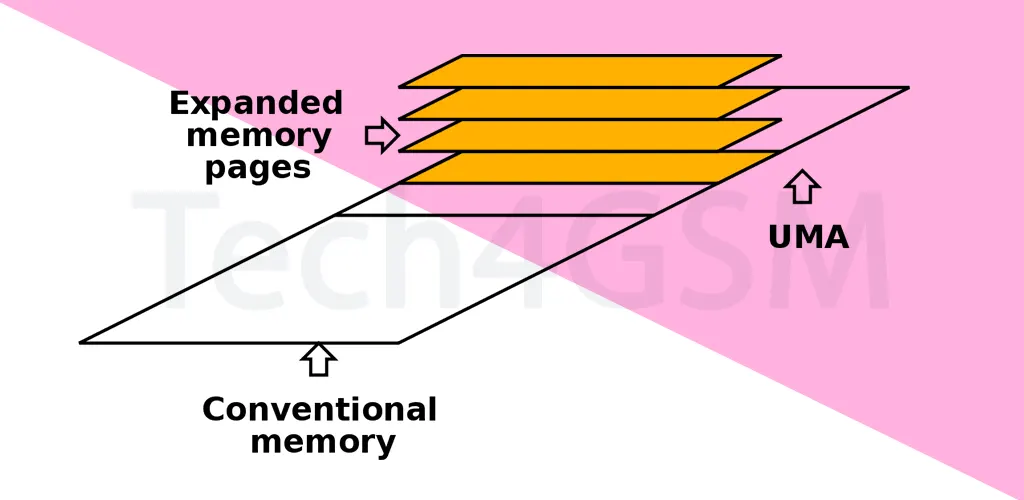
XMS managed memory above 1MB, while EMS (Expanded Memory Specification) used “bank switching” to access memory beyond 640KB. - How did HIMEM.SYS work with XMS?
HIMEM.SYS was a driver that acted as a “gatekeeper,” controlling access to extended memory. - Is XMS still used in 2025?
No—modern OS like Windows or Linux handle memory automatically. But XMS remains a key part of computing history. - Could XMS work on older 8086 processors?
No! XMS required at least an Intel 286 CPU with support for extended memory. - Was XMS secure?
Not really—programs could overwrite each other’s data in extended memory if not managed carefully. - Where can I learn more about retro tech?
Dive into guides and tools at tech4gsm.com.
Why XMS Still Matters
While XMS is obsolete today, it was a stepping stone toward modern memory management. It taught developers how to optimize limited resources—a lesson that still applies in 2025, as we push the boundaries of AI and cloud computing. For tech history buffs, XMS is a fascinating chapter in the evolution of PCs.
This article blends simplicity with technical insights, making XMS easy to grasp for new learners. Whether you’re retro-computing curious or a developer, understanding XMS highlights how far we’ve come!