Introduction
In the world of computer hardware, ATAPI (Advanced Technology Attachment Packet Interface) is like a universal translator—it lets your computer chat with CD-ROMs, tape drives, and other gadgets using the same language as hard drives. Born as an extension to the classic ATA (Advanced Technology Attachment) standard, ATAPI solved a major problem: ATA could only talk to hard drives, leaving devices like CD players out of the conversation. Let’s explore how ATAPI works, why it mattered, and where you might still find it in 2025.
How Does ATAPI Work?
Imagine ATA as a highway built only for trucks (hard drives). ATAPI adds new lanes for cars and bikes (CD-ROMs, tape drives). Here’s a simple breakdown:
- ATA’s Foundation: ATA sends data in fixed blocks, perfect for hard drives.
- ATAPI’s Twist: ATAPI wraps data into “packets” (like mini-envelopes), letting devices like CD-ROMs send variable-sized data chunks.
- Command Magic: ATAPI uses SCSI commands (borrowed from high-end systems) to control devices. For example, “Play track 3” on a CD drive.
Before ATA-4 (1998), ATAPI was a separate standard. But post-ATA-4, it merged seamlessly into ATA, creating a unified interface.
Key Components of ATAPI
- ATA Controller: Manages data flow between devices and the motherboard.
- ATAPI Commands: Special instructions (e.g., “eject disc”) for non-hard drive devices.
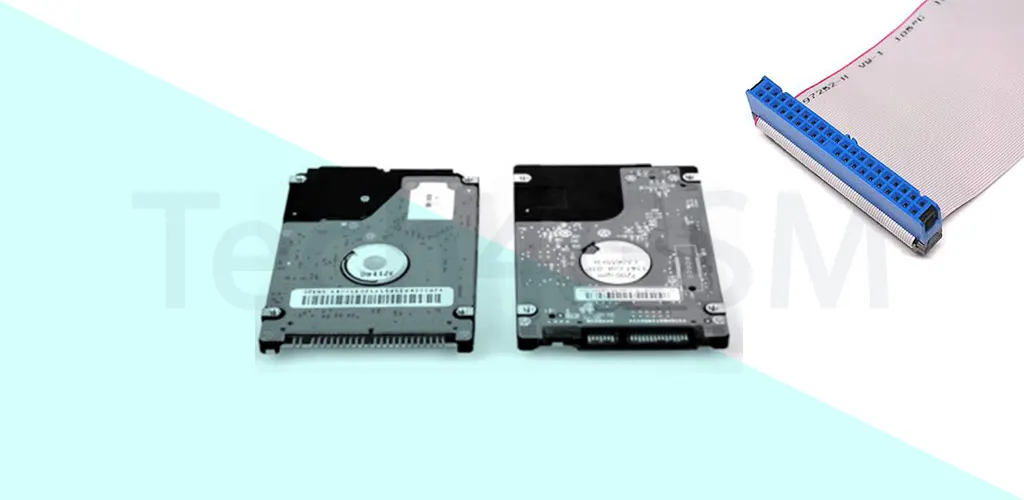
- IDE Cable: The classic ribbon cable connecting drives to the motherboard.
- Device Firmware: Built-in software in CD-ROMs or tape drives to interpret ATAPI commands.
Types of ATAPI Devices & Their Uses
ATAPI opened doors for a range of devices:
- CD/DVD Drives: For installing software, playing media, or burning discs.
- Tape Drives: Used for backups in older servers.
- Zip Drives: Portable storage popular in the ’90s.
- Removable Media: Early external drives like LS-120.
Applications in 2025:
- Legacy Systems: Older industrial machines or retro gaming PCs.
- Data Recovery: Accessing archived CDs or tapes.
- Niche Hobbies: Vintage tech enthusiasts restoring old hardware.
Benefits and Limitations of ATAPI
Why ATAPI Shined:
- ✅ Cost-Effective: Used existing ATA infrastructure—no need for new hardware.
- ✅ Versatility: One interface for hard drives, CDs, and more.
- ✅ Easy Integration: Plug-and-play setup for home users.
Where It Fell Short:
- ❌ Speed Limits: Shared bandwidth with ATA; slower than SATA or USB.
- ❌ Complex Commands: Required device-specific drivers.
- ❌ Obsolescence: Phased out by faster interfaces like SATA and USB.
Why ATAPI Still Matters in 2025
While modern systems rely on SATA or USB, ATAPI lingers in:
- Retro Computing: Enthusiasts reviving Windows 98 or DOS machines.
- Industrial Gear: Factories using decades-old equipment.
- Education: Teaching the evolution of storage tech.
ATAPI’s legacy also lives on in SATA’s backward compatibility, ensuring old drives aren’t entirely useless.
FAQs
Q1. What’s the difference between ATA and ATAPI?
ATA handles hard drives with fixed data blocks. ATAPI adds packet-based communication for devices like CD-ROMs.
Q2. Why was ATAPI created?
To let CD drives and other peripherals work with the same ATA interface as hard drives.
Q3. Is ATAPI still used today?
Rarely. Most devices use SATA or USB, but ATAPI survives in legacy systems.
Q4. Can I connect an ATAPI drive to a modern PC?
Yes! Adapters or older motherboards with IDE ports can bridge the gap.
Conclusion
ATAPI was the unsung hero that turned ATA into a multitasking superstar, enabling everything from CD-ROMs to retro gaming. While 2025’s tech thrives on speed and wireless convenience, ATAPI reminds us of a time when plugging in a ribbon cable felt like magic. Whether you’re troubleshooting an old machine or geeking out over tech history, understanding ATAPI connects you to the roots of modern computing.