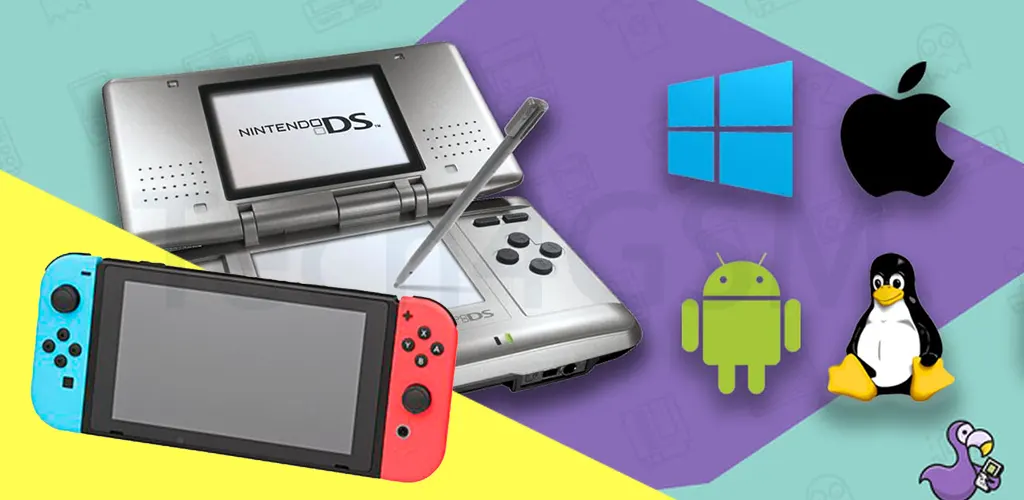
Introduction: Relive Your Childhood with Nintendo DS on Android
The Nintendo DS isn’t just a handheld console—it’s a time machine. For millions of gamers, it’s a portal to memories of battling Pokémon, solving puzzles in Professor Layton, or racing karts with Mario. While the physical console might be a relic of the past, its spirit lives on through Android emulators. In 2025, the emulator scene has evolved dramatically, letting you play classic DS games on your smartphone or tablet with buttery-smooth performance.
But here’s the catch: not all emulators are created equal. Some drain your battery, others crash mid-game, and a few might even bombard you with ads. To save you the hassle, we’ve tested dozens of apps and curated the 10 Best Nintendo DS Emulators for Android in 2025. Whether you’re a retro gaming newbie or a seasoned emulator pro, this guide has something for everyone.
How Do Nintendo DS Emulators Work? (Simplified!)
Think of an emulator as a digital translator. Your Android phone speaks a different “language” than the Nintendo DS. The emulator bridges this gap, converting DS game code into something your device understands. Here’s the breakdown:
- Game ROM: You’ll need a ROM file (a digital copy of the game).
- Emulator App: This mimics the DS hardware/software.
- Customization: Adjust controls, graphics, and save states.
Pro Tip: Always use ROMs of games you own to stay legal!
What to Look for in a Great DS Emulator (2025 Edition)
- Performance: No lag, even on demanding games like Pokémon Black/White.
- Customization: Resizable screens, button layouts, and cheat code support.
- Device Compatibility: Works on budget phones and flagship tablets.
- Updates: Regular bug fixes and new features.
- Extras: Cloud saves, multiplayer, or controller support.
10 Best Nintendo DS Emulators for Android in 2025
Let’s dive into the list! From free gems to premium powerhouses, these emulators deliver the nostalgic magic of the DS.
1. DraStic DS Emulator
Price: $5.99 (Worth Every Penny)
Best For: Flawless performance on any device
DraStic isn’t just the most popular DS emulator—it’s the gold standard. In 2025, it still dominates with:
- 4K Upscaling: Crisp visuals even on giant tablet screens.
- Google Drive Sync: Save progress across devices.
- Cheat Engine: Unlock hidden characters or infinite coins.
- Hardware Controller Support: Pair your Xbox/PS5 controller.
Why It’s #1: DraStic runs New Super Mario Bros. at 60 FPS on a $200 phone.
2. Pretendo NDS
Price: Free (Ad-Free Version Available)
Best For: Customization nerds
Pretendo is the Swiss Army knife of DS emulators. Highlights include:
- RAM/ROM Tweaking: Boost performance for heavy games.
- Dual-Screen Layouts: Split screens vertically/horizontally.
- Cheat Code Database: Built-in directory for popular games.
2025 Update: Added Discord integration for sharing save files!
3. NDS Boy
Price: Free (No Ads!)
Best For: Low-end devices
NDS Boy is a lightweight champ that shines on older phones:
- 1-Click Saves: Save progress anywhere, anytime.
- Zip File Support: No need to extract ROMs.
- Simple UI: Perfect for emulator beginners.
Drawback: Limited graphics settings.
4. AseDS
Price: Free (In-App Purchases)
Best For: Experimenters
AseDS is hit-or-miss but offers unique perks:
- Augmented Reality Mode: Play Nintendogs with your camera!
- Community Skins: Download custom button layouts.
- Battery Saver Mode: Slows gameplay to save power.
Use Case: Great for casual games like Animal Crossing.
5. RetroArch
Price: Free (Open-Source)
Best For: Multi-system gamers
RetroArch isn’t just for DS—it emulates 20+ consoles:
- Cross-Platform Saves: Continue DS games on your PC.
- Shader Effects: CRT filters for retro vibes.
- Netplay: Compete in Mario Kart DS online.
Learning Curve: Steep for beginners but endlessly powerful.
6. NDS Emulator (Lemuroid Fork)
Price: Free
Best For: Social gamers
This 2023 underdog now shines with:
- In-Game Chat: Discuss strategies mid-battle.
- Twitch Streaming: Broadcast your Pokémon runs live.
- Gesture Controls: Shake your phone to perform moves.
Cool Feature: Auto-downloads missing game files.
7. FREE DS EMULATOR
Price: 100% Free
Best For: Minimalists
No frills, no fuss—just pure DS emulation:
- Quick Load: Starts games in seconds.
- Auto-Save: Never lose progress.
- Dark Mode: Easy on the eyes at night.
Ideal For: Quick sessions of Brain Age.
8. Nds4droid
Price: Free (Donation-Based)
Best For: Open-source fans
Nds4droid’s 2025 overhaul added:
- Frame Skip Control: Balance speed/smoothness.
- Community Mods: Install performance patches.
- Bug Bounty Program: Earn rewards for reporting issues.
Note: Requires a Snapdragon 700+ series chip.
9. Nintendo DS Emulator for Android
Price: Free (Ad-Supported)
Best For: Cheat code lovers
This aptly named app focuses on cheats:
- Pre-Loaded Cheats: God mode, infinite ammo, etc.
- Quick-Switch Screens: Tap to swap top/bottom displays.
- Screenshot Tool: Capture epic moments.
Downside: Ads can be intrusive.
10. viDS Emulator
Price: Free (Premium Unlocks)
Best For: Speedrunners
viDS’s 2025 claim to fame?
- Turbo Mode: 2x speed for grinding RPGs.
- Key Mapping: Assign buttons to gestures.
- Save States: Store 10+ progress points.
Perfect For: Blazing through Castlevania runs.
How to Set Up a DS Emulator (2025 Tutorial)
- Download Your Emulator (Links in descriptions).
- Source ROMs Ethically: Rip from your DS cartridges.
- Adjust Settings: Enable high-resolution rendering.
- Customize Controls: Resize buttons or use a controller.
- Save Often: Emulators can crash—better safe than sorry!
Legal & Safety Tips for Emulator Newbies
- Legality: Emulators are legal; downloading ROMs you don’t own is not.
- Malware Risks: Only download emulators from official stores/trusted sites.
- Performance Tweaks: Close background apps for smoother gameplay.
FAQs (2025 Edition)
Q: Will these emulators work on Android 14?
A: Yes! All apps here are updated for 2025’s OS.
Q: Can I play Pokémon Black 2 online?
A: Yes, via RetroArch’s netplay or Pretendo’s servers.
Q: Why is DraStic paid?
A: Developers need coffee too! It’s a one-time fee for premium features.
Final Thoughts: The Future of DS Emulation
The Nintendo DS library is a treasure trove of classics, and 2025’s emulators make it easier than ever to revisit them. Whether you’re team free (Pretendo) or premium (DraStic), there’s an emulator here to match your Android device. Got a favorite we missed? Drop a comment below—we’d love to hear your picks!
Share this guide with fellow gamers and keep the retro spirit alive! 🎮✨