Introduction
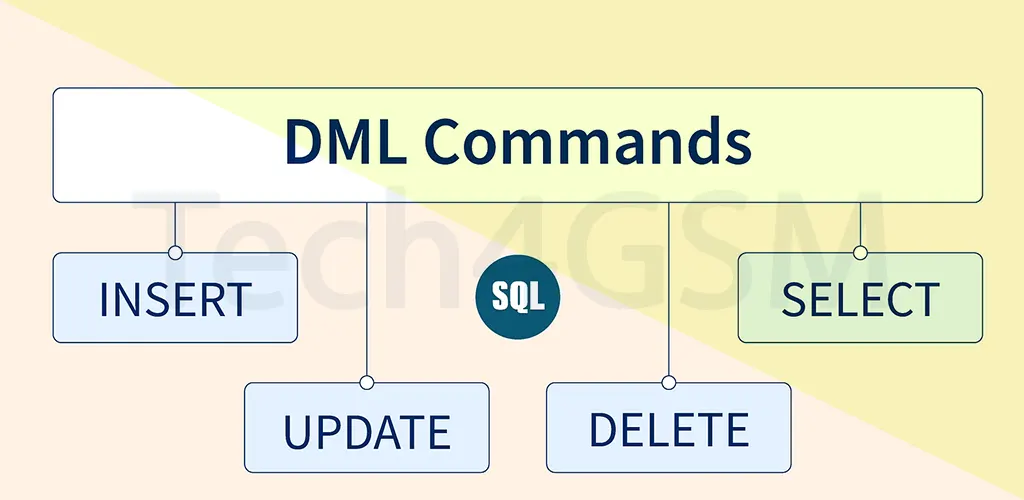
A Database Management System (DBMS) relies on specialized languages to interact with data. Data Manipulation Language (DML) is one such critical tool. It allows users to insert, modify, delete, and retrieve data stored in databases. Whether you’re typing SQL queries or using a Query-by-Example (QBE) interface, DML bridges the gap between raw data and actionable insights.
Key Takeaway:
- DML focuses on data, not structure.
- It works hand-in-hand with Transaction Control Language (TCL) to ensure changes are secure and reversible.
- Uses HDFS (Hadoop Distributed File System) for efficient, large-scale data operations.
Why DML Matters in 2025
As data volumes explode, mastering DML is essential for:
- Real-time analytics in industries like healthcare and e-commerce.
- AI/ML model training requiring clean, updated datasets.
- Cloud databases where scalability and speed are non-negotiable.
Types of DML: High-Level vs. Low-Level
DML commands fall into two categories:
| High-Level (Non-Procedural) DML | Low-Level (Procedural) DML |
|---|---|
Set-oriented (e.g., SQL’s SELECT) | Row-by-row processing (e.g., PL/SQL) |
| Declares “what” data is needed | Specifies “how” to retrieve data |
| User-friendly for complex queries | Requires integration with programming |
Example:
- High-Level:
SELECT * FROM employees WHERE salary > 50000; - Low-Level: Using loops in Oracle PL/SQL to update records iteratively.
Core DML Commands Explained
1. SELECT: Retrieve Data
Extracts data from tables using filters, joins, or sorting.
Syntax:
SELECT column1, column2
FROM table_name
WHERE condition;
Example:
SELECT name, email FROM customers WHERE city = 'New York';
Use Case: Generate reports or feed data into dashboards.
2. INSERT: Add New Data
Populates tables with fresh records.
Syntax:
INSERT INTO table_name (column1, column2)
VALUES (value1, value2);
Example:
INSERT INTO products (id, name, price)
VALUES (101, 'Wireless Mouse', 29.99);
Pro Tip: Use BULK INSERT for importing large datasets efficiently.
3. UPDATE: Modify Existing Data
Alters specific records without affecting the entire table.
Syntax:
UPDATE table_name
SET column1 = value1
WHERE condition;
Example:
UPDATE employees
SET salary = 75000
WHERE department = 'Engineering';
Warning: Always use WHERE to avoid accidental mass updates!
4. DELETE: Remove Data
Erases records permanently (unless rolled back via TCL).
Syntax:
DELETE FROM table_name
WHERE condition;
Example:
DELETE FROM orders
WHERE order_date < '2023-01-01';
Caution: Backup data before running DELETE—it’s irreversible!
Advantages of DML in 2025
- Precision: Target specific data subsets.
- Automation: Script DML commands for repetitive tasks.
- Scalability: Handle petabytes of data in cloud environments.
- Interoperability: Works with Python, Java, and AI frameworks.
Disadvantages of DML
- No Structural Changes: Can’t create/delete tables (use DDL instead).
- Risk of Data Loss: A misplaced
DELETEcan wipe critical data. - Performance Issues: Poorly written queries slow down databases.
DML vs. Transactions: Why TCL Matters
Every DML operation is a transaction. Use TCL commands like:
- COMMIT: Save changes permanently.
- ROLLBACK: Undo changes if errors occur.
- SAVEPOINT: Create checkpoints within transactions.
Example:
BEGIN TRANSACTION;
UPDATE accounts SET balance = balance - 100 WHERE user_id = 5;
UPDATE accounts SET balance = balance + 100 WHERE user_id = 10;
COMMIT;
DML in 2025: Trends to Watch
- AI-Driven Optimization: Tools like Google’s Bard auto-suggest efficient queries.
- Blockchain Integration: Immutable DML logs for auditing.
- Edge Computing: Lightweight DML for IoT devices.
FAQ Section
Q1: What’s the main purpose of DML?
A: To interact with data via insert, update, delete, and select operations.
Q2: Can DML commands be rolled back?
A: Yes! Use TCL’s ROLLBACK to undo DML changes before committing.
Q3: Is DML allowed in functions?
A: Yes, but avoid it in functions meant for calculations to prevent side effects.
Q4: Does DML store data permanently?
A: Only after a COMMIT. Until then, changes are temporary.
Q5: What’s high-level DML?
A: Declarative commands like SQL’s SELECT that process datasets collectively.
Conclusion
DML remains the backbone of database interactions in 2025. From retrieving customer data to training AI models, mastering SELECT, INSERT, UPDATE, DELETE—and pairing them with TCL—ensures you harness data’s full potential.