Introduction
In today’s fast-paced digital world, turning printed or handwritten text into editable data is a game-changer. OCR (Optical Character Recognition) bridges this gap by converting text within images into readable, searchable, and editable formats. Let’s explore how OCR works, its applications, and why it’s essential in 2025.
What is OCR?
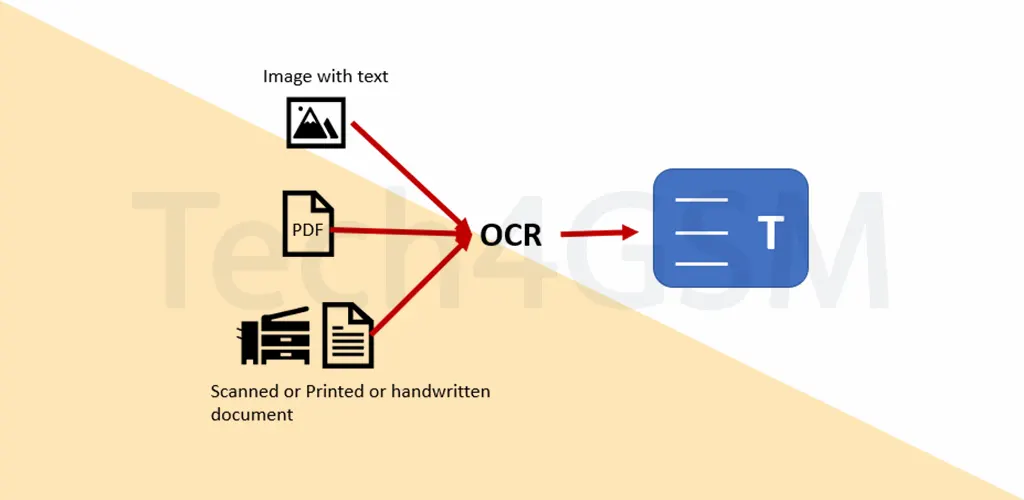
OCR stands for Optical Character Recognition. It’s a technology that transforms images of text (like scanned documents or photos) into machine-readable text. For example, scanning a receipt saves it as an image, but OCR converts it into editable text you can search, edit, or analyze using software.
Imagine snapping a photo of a printed report and instantly turning it into a Word file—that’s OCR in action!
How Does OCR Work?
- Scanning the Document: A scanner or camera captures the physical document.
- Image Processing: The OCR software converts the scan into black-and-white to distinguish text from the background.
- Character Recognition: Using pattern recognition (matching characters) or feature detection (identifying lines, curves), the software deciphers letters and numbers.
- Output: The text is saved digitally, ready for editing, searching, or integrating into databases.
Applications of OCR in 2025
OCR isn’t just for offices! Here’s where it shines:
- Mobile Banking: Snap a cheque photo, and OCR extracts account details for instant deposits.
- Healthcare: Digitize patient records for quick access (learn more at tech4gsm.com).
- Business Cards: Apps scan cards and save contacts directly to your phone.
- License Plates: Automated parking systems use OCR to track vehicles.
- Postal Services: Sort mail faster by reading addresses and ZIP codes.
A Quick History of OCR
Invented by Ray Kurzweil in 1974, OCR started as a tool to read printed text. By 2025, advancements in AI, machine learning, and computer vision have made OCR smarter, supporting diverse fonts, languages, and even handwritten text. Today, your smartphone can scan text from images in seconds!
Advantages of OCR
- Digitize Text: Turn paper documents into editable files.
- Searchability: Find keywords in scanned PDFs instantly.
- Save Time & Money: Reduce manual data entry and errors.
- Eco-Friendly: Cut paper use with digital archives.
- Multilingual Support: Convert text in multiple languages effortlessly.
Challenges of OCR
- Errors: May misread fonts or smudged text, requiring proofreading.
- Handwriting Struggles: Works best on printed text.
- Security Risks: Could extract sensitive data from documents.
- Cost: Advanced OCR tools can be pricey.
- Context Limits: Might misinterpret words without context.
OCR FAQs
Q1: Is OCR an input device?
Yes! OCR reads printed text, acting as an input method for computers.
Q2: Is OCR software or hardware?
Both! Scanners (hardware) capture documents, while software processes the text.
Q3: Where is OCR used?
From digitizing books to automating toll booths via license plate scans.
Q4: Key features of OCR?
Scalability, multilingual support, and integration with workflows.
Q5: Which programming language does OCR use?
Python is popular for OCR tools due to its computer vision libraries.
Conclusion
OCR in 2025 is a powerhouse for businesses and individuals alike. It simplifies data management, boosts productivity, and supports sustainability. While challenges like handwriting recognition persist, OCR’s evolution with AI ensures it remains indispensable in our digital lives.
Ready to go paperless? Dive into OCR and transform how you handle text!