Introduction
Remote Desktop Protocol (RDP) is a secure network communication protocol developed by Microsoft. It allows users or IT administrators to remotely access and control another computer over a network. Whether you’re troubleshooting a colleague’s system, working from home, or managing servers, RDP bridges the gap between physical distance and digital productivity.
Key Highlights:
- Secure Remote Access: RDP encrypts data to protect sensitive information during transmission.
- Cross-Platform Support: Works on Windows, macOS, Linux, Android, iOS, and more.
- Wide Use Cases: From IT support to remote work, RDP is a backbone of modern connectivity.
How Does RDP Work?
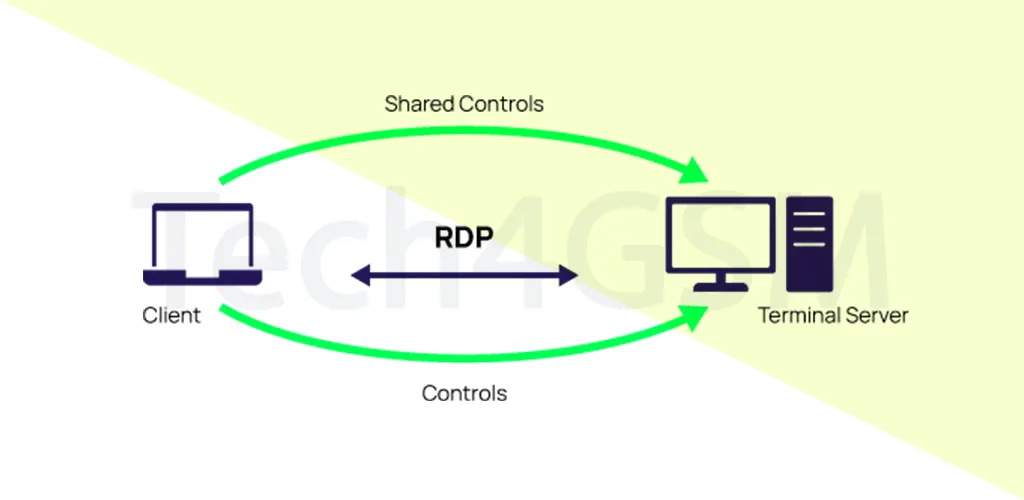
RDP operates on a client-server model. Here’s a simplified breakdown:
- RDP Client Software: Installed on your local device (e.g., laptop, phone).
- RDP Server Software: Runs on the remote machine (e.g., office PC, cloud server).
- Connection Setup: The client connects to the server via TCP port 3389, creating a secure channel.
- Data Exchange: Inputs (mouse, keyboard) from the client are sent to the server, while the server sends back screen updates.
Example: Imagine accessing your office PC from home. Your home laptop (client) sends commands to the office PC (server), which processes them and sends back the visual interface.
Technical Layers:
- Encryption: Uses 128-bit RC4 or TLS for securing data.
- Compression: Reduces bandwidth usage for smoother performance.
- Virtual Channels: Supports up to 64,000 channels for multitasking (audio, files, printers).
Top Features of RDP in 2025
RDP isn’t just about remote control—it’s packed with features designed for efficiency and security:
- Smart Card Authentication
- Use physical smart cards for an extra layer of login security.
- Multi-Monitor Support
- Work across multiple displays seamlessly, just like a physical setup.
- Temporary Session Disconnect
- Pause your session without logging out, ideal for unstable connections.
- RemoteFX Virtualized GPU
- Stream high-quality graphics for design or gaming via virtual GPU support.
- Clipboard Sharing
- Copy-paste text/files between local and remote devices effortlessly.
- Local Printer & Port Redirection
- Print documents remotely using your home printer or access local USB drives.
- Bandwidth Optimization
- Adjusts data transfer rates for low-speed connections, ensuring smooth performance.
- RemoteApp Integration
- Run specific apps (e.g., Excel) remotely without accessing the full desktop.
Note: Features may vary by client (e.g., Windows RDP vs. macOS clients).
RDP Use Cases
- Remote Troubleshooting
- IT teams fix issues without being onsite. Example: Updating software on a client’s PC.
- Work-From-Home Access
- Employees securely access office desktops, files, and tools from anywhere.
- Server Administration
- Manage cloud servers or data centers without physical access.
Benefits of RDP in 2025
- Enhanced Security: Data stored remotely reduces theft risks.
- Cost Savings: Cut hardware expenses with cloud-based solutions.
- Centralized Control: IT teams deploy updates globally in minutes.
- Disaster Recovery: Access critical systems during emergencies.
- Eco-Friendly: Lower energy costs by reducing on-premise hardware.
Challenges & Risks of RDP
While powerful, RDP has limitations:
- Latency Issues: Slow internet? Expect lag or dropped sessions.
- Security Vulnerabilities:
- BlueKeep Exploit: Affected older Windows versions (patched now).
- Brute-Force Attacks: Weak passwords risk unauthorized access.
- Complex Setup: Large networks require meticulous configuration.
- Feature Inconsistency: macOS might lack clipboard sharing.
Mitigation Tips:
- Use multi-factor authentication (MFA).
- Restrict access via firewalls and VPNs.
- Update systems regularly.
RDP vs. VPN: What’s the Difference?
- RDP: Connects to a specific device (e.g., your office PC).
- VPN: Creates a secure tunnel to an entire network (e.g., company intranet).
Use Case:
- Need to edit a file on your work PC? Use RDP.
- Accessing shared company drives? Use VPN.
Top RDP Alternatives in 2025
- AnyDesk: Lightweight, low latency.
- TeamViewer: Great for cross-platform support.
- Splashtop: High-performance graphics streaming.
- Zoho Assist: Affordable for small businesses.
RDP Security Best Practices
- Enable Network-Level Authentication (NLA): Requires verification before connection.
- Limit User Access: Follow the principle of least privilege.
- Monitor Logs: Detect suspicious login attempts.
- Use Strong Passwords: Avoid “admin123”!
FAQs About RDP
Q1: Is RDP safe in 2025?
Yes, if configured properly. Use MFA, encryption, and regular updates.
Q2: Can I use RDP on a Mac?
Absolutely! Download the Microsoft Remote Desktop client from the App Store.
Q3: Why does my RDP connection keep dropping?
Check your internet stability or reduce bandwidth-heavy tasks.
Q4: How do I fix “Remote Computer Not Found” errors?
Verify the IP address, firewall settings, and port 3389 accessibility.
Q5: Is RDP free?
Yes for personal use. Enterprise features may require licenses.
Final Thoughts
RDP remains a cornerstone of remote access in 2025, blending flexibility with robust security. Whether you’re a business streamlining operations or a freelancer working from Bali, mastering RDP can unlock unparalleled productivity.