Introduction
Samsung is stepping into the future with its One UI 7.0 Beta Program, now open for Galaxy S23, S23+, and S23 Ultra users in India and South Korea. Based on Android 15, this update promises smarter features, smoother performance, and a fresh look. Here’s your simple guide to joining the beta and exploring what’s new!
One UI 7.0 Beta: Key Details
- Available for: Galaxy S23 series (S23, S23+, S23 Ultra).
- Countries: India and South Korea first—more regions coming soon.
- Firmware Version:
- India: S91xBXXU8ZYC3
- South Korea: S91xNKSU6ZYC3
- Size: ~4.7GB (grab a strong Wi-Fi connection!).
- Security Patch: Includes the latest March 2025 update.
How to Join the One UI 7.0 Beta (Step-by-Step)
If you’re in India or South Korea, follow these easy steps:
- Download the Samsung Members app (if you don’t have it).
- Sign in with your Samsung account.
- Tap the One UI 7.0 Beta banner at the top.
- Click “Join Now” and agree to the terms.
- Go to Settings » Software Update » Download and install.
- Restart your phone after installation.
Pro Tip: Backup your data first! Beta software can be buggy.
Important Notes Before You Dive In
- Beta Risks: Expect occasional crashes, battery drain, or app issues. Report bugs via the Samsung Members app.
- Stable Version: Coming later in 2025 after testing. If you need reliability, wait for the final release.
One UI 7.0 Features: What’s New?
Samsung’s Android 15-based update packs game-changing upgrades:
1. Sleeker Design & Smoother Animations
- Refined UI: Softer animations and more Material You themes.
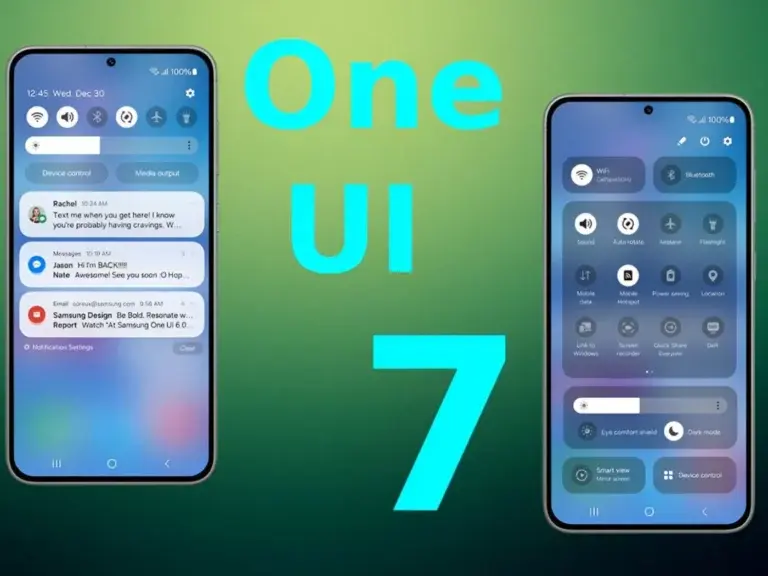
- Quick Panel Revamp: Settings are easier to access.
2. Faster Performance, Longer Battery
- Optimized RAM: Apps switch seamlessly.
- Battery Boost: AI learns your habits to save power.
3. Lock Screen & Always-On Display Upgrades
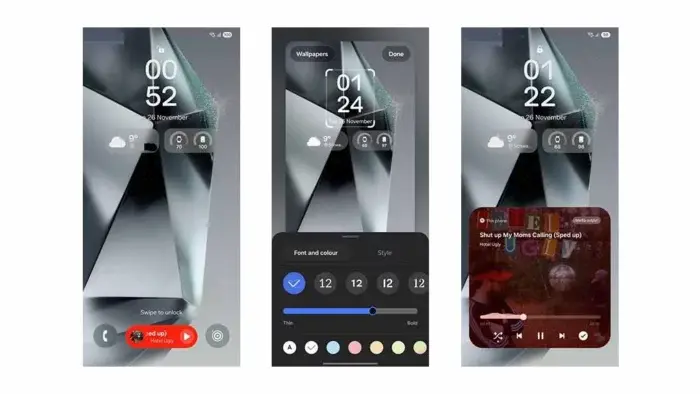
- New Clock Styles: Customize fonts, colors, and layouts.
- Live Wallpapers: Dynamic designs for your Always-On Display.
4. Smarter AI Tools
- Bixby Text Call: Real-time call transcriptions get sharper.
- Live Translate: Break language barriers in calls.
- Photo Editor AI: Fix blurry pics or erase photo-bombers instantly.
5. Privacy Upgrades
- Private Space: Hide sensitive apps behind a secure folder.
- Auto-Reset Permissions: Apps you ignore lose access automatically.
6. Multitasking Made Easy
- Split-Screen Drag & Drop: Move text/images between apps.
- Resizable Pop-Up Windows: Work with multiple apps side-by-side.
7. Camera & Gallery Boosts
- Faster Night Mode: Capture clear low-light shots quickly.
- AI Editing Suggestions: The Gallery app now recommends filters and fixes.
8. Gaming Perks
- Game Booster+: Optimizes frame rates and reduces lag.
- Efficient GPU: Smoother gameplay with less battery drain.
9. Foldable & Tablet Tweaks
- Taskbar Customization: Resize or hide it for more screen space.
- New Multitasking Gestures: Swipe to split screens on foldables.
Should You Install the Beta?
If you’re a tech enthusiast craving early access, go for it! But for most users, waiting for the stable release (late 2025) is safer.
Final Thoughts
Samsung’s One UI 7.0 Beta is a thrilling peek into Android 15’s future. With AI smarts, privacy upgrades, and buttery-smooth performance, the Galaxy S23 series is about to feel brand new.