Introduction
In today’s data-driven world, a Database Management System (DBMS) is the backbone of modern computing. Whether you’re streaming music, shopping online, or managing enterprise operations, DBMS ensures data is organized, secure, and accessible. This guide breaks down everything you need to know about DBMS in simple language, including its types, features, applications, and why it’s indispensable in 2025.
What is a DBMS?
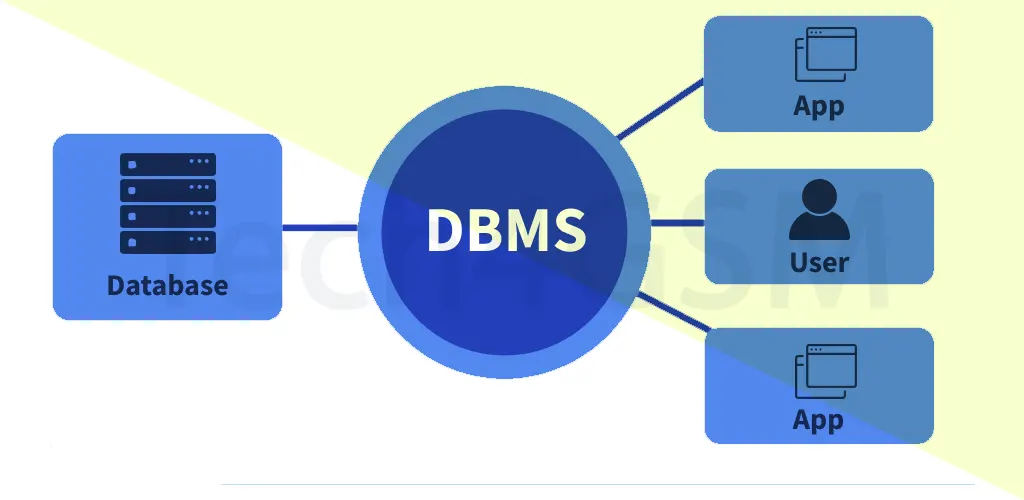
A Database Management System (DBMS) is software that allows users to create, manage, and query databases efficiently. It replaces clunky file systems with a structured framework, ensuring data integrity, minimizing redundancy, and enabling secure multi-user access.
Example:
A university uses a DBMS to manage student records, course enrollments, and faculty details. Admins can quickly update a student’s contact info, which automatically reflects across all departments—no manual edits needed!
Key Features of DBMS
- Data Modeling: Tools to design database structures (e.g., tables, relationships).
- Storage & Retrieval: Quickly store and fetch data using optimized queries.
- Concurrency Control: Lets multiple users access data simultaneously without conflicts.
- Security & Integrity: Encrypts data and restricts unauthorized access.
- Backup & Recovery: Automatically backs up data and restores it during crashes.
Types of DBMS
1. Relational DBMS (RDBMS)
- Structure: Data organized into tables (rows and columns).
- Uses SQL: Query data with Structured Query Language (SQL).
- Examples: MySQL, Oracle, Microsoft SQL Server.
- Best For: Applications needing strict data consistency (e.g., banking systems).
2. NoSQL DBMS
- Structure: Flexible models (key-value, document, graph).
- Scalability: Handles massive, unstructured data (e.g., social media posts).
- Examples: MongoDB, Cassandra, Redis.
- Best For: Real-time analytics, IoT, and dynamic apps.
3. Object-Oriented DBMS (OODBMS)
- Structure: Stores data as objects (supports inheritance, encapsulation).
- Examples: ObjectDB, db4o.
- Best For: Complex systems like CAD software or AI simulations.
Database Languages Explained
DBMS uses specialized languages to interact with data:
- DDL (Data Definition Language)
- Commands:
CREATE,ALTER,DROP. - Use: Define database structure (e.g., creating a table).
- Commands:
- DML (Data Manipulation Language)
- Commands:
INSERT,UPDATE,DELETE. - Use: Add, modify, or remove data.
- Commands:
- DCL (Data Control Language)
- Commands:
GRANT,REVOKE. - Use: Manage user permissions.
- Commands:
- TCL (Transaction Control Language)
- Commands:
COMMIT,ROLLBACK. - Use: Ensure transactions are completed securely.
- Commands:
- DQL (Data Query Language)
- Command:
SELECT. - Use: Retrieve specific data from the database.
- Command:
Why DBMS Beat File Systems
Before DBMS, organizations relied on error-prone file systems. Imagine a university storing student data in separate files for accounts, academics, and hostels. This caused:
- Data Redundancy: Same info (e.g., student phone numbers) duplicated across files.
- Inconsistency: Different departments had conflicting data.
- Security Risks: No access controls—anyone could edit files.
- No Concurrency: Only one user could edit a file at a time.
- No Recovery: Losing a file meant losing data forever.
DBMS fixed these issues by centralizing data, automating updates, and adding security layers.
Advantages of DBMS
- Centralized Control: Manage all data from one platform.
- Reduced Redundancy: No duplicate entries.
- 24/7 Access: Multiple users can work simultaneously.
- Data Recovery: Restore lost data from backups.
- Scalability: Grow your database without performance hits.
Disadvantages of DBMS
- Complex Setup: Requires skilled IT staff.
- Costly: Licensing and hardware can be expensive.
- Overhead: May slow down high-speed applications.
- Not Always Needed: Small apps might prefer simpler storage.
Applications of DBMS in 2025
- Banking: Track transactions, loans, and customer accounts securely.
- Healthcare: Manage patient records and treatment histories.
- E-Commerce: Store product catalogs and customer orders.
- Telecom: Handle prepaid/postpaid billing and user data.
- IoT: Process real-time data from smart devices.
FAQs
Q: What’s the primary role of a DBMS?
A: To store, organize, and retrieve data efficiently while ensuring security and accuracy.
Q: How does DBMS improve data security?
A: Through encryption, user authentication, and access controls (e.g., granting “view-only” access).
Q: Which DBMS is best for startups?
A: Startups often use MySQL (RDBMS) or MongoDB (NoSQL) for flexibility and low cost.
Conclusion
As we move into 2025, DBMS continues to evolve, supporting AI, big data, and cloud computing. Whether you’re a developer or a business owner, understanding DBMS helps you harness data’s full potential.
By balancing power and simplicity, DBMS remains a cornerstone of the digital age—turning chaotic data into actionable insights!