Introduction
In the world of ever-evolving technology, the Floppy Disk Drive (FDD) holds a special place as a pioneer of portable data storage. Though obsolete today, it laid the groundwork for modern storage solutions. Let’s explore its history, functionality, and legacy in simple, easy-to-understand language.
What Is a Floppy Disk Drive (FDD)?
A Floppy Disk Drive (FDD) is a hardware device that reads and writes data to removable, flexible magnetic storage disks called floppy diskettes. Introduced in the 1970s, it became the go-to method for transferring files, installing software, and backing up data for decades.
- Portable and reusable storage.
- Low-cost compared to hard drives of the era.
- Compatible with early PCs and industrial systems.
The Evolution of Floppy Disk Drives
The FDD underwent significant changes in size, capacity, and design. Here’s a timeline:
1. The 8-Inch Floppy (1971)
- First commercial FDD developed by IBM.
- Stored 80 KB of data—massive for its time!
- Used in mainframe computers and industrial systems.
2. The 5.25-Inch Floppy (1976)
- Smaller, cheaper, and popularized by personal computers like the Apple II.
- Storage: 360 KB (single-sided) to 1.2 MB (double-sided, high-density).
- Nicknamed the “minifloppy”.
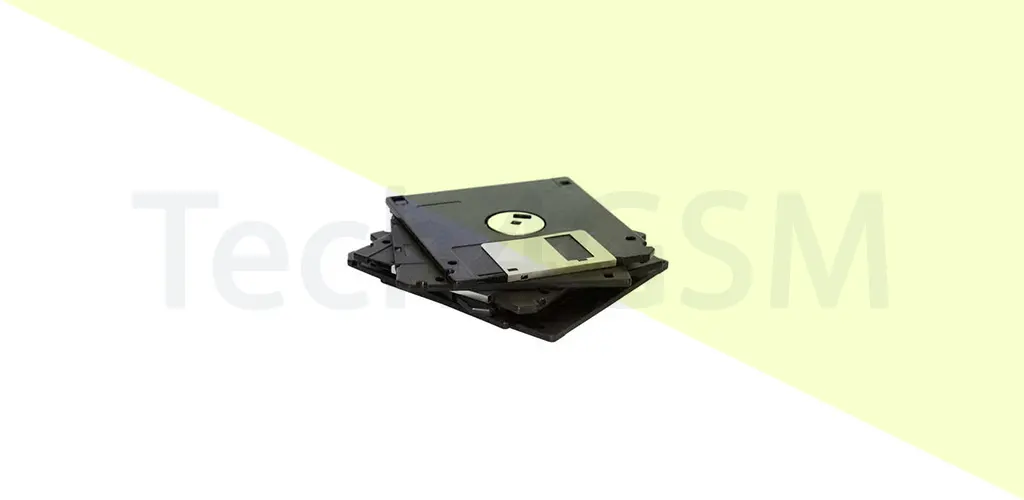
3. The 3.5-Inch Floppy (1982)
- Durable, rigid casing with a sliding metal shutter.
- Storage: 720 KB (double-sided) to 1.44 MB (high-density).
- Dominated the 1990s and became a cultural icon.
Why Did Floppy Disk Drives Disappear?
By the early 2000s, FDDs began vanishing from computers. Here’s why:
1. Limited Storage:
- A 1.44 MB floppy couldn’t compete with CDs (700 MB) or USB drives (2 GB+).
2. Fragility:
- Diskettes were easily damaged by heat, magnets, or dust.
3. Faster Alternatives:
- CD-Rs, DVDs, and USB flash drives offered higher speeds and reliability.
4. Operating System Support:
- Modern OS like Windows 10/11 and macOS dropped FDD drivers.
5. Space Constraints:
- Slim laptops and PCs had no room for bulky FDD hardware.
How to Use a Floppy Disk in 2025
While most computers lack built-in FDDs, you can still access old diskettes:
1. Buy a USB Floppy Drive:
- External drives (e.g., models from tech4gsm.com) plug into USB ports.
2. Data Recovery Services:
- Companies like tech4gsm.com specialize in retrieving data from legacy media.
3. Virtual Machines:
- Emulate older OS (e.g., Windows 95) to read floppy disks.
Floppy Disk Drive FAQs
Q: What drive letter is assigned to a floppy disk?
A: Traditionally, it’s A:. This letter is reserved even in modern systems.
Q: Can I install a floppy drive on a new PC?
A: Yes! Use a USB floppy drive for plug-and-play access.
Q: What replaced floppy disks?
A: CDs, DVDs, USB drives, and cloud storage took over due to higher capacity.
Q: Are floppy disks still sold?
A: Rarely. Some niche suppliers stock them, but prices are high.
Q: Why do some industries still use floppy drives?
A: Legacy systems in aviation, manufacturing, and healthcare rely on them for outdated software.
Q: What’s the max storage of a floppy?
A: 1.44 MB for 3.5-inch disks—enough for a few Word documents!
The Legacy of the Floppy Disk Drive
The FDD’s impact is undeniable:
1. Cultural Icon:
- The “save” icon in software mimics a 3.5-inch floppy!
2. Data Portability:
- Pioneered the idea of carrying files between devices.
3. Lessons in Obsolescence:
- A reminder of how quickly tech evolves.
For retro tech enthusiasts, floppy drives symbolize the dawn of personal computing. While they’re no longer practical, their influence lives on in modern storage solutions.
Need a Floppy Drive in 2025?
Check out tech4gsm.com for USB floppy drives, data recovery tools, and legacy hardware support. Whether you’re reviving an old PC or rescuing precious files, they’ve got you covered!