Introduction
Ever been in the middle of a relaxing evening when your phone erupts with a barrage of “ping!” sounds from endless notifications? Annoying, right? While silencing your phone might seem like the only escape, it risks missing crucial alerts. Thankfully, Android 15’s Notification Cooldown is here to save the day!
Android 15’s Notification Cooldown: Tame the Chaos
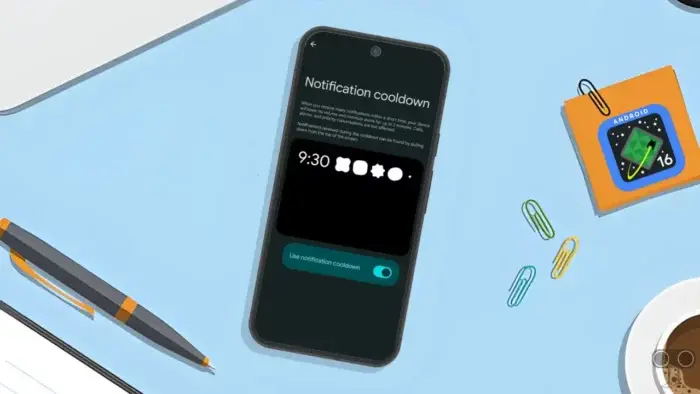
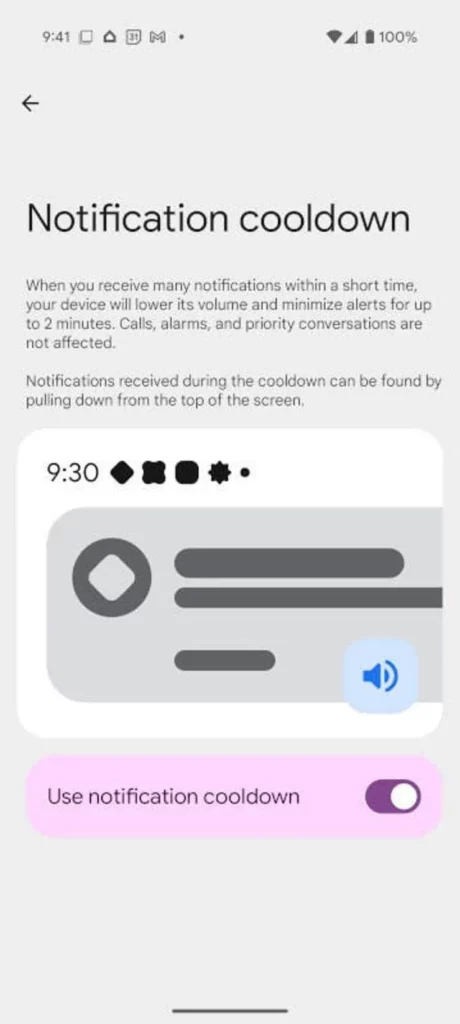
Google’s latest update introduces Notification Cooldown, a genius feature that reduces notification overload by automatically lowering alert volume when apps spam you. No more drowning in dings—your phone stays useful without being disruptive.
What is Notification Cooldown?
Imagine this: Your friend texts you 10 times in a row about a new burger joint. Instead of 10 loud pings, the sounds fade after the first few. That’s Notification Cooldown!
- How It Works:
- If an app sends multiple alerts in seconds, Android lowers the volume gradually.
- After 2 minutes of quiet, normal volume resumes.
- No missed notifications: All alerts still appear in your notification panel.
- Why It Matters:
- Stay focused without muting your phone entirely.
- Avoid stress from constant interruptions during work, sleep, or relaxation.
- Critical alerts (like alarms or emergencies) remain at full volume.
Why This Feature is a Game-Changer
Most of us silence our phones to avoid distractions, but this often leads to missing urgent messages. Notification Cooldown strikes the perfect balance:
- Group Chats: Mute chaos in busy family or work groups.
- Social Media: Avoid Instagram or Twitter spamming your screen.
- Work Emails: Prioritize productivity without constant pings.
Pro Tip: This feature is a lifesaver for introverts, busy professionals, or anyone craving peace!
How to Enable Notification Cooldown
Currently exclusive to Google Pixel phones running Android 15 (March 2025 update or newer). Here’s how to activate it:
- Open Settings:
- Swipe down twice from the top of your screen → Tap the gear icon.
- Go to Notifications:
- Scroll down and select Notifications.
- Enable Notification Cooldown:
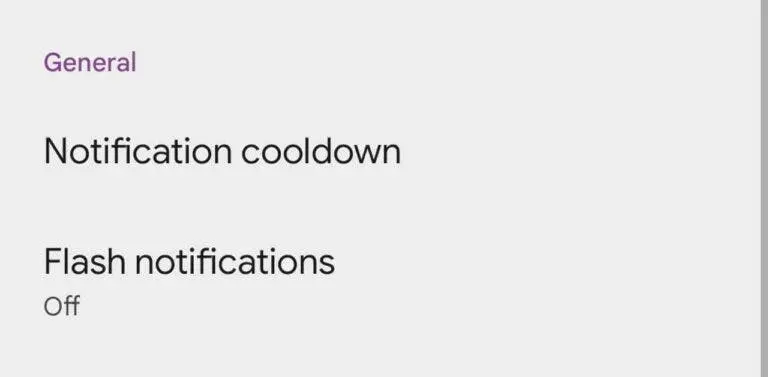
- Under General, tap Notification Cooldown → Toggle it On.
That’s it! The feature works automatically—no further tweaks needed.
Limitations (For Now)
While revolutionary, the feature has a few quirks:
- No Customization: Can’t adjust cooldown time or volume levels yet.
- Pixel-Exclusive: Only available on Google Pixel devices initially.
- App-Specific Control: Works globally, not per app.
Good news: Google might add more options in future updates!
Why Did Google Release This Early?
Surprise! Notification Cooldown was expected in Android 16 but landed in Android 15. Google often tests new features on Pixel phones first, refining them before a wider rollout. This strategy highlights their focus on:
- Smarter notifications (like Do Not Disturb and Priority Mode).
- Reducing digital stress through intelligent alerts.
Final Thoughts: A Small Feature With Big Impact
Android 15’s Notification Cooldown is a simple yet powerful tool to reclaim your peace. It’s perfect for:
- Minimizing distractions without going offline.
- Staying informed on what matters.
- Reducing anxiety from phone overload.
If you own a Pixel, try it today! For others, keep an eye out—this feature could hit your device soon.
What’s your take? Could Notification Cooldown improve your phone experience? Share your thoughts, and stay tuned for more Android updates! 🚀