Introduction
In today’s hyper-connected world, Internet Service Providers (ISPs) are the invisible backbone of our digital lives. Whether you’re streaming movies, working remotely, or scrolling social media, ISPs make it all possible. But what exactly are they, and how do they work? Let’s dive into the world of ISPs, their history, types, and how to choose the best one for your needs in 2025.
What is an ISP?
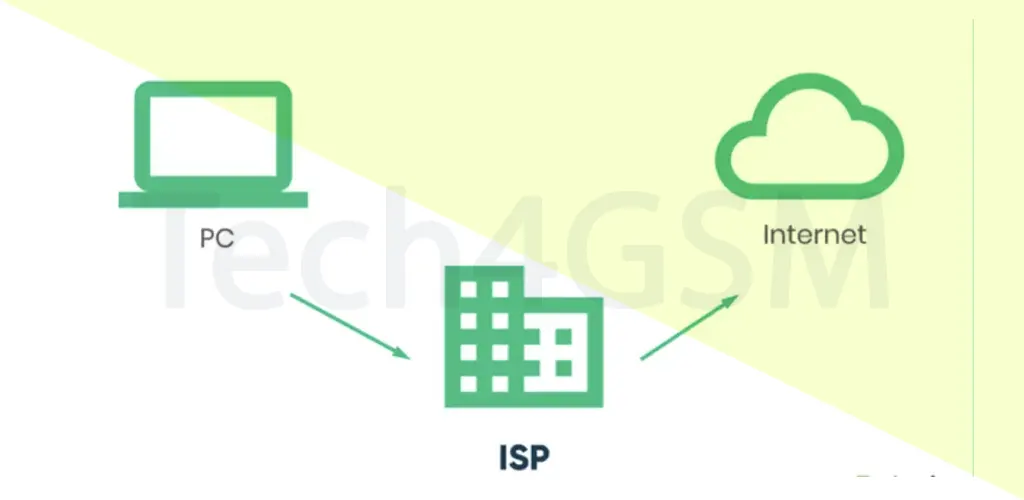
An Internet Service Provider (ISP) is a company that connects you to the internet. Think of them as the bridge between your device and the vast online universe. They use wired technologies like fiber-optic cables or wireless methods like 5G to deliver high-speed internet to homes, businesses, and even entire cities.
History of ISPs: From ARPANET to 2025
The journey of ISPs began with Telenet in 1974, the first commercial version of ARPANET (the U.S. government’s early internet project). By 1989, “The World” became the first modern ISP, offering dial-up access. Fast-forward to 2025, and ISPs have evolved dramatically:
- 1990s: Dial-up dominated, with speeds of 56 Kbps.
- 2000s: Broadband (DSL, cable) replaced dial-up, offering faster speeds.
- 2010s: Fiber-optic and 4G revolutionized speed and reliability.
- 2025: 5G networks, satellite internet (like Starlink), and AI-driven customer support are setting new standards.
Major players today include Google Fiber, Verizon, Reliance Jio, and AT&T, each competing to deliver lightning-fast, affordable internet.
Key Characteristics of a Good ISP
Not all ISPs are created equal. Here’s what sets the best apart:
- Email Accounts: Many offer personalized email addresses (e.g., [email protected]).
- 24/7 Customer Support: Quick help for outages or technical issues.
- High-Speed Internet: Essential for gaming, streaming, and remote work.
- Spam & Virus Protection: Built-in tools to block malicious content.
- Web Hosting: Some ISPs host websites, saving you third-party costs.
- Data Flexibility: Unlimited plans vs. capped data for light users.
- Bundled Services: Combine internet with TV, phone, or smart home security.
- IPv6 Support: Future-proofing for the next-gen internet protocol.
- Parental Controls: Safeguard kids from inappropriate content.
- Uptime Guarantee: Promises of 99.9% reliability.
What Do ISPs Actually Do?
Beyond just “providing internet,” ISPs wear many hats:
- Internet Access: Via DSL, fiber, cable, or wireless.
- Web Hosting & Domain Registration: Launch and manage websites.
- Email Services: Secure communication tools.
- Cybersecurity: Firewalls, VPNs, and antivirus partnerships.
- Tech Support: Troubleshooting routers, modems, and connectivity.
- Bundled Deals: Discounted packages with streaming platforms (e.g., AT&T + HBO Max).
Types of ISP Connections in 2025
- DSL (Digital Subscriber Line):
- Pros: Affordable, uses phone lines.
- Cons: Slower than fiber; speed drops with distance.
- Cable Broadband:
- Pros: Faster than DSL, widely available.
- Cons: Shared bandwidth can slow peak-time speeds.
- Fiber-Optic:
- Pros: Blazing speeds (up to 10 Gbps!), low latency.
- Cons: Limited coverage, higher cost.
- Mobile Broadband (4G/5G):
- Pros: Great for rural areas, no cables needed.
- Cons: Data caps and signal variability.
- Satellite Internet (e.g., Starlink):
- Pros: Global coverage, improving speeds.
- Cons: Weather-sensitive, higher latency.
Top ISPs in 2025: Global and Regional
- India: Reliance Jio, Airtel, BSNL.
- USA: Comcast Xfinity, Verizon Fios.
- Europe: Deutsche Telekom, Vodafone.
- Asia: NTT (Japan), Singtel (Singapore).
Pro Tip: Use coverage maps on ISP websites to check availability in your area.
How to Choose the Best ISP for Your Needs
- Speed Requirements:
- Basic browsing: 25 Mbps.
- 4K Streaming/Gaming: 100+ Mbps.
- Smart Homes: 500 Mbps–1 Gbps.
- Connection Type: Prioritize fiber or 5G for speed.
- Data Caps: Avoid ISPs with strict limits if you’re a heavy user.
- Reliability: Check outage reports on sites like Downdetector.
- Customer Service: Look for 24/7 support via chat, phone, or app.
- Cost: Compare installation fees, contracts, and hidden charges.
- Extra Features: Web hosting, free antivirus, or cloud storage.
Pros and Cons of Using an ISP
Advantages:
- No technical hassle: ISPs handle infrastructure.
- High-speed access for streaming, gaming, and downloads.
- Enhanced security with regular updates.
- Scalable plans as your needs grow.
Disadvantages:
- Risk of overpaying; always compare prices.
- Shared servers may slow speeds during peak hours.
- Dependency on ISP uptime; outages disrupt work.
- Blacklisting issues if the ISP’s IP range is flagged.
Must-Have ISP Management Apps
- Router Apps: Control Wi-Fi settings (e.g., Xfinity xFi).
- Data Trackers: Monitor usage to avoid overages.
- Speed Tests: Apps like Ookla check real-time speeds.
- Support Apps: Chat with technicians instantly.
- Billing Apps: Pay bills and upgrade plans on-the-go.
FAQ: Your ISP Questions Answered
1. What’s the difference between ISP and WiFi?
- ISP = Internet provider. WiFi = Wireless network created by your router.
2. Can ISPs see my browsing history?
- Yes, but most don’t track due to privacy laws. Use a VPN for anonymity.
3. How do I switch ISPs?
- Check new ISP’s coverage, schedule installation, and cancel old service.
4. What’s “Net Neutrality”?
- ISPs must treat all online content equally; no throttling or paid “fast lanes.”
5. Why is my internet slow?
- Test speeds, reboot equipment, or contact support. Upgrade your plan if needed.
The Future of ISPs in 2025
Expect AI-driven networks that predict outages, green ISPs using renewable energy, and satellite internet bridging rural-urban divides. With 5G and fiber expanding, 2025 is set to be the fastest, most connected year yet!