
Introduction
Ever wished your phone could act like a mini-computer? With USB On-The-Go (OTG), it can! This nifty feature lets your smartphone connect to USB gadgets like flash drives, keyboards, or even gaming controllers—no PC required. Let’s dive into how USB OTG works and how you can use it to supercharge your device.
What is USB On-The-Go?
USB OTG is like a magic wand for your phone. It allows your device to act as a host, connecting to standard USB devices such as:
- Memory sticks (transfer files in seconds!).
- Mice and keyboards (type faster or navigate hands-free).
- Gamepads (turn your phone into a gaming console!).
- Digital cameras (upload photos directly).
But wait—you’ll need an adapter cable to make it work!
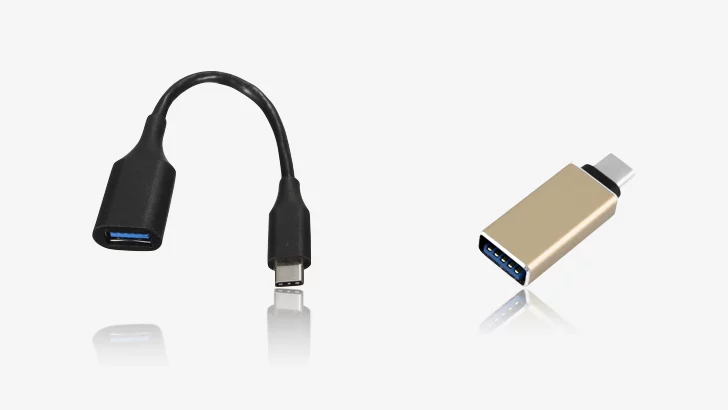
How Does USB OTG Work?
Think of USB OTG as a “role-switching” trick:
- Grab an OTG Adapter: A small, cheap cable (micro-USB or USB-C) that plugs into your phone.
- Connect Your USB Device: Attach the gadget (e.g., a flash drive) to the adapter.
- Boom, It’s Ready! Your phone detects the device instantly. No apps or settings needed!
Why You’ll Love USB OTG
- No PC? No Problem: Transfer files between your phone and USB drive anywhere.
- Boost Productivity: Use a mouse/keyboard for editing docs or emails.
- Gaming Upgrade: Connect a controller for better mobile gaming.
- Backup Photos: Save storage by moving pics to a flash drive.
What You Need to Get Started
- Check Compatibility: Not all phones support OTG. Head to tech4gsm.com’s Phone Specifications to confirm if your device is OTG-ready.
- Buy the Right Adapter: Match your phone’s port (USB-C, micro-USB, etc.).
- Plug and Play: Connect your USB device—it’s that simple!
USB OTG Safety Tips
- Avoid Power-Hungry Devices: Hard drives or printers may need extra power.
- Use Short Cables: Long cables can cause connection issues.
- Unplug Safely: Always “eject” USB devices in settings to avoid data loss.
Got an OTG-Compatible Phone? Try This!
- Watch Movies from a USB Drive (perfect for travel!).
- Print Documents by connecting a portable printer.
- Use a MIDI Keyboard to make music on the go.
Wrapping Up
USB On-The-Go turns your phone into a multitasking powerhouse—no tech skills needed! Just grab an adapter, check your phone’s compatibility on tech4gsm.com, and start exploring. Your phone’s hidden potential is waiting!