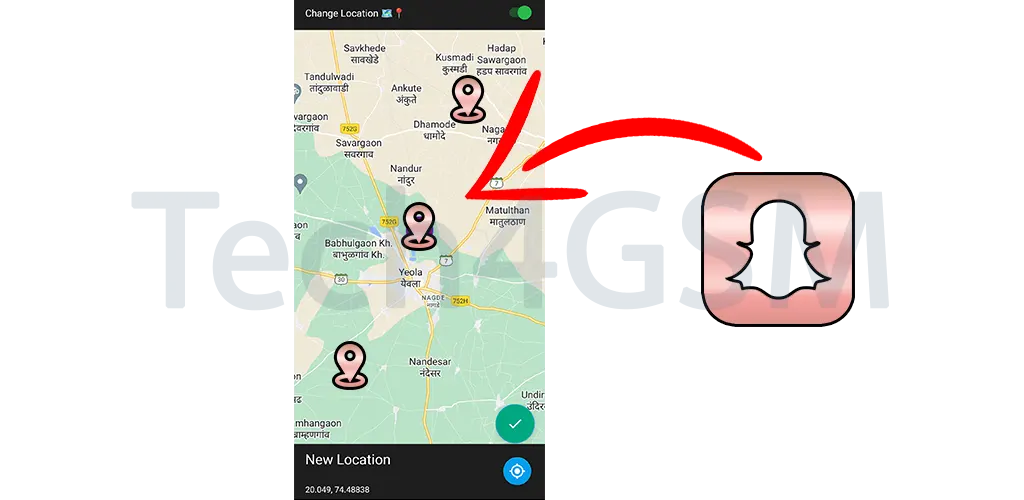
Introduction
Sharing your location on Snapchat Maps can be a fun way to interact with friends, see what they’re up to, and stay connected. However, there are times when you might want to change your location or hide it from others. Whether you want to virtually travel to another place or maintain your privacy, this guide will walk you through several methods to change your location on Snapchat Maps.
In this article, we will explore easy and effective ways to fake your GPS location on Snapchat. The good news? Most of these methods are simple to follow and do not require complicated technical skills. Let’s dive in!
How to Fake Location on Snapchat Map?
Here’s a breakdown of the best methods to change your location on Snapchat Maps. Some methods are easier than others, but all of them work effectively:
Use Tenorshare iAnyGo – Fake GPS Location on Snapchat without Anyone Knowing (No Jailbreak)
One of the easiest and safest ways to fake your Snapchat location is by using Tenorshare iAnyGo. This tool allows you to change your GPS location without needing to root or jailbreak your phone, making it a user-friendly option for both iOS and Android users. Here’s how to use it:
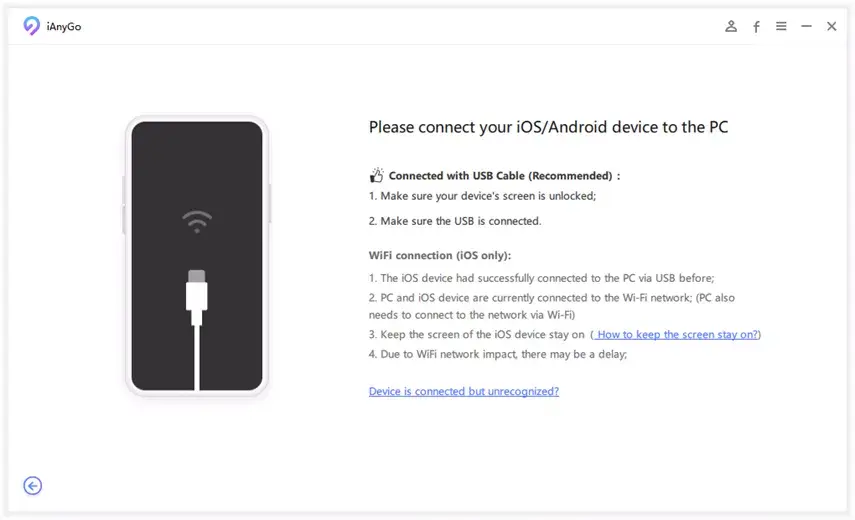
- Download and Install iAnyGo:
- Start by downloading the iAnyGo tool on your computer.
- Install it following the on-screen instructions.
- Connect Your Phone:
- Use a USB cable to connect your phone to the computer.
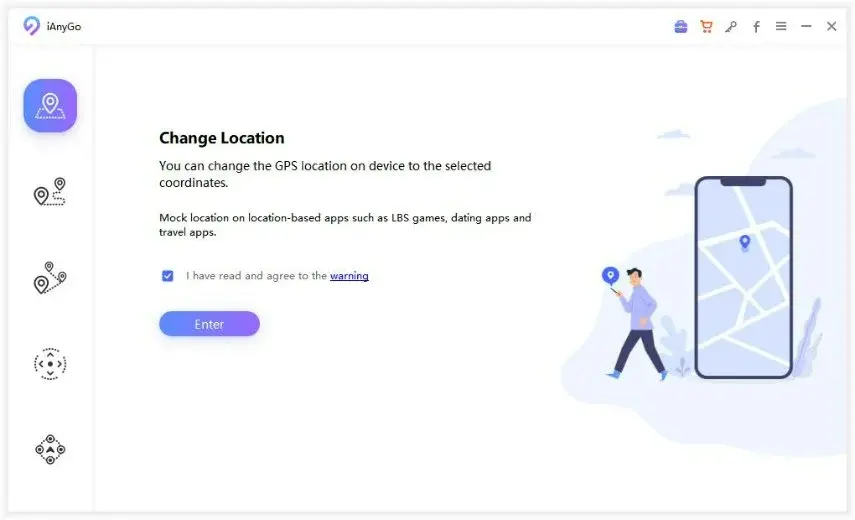
Select Your Location:
- Open iAnyGo and press Enter to start.
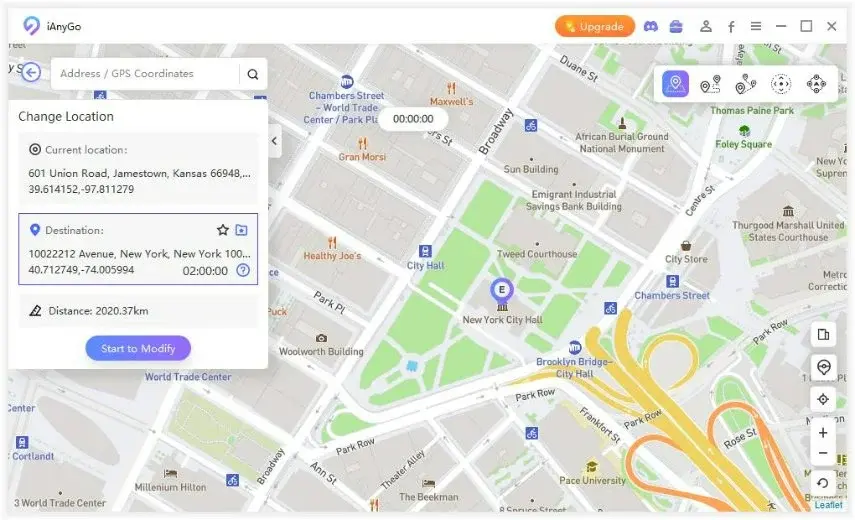
- Choose the location you want to set on the map.
- Start Modifying Your Location:
- After selecting your desired location, click on Start to Modify.
- The new location will be displayed on Snapchat.
Restart Snapchat:
- After restarting Snapchat, your location will reflect the new GPS coordinates.
Pros:
- Easy to use with a simple interface.
- Instant results – your location changes immediately.
- Fine control over where you want your location to be.
Cons:
- Requires a computer to use.
- Some apps may detect that you’ve changed your location.
Use a VPN to Fake Your IP Location on Snapchat
Another method to change your Snapchat location is by using a VPN. A VPN (Virtual Private Network) hides your real IP address by routing your internet connection through a server in a different location. This will make Snapchat think you’re in that location, even though you’re not physically there.
Here’s how to use a VPN to fake your Snapchat location:
- Download a VPN App:
- Head to your device’s app store (iOS or Android) and download a VPN app.
- Connect to Your Desired Server:
- Open the VPN app and select a server in the location you want to virtually appear in. Most VPNs let you choose specific countries or cities.
- Verify Your IP Address:
- To confirm that your IP address has been changed, visit a website like whatismyip.com.
- Open Snapchat:
- Once your VPN is connected, open Snapchat and check the Snap Map. You should now see your location reflecting the VPN server’s location.
Drawbacks:
- Not all VPN services offer free connections, and some may have limited server options.
- Some free VPNs may not be safe, so be cautious when selecting one.
Use Xcode to Fake Your GPS Location (iOS Only)
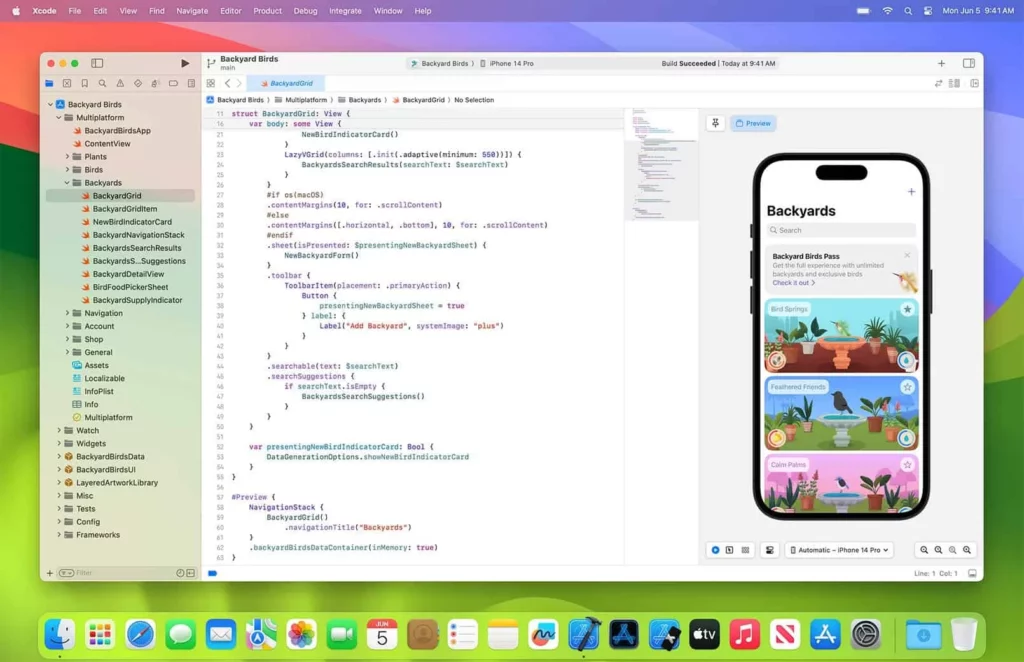
For iPhone users, you can use Xcode, a tool developed by Apple for developers, to fake your GPS location. Note that this method only works on jailbroken iPhones. Here’s how to do it:
- Download Xcode:
- Install Xcode from the App Store and sign in with your Apple ID.
- Create a New Project:
- Open Xcode and create a new project.
- Name your project and save it.
- Get Latitude and Longitude:
- Find the latitude and longitude of the location you want to fake using an online tool or map.
- Create a GPX File:
- In Xcode, go to File > New File and choose the GPX file option.
- Enter the latitude and longitude of the location you want to spoof.
- Build and Run the Project:
- Build the project and run it on your iPhone. You should see a blue arrow indicating your location is being spoofed.
- Check Location in Maps:
- Open the Maps app to see if your location is updated to the spoofed location.
Drawbacks:
- Jailbreaking your phone is required, which voids the warranty.
- It’s a more complicated method compared to others.
How to Update Snapchat Location Settings
If you don’t want to fake your location but just want to adjust your location settings for privacy or preferences, Snapchat provides easy options to control who can see your location on the map.
Here’s how to update your Snapchat location settings:
- Open Snap Map:
- Swipe down on the camera screen to access the Snap Map.
- Go to Settings:
- Tap the gear icon in the top-right corner to open your Settings.
- Choose Who Can See Your Location:
- Under the “Who Can See My Location” section, you have three options:
- Ghost Mode: Hides your location from everyone (even yourself).
- My Friends: Shares your location with all your friends.
- Select Friends: Lets you choose specific friends to see your location.
- Under the “Who Can See My Location” section, you have three options:
By choosing the right option, you can control who sees your location on Snapchat.

Conclusion
Changing your location on Snapchat doesn’t have to be difficult! Whether you want to fake your location for fun, protect your privacy, or virtually travel to a new place, there are multiple methods available. Among these, Tenorshare iAnyGo stands out as one of the easiest and most effective tools to spoof your location without the need to jailbreak your phone.
Remember, while these methods are convenient, it’s important to use them responsibly, especially when it comes to maintaining privacy and following the platform’s terms of service.
Hot FAQ about Changing Location on Snapchat Map:
- How do you change your Snapchat location to somewhere else?
- You can change your Snapchat location using tools like Tenorshare iAnyGo, which lets you quickly spoof your GPS location.
- How do you fix the wrong location on Snapchat?
- To fix a wrong location, simply restart the Snapchat app. If the issue persists, check your phone’s location service settings to ensure they are accurate.
By following these simple steps, you can easily change your Snapchat location to anywhere you like and enjoy the privacy and fun of virtual traveling!